
A&d DT-105 Digital Thermometer User Manual
Content
A&D DT-105 Digital Thermometer Manual and Product Overview
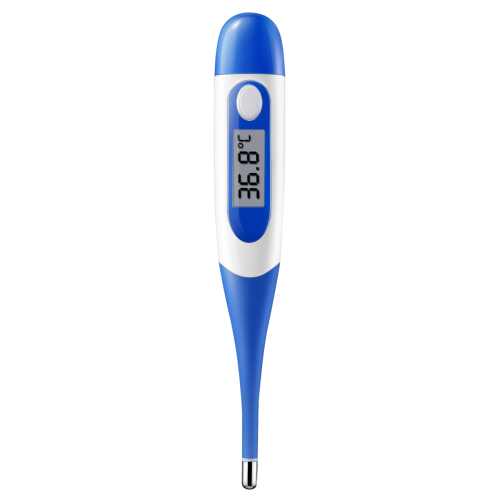
The A&D DT-105 Digital Thermometer is a compact, easy-to-use clinical thermometer designed for fast and reliable everyday temperature checks. It delivers readings in about 10 seconds and supports oral, rectal, and underarm use, making it a practical choice for families, caregivers, and home health monitoring. The flexible tip improves comfort, while the digital display, last-reading memory, audible beep, and automatic shut-off add convenience for routine use. As a mercury-free thermometer, it offers a safer alternative to older glass models and is suitable for users of all ages.
This model is especially useful for parents monitoring children, adults tracking illness recovery, and caregivers who need a simple, portable digital thermometer for quick checks at home or on the go. The device measures within a clinical range of 89.6°F to 109.2°F, with accuracy of ±0.2°F, which is suitable for common body-temperature screening needs. The A&D DT-105 Digital Thermometer typically falls in the budget-friendly range of about $10 to $20 depending on the seller, packaging, and availability. It is commonly sold through medical supply stores and online retailers, and usually includes a protective carrying case and bilingual instructions.
How to Use the A&D DT-105 Digital Thermometer
Turn the thermometer on, place the probe in the selected location, and wait for the beep to indicate completion. The 10-second reading time makes it ideal for quick checks without sacrificing ease of use. For the most accurate results, keep the thermometer in place until the signal sounds, and avoid moving it during measurement.
- Oral use: place the tip under the tongue and close the mouth gently.
- Rectal use: apply proper hygiene and use careful insertion only as directed.
- Underarm use: place the sensor high in the armpit and hold the arm snugly against the body.
Always clean the probe after each use and store the unit in its case when not in use. The thermometer runs on a 1.5V button battery and offers approximately 200 hours of continuous operation, making it dependable for regular household use.
Troubleshooting A&D DT-105 Digital Thermometer Problems
Common issues usually relate to battery power, placement, or user handling rather than device failure. If the display does not turn on, replace the 1.5V button battery first. If the reading seems inconsistent, make sure the tip is positioned correctly and the thermometer remains still until the beep sounds. If the unit appears to take too long, check that the probe is clean and that the battery is not weak.
The DT-105 does not list complex error codes, so most problems are resolved through basic checks rather than code-based fixes. Preventive care includes storing it within the recommended temperature range of 14°F to 131°F, avoiding drops, and keeping the sensor clean and dry. For warranty or support assistance, contact A&D through the official support channels listed by the manufacturer or the retailer where you purchased the unit. If you need help, the A&D Medical support line is commonly listed as 1-888-726-9966, and product support email options may be available through the company website or distributor.
Pros and Cons of the A&D DT-105 Digital Thermometer
Pros
- Fast 10-second readings make it convenient for busy households.
- Flexible tip improves comfort during oral and rectal use.
- Mercury-free design is safer than older glass thermometers.
- Easy-to-read digital display supports quick temperature checks.
- Memory recall, beep alert, and auto shut-off improve usability.
- Good value for money compared with many basic digital thermometers.
Cons
- No advanced features such as Bluetooth connectivity or app tracking.
- Requires a button battery, so replacement is needed over time.
- Best suited for routine checks rather than professional diagnostic workflows.
- Some users may prefer a model with a backlit display for nighttime use.
Compared with premium alternatives, the A&D DT-105 Digital Thermometer is better suited for simple home use than for feature-heavy health tracking. Its strongest advantage is its balance of speed, comfort, and affordability.
Customer Reviews for A&D DT-105 Digital Thermometer
Customer feedback is generally positive, with many users giving it around 4.5 out of 5 stars for ease of use and quick readings. Buyers often praise the compact size, simple one-button operation, and the comfort of the flexible tip. One common compliment is that it is straightforward enough for parents and older adults to use without confusion.
Frequent complaints include the lack of advanced features and occasional battery replacement needs. Some users also note that, like many basic thermometers, accuracy depends on correct placement and proper waiting time. Overall, the A&D DT-105 Digital Thermometer is widely recommended for families who want a dependable, affordable, no-frills thermometer for everyday temperature monitoring.
Faqs
How do I set up the a and d DT-105 Digital Thermometer for the first time?
Why is my a and d DT-105 Digital Thermometer giving inconsistent readings?
How do I change the temperature unit on the a and d DT-105 Digital Thermometer?
What should I do if the a and d DT-105 Digital Thermometer will not turn on?
How accurate is the a and d DT-105 Digital Thermometer for everyday use?
Can the a and d DT-105 Digital Thermometer be used in different environments?
How do I clean and maintain the a and d DT-105 Digital Thermometer properly?
What features of the a and d DT-105 Digital Thermometer are most useful for daily temperature checks?
Tags
More a&d manuals
Leave a Comment