
Setup & Usage: Aeac Smart Watch Instruction Guide
Content
AEAC Smart Watch
Introduction
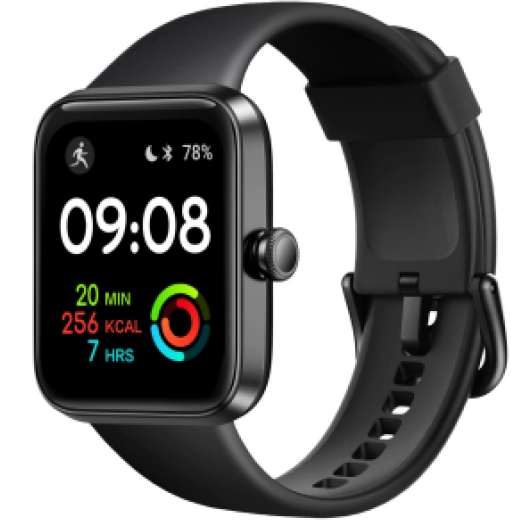
The Aeac Smart Watch is a versatile and affordable wearable designed for users seeking a balance between fitness tracking, smart notifications, and everyday convenience. With a vibrant AMOLED or TFT-LCD touchscreen, IP68 waterproofing, and robust health monitoring, the aeac Smart Watch stands out as a budget-friendly alternative to premium brands, offering core smartwatch features without the high price tag.
Key benefits include 24/7 heart rate, blood oxygen (SpO2), stress, and sleep monitoring, Bluetooth calling, AI voice assistant compatibility, and support for 100+ sports modes. Its slim, lightweight design and customizable watch faces make it suitable for both men and women, appealing to fitness enthusiasts, busy professionals, and tech-savvy users who want to stay connected and informed on the go.
The Aeac Smart Watch is compatible with both iOS and Android devices, ensuring broad accessibility. With an estimated price range of $50–$100, it delivers excellent value for those seeking a feature-rich smartwatch without breaking the bank. Available through major online retailers and the official AEAC store, it’s easy to purchase and enjoy right out of the box.
Whether you’re tracking your daily activity, monitoring health metrics, or managing notifications, the aeac Smart Watch is a reliable companion for modern, active lifestyles.
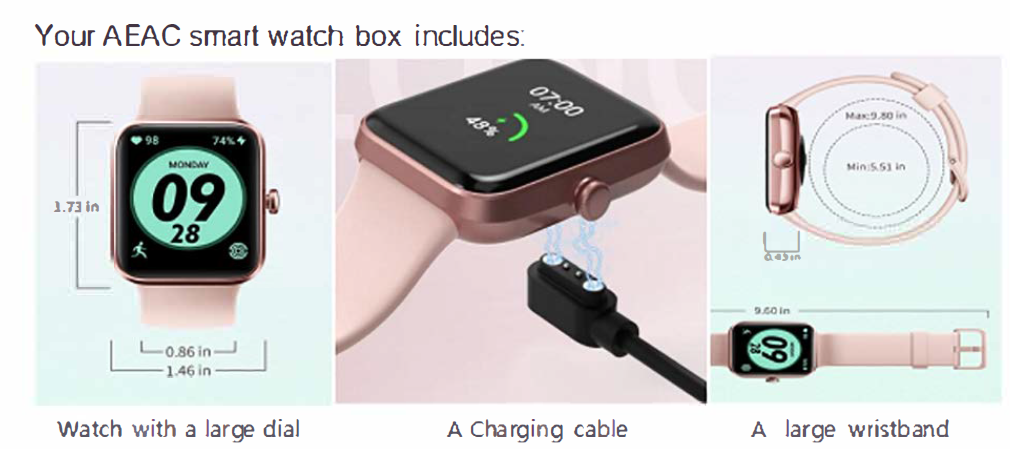
What's in the box
Specifications
Technical Details
- Display: 1.32"–1.7" AMOLED or TFT-LCD touchscreen, 240x280 resolution, customizable watch faces
- Water Resistance: IP68 or 3ATM, suitable for swimming and daily use
- Battery: 300–350 mAh lithium polymer, magnetic charging, up to 7 days of typical use, charges in under 2 hours
- Connectivity: Bluetooth 5.0–5.3, compatible with iOS 9.0+ and Android 6.0+
- Storage: 64MB–256MB internal memory
- Sensors: Heart rate (PPG), blood oxygen (SpO2), stress, sleep, accelerometer, gyroscope
- Health Tracking: 24/7 heart rate, SpO2, stress, sleep stages (deep, light, REM), body energy, sedentary reminders
- Sports Modes: 14–110+ predefined modes for running, cycling, swimming, and more
- Smart Features: Bluetooth calling (make/receive calls on select models), notifications (SMS, social apps), AI voice assistant (Siri/Google Assistant), remote camera control, find my phone, alarm, stopwatch, timer
- Build: Lightweight (38.5g with strap), durable silicone band, glass screen cover.
Performance & Comparison
Compared to similar budget smartwatches, the aeac Smart Watch offers a larger, brighter display, more sports modes, and advanced health tracking at a competitive price. While it lacks some premium features like built-in GPS or cellular connectivity, it excels in core fitness and notification functions, making it a strong value proposition for casual and active users.
Set up the VeryFit App
For the best experience, use the VeryFit app for iPhones and iPads or Android phones.

- To create an account, you're prompted to enter your birth date, height, weight, and sex to calculate your stride length and to estimate distance, basal metabolic rate
rate, and calorie burn.
Charge the AEAC watch.
A fully-charged AEAC has a battery life of 7 + days. Battery life and charge cycles vary with use and other factors; actual results will vary.
To charge AEAC:
- Take out the bracelet from the wristband. See the picture on the right for details of the operation.
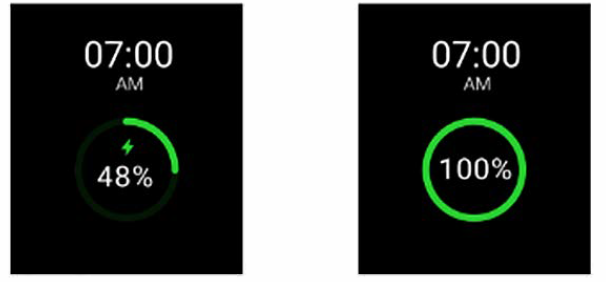
- Insert the charging terminal with golden fingers into the U SB port (be careful not to insert it backwards). After inserting, the charging indicator light will be on. If the light is not on, please confirm again whether it is inserted backwards or whether the USB port is faulty.
- Under normal circumstances, the bracelet can be fully charged in 1-2 hours.
Quick settings
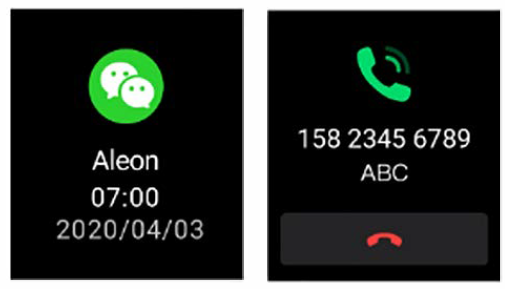
Smart Notification
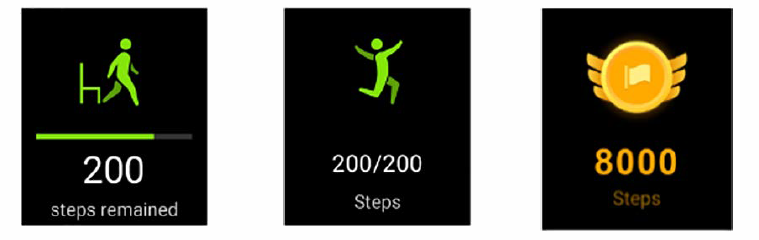
Step and Exercise Reminder
Call and Text
Drink water

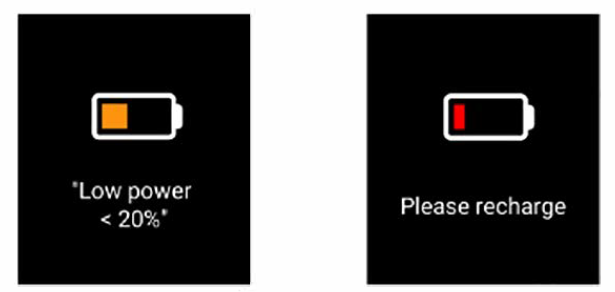
Lower power
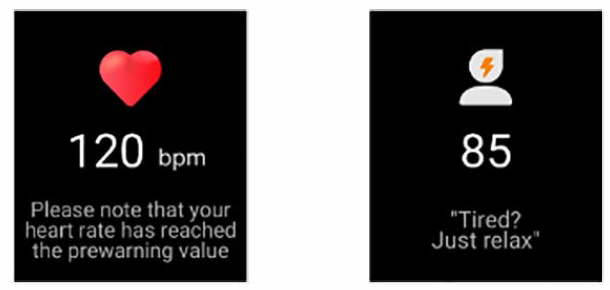
HR & Pressure monitoring
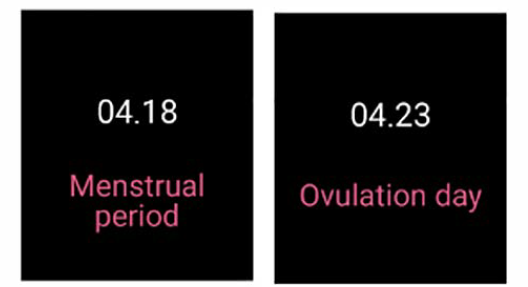
Women health
App & Smart Faces
The VeryFit App Gallery and Clock Gallery offer apps and clock faces to personalize your watch and meet a variety of health, fitness, timekeeping, and everyday needs.
Change the clock face.e
- From the Today tab in the Veryfit app, tap your profile picture
- Tap Clock Faces> All Clocks.
- Browse the available clock faces. Tap a clock face to see a detailed view.
- Tap Select to add the clock face
Open apps
From the clock face, swipe left to see the apps installed on your watch. To open an app, tap it.
Troubleshooting
Common Issues & Solutions
- Bluetooth Connection Problems: Ensure Bluetooth is enabled on your phone, restart both devices, and re-pair the watch if necessary.
- Notification Delays: Check app permissions, ensure the H-Band or VeryFit app is running in the background, and keep the watch within Bluetooth range.
- Battery Drains Quickly: Reduce screen brightness, disable unnecessary notifications, and update to the latest firmware.
- Screen Unresponsive: Restart the watch, clean the screen, and avoid using it with wet hands.
- Health Data Inaccuracies: Wear the watch snugly on your wrist, ensure the sensors are clean, and avoid movement during measurements.
Error Codes & Fixes
Specific error codes are not commonly reported, but most issues can be resolved with a device restart or app reinstallation. For persistent problems, consult the user manual or AEAC support.
Preventive Measures
- Regularly update the watch firmware and companion app.
- Avoid exposing the watch to extreme temperatures or direct sunlight for extended periods.
- Charge using the provided magnetic cable to prevent damage.
Warranty & Support
The Aeac Smart Watch comes with a 12-month replacement warranty and lifetime service support. For assistance, contact AEAC customer service via their official website or the VeryFit app.
Pros & Cons
Pros
- Affordable Price: Delivers premium-like features at a fraction of the cost of leading brands.
- Comprehensive Health Tracking: 24/7 heart rate, SpO2, stress, and sleep monitoring with detailed app analysis.
- Long Battery Life: Up to 7 days on a single charge with fast magnetic charging.
- Customizable Design: Multiple watch faces, a comfortable silicone band, and a lightweight build.
- Smart Notifications & Bluetooth Calling: Stay connected with call, message, and app alerts directly on your wrist.
- Extensive Sports Modes: Supports 100+ activities, making it ideal for fitness enthusiasts.
Cons
- No Built-in GPS: Relies on connected smartphone GPS for location tracking.
- Limited Third-Party App Support: Not as extensive as Wear OS or watchOS devices.
- Cannot Reply to Messages: View notifications, but cannot respond directly from the watch.
- Plastic Build: While durable, it lacks the premium feel of metal or ceramic watches.
Overall, the aeac Smart Watch offers exceptional value for budget-conscious users seeking reliable fitness and smart features, though power users may desire more advanced integrations.
Customer Reviews
User feedback highlights the AEAC Smart Watch’s affordability, comfortable fit, and accurate health tracking as major strengths. Many appreciate the bright display, long battery life, and seamless Bluetooth connectivity for notifications and calls. The variety of sports modes and customizable watch faces are also frequently praised.
Common complaints include occasional sync issues with the companion app, limited message reply functionality, and the absence of built-in GPS. Despite these minor drawbacks, most users rate the watch 4–4.5 stars, noting it as an excellent entry-level smartwatch for daily use and fitness tracking. Purchase recommendations emphasize its suitability for casual users, students, and those new to wearables.
Testimonials often mention the watch’s reliability during workouts, sleep tracking accuracy, and the convenience of receiving alerts without reaching for the phone. For those seeking a budget-friendly, feature-rich smartwatch, the aeac Smart Watch is a top contender in its category.
Faqs
How do I pair my aeac Smart Watch with my smartphone for the first time?
Why is my aeac Smart Watch not tracking heart rate or SpO2 accurately?
Can I make or answer phone calls directly from my aeac Smart Watch?
How do I extend the battery life of my aeac Smart Watch?
What should I do if my aeac Smart Watch won’t turn on or charge?
Is the aeac Smart Watch suitable for swimming or showering?
How can I customize the watch face and notifications on my aeac Smart Watch?
What health and fitness features does the aeac Smart Watch offer, and how do I use them?
Leave a Comment