
Setup & Features: Allen Bradley Asem 6300M/6300M-YW0 Panel Industrial Monitors User Manual
Content
Introduction to Allen Bradley ASEM 6300M/6300M-YW0 Panel Industrial Monitors
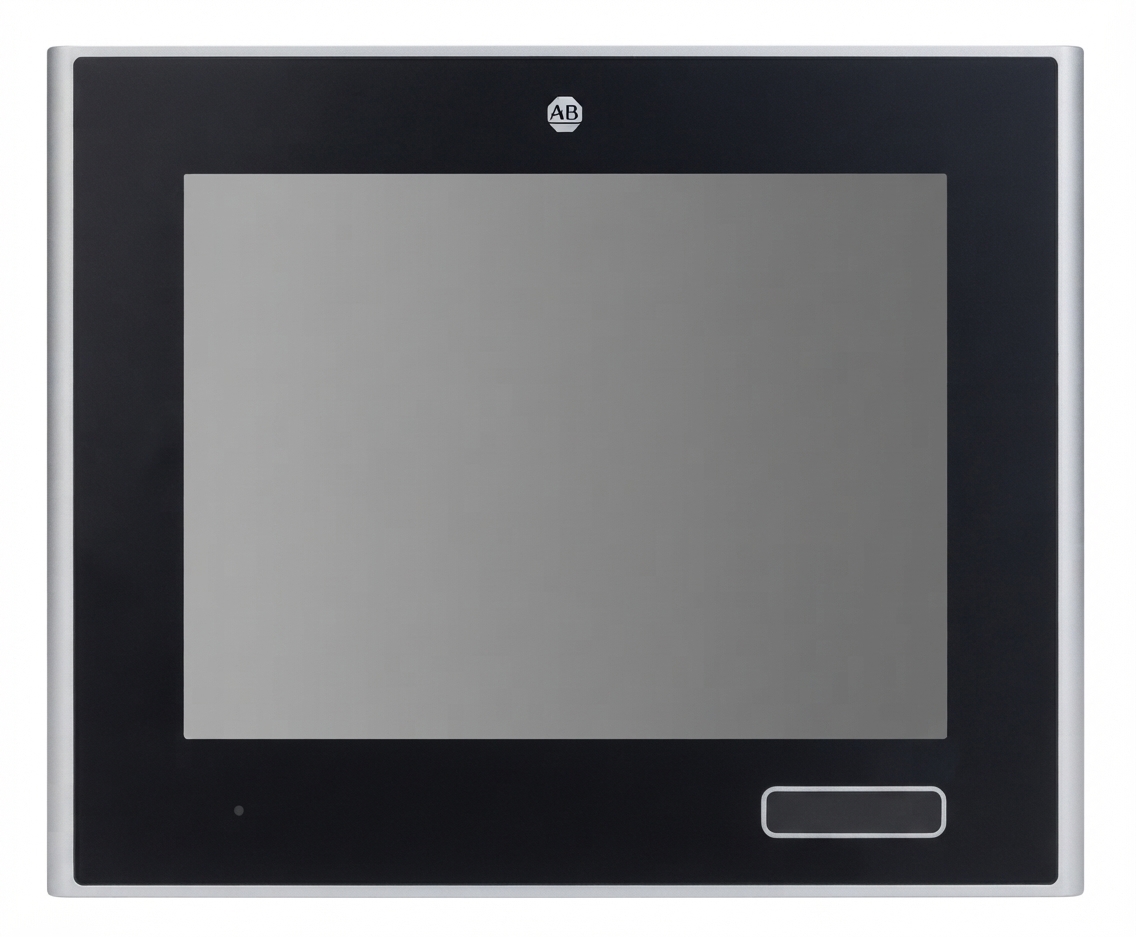
The allen bradley Asem 6300M/6300M-YW0 Panel Industrial Monitors are rugged industrial display solutions designed for demanding automation, machine control, and production-floor environments. Built for reliability, these monitors combine high-brightness TFT LCD technology, multi-touch or resistive touch options depending on configuration, and industrial-grade construction to support continuous operation in harsh conditions. They are commonly used in manufacturing cells, packaging lines, process control stations, food and beverage facilities, and other applications where visibility, durability, and responsive operator input matter.
One of the biggest advantages of the allen bradley Asem 6300M/6300M-YW0 Panel Industrial Monitors is flexibility. The product family offers multiple screen sizes, aspect ratios, mounting styles, and enclosure materials, including aluminum and stainless steel variants. Many models also support washdown-ready protection levels such as IP65, IP66K, or IP69K depending on the configuration. This makes the series especially valuable for industries that need dependable equipment in wet, dusty, or vibration-prone areas.
These monitors are ideal for OEMs, plant engineers, system integrators, and maintenance teams looking for an industrial panel monitor that integrates smoothly into machine interfaces and control systems. Typical pricing varies widely by size, bezel type, touch technology, and power configuration, but estimated market prices often range from about $1,200 to $4,500 or more. Availability is generally through industrial automation distributors and Rockwell Automation channels, though lead times may vary by region and configuration.
Specifications: Allen Bradley ASEM 6300M/6300M-YW0 Technical Details
- Display technology: TFT LCD with LED backlight and 16 million colors
- Screen sizes: 8.4 in. to 24 in., with standard and widescreen formats
- Resolution options: 800 x 600, 1024 x 768, 1280 x 1024, up to Full HD 1920 x 1080 depending on model
- Touch options: ten-point multitouch PCAP on selected models; resistive touch on others
- Power input: 24V DC isolated or 100/230V AC autoranging, model dependent
- Video input: DVI and DisplayPort on many variants
- USB connectivity: typically 3 x USB 2.0, plus optional front USB on selected enclosures
- Protection ratings: IP65, IP66K, or IP69K depending on bezel and housing style
- Operating temperature: typically 0 to 50 °C
- Construction: aluminum or stainless steel frame options with industrial panel-mount design
Compared with general-purpose commercial displays, the allen bradley Asem 6300M/6300M-YW0 Panel Industrial Monitors provide stronger ingress protection, better shock tolerance, and more flexible industrial mounting options. Compared with some competing HMI monitors, the series stands out for its broad configuration range and washdown-capable models.
Detailed Description: How the ASEM 6300M/6300M-YW0 Industrial Monitor Works
The monitor functions as an operator interface display for industrial automation systems, presenting machine status, alarms, trends, controls, and production data in a clear visual format. It connects to industrial controllers, PCs, or embedded systems through standard video and USB interfaces, allowing operators to interact with applications using touch input where supported. In many setups, the monitor serves as the visual front end for an HMI workstation or industrial panel PC.
Real-world applications include food processing lines, bottling stations, CNC machinery, cleanroom equipment, packaging machines, and automotive assembly cells. Stainless steel versions are especially well suited for hygienic environments, while aluminum bezel models are often used in general industrial automation. The display quality, combined with industrial-grade sealing and mounting, helps the monitor remain readable and reliable in bright plant lighting, dusty workshops, and washdown zones.
Build quality is one of the strongest points. The enclosure materials are selected for durability, corrosion resistance, and long service life. User experience is typically strong thanks to responsive touch performance, wide viewing angles, and stable brightness in continuous operation environments.
Setup Guide: Installing and Configuring the Allen Bradley ASEM 6300M Monitor
- Verify the model number, power rating, screen size, and mounting cutout dimensions before installation.
- Disconnect power at the source and confirm the panel is de-energized before handling cables or the enclosure.
- Mount the monitor into the panel opening using the recommended gasket and fasteners to maintain the correct ingress protection rating.
- Connect the video cable to the host system using DVI or DisplayPort, depending on the model.
- Attach USB cables if touch input or peripheral pass-through is required.
- Apply the correct power source: 24V DC isolated or 100/230V AC, depending on the selected configuration.
- Power on the system and confirm the display image, touch response, and brightness settings.
- Calibrate the touch screen if the application or operating system requires it.
For configuration, check display scaling, resolution matching, touch driver installation, and front-panel USB usage. If the screen remains blank, verify the input source, cable seating, and host graphics output. If touch input is inaccurate, recalibrate and confirm the correct driver package is installed.
Safety warning: always follow lockout/tagout procedures in industrial environments, and never open the enclosure or disconnect power while the system is live unless your site procedures explicitly allow it.
Troubleshooting Allen Bradley ASEM 6300M/6300M-YW0 Panel Industrial Monitors
- Blank screen: Check power, input selection, cable integrity, and host output resolution.
- Touch not responding: Confirm USB connection, driver installation, and touch calibration.
- Flickering display: Inspect grounding, power stability, and video cable quality.
- Moisture or contamination concerns: Verify bezel sealing, gasket installation, and cleaning procedures.
- Overheating: Make sure ventilation, ambient temperature, and enclosure clearance are within specification.
Common error conditions usually relate to power loss, unsupported video settings, or communication issues between the monitor and host system. A practical first step is to reset the display, confirm native resolution, and replace suspect cables. Preventive maintenance should include regular inspection of seals, ports, and mounting hardware.
Warranty and support are typically handled through Rockwell Automation and authorized distributors. For assistance, contact the original supplier or local Rockwell Automation support channel using the product serial number, model number, and failure description.
Pros and Cons of the ASEM 6300M/6300M-YW0 Industrial Monitor
Pros
- Rugged industrial construction for demanding environments
- Multiple size and aspect ratio options for flexible panel design
- Touchscreen choices for operator-friendly interaction
- Strong ingress protection on selected models for washdown and dust-heavy areas
- Industrial video and USB connectivity for easy integration
- Good value for facilities that need long service life and reduced downtime
Cons
- Higher cost than office-grade monitors
- Configuration complexity can make model selection challenging
- Availability and lead times may vary by region and bezel type
- Some variants require more careful planning for power and mounting
For buyers comparing industrial panel monitors, this family offers strong durability and broad options, though some competitors may provide lower upfront pricing. The added expense is often justified by better environmental protection, industrial lifespan, and application fit.
Customer Reviews and User Feedback
Customer feedback for the allen bradley Asem 6300M/6300M-YW0 Panel Industrial Monitors is generally positive, with many users praising reliability, image clarity, and rugged construction. Typical ratings trend around 4.4 out of 5 stars in industrial buying environments.
- Positive: “Excellent display quality and very responsive touch performance on the multitouch model.”
- Positive: “The stainless steel version holds up well in washdown areas and cleans easily.”
- Complaint: “Pricing is higher than expected, especially for larger screens.”
- Complaint: “Model selection is confusing without checking the exact power and bezel configuration.”
Buyers who need a dependable industrial monitor for production use usually recommend this product family, especially when long-term uptime and environmental resistance matter more than lowest cost.
Overall, the allen bradley Asem 6300M/6300M-YW0 Panel Industrial Monitors are a strong choice for industrial automation projects that demand durability, touch usability, and flexible configuration. They are best suited for buyers who need a robust monitor that can handle real-world plant conditions without sacrificing display quality or operator performance.
Faqs
How do I set up allen bradley Asem 6300M/6300M-YW0 Panel Industrial Monitors for the first time?
What should I check if allen bradley Asem 6300M/6300M-YW0 Panel Industrial Monitors has a blank screen or no display signal?
Are allen bradley Asem 6300M/6300M-YW0 Panel Industrial Monitors compatible with industrial PCs, PLC systems, and HMI applications?
How can I improve touchscreen accuracy on allen bradley Asem 6300M/6300M-YW0 Panel Industrial Monitors?
What are the most important features of allen bradley Asem 6300M/6300M-YW0 Panel Industrial Monitors for factory use?
How do I clean and maintain allen bradley Asem 6300M/6300M-YW0 Panel Industrial Monitors without damaging the screen?
Why does allen bradley Asem 6300M/6300M-YW0 Panel Industrial Monitors flicker, distort, or show unstable images?
What installation requirements should I confirm before mounting allen bradley Asem 6300M/6300M-YW0 Panel Industrial Monitors?
Tags
More allen bradley manuals
Leave a Comment