
Anker A3145 SoundCore Boost User Manual
Content
anker A3145 SoundCore Boost Product Manual
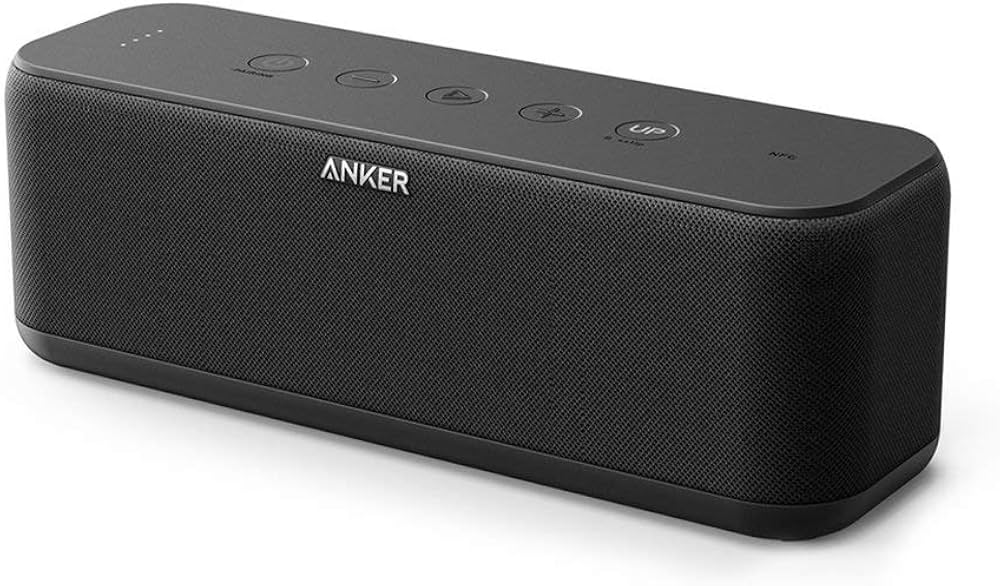
The anker A3145 SoundCore Boost is a compact Bluetooth speaker designed for everyday portability, richer bass, and simple wireless playback. With dual 10W drivers, an enhanced bass mode, and a rugged IPX5 water-resistant body, it is a strong fit for home listening, travel, outdoor gatherings, and desk setups. The speaker offers up to 12 hours of playtime, Bluetooth connectivity with a range of about 20 m, and a 5200 mAh battery that charges in roughly 4 to 6 hours. Its balanced size and 585 g weight make it easy to carry without feeling flimsy, while the built-in USB output adds a practical charging option for small devices in a pinch.
The anker A3145 SoundCore Boost is especially appealing to users who want a budget-friendly wireless speaker that still delivers punchy sound and dependable build quality. It is a good choice for students, commuters, casual listeners, and anyone looking for a portable speaker for podcasts, music, and video playback. In most markets, the estimated price range is typically around the budget-to-midrange category, often between $40 and $70 depending on availability, retailer, and condition. New units may be limited in some regions because the model has been on the market for several years, but it remains available through selected online stores, resellers, and support channels. For buyers searching for a reliable portable Bluetooth speaker with solid battery life and easy controls, this model continues to offer strong value.
Troubleshooting the anker A3145 SoundCore Boost
If the speaker will not pair, first turn Bluetooth off and on again, then remove the device from your phone or laptop and reconnect. If audio cuts out, keep the source device within the recommended wireless range and avoid heavy interference from walls or other wireless devices. If the speaker does not power on, charge it for at least 30 minutes using a stable 5V/2A adapter and a known-good cable. When battery performance drops, fully charge the speaker and avoid leaving it discharged for long periods; a full charge at least once every 45 days helps preserve battery health.
- Common issue: Bluetooth will not connect. Fix: reset the speaker, forget the device, and pair again.
- Common issue: No sound or low volume. Fix: check source volume, cable connections, and the speaker mode.
- Common issue: Charging stops early. Fix: try a different power adapter or cable and clean the port gently.
- Common issue: Firmware/update failure. Fix: restart the speaker and repeat the update process.
- Common issue: Water exposure. Fix: power off immediately, dry the unit completely, and do not charge until fully dry.
There are no widely documented error codes for this model in normal consumer use; most problems are resolved with reset, re-pairing, or power cycling. To reduce future issues, keep the firmware current when updates are available, avoid deep discharge, and store the speaker in a dry place. Warranty coverage is typically 18 months, with extended coverage available in some regions after registration. For help, contact Anker support through the official support website, email support@anker.com, or regional phone lines listed in the product documentation, such as 1-800-988-7973 for the US.
Pros and Cons of the anker A3145 SoundCore Boost
Pros
- Strong value for money with dual 10W output and bass boost features.
- Portable design that balances size, weight, and durability well.
- IPX5 water resistance makes it useful for kitchens, patios, and light outdoor use.
- Up to 12 hours of playtime is practical for day trips and long listening sessions.
- Simple controls and stable Bluetooth connectivity make it beginner-friendly.
Cons
- Micro-USB charging feels dated compared with newer USB-C speakers.
- Sound is good for the size, but not as wide or refined as premium alternatives.
- Availability may be inconsistent because it is an older model.
- IPX5 protection handles splashes, but it is not designed for full submersion.
Compared with newer compact Bluetooth speakers, the anker A3145 SoundCore Boost stands out for affordability and straightforward performance rather than cutting-edge features. It is a practical buy for users who want dependable everyday audio without paying for premium extras like advanced codecs, app tuning, or USB-C charging.
Customer Reviews for anker A3145 SoundCore Boost
Typical customer feedback is positive, with many users praising the speaker’s bass response, portability, and battery life. A common rating pattern is around 4.3 to 4.6 out of 5 stars in user reviews, with buyers often describing it as “small but loud” and “great for the price.”
- What users like: Clear sound at moderate volume, solid build quality, and easy Bluetooth pairing.
- Common complaints: Older charging standard, occasional pairing hiccups, and limited deep bass compared with larger speakers.
- Purchase recommendation: Recommended for budget-conscious users who want reliable portable sound for home, travel, or casual outdoor use.
Overall, the anker A3145 SoundCore Boost is frequently recommended as a dependable everyday Bluetooth speaker with strong value and few learning barriers. Buyers who expect premium audiophile performance may want to consider larger or newer alternatives, but most casual listeners will find it a smart and satisfying purchase.
Faqs
How do I set up anker A3145 SoundCore Boost for the first time?
Why is my anker A3145 SoundCore Boost not connecting to Bluetooth?
What devices are compatible with the anker A3145 SoundCore Boost speaker?
How can I improve the sound quality of anker A3145 SoundCore Boost?
What should I do if the anker A3145 SoundCore Boost battery drains too fast?
Can I use the anker A3145 SoundCore Boost while it is charging?
How do I reset anker A3145 SoundCore Boost when troubleshooting problems?
How should I clean and maintain anker A3145 SoundCore Boost for long-term use?
Tags
More anker manuals
Leave a Comment