
Atari XM-301 Modem User Manual
Content
Atari XM-301 Modem: Complete Product Manual and Buyer Guide
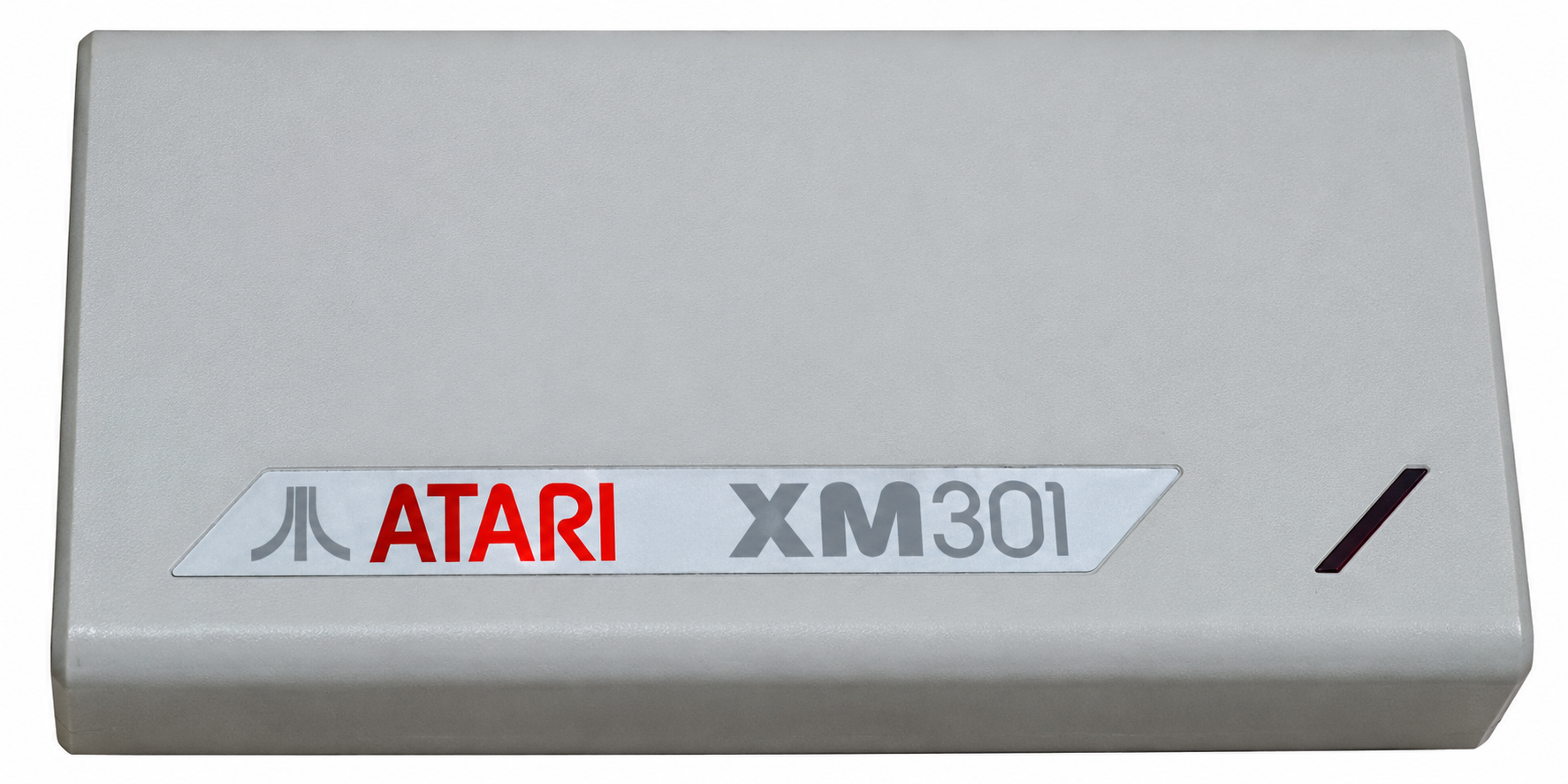
The Atari XM-301 Modem is a compact direct-connect 300 baud modem designed for Atari 8-bit computers, including the XE and XL families. It stands out for its plug-in simplicity, built-in auto-dial and auto-answer functions, and bus-powered design that eliminates the need for an external power supply. For vintage computing enthusiasts, hobbyists restoring classic Atari systems, and collectors looking for authentic telecommunications accessories, the Atari XM-301 Modem offers a practical way to connect to retro BBS systems, transfer files, and explore early online services.
This modem is especially appealing because it plugs directly into the Atari SIO port, making setup straightforward compared with many external modems of its era. It ships with communications software and was marketed as an affordable upgrade over earlier acoustic couplers. In today’s retro market, availability is limited and usually comes from collectors, specialty vintage electronics sellers, or online marketplaces. Estimated pricing typically ranges from about $40 to $120 depending on condition, packaging, and whether the original software and accessories are included.
As a legacy device, the Atari XM-301 Modem is best suited for users who value authenticity, period-correct functionality, and simple dial-up communications rather than modern networking speed. It remains a strong option for anyone asking how to connect an Atari computer to a vintage modem, how to use an Atari 8-bit serial bus accessory, or which classic direct-connect modem works with Atari BBS and terminal software.
Specifications of the Atari XM-301 Modem
- Modulation: Bell 103 frequency-shift keying
- Data rate: 300 baud / 300 bps
- Connection type: Direct-connect modem with FCC Part 68 approved line interface
- Computer interface: Atari SIO port
- Power: Draws power from the computer via SIO; no external AC adapter required
- Dialing methods: Tone (DTMF) and rotary pulse dialing
- Calling features: Auto-dial and auto-answer support
- Line connector: Modular RJ11 telephone jack
- Status indicator: Carrier detect LED
- Compatibility: Atari 8-bit computers such as 400, 800, XL, and XE models, with known limitations on the 1200XL unless modified
- Protocol support: Works with terminal software and XMODEM-style file transfer use cases
Compared with the Atari 835 or 1030-era solutions, the Atari XM-301 Modem is smaller, easier to use, and more feature-rich for its class. Compared with the later SX212, it is slower because it stays at 300 baud, but it remains simpler and more tightly integrated with the Atari serial ecosystem.
Pros and Cons of the Atari XM-301 Modem
Pros
- Very easy setup thanks to direct SIO connection and bus power
- Compact, lightweight design that fits neatly in a retro Atari setup
- Built-in auto-dial and auto-answer improve convenience
- Supports tone and pulse dialing for broader telephone compatibility
- Authentic period accessory for Atari collectors and retro computing fans
- Good value for vintage use when found at a fair collector price
Cons
- 300 baud speed is extremely slow by modern standards
- Limited compatibility with some Atari models, especially unmodified 1200XL systems
- Requires a compatible legacy phone line environment to be useful
- No modern networking features such as Wi-Fi, Ethernet, or TCP/IP support
- Replacement units and original accessories can be difficult to find
For pure retro authenticity, the Atari XM-301 Modem delivers excellent value. For users who want faster transfers or broader compatibility, later alternatives such as the SX212 or modern serial adapters are more practical.
Customer Reviews and User Feedback on the Atari XM-301 Modem
User feedback is generally positive, with many owners giving the Atari XM-301 Modem a strong 4 out of 5 stars for originality, ease of use, and nostalgic appeal. Enthusiasts frequently praise the modem’s tiny footprint, reliable auto-dial behavior, and simple plug-in operation. One common testimonial theme is that it feels like a “true Atari accessory” because it integrates so cleanly with the system.
Common complaints focus on speed and legacy limitations. Many users note that 300 baud is too slow for anything beyond classic bulletin boards, text transfers, or historical demonstrations. Others mention that the modem must sit at the end of the SIO chain and may not work with every Atari 1200XL setup without modification. Overall, buyers recommend it to collectors, retro computing hobbyists, and anyone seeking an authentic vintage modem experience rather than a practical everyday communications device.
Final Verdict: Is the Atari XM-301 Modem Worth It?
The Atari XM-301 Modem is a highly specialized product that excels as a collectible and as a functional piece of vintage computing history. If the goal is to restore an Atari setup, connect to retro services, or experience classic dial-up communications exactly as they were, this modem is an excellent choice. If the goal is modern connectivity, higher speed, or broad compatibility, newer solutions are better suited.
Faqs
How do I set up the Atari XM-301 Modem for the first time?
What should I do if the Atari XM-301 Modem is not dialing out?
Which Atari computers are compatible with the Atari XM-301 Modem?
What features make the Atari XM-301 Modem useful for BBS and terminal use?
Why does the Atari XM-301 Modem connect but fail to transfer data correctly?
How can I improve the performance of the Atari XM-301 Modem on noisy phone lines?
What maintenance does the Atari XM-301 Modem need to stay reliable?
How do I troubleshoot common Atari XM-301 Modem problems without replacing the hardware?
Tags
Leave a Comment