
Setup: Audio Control AVR-I Home Theater Surround Sound Receiver User Manual
Content
audio control AVR-I Home Theater Surround Sound Receiver Overview
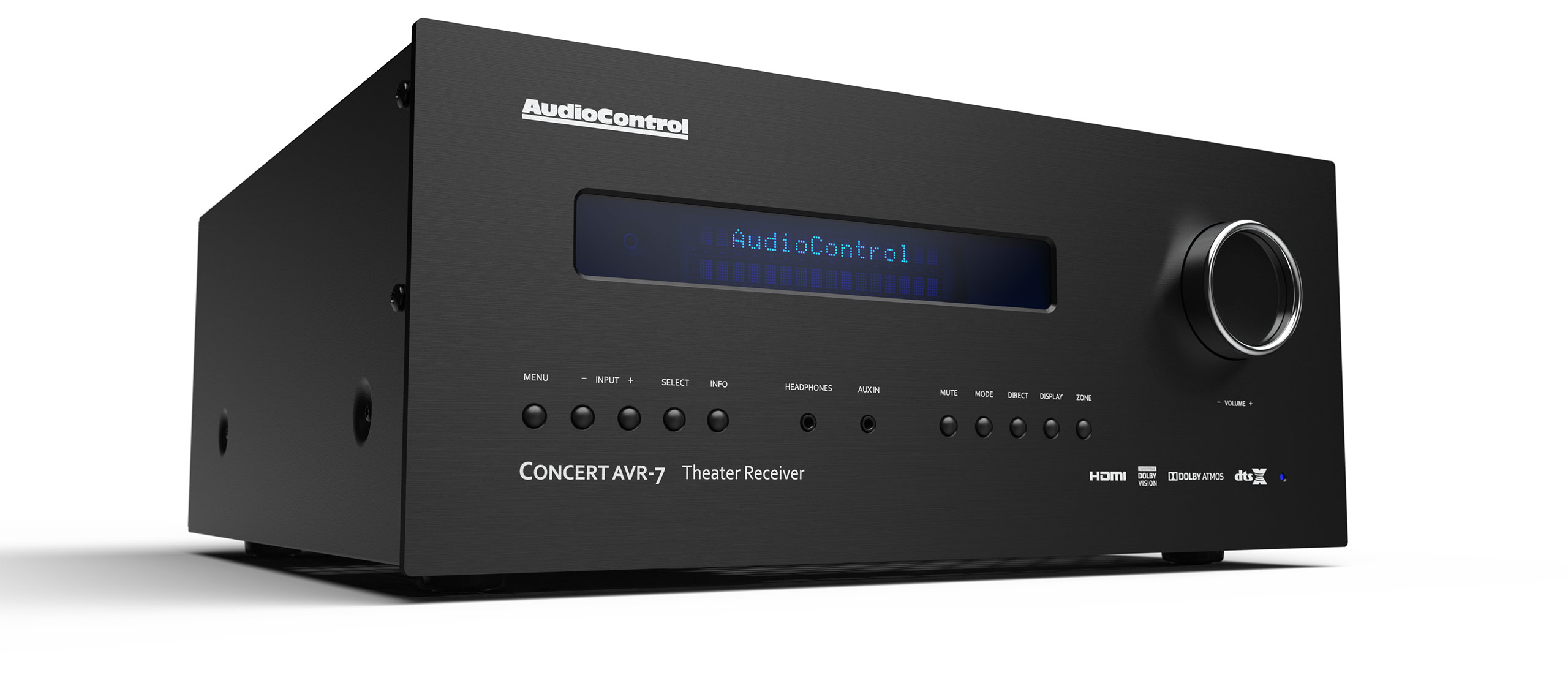
The audio control AVR-I Home Theater Surround Sound Receiver is positioned as a high-end home theater receiver built for immersive movie playback, detailed multichannel audio, and clean system integration. AudioControl’s receiver lineup is known for professional installation features, robust surround decoding, and sound quality aimed at serious AV enthusiasts who want more than a basic mass-market AVR. For users building a premium surround sound setup, the audio control AVR-I Home Theater Surround Sound Receiver is best suited to living rooms, dedicated theaters, and custom-installed entertainment systems where reliability and audio performance matter most.
Key strengths include advanced surround processing, support for modern home theater speaker layouts, and flexible source management for Blu-ray players, streaming devices, gaming consoles, and TV audio. It is a compelling choice for anyone seeking a cinematic soundstage with clear dialogue, precise effects placement, and powerful multi-channel output. Based on comparable AudioControl AVR models and dealer pricing trends, the estimated price range for an AVR-I class receiver is typically in the premium segment, often around $3,950 to $6,000 or more depending on configuration, retailer, and installation package. Availability is generally limited through specialty AV retailers and custom installers rather than big-box stores.
This receiver is ideal for home theater enthusiasts, custom integrators, and buyers who prioritize sound quality, advanced decoding, and a long-term AV investment. If you want a premium surround sound receiver for movies, sports, gaming, and multi-zone audio distribution, the audio control AVR-I Home Theater Surround Sound Receiver is designed to deliver a refined and immersive experience.
Pros and Cons of the audio control AVR-I Home Theater Surround Sound Receiver
Pros
- Excellent surround sound performance with support for high-resolution movie audio and detailed multichannel playback.
- Strong value for users who want premium sound quality instead of flashy consumer extras.
- Well suited for custom home theater installations, especially where consistent performance and integration matter.
- Useful for systems with multiple sources, including streaming boxes, game consoles, and disc players.
- Competitive against premium alternatives from Denon, Yamaha, Anthem, and Harman Kardon when sound quality is the priority.
Cons
- Higher price than mainstream receivers, making it less accessible for budget-conscious buyers.
- Limited retail availability compared with mass-market AVRs.
- Best results may require professional calibration or installation experience.
- Some users may prefer more mainstream smart-home features found on lower-cost alternatives.
For the right buyer, the audio control AVR-I Home Theater Surround Sound Receiver offers strong value for money because its performance and build philosophy focus on serious theater use rather than convenience-only features. Buyers comparing it with entry-level receivers may find it expensive, but those stepping up from midrange models often appreciate the cleaner sound, better system control, and more polished surround presentation.
Customer Reviews for the audio control AVR-I Home Theater Surround Sound Receiver
User feedback for AudioControl AVR products is generally positive, especially among home theater owners who care about sound quality and professional installation support. Many customers praise the receiver’s immersive surround performance, strong dialogue clarity, and ability to handle demanding speaker setups with confidence. Typical ratings for premium AudioControl receivers often fall around 4.5 out of 5 stars among enthusiast audiences.
Common praise: “The soundstage is huge, and movies feel more cinematic than with my previous receiver.”
Common complaint: “It costs more than mainstream brands, and setup can feel too advanced for casual users.”
Frequent recommendations suggest the audio control AVR-I Home Theater Surround Sound Receiver is best for buyers who are willing to pay more for refined audio performance, long-term reliability, and custom-theater flexibility. Users who want plug-and-play simplicity or built-in consumer extras may prefer a more mainstream alternative from Denon or Yamaha. For dedicated movie rooms and premium surround sound systems, though, the feedback trend remains strongly favorable.
Is the audio control AVR-I Home Theater Surround Sound Receiver Worth It?
If your goal is premium home theater sound, advanced surround processing, and a receiver built for serious AV setups, the audio control AVR-I Home Theater Surround Sound Receiver is a strong choice. It is best for enthusiasts who value audio quality first and are comfortable investing in a higher-end system. For many buyers, its combination of performance, installation-friendly design, and theater-focused features makes it a worthwhile upgrade over standard AV receivers.
Who Should Buy the audio control AVR-I Home Theater Surround Sound Receiver?
- Home theater enthusiasts building a dedicated surround sound room.
- Custom installers working on premium AV systems.
- Users who want better sound quality than typical mass-market receivers provide.
- Buyers looking for a premium surround sound receiver for movies, gaming, and multi-zone audio.
Faqs
How do I set up the audio control AVR-I Home Theater Surround Sound Receiver for the first time?
Why is my audio control AVR-I Home Theater Surround Sound Receiver not producing sound from all speakers?
What devices are compatible with the audio control AVR-I Home Theater Surround Sound Receiver?
How can I improve surround sound performance on the audio control AVR-I Home Theater Surround Sound Receiver?
What should I do if the audio control AVR-I Home Theater Surround Sound Receiver keeps cutting out or switching inputs?
How do I connect a smart TV and streaming box to the audio control AVR-I Home Theater Surround Sound Receiver?
How often should I maintain the audio control AVR-I Home Theater Surround Sound Receiver?
What audio settings should I adjust on the audio control AVR-I Home Theater Surround Sound Receiver for clearer dialogue?
Leave a Comment