
Pairing & Usage: Beatxp Wave Xpods Earbuds User Manual
Content
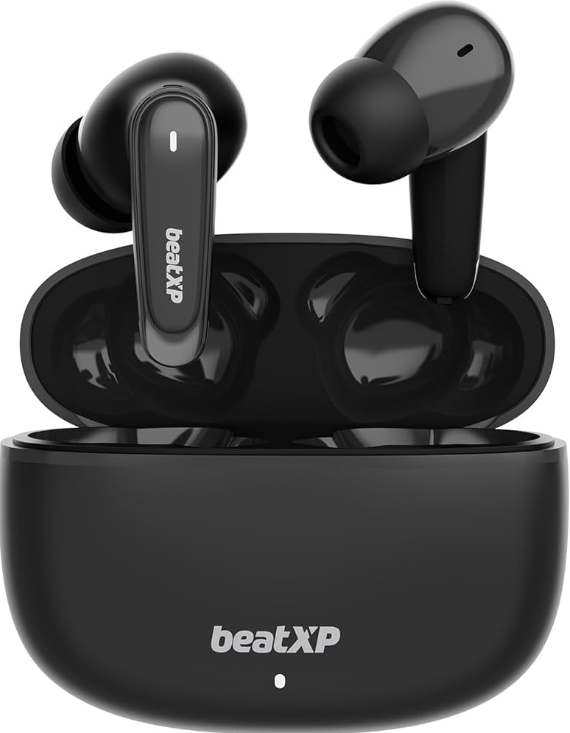
beatxp Wave Xpods Earbuds
Introduction
The beatxp Wave Xpods Earbuds are a feature-rich pair of true wireless earbuds designed for music lovers, gamers, and active users seeking superior audio performance and long-lasting battery life. Equipped with powerful 11mm dynamic drivers, these earbuds deliver immersive sound with deep bass and clear highs, making every listening experience vibrant and engaging. The earbuds leverage Bluetooth 5.3 technology for stable connectivity and instant pairing, ensuring seamless wireless use across compatible devices.
One of the standout benefits is the impressive 50 hours of total playback time, supported by a fast Type-C charging case that powers the earbuds efficiently. Additionally, the Wave Xpods feature advanced environmental noise cancellation (ENC) with quad microphones, enabling crystal-clear calls even in noisy environments. Their IPX5 water resistance rating protects against sweat and splashes, making them ideal companions for workouts, outdoor adventures, and daily commuting.
Targeted at audiophiles, gamers, and professionals who require reliable wireless earbuds with low latency and noise control, the Wave Xpods also incorporate a dedicated gaming mode with 40ms latency to provide smooth audio-visual synchronization during gameplay. Available in multiple colors and priced in the mid-range segment (approximately ₹3,700 in India), these earbuds offer a compelling balance of quality, durability, and affordability for everyday use.
Technical Specifications and Key Features of beatxp Wave Xpods Earbuds
- Driver Size: 11mm dynamic drivers for rich, deep bass and clear sound reproduction
- Bluetooth Version: 5.3 for enhanced wireless stability and instant pairing
- Playtime: Up to 50 hours total with charging case; 50 minutes charging time for earbuds
- Microphones: Quad mic setup with Environmental Noise Cancellation (ENC) technology for clear calls
- Gaming Mode: Low latency of 40 milliseconds optimized for gaming
- Water Resistance: IPX5 rating, resistant to sweat and splashes
- Charging: Type-C fast charging port for convenience
- Frequency Response Range: 20Hz – 20kHz for full-spectrum sound
- Battery Capacity: Earbuds - 40mAh each; Charging case - 380mAh
- Controls: Touch-sensitive controls for music, calls, and voice assistant activation
- Weight: Approximately 40-41 grams (including case)
- Warranty: 1-year manufacturer warranty
Compared to competitors in the same price range, such as the beatXP Vibe Xpods or Tune Xpods, the Wave Xpods stand out for their balanced audio fidelity, extended battery life, and gaming-focused low-latency mode, making them versatile for both entertainment and professional use.
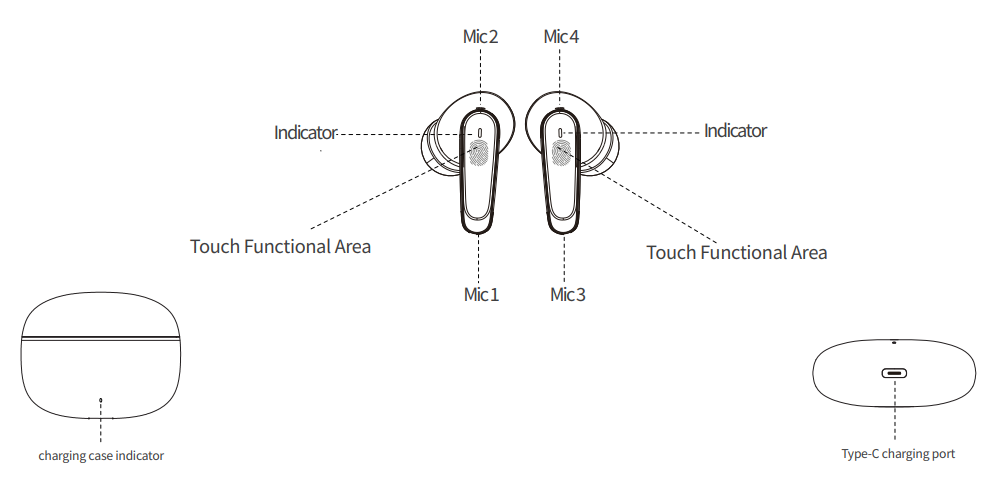
Know Your Device
Thank you for purchasing Wave XPods. This user manual will assist you about how to make the best use of your XPods.
What’s in the Box
- 1 X Charging Case
- 1 X Type-C Cable
- 2 X Bluetooth Earbuds
- 2 X Extra Eartips (2 Pairs)
- 1 X User Manual Card
- 1 X Product Catalogue
- 1 X Sticker
- 1 X Offer Card
- 1 X Warranty Card
How To Connect?
- Take your earbuds out of the case to power them ON.
- Turn ON the Bluetooth on your mobile phone and search for active devices.
- Select beatXP Wave XPods. Now your earbuds are connected to your phone and are ready to use.
Usage Guidelines
- The earbuds need to be fully charged before first-time use. If you’re not using the product for a long time, make sure you charge it every 30 days to keep the product active.
- Use the earbuds at a comfortable hearing volume. This prevents any hearing damage. When you first use this product, keep the volume low. Put the earbuds on and gradually increase the volume.
- Avoid using the earbuds while driving.
- For safety purposes, avoid using the earbuds in environments where you need to be aware of the surrounding noise.
- This product is assembled using small parts, hence keep it out of the reach of children.
- This product is assembled using magnetic components. Please consult your doctor if you feel it’s affecting any implantable medical equipment.
- If the product does not seem to not be working, please contact customer support. Don’t try to fix it yourself.
- It is recommended to dispose of the water batteries properly by abiding by local regulations.
- Any repair or maintenance should be done by authorized personnel to avoid the warranty being void.
- It is not advised to use high-voltage smartphone chargers. However, chargers with a capacity of 5V-10V can be used to charge XPods.
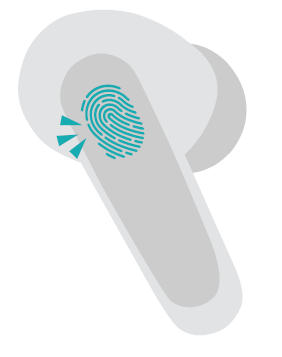
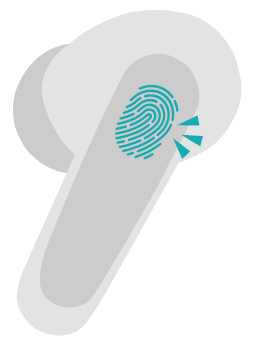
Touch Controls
Music
- One Tap : Play/Pause
- Double Tap : Next Track
- Triple Tap : Previous Track
- Press and Hold for 5s
Calling
- One Tap : Answer/End Call
- Double Tap : Reject Call
AI Voice Assistant
- Press and Hold for 2s
Reset
- Press and Hold for 5s
- (Both earbuds before connecting to the device)
Buds ON/OFF
Automatically ON when opening the charging case’s top cover or removed from the case, OFF when the buds are put into the case, and OFF when the case’s top cover is closed.
Troubleshooting
- Unable to Power ON
Try charging the earbuds for 30 minutes and try again. - Unable to Pair
Go to the Bluetooth Settings on your mobile phone, click on Forget Device
for beatXP Wave XPods, and put the uds into the case to charge. After 30-45 minutes, try again. - Unable to Connect to Mobile
Place earbuds into the charging case. Turn OFF Bluetooth on your mobile and turn it ON again. Take the earbuds out of the case and try again. - Unable to Charge
Ensure the earbuds are properly placed in the charging case. If not, gently press them in and clean the charging port. - Only one earbud is working/Either of the two is not working simultaneously
Go to your mobile phone’s Bluetooth Menu and click on Forget Device, or disconnect your earphones and put them back into the charging case. Then take the earbuds out of the case and try again.
Pros & Cons of beatxp Wave Xpods Earbuds
Pros
- Long Battery Life: Offers up to 50 hours of playback, significantly higher than many rivals.
- Enhanced Call Quality: Quad mic ENC technology ensures clear voice transmission even in noisy environments.
- Low Latency Gaming Mode: 40ms latency supports seamless gaming audio synchronization.
- Durability: IPX5 water resistance protects against sweat and light rain, suitable for active use.
- Fast Charging: Type-C charging allows quick recharge and usability on the go.
Cons
- Fit and Comfort: Some users may find the earbud fit less secure during intense workouts compared to custom-fit models.
- Lack of Active Noise Cancellation (ANC): While ENC improves call clarity, full ANC is not available, which might be a drawback in very noisy environments.
- Mid-Range Pricing: Priced around ₹3,700, it might be slightly higher than budget earbuds,, lacking advanced features.
- Limited Color Options: Fewer color choices compared to some competitors.
Customer Reviews and Feedback on beatxp Wave Xpods Earbuds
Faqs
How do I pair beatxp Wave Xpods Earbuds with my smartphone for the first time?
Can I use beatxp Wave Xpods Earbuds for gaming, and how do I enable low latency mode?
What should I do if my beatxp Wave Xpods Earbuds are not charging properly?
How does environmental noise cancellation work on beatxp Wave Xpods Earbuds during calls?
Are beatxp Wave Xpods Earbuds sweat and water resistant for workouts?
What is the actual battery life of beatxp Wave Xpods Earbuds on a single charge and with the case?
How do I reset my beatxp Wave Xpods Earbuds if they are not connecting or responding?
Can I use beatxp Wave Xpods Earbuds with a laptop or tablet, and are there any compatibility issues?
Leave a Comment