
Brannan Digital Max Min Thermometer User Manual
Content
Brannan Digital Max Min Thermometer Review and Product Manual
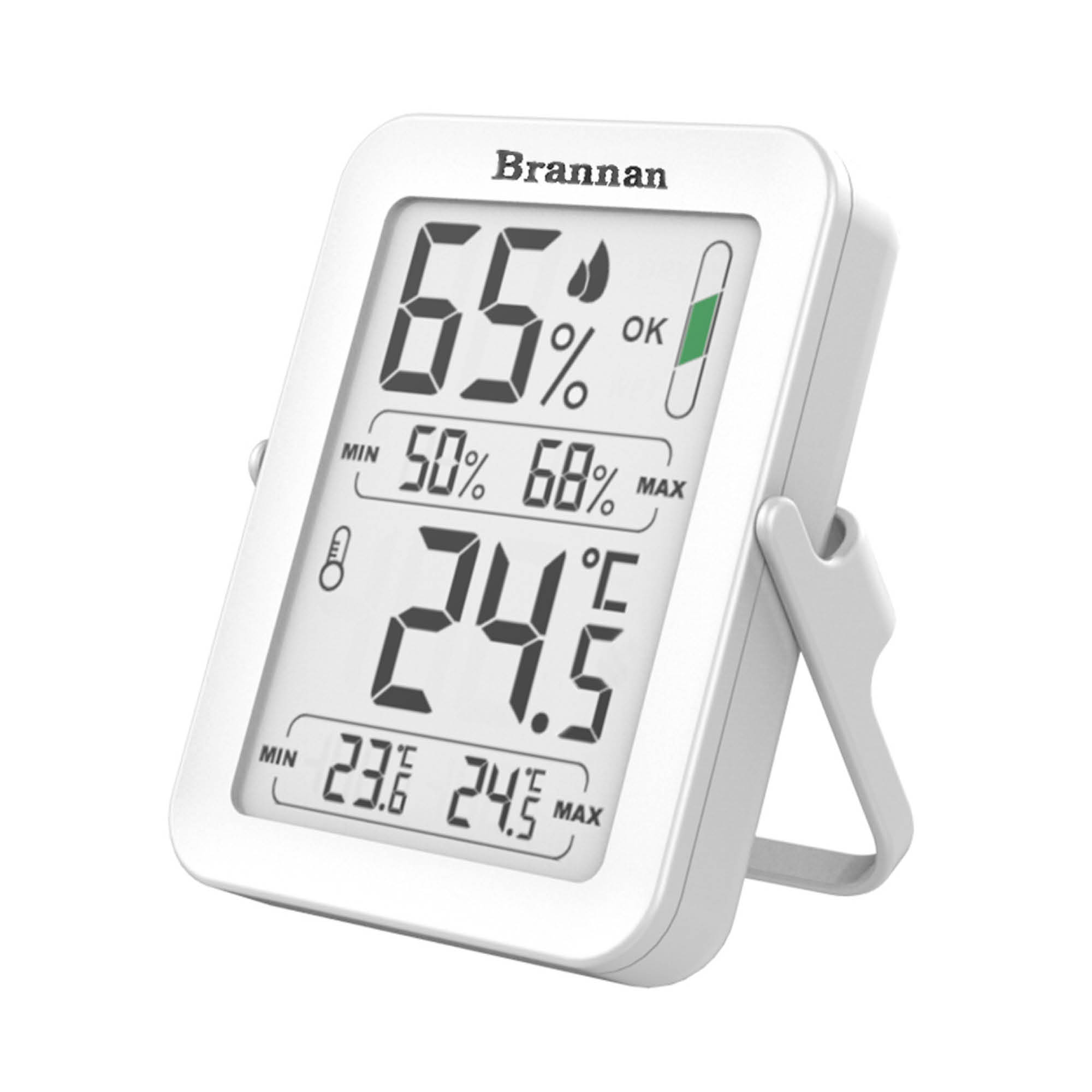
The Brannan Digital Max Min Thermometer is a practical temperature-monitoring solution designed for homes, greenhouses, laboratories, food storage areas, and light commercial environments. It is built to record current temperature along with the maximum and minimum readings over a set period, making it especially useful when you need to track fluctuations rather than a single spot reading. Brannan’s digital max/min range typically includes easy-to-read LCDs, Celsius/Fahrenheit switching, and simple reset functions, which makes the product approachable for both beginners and experienced users.
One of the main advantages of the Brannan Digital Max Min Thermometer is its balance of affordability and functionality. Depending on the model, prices commonly fall in the approximate range of £15 to £25 for standard versions, while premium waterproof or large-display models can cost more. Availability is generally strong through Brannan’s own product range and major scientific, industrial, and retail suppliers. This makes it a convenient option for users who need a dependable max and min temperature thermometer without moving into expensive data-logging equipment.
Target users include gardeners monitoring greenhouse conditions, homeowners checking indoor comfort, technicians tracking room temperatures, and businesses needing basic environmental oversight. Its core value lies in its simple setup, low power use, and clear display of temperature extremes. For anyone searching for a reliable digital max min thermometer for everyday monitoring, this product remains a sensible and widely used choice.
Troubleshooting the Brannan Digital Max Min Thermometer
If the display is blank, the most common cause is a depleted battery. Replace the AAA battery with a fresh one and check that the polarity is correct. If the screen shows unstable or incorrect values, move the unit away from heat sources, direct sunlight, vents, or cold drafts, since environmental interference can affect readings. For outdoor use, place the sensor or body in a protected position when the model is not waterproof.
Some users may see display messages such as LL.L or HH.H, which usually indicate that the temperature is outside the measurable range of the unit. In that case, relocate the thermometer to an environment within the specified operating limits and allow it time to stabilize. If max/min readings do not update, reset the memory function according to the model instructions and confirm that the thermometer has had enough time to sample the air properly.
Preventive care includes regular battery checks, cleaning the casing with a dry cloth, and avoiding immersion unless the model is explicitly waterproof. Warranty and support are normally handled through Brannan or the retailer where the product was purchased. For help, contact the seller’s customer service team or Brannan support through the official company website, product documentation, or distributor help desk.
Pros and Cons of the Brannan Digital Max Min Thermometer
Pros
- Clear max/min monitoring: It records current, highest, and lowest temperatures, which is ideal for greenhouse and room monitoring.
- Easy to use: The digital interface is straightforward, making setup and daily checks simple for non-technical users.
- Good value for money: The brannan Digital Max Min Thermometer offers a strong feature set at a budget-friendly price point.
- Versatile applications: Suitable for indoor environments, sheltered outdoor areas, storage rooms, and plant care.
- Practical design options: Brannan sells multiple versions, including quick-set, large LCD, and waterproof models.
Cons
- Basic feature set: It does not offer advanced logging, Wi-Fi connectivity, or app integration found in higher-end alternatives.
- Limited protection on some models: Not all versions are waterproof, so outdoor placement must be careful.
- Accuracy is suitable, not laboratory-grade: Good for everyday use, but professional calibration may be needed for critical applications.
- Memory reset is manual: Users must clear max/min values themselves, unlike some smart thermometers that automate reporting.
Compared with smart indoor thermometers and wireless data loggers, the brannan Digital Max Min Thermometer stands out for simplicity and price. It is a strong choice if you need dependable temperature tracking without paying for connectivity features you may never use.
Customer Reviews of the Brannan Digital Max Min Thermometer
Customer feedback is generally positive, with many users giving it around 4 out of 5 stars for everyday reliability and ease of use. Gardeners often praise the accurate max/min tracking for greenhouse conditions, while home users appreciate the large, readable display and quick installation. One common testimonial style comment is: “Simple, clear, and does exactly what I need for my greenhouse.”
Frequent praise focuses on the thermometer’s affordability, low maintenance, and practical design. Common complaints usually relate to the lack of smart features, limited waterproofing on some versions, and the need to reset memory manually. A typical review might say: “Great value for money, but I wish it had remote monitoring.”
For buyers who want a straightforward digital max min thermometer for home, garden, or storage use, this model is often recommended. If you need advanced alerts or app-based tracking, a wireless alternative may be better, but for basic daily monitoring, this is a solid purchase.
Faqs
How do I set up brannan Digital Max Min Thermometer for the first time?
Why is my brannan Digital Max Min Thermometer showing inconsistent temperature readings?
How do I reset the max and min memory on brannan Digital Max Min Thermometer?
Can brannan Digital Max Min Thermometer be used outdoors, and what should I check first?
What do the max and min values mean on brannan Digital Max Min Thermometer?
What batteries or power requirements does brannan Digital Max Min Thermometer need?
How can I improve the accuracy of brannan Digital Max Min Thermometer?
How do I clean and maintain brannan Digital Max Min Thermometer for long-term use?
Leave a Comment