
Breville The TempPro Kettle LKE642 User Manual
Content
Breville The TempPro Kettle LKE642 Product Manual and Buyer Guide
Introduction
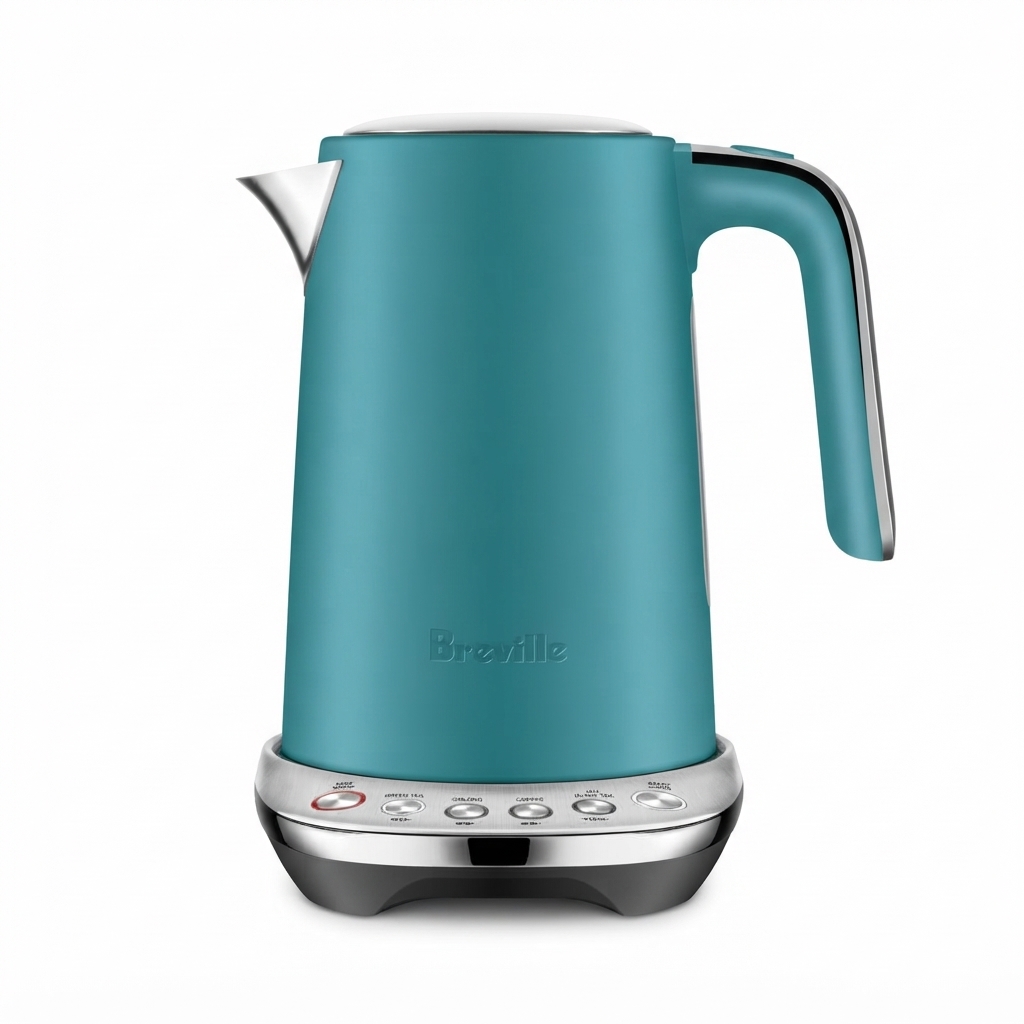
The Breville The TempPro Kettle LKE642 is a variable-temperature electric kettle designed for users who want more control over everyday boiling tasks. With four preset temperature settings, a 1.7L capacity, and a fast 2200W boil rate, it is built for tea drinkers, coffee enthusiasts, and households that want reliable performance with simple operation. The stainless steel body gives it a premium feel, while the cordless jug and 360-degree base make it easy to lift, pour, and return from any angle.
This model stands out for its practical temperature control, especially for green tea, oolong, coffee, and black tea, where water temperature affects flavor extraction. The keep warm function adds convenience for busy kitchens, and the removable mesh filter helps reduce scale particles for cleaner pouring. It is a strong fit for daily family use, office kitchens, and anyone who values precision brewing without complicated smart features.
At the time of writing, the estimated price range is around the mid-market kettle segment, commonly seen near 160 AUD depending on retailer, color, and regional availability. It is widely available through major appliance and electronics retailers, as well as Breville product support channels. If you are searching for a durable temperature control kettle with straightforward operation, breville The TempPro Kettle LKE642 is a well-balanced option for performance, ease of use, and value.
Specifications
- Model: breville The TempPro Kettle LKE642
- Capacity: 1.7L total jug capacity
- Minimum fill level: 0.5L
- Power: 1850-2200W, depending on region
- Temperature settings: 80°C, 90°C, 95°C, and 100°C
- Keep warm function: Holds temperature for up to 20 minutes
- Construction: Stainless steel body with plastic components
- Base: Cordless 360-degree power base with cord storage
- Filter: Removable mesh filter
- Safety features: Auto shut-off, boil-dry protection, lift-off power cutoff
- Boil reminder: Audible alert at the end of the cycle
- Weight: About 1.31 kg
- Dimensions: Compact footprint for countertop use
Compared with basic kettles, this model offers more brewing control and better user convenience. Compared with premium smart kettles, it focuses on essential features rather than app connectivity or advanced scheduling. For most households, that makes it a practical middle-ground choice with strong heating performance and a clean, modern design.
Setup Guide
1. Remove the kettle and base from the packaging, then check that the filter, lid, and power cord are secure and undamaged.
2. Place the base on a flat, dry, heat-resistant surface away from sinks, stovetops, and flammable materials.
3. Fill the kettle with cold water between the minimum and maximum marks. Never go below 500ml or above 1700ml.
4. Place the kettle firmly on the base, then plug the base into a suitable wall outlet.
5. Select the desired temperature using the control panel. Use 80°C for green tea, 90°C for oolong, 95°C for coffee, and 100°C for boiling water and black tea.
6. Press the start or cancel button to begin heating. If needed, activate keep warm before starting the cycle.
For best results, use filtered water if your area has hard water. Do not open the lid while the kettle is heating, and do not remove the kettle from the base until the cycle is complete. If the kettle does not power on, check that the plug is fully inserted, the base is connected, and the kettle is seated correctly. Always keep the exterior dry and never submerge the base in water.
Troubleshooting
If the kettle does not heat, first confirm that the outlet has power and that the kettle is correctly aligned on the base. If the selected temperature light flashes or the kettle stops early, the unit may have triggered boil-dry protection or not have enough water inside.
Common issues include slow heating, mineral buildup, or the keep warm function not holding temperature as expected. Descale the kettle regularly if you live in a hard-water area, and clean the mesh filter to maintain water flow. If water tastes metallic or cloudy, rinse the kettle thoroughly and perform a descaling cycle with a suitable kettle cleaner.
There are no commonly reported numeric error codes for this model. Instead, problems are usually indicated by lights, beeps, or shutdown behavior. If the kettle repeatedly switches off, check for overheating, limescale buildup, or improper seating on the base. For warranty assistance, Breville support is typically available through regional customer service, official product registration, and authorized service channels. Keep your proof of purchase handy when requesting repair or replacement help.
Preventive care includes emptying leftover water after use, wiping the exterior dry, and avoiding overfilling. Regular cleaning is the best way to extend the life of the kettle and preserve heating performance.
Pros and Cons
- Pros: Four useful temperature presets for tea and coffee brewing.
- Pros: 1.7L capacity suits families, shared kitchens, and office use.
- Pros: Fast 2200W boiling helps reduce waiting time.
- Pros: Keep warm function adds convenience for repeated servings.
- Pros: Stainless steel design feels durable and looks premium.
- Pros: Removable filter and 360-degree base improve day-to-day usability.
- Cons: No app control, smart scheduling, or digital display features.
- Cons: Temperature presets are limited compared with advanced premium kettles.
- Cons: Hard-water users may need frequent descaling.
- Cons: The keep warm function is useful but shorter than some competitors.
For value for money, breville The TempPro Kettle LKE642 is strongest for buyers who want reliable temperature control without paying for unnecessary smart features. Compared with basic one-touch kettles, it offers much better brewing flexibility. Compared with premium alternatives, it is simpler and more affordable, which makes it an appealing middle-tier choice for practical users.
Customer Reviews
Average customer sentiment is generally positive, with many users rating it around 4 to 4.5 out of 5 stars for performance, ease of use, and build quality. Reviewers often praise the fast boil time, the clear temperature settings, and the convenience of the keep warm feature.
Typical compliments include smoother tea brewing, less guesswork for coffee preparation, and a sturdy feel on the countertop. Common complaints usually focus on the lack of digital extras, occasional scale buildup in hard-water homes, and the fact that the keep warm function is not permanent.
One frequent user comment is that the kettle “makes everyday tea and coffee easier because the right temperature is always available.” Another common note is that “it boils quickly and feels well made, but regular cleaning is needed to keep it performing well.” For most buyers, this kettle is recommended if you want a dependable, easy-to-use variable temperature model rather than a connected smart appliance.
Frequently Asked Questions
What is the capacity of breville The TempPro Kettle LKE642? It has a 1.7L capacity, with a minimum fill level of 0.5L.
Does it have temperature control? Yes, it offers four temperature settings: 80°C, 90°C, 95°C, and 100°C.
Is there a keep warm mode? Yes, it can maintain temperature for up to 20 minutes.
Is it suitable for tea and coffee? Yes, it is designed for green tea, oolong, coffee, and black tea brewing.
Does it shut off automatically? Yes, it includes auto shut-off and boil-dry protection for added safety.
Faqs
How do I set up breville The TempPro Kettle LKE642 for the first time?
What should I do if breville The TempPro Kettle LKE642 does not turn on or respond?
Why does breville The TempPro Kettle LKE642 flash lights and stop heating during use?
How do the temperature settings on breville The TempPro Kettle LKE642 work?
Can I use the keep warm function on breville The TempPro Kettle LKE642 before the water finishes heating?
What type of water should I use in breville The TempPro Kettle LKE642 for better performance?
How do I clean the removable mesh filter on breville The TempPro Kettle LKE642?
How often should I descale breville The TempPro Kettle LKE642 to maintain heating performance?
More breville manuals
- Breville The Ultimate Cook 6-in-1 Multi-Cooker LMC700 User Manual
- Breville The Control Freak Induction Cooker BMC800 User Manual
- Breville The Bambino Espresso Machine BES450 User Manual
- Breville The Precision Brewer Thermal BDC455 User Manual
- Breville The Paradice 9 Food Processor BFP638 User Manual
- Breville The Original 74 Jaffle Maker BSG1974 User Manual
Leave a Comment