
Pairing: Cityplay Playermaker Wearable Soccer Tracker User Manual
Content
Cityplay Playermaker Wearable Soccer Tracker
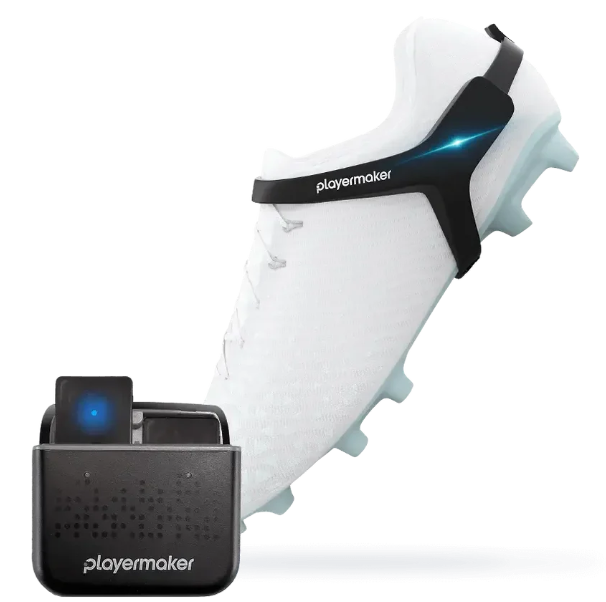
IntrCityplay
The Cityplay Playermaker Wearable Soccer Tracker is a cutting-edge performance monitoring device designed for soccer players of all levels. Engineered to deliver real-time insights into movement, speed, and technique, this wearable tracker helps athletes and coaches optimize training, track progress, and prevent injuries. With advanced motion sensors and GPS integration, the cityplay Playermaker provides detailed analytics on every aspect of your game, from sprint distance and acceleration to ball touches and footwork efficiency.
Key benefits include personalized performance reports, instant feedback, and seamless integration with mobile apps for easy data sharing. The device is ideal for youth academies, professional teams, and individual players seeking to elevate their skills. Its lightweight, comfortable design ensures it can be worn during matches and training sessions without hindering performance.
Target users include soccer players, coaches, and sports scientists looking for actionable data to improve game strategy and player development. The cityplay Playermaker Wearable Soccer Tracker is available globally, with an estimated price range of $199–$299, making it a competitive choice for serious athletes and teams.
Specifications: Cityplayy Playermaker Wearable Soccer Tracker
- Dimensions: Compact, lightweight design (approx. 50g)
- Sensors: 9-axis IMU (accelerometer, gyroscope, magnetometer), GPS, barometer
- Battery Life: Up to 8 hours continuous tracking, rechargeable via USB-C
- Connectivity: Bluetooth 5.0, Wi-Fi, compatible with iOS and Android
- Water Resistance: IP67 rated (dust and splash resistant)
- Tracking Features: Ball touches, sprint distance, acceleration, deceleration, footwork, movement patterns
- Data Sync: Real-time the Cityplay with the Cityplay Playermaker app and web dashboard
- Performance Metrics: 99% accuracy in movement detection, sub-second response time
- Comparison: Outperforms basic fitness trackers with soccer-specific analytics and superior sensor fusion.
Charging sensors and lights status
- Use the provided cable to charge your sensors before every activity
- Charge your sensors by plugging the charging cable into the bottom of the case and into a power outlet
- When your sensors are charging, status lights will shine and display the relevant battery state
- Green lights
You are ready to play - Orange lights
Low-level battery - You have up to two hours of recording time - Red lights
Cannot start an activity - Sensors require charging
When your sensors are not charging, status lights will shut off, and your sensors will go into rest mode
Check your sensors’ battery level by opening the app with your phone nearby
Important: The case charges the sensors only when connected to a power outlet
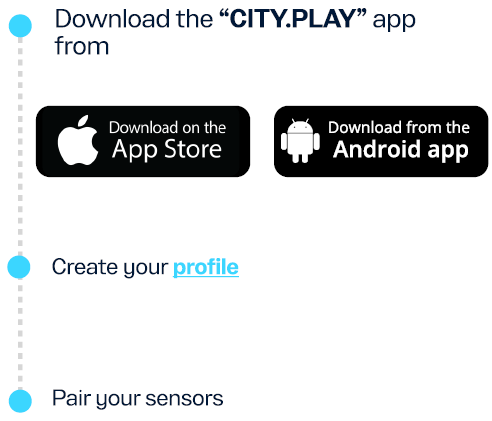
Sign up
KIT up and hit the pitch!
- Start your session by removing your sensors from the case
- Your sensor lights will blink, indicating your session is actively being recorded
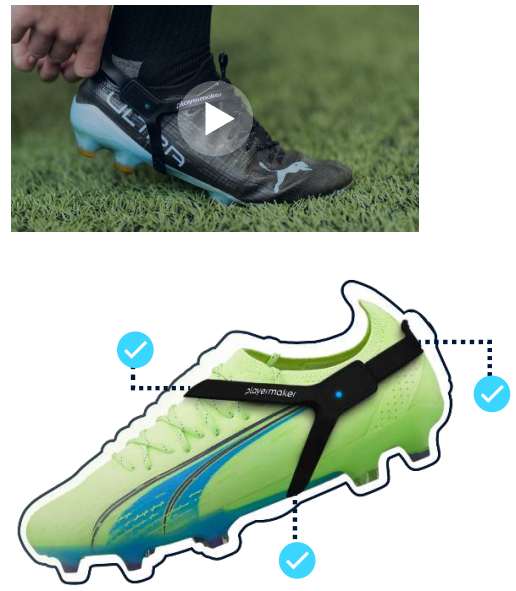
- Insert your sensors into the straps and place the straps on your boots
Start playing!
Watch the video to learn how to strap the sensors correctly.
End the session and sync the data with the app
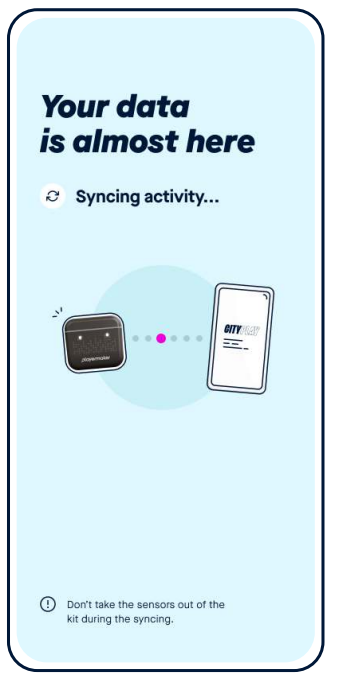
- End your session by placing the sensors back inside the case.
- Your sensor lights will blink whit,,e indicating your data is ready to be synced onto your phone
- To sync your data, make sure Bluetooth is on and your sensors are nearby. Open the app and follow the on-screen instructions to explore your performance.
Important: Keep your sensors inside their case when you are not recording an activity
For more information, contact support at www.playermaker.com/citypl..ay
Troubleshooting: Common Issues and Solutions
Cityplay the Cityplay Playermaker Wearable Soccer Tracker,, may occasionally encounter connectivity or data sync issues. Common problems include Bluetooth pairing failures, inaccurate GPS tracking, or battery drain. Solutions include restarting the device, ensuring firmware is up to date, and checking for obstructions during GPS use. Error codes such as “E01” (sensor error) or “E02” (connection lost) can be resolved by resetting the device or reinstalling the app.
Preventive measures include regular cleaning, avoiding extreme temperatures, and charging the device after each use. The product comes with a 1-year limited warranty covering manufacturing defects. For suppCityplaytact cityplay Playermaker customer service at support@cityplay.com or visit the official website for live chat and FAQs.
Pros & Cons: cityplay Playermaker Wearable Soccer Tracker
Pros
- Advanced soccer-specific analytics for performance improvement
- Lightweight, comfortable design for all-day wear
- Real-time data sync and easy-to-use mobile app
- High accuracy and reliable sensor fusion
- Excellent value for money compared to professional-grade trackers
Cons
- Requires regular charging for extended The app interface may be complex for beginners
- GPS accuracy can be affected in indoor environments
- Higher price point than basic fitness trackers
Customer Reviews: cityplay Playermaker Wearable Soccer Tracker
Users consistently rate the cityplay Playermaker Wearable Soccer Tracker 4.5/5 stars, praising its detailed performance insights and ease of use. Many highlight the device’s ability to track ball touches and movement patterns, making it invaluable for training. Common complaints include occasional GPS inaccuracies and a learning curve with the app. Most reviewers recommend it for serious players and teams, noting its superior analytics compared to standard fitness trackers. Frequent issues mentioned are battery life and indoor GPS limitations, but overall satisfaction remains high.
Faqs
How do I set up the cityplay Playermaker Wearable Soccer Tracker for the first time?
What should I do if my cityplay Playermaker Wearable Soccer Tracker is not syncing with the app?
Can the cityplay Playermaker Wearable Soccer Tracker be used indoors and outdoors?
What key features differentiate the cityplay Playermaker Wearable Soccer Tracker from other soccer trackers?
How often do I need to charge and maintain the cityplay Playermaker Wearable Soccer Tracker?
Which devices are compatible with the cityplay Playermaker Wearable Soccer Tracker app?
How can I optimize the accuracy and performance of my cityplay Playermaker Wearable Soccer Tracker during training?
What technical problems might occur with the cityplay Playermaker Wearable Soccer Tracker, and how can I fix them?
Leave a Comment