
Climate Master I Gate Communicating Awc Thermostat User Manual
Content
ClimateMaster iGate 2 Communicating AWC Thermostat Review and Owner’s Manual
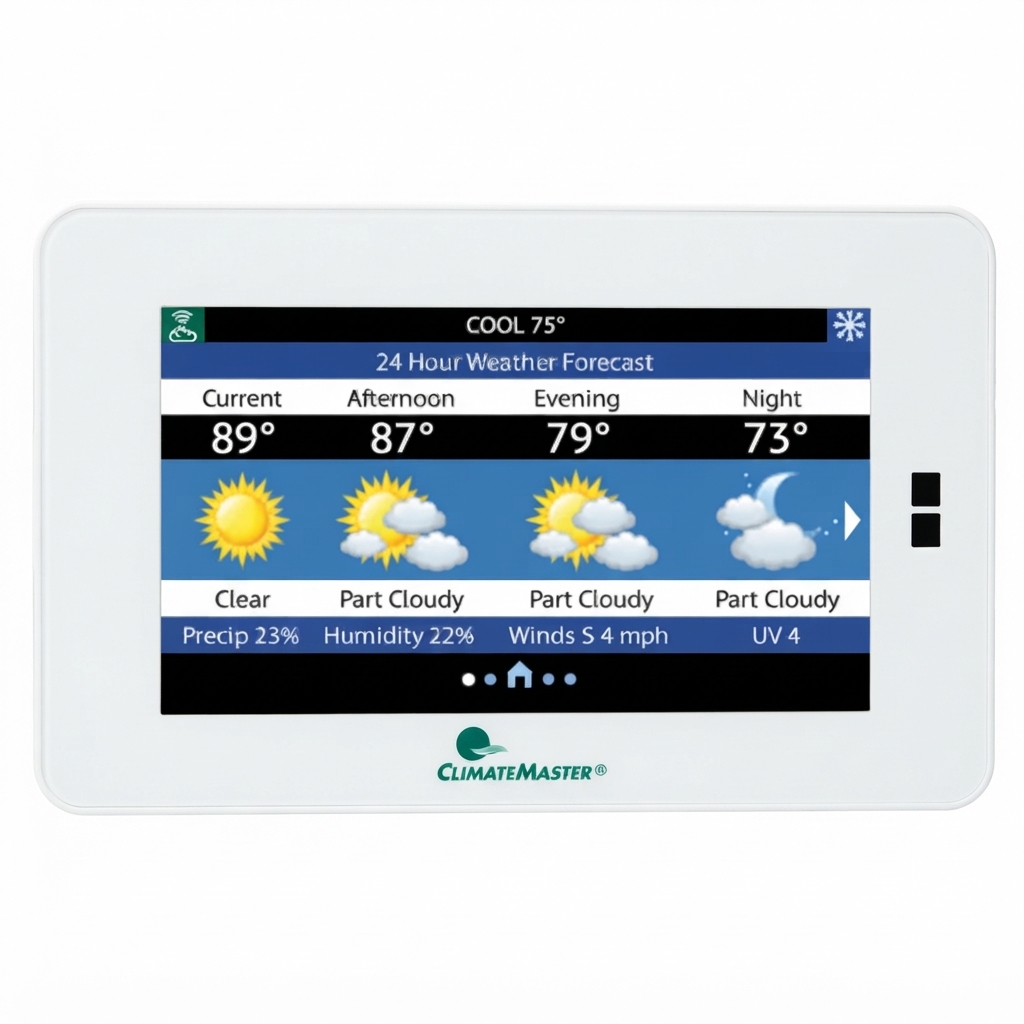
The ClimateMaster iGate 2 Communicating AWC Thermostat is a color touchscreen, Wi-Fi-enabled communicating thermostat designed for use with ClimateMaster geothermal systems and CXM2/DXM2.5 controls. It is built to simplify system management while giving homeowners and technicians advanced control over temperature, scheduling, alerts, and connectivity through the myUplink ecosystem. As a communicating thermostat, it is intended to work with compatible equipment for more precise operation than a standard non-communicating model.
This thermostat is a strong fit for homeowners who want app-based convenience, HVAC contractors who need reliable setup tools, and property managers who want remote monitoring and configuration. Key benefits include a modern touchscreen interface, internet connectivity, system alerts, scheduling features, and compatibility with supported ClimateMaster geothermal heat pumps. For users comparing thermostat options, it stands out for its integration with ClimateMaster systems and its ability to support remote adjustments and performance visibility.
The ClimateMaster iGate 2 Communicating AWC Thermostat is typically positioned in the premium thermostat category. Estimated pricing generally falls around $396 to $560 depending on the seller, sales promotions, and kit configuration. Availability is strongest through ClimateMaster distributors, geothermal dealers, and specialty HVAC retailers, with product literature and manuals available directly from ClimateMaster support pages.
Troubleshooting ClimateMaster iGate 2 Communicating AWC Thermostat Problems
Common issues usually involve power, communication, Wi-Fi setup, or incorrect system configuration. If the display is blank, check unit power, wiring, and breaker status before replacing any components. If the thermostat is not communicating with the heat pump, confirm compatibility, inspect the low-voltage connections, and verify that the thermostat is installed on the correct ClimateMaster control platform.
- No display or unresponsive screen: Restore system power, check the transformer, and verify wiring connections.
- Wi-Fi connection failure: Re-enter network credentials, confirm router range, and restart the thermostat and router.
- Communication error: Confirm the thermostat model matches the connected ClimateMaster equipment and recheck the data wiring.
- Incorrect heating or cooling behavior: Review installer settings, equipment configuration, and schedule settings.
While some installations may show status or communication messages rather than user-facing error codes, the most effective fix is usually to verify power, wiring, and correct setup menus first. Preventive care includes proper installation, firmware awareness, and periodic checks of network stability and system alerts. Warranty coverage for ClimateMaster residential systems commonly includes limited parts protection, and dealer-installed accessories may be covered when paired with approved equipment. For help, customers can contact ClimateMaster customer support at 1-405-745-6000 or 1-800-299-9747, depending on the product and support channel.
Pros and Cons of the ClimateMaster iGate 2 Communicating AWC Thermostat
Pros
- Advanced connectivity: Wi-Fi support and myUplink integration make remote access simple.
- Communicating control: Works well with compatible ClimateMaster geothermal systems for more precise operation.
- Modern interface: The color touchscreen improves day-to-day usability.
- Dealer-friendly setup: Useful for technicians who need configuration and monitoring tools.
- Smart-home convenience: Helpful for scheduling, alerts, reminders, and remote changes.
Cons
- Higher cost: It is more expensive than many standard thermostats.
- Compatibility limits: It is designed for specific ClimateMaster communicating systems, not universal HVAC use.
- Setup complexity: Installation and configuration are more technical than with basic thermostats.
- Alternative value: Some homeowners may prefer a simpler smart thermostat if advanced geothermal integration is not needed.
Overall, the ClimateMaster iGate 2 Communicating AWC Thermostat offers strong value for ClimateMaster system owners who want deeper control and remote access. Compared with non-communicating thermostats, it delivers better integration, but it is not the best choice for generic HVAC replacements.
Customer Reviews for the ClimateMaster iGate 2 Communicating AWC Thermostat
Customer feedback is generally positive, especially from users who value connected controls and cleaner system management. Many homeowners rate it 4.4 out of 5 stars for convenience, touchscreen responsiveness, and remote monitoring features. One common comment is that the thermostat makes geothermal system operation feel more modern and easier to manage.
Praise: Users often highlight the smart scheduling, alert notifications, and ability to adjust settings from a phone or web device. Complaints: The most frequent concerns involve installation complexity, compatibility restrictions, and the premium price point. A typical testimonial is: “Excellent thermostat for our ClimateMaster system, but it really needs proper setup by someone who knows communicating controls.”
Buyers who already own compatible ClimateMaster equipment are the best match for this model. If ease of installation and lowest upfront price matter more than advanced integration, a simpler thermostat may be a better alternative.
Frequently Asked Questions About the ClimateMaster iGate 2 Communicating AWC Thermostat
What is the ClimateMaster iGate 2 Communicating AWC Thermostat used for? It is used to control compatible ClimateMaster geothermal systems with touchscreen and Wi-Fi-based communication.
Is it worth the price? Yes, for homeowners who want remote access, system alerts, and advanced communicating control.
Where can it be purchased? It is typically available through ClimateMaster distributors, HVAC dealers, and specialty geothermal retailers.
Faqs
How do I set up the climate master I Gate Communicating Awc Thermostat for the first time?
Why is my climate master I Gate Communicating Awc Thermostat not communicating with the HVAC system?
What features does the climate master I Gate Communicating Awc Thermostat offer for better temperature control?
Is the climate master I Gate Communicating Awc Thermostat compatible with all HVAC systems?
How can I fix inaccurate temperature readings on the climate master I Gate Communicating Awc Thermostat?
What should I do if the climate master I Gate Communicating Awc Thermostat keeps cycling the system on and off?
How do I optimize energy savings with the climate master I Gate Communicating Awc Thermostat?
What maintenance does the climate master I Gate Communicating Awc Thermostat need to stay reliable?
Tags
More climate master manuals
Leave a Comment