
Conairpure AP04 Air Purifier User Manual
Content
ConairPure AP04 Air Purifier Review and Product Manual
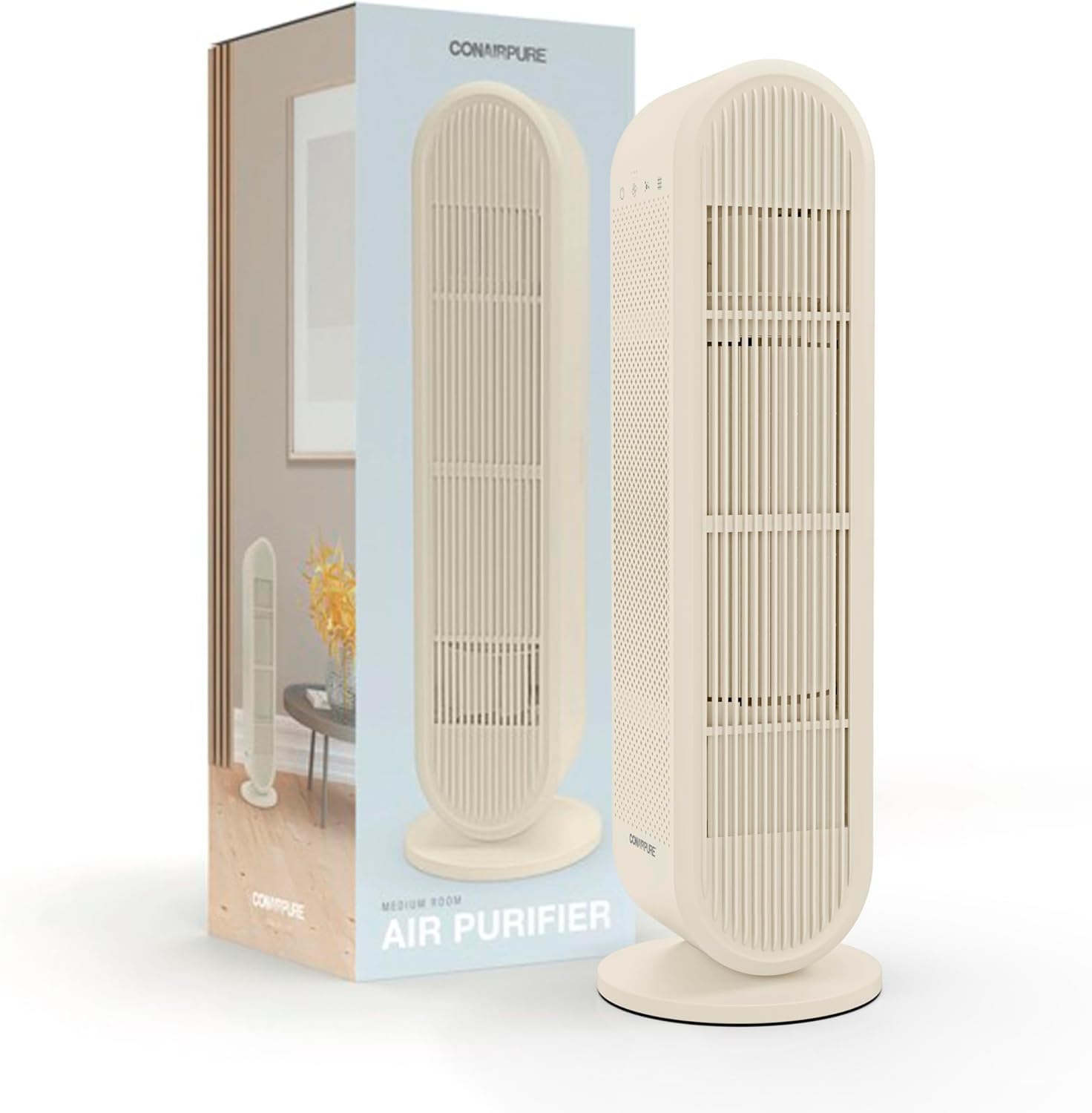
The ConairPure AP04 Air Purifier is a compact medium-room air cleaning solution designed to improve indoor air quality in bedrooms, offices, living rooms, and other everyday spaces. Built around a multi-stage filtration system, the AP04 combines a pre-filter, HEPA H13 filtration, and carbon filtration to help reduce dust, smoke, pollen, pet dander, and common household odors. It is positioned as a practical choice for users who want reliable air purification without the complexity of a premium smart device.
This model is especially appealing for allergy sufferers, pet owners, apartment dwellers, and anyone looking for a quiet air purifier for rooms up to about 200 square feet. Its lightweight form factor, simple controls, and 24/7 operation capability make it easy to integrate into daily use. The conairpure AP04 Air Purifier is also attractive for shoppers who want a balance of performance and affordability, with typical pricing in the approximate range of $90 to $120 depending on the retailer and current promotions.
One of the key selling points of the AP04 is its four-stage air cleaning approach, which is more comprehensive than many basic single-filter purifiers in the same class. It is also designed for quiet operation, making it suitable for overnight use in bedrooms or study areas. For consumers searching for a dependable medium room air purifier with straightforward setup and replacement-filter availability, the ConairPure AP04 remains a strong value-focused option.
ConairPure AP04 Air Purifier Specifications and Key Features
- Model: AP04
- Room coverage: up to 200 sq. ft. based on 2 air changes per hour
- Filtration system: pre-filter, activated carbon or carbon cotton layer, and HEPA H13 filtration
- Particle capture: up to 99.9% of airborne particles 0.1 micron or larger when used as directed
- Noise profile: quiet DC motor designed for low-noise operation
- Fan speeds: 3 speed settings for flexible airflow control
- Power use: low-wattage design suitable for continuous operation
- Filter life: replacement interval commonly listed at around 2,200 hours of use
- Form factor: compact medium-room purifier for vertical or side placement
- Best use cases: bedrooms, offices, nurseries, living rooms, and kitchens
Compared with many similar medium-room air purifiers, the AP04 stands out for offering HEPA H13 filtration and odor reduction in a simple, budget-conscious package. It may not include advanced features like app control, air-quality sensors, or auto mode, but it competes well with other entry-to-mid-level purifiers by focusing on filtration efficiency, quiet performance, and ease of maintenance.
How to Set Up the ConairPure AP04 Air Purifier
Setup is quick and straightforward. Place the unit on a flat, stable surface with enough clearance around the intake and outlet vents so air can circulate freely. Remove the packaging from the filter and confirm that the filter is seated correctly before plugging in the purifier. Once connected to power, select your preferred fan speed using the control interface.
For best results, run the purifier continuously in the room where you spend the most time. Choose a lower speed for overnight use and a higher speed when dealing with smoke, cooking odors, or heavy dust. If the purifier seems weak after installation, check that the filter is not wrapped in plastic, the inlet is not blocked, and the front cover is securely in place.
Safety precautions are simple but important: do not wash the HEPA filter, do not operate the unit near water, and always unplug it before cleaning or replacing the filter. If the purifier includes ionization features in your region, use them only according to the product instructions. Avoid placing the device directly against walls, curtains, or furniture that could restrict airflow.
Troubleshooting the ConairPure AP04 Air Purifier
If the unit does not power on, check the outlet, adapter connection, and power cable first. A loose filter cover or improperly installed filter can also prevent normal operation. If airflow feels weak, inspect the pre-filter for dust buildup and make sure the air inlet and outlet are unobstructed.
If the purifier is making unusual noise, turn it off and verify that the filter is correctly seated and that no packaging material remains inside. Rattling can also occur if the unit is placed on an uneven surface. If odors are not improving, the carbon layer may be saturated and the filter may need replacement sooner than expected. There are no widely documented error codes for this model, so most problems are resolved through basic inspection and filter maintenance.
Preventive care includes monthly pre-filter cleaning, periodic vacuuming of the outer filter surface when appropriate, and timely replacement of the main filter at the recommended interval. The product is typically covered by a limited one-year warranty, and support is usually handled through Conair customer service. For help, customers should contact Conair directly through the official support channels listed in the owner’s manual or on the brand’s website.
Pros and Cons of the ConairPure AP04 Air Purifier
Pros
- Effective four-stage filtration for dust, pollen, smoke, and odors
- Compact size makes it easy to place in bedrooms, offices, and apartments
- Quiet operation is well suited for nighttime use
- Simple controls reduce the learning curve for first-time users
- Good value for buyers who want HEPA filtration without a premium price tag
Cons
- No smart app, Wi-Fi, or air-quality display on most versions
- Best suited for medium rooms rather than large open spaces
- Replacement filters add ongoing ownership cost
- Basic interface may feel limited compared with feature-rich alternatives
For shoppers comparing the conairpure AP04 Air Purifier with smart purifiers or larger tower models, this unit offers a stronger focus on core purification performance and affordability. It is a solid choice if value, quiet operation, and straightforward maintenance matter more than digital extras.
Customer Reviews and Owner Feedback
Customer feedback for the AP04 is generally positive, with many users rating it around 4 out of 5 stars for everyday performance. Buyers often praise its compact footprint, quiet fan settings, and noticeable improvement in dust and pet odor control. One typical comment is that it works well in a bedroom without becoming distracting at night.
Common complaints usually focus on the lack of advanced features and the recurring cost of replacement filters. Some users also note that it is not powerful enough for large, open-concept areas. Even so, many reviewers recommend it for apartments, small homes, and medium bedrooms where dependable filtration matters more than smart controls.
For most buyers, the conairpure AP04 Air Purifier is a practical purchase if the goal is cleaner indoor air, easy operation, and a fair price.
Faqs
How do I set up conairpure AP04 Air Purifier for the first time?
Why is my conairpure AP04 Air Purifier not turning on?
How do I reset the filter indicator on conairpure AP04 Air Purifier after replacing the filter?
What does the ion generator feature do on the conairpure AP04 Air Purifier, and should I keep it on?
Which room size works best with conairpure AP04 Air Purifier?
How often should I replace the filter in conairpure AP04 Air Purifier?
Why does my conairpure AP04 Air Purifier seem loud on high speed?
How do I clean and maintain conairpure AP04 Air Purifier for better performance?
Leave a Comment