
Setup: Dolby Digital Atmos Home Theater User Manual
Content
Introduction to Dolby Digital Atmos Home Theater
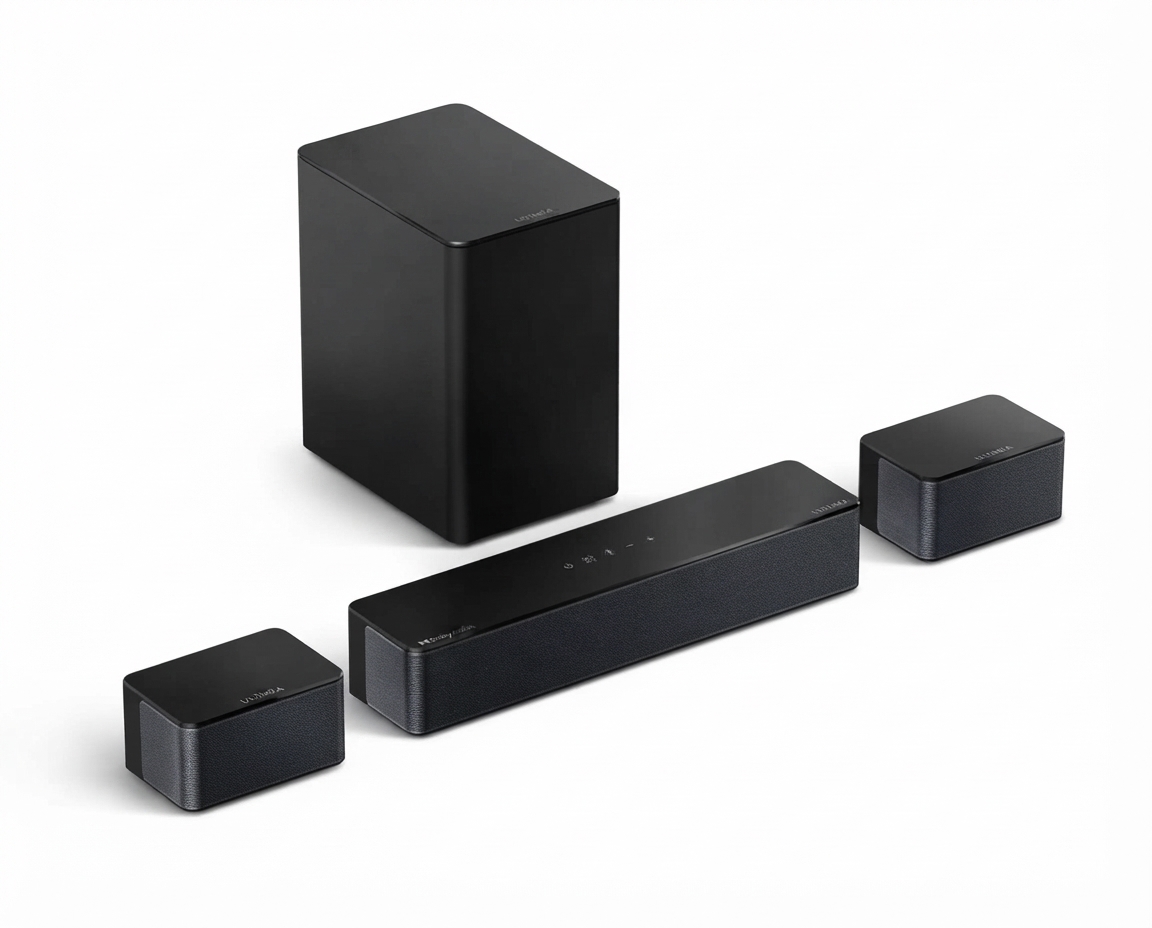
A Dolby Digital Atmos home theater brings immersive, three-dimensional sound into your living room by placing audio not just around you, but above you as well. The result is a more cinematic experience for movies, sports, gaming, and streaming, with clearer dialogue, stronger directional effects, and realistic overhead sound. For users searching for a premium home audio upgrade, dolby digital Atmos Home Theater setups are widely regarded as one of the most effective ways to recreate a theater-like environment at home.
The biggest advantage of this system is object-based audio, which lets sound move naturally across the room instead of staying locked to fixed channels. That means helicopters can travel overhead, rain can sound like it is falling from the ceiling, and action scenes feel more lifelike. It is a strong choice for home cinema enthusiasts, gamers, and families who want an easy-to-understand but high-impact entertainment upgrade.
Typical availability is broad, ranging from entry-level soundbar bundles to full receiver-and-speaker packages. Estimated pricing starts around $300 to $800 for basic Atmos soundbar systems, $800 to $2,500 for midrange setups, and $3,000 or more for premium custom installations. High-end rooms with multiple speakers and professional calibration can cost significantly more. For shoppers comparing dolby digital Atmos Home Theater options, the best value usually depends on room size, desired bass performance, and whether ceiling speakers are possible.
Specifications for a Dolby Digital Atmos Home Theater System
- Audio format: Object-based surround sound with overhead sound placement for a more immersive listening experience.
- Minimum practical setup: 5.1.2 configuration, which includes five ear-level speakers, one subwoofer, and two height speakers.
- Recommended setup: 7.1.4 configuration for stronger surround coverage and more convincing front-to-back height effects.
- Maximum supported layouts: Advanced systems can scale up to very large multi-speaker configurations for dedicated theaters.
- Height channel options: Ceiling-mounted speakers, upward-firing Atmos modules, or Atmos-enabled soundbars.
- Receiver requirements: A compatible AV receiver or soundbar with Dolby Atmos decoding and HDMI eARC or ARC support.
- Performance characteristics: Better speaker placement and calibration typically deliver improved imaging, clearer dialogue, and more accurate overhead positioning.
- Comparison with similar products: Compared with standard 5.1 surround sound, Atmos adds vertical sound placement; compared with DTS-based systems, it is more widely supported across streaming platforms and consumer hardware.
For many users, the most important specification is not raw power but correct channel layout and room matching. A well-tuned dolby digital Atmos Home Theater system usually performs better than a more expensive system with poor placement.
Troubleshooting Dolby Digital Atmos Home Theater Problems
- Problem: No Atmos sound, only stereo or standard surround. Fix: Check that the source content actually includes Atmos, confirm the AV receiver or soundbar is set to the correct input mode, and verify HDMI eARC/ARC settings.
- Problem: Height effects sound weak or nonexistent. Fix: Recheck speaker placement, especially ceiling or upward-firing channels, and make sure calibration has been completed.
- Problem: Dialogue sounds buried under music or effects. Fix: Raise the center channel level, enable dialogue enhancement if available, or run room correction again.
- Problem: Crackling, dropouts, or audio lag. Fix: Replace the HDMI cable, update firmware on the TV and receiver, and reduce signal chain complexity.
- Error-style issue: If the system shows “No Signal,” “PCM only,” or “Unsupported format,” the usual causes are incorrect source settings, outdated firmware, or incompatible HDMI routing.
Preventive care includes keeping firmware updated, using certified high-speed HDMI cables, and avoiding speaker placement that blocks the height field. Warranty coverage varies by brand, but most receivers and soundbars include at least limited manufacturer support. For help, contact the product maker’s official support line, the retailer’s service desk, or an authorized installer for in-home diagnostics.
Pros and Cons of Dolby Digital Atmos Home Theater
Pros
- Creates more immersive audio than traditional surround sound.
- Improves movie realism with overhead effects and smoother sound movement.
- Works well for gaming, action films, and streaming content with Atmos support.
- Available in a wide range of budgets, from compact soundbars to custom theater rooms.
- Strong value for users who want the biggest perceived upgrade in home entertainment.
Cons
- Performance depends heavily on room layout and speaker placement.
- Upward-firing speakers are convenient but usually less precise than true in-ceiling speakers.
- Premium systems can become expensive once the receiver, speakers, subwoofer, and calibration are added.
- Some streaming apps and devices may not always output Atmos correctly.
- Alternatives like standard 5.1 or DTS-based systems may be simpler for small rooms or tighter budgets.
Overall, dolby digital Atmos Home Theater delivers excellent value for users who want a noticeable jump in realism, but it rewards careful setup more than many other audio formats.
Customer Reviews of Dolby Digital Atmos Home Theater Systems
Average customer sentiment is typically strong, with many users rating these systems around 4.5 out of 5 stars for immersion, movie impact, and upgrade value. Buyers frequently praise the “sound coming from everywhere” effect and the improved clarity in action scenes and streaming movies.
Common complaints include setup complexity, inconsistent Atmos playback from some apps, and the fact that a room with poor acoustics can reduce the benefit of overhead channels. One typical user comment is, “The first movie night made it feel like a real cinema.” Another recurring review says, “Great sound, but calibration took time to get right.”
Purchase is recommended for users who regularly watch films, game on large screens, or want a future-ready home audio upgrade. Shoppers looking for the simplest path should consider an Atmos soundbar, while enthusiasts who want the best results should choose an AV receiver and discrete speakers.
Faqs
How do I set up dolby digital Atmos Home Theater for the first time?
Why is my dolby digital Atmos Home Theater not showing Dolby Atmos on Netflix or other streaming apps?
What devices are compatible with dolby digital Atmos Home Theater?
How can I improve the sound quality of dolby digital Atmos Home Theater in a small room?
What should I do if dolby digital Atmos Home Theater sounds like regular surround sound only?
Can I use dolby digital Atmos Home Theater without ceiling speakers?
How often should I update and maintain dolby digital Atmos Home Theater equipment?
What are the best settings to optimize dolby digital Atmos Home Theater for movies and gaming?
More dolby digital manuals
Leave a Comment