
Setup & Usage: Eraand Smart AI Recognition Bird Feeder User Manual
Content
era and Smart AI Recognition Bird Feeder
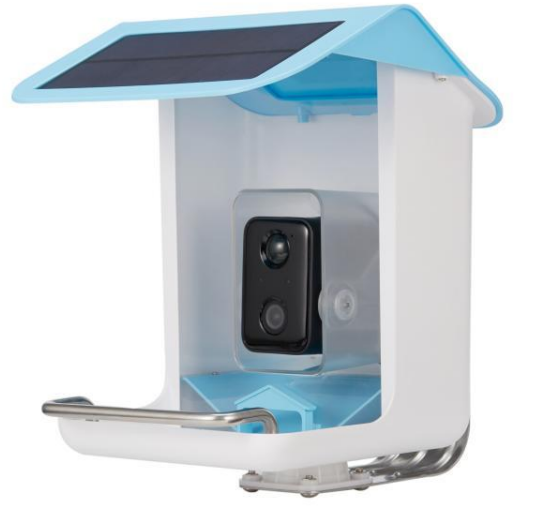
Introduction: Experience Birdwatching Like Never Before
Thera and Smart AI Recognition Bird Feeder is a revolutionary device designed for bird enthusiasts, tech-savvy homeowners, and nature lovers. This advanced feeder combines high-definition camera technology with artificial intelligence to automatically identify and log bird species visiting your yard. With real-time notifications, cloud storage, and seamless smartphone integration, the Tera and Smart AI Recognition Bird Feeder transform your outdoor space into a personal wildlife sanctuary.
Key benefits include AI-powered bird recognition, 24/7 HD video streaming, weather-resistant construction, and easy installation. The feeder is compatible with both iOS and Android devices, making it accessible for all users. Whether you're a seasoned birder or a curious beginner, this smart feeder offers endless entertainment and educational value. The Era and Smart AI Recognition Bird Feeder is available for purchase online and in select retail stores, with a price range of $120–$160, offering excellent value for its advanced features.
SPECIFICATION
- Product model
- BF002
- Detection
- Dual-Action Motion and Accelerometer
- Charging solar energy
- Included USB cable
- Power
- 5200 mAh Rechargeable Lithium-ion Battery
- Color
- Blue
- Camera
- 2 megapixel Photos and 1080p HD Live Stream Video
- Built-in microphone waterproof
- Yes
- Operating Temperature
- -5°F to 120°F (-20.5°C to 48.5°C)
- Weather Resistant
- Yes
- Connectivity
- 802. 11b/g/n WiFi connection @ @ @ @ @2.4 GHz plus BluetoothField of View 130 Degrees
- Dimension(Height*Width*Depth)
- 11 in *8.7 in *9.5 in ( 28 cm * 22 cm* 24 cm)
Solar panel specification
- IPCE
- 19%
- Working voltage(Vmp)
- 6V+5%
- Working current(Imp)
- 400mA+5%
- Open Circuit Voltage(VOC)
- 7.2V‡5%
- Short-circuit current (ISC)
- 480mA+5%
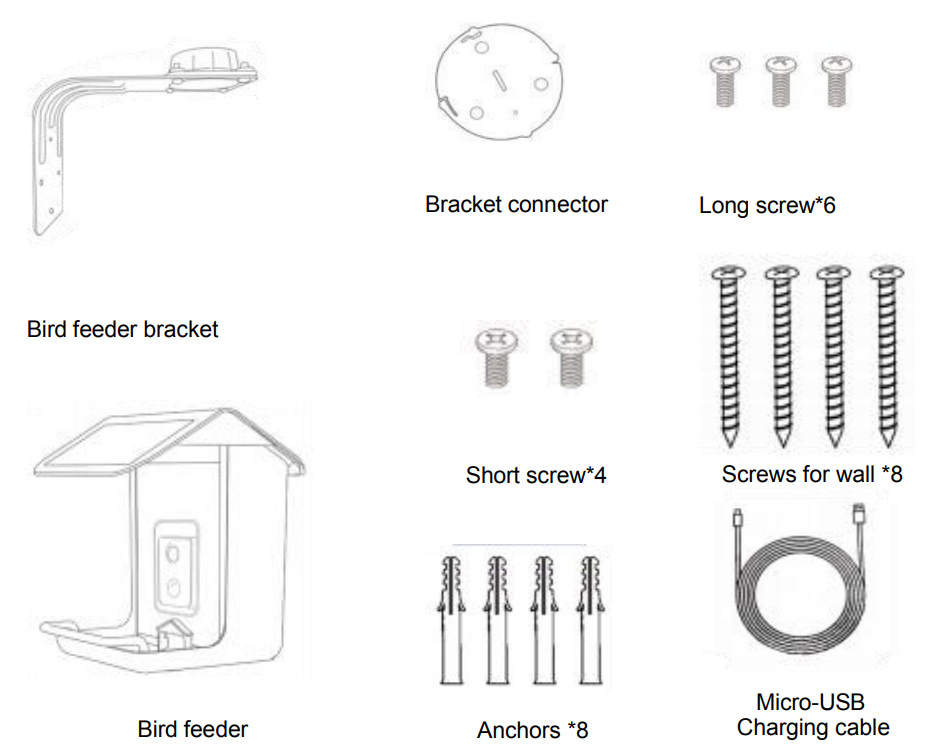
What’s In The Box
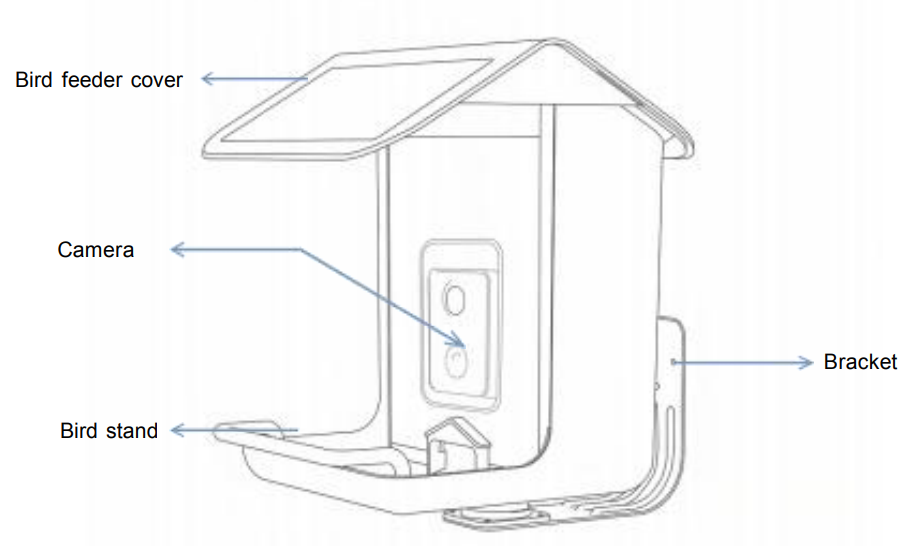
BIRD FEEDER STRUCTURE
CAMERA STRUCTURE
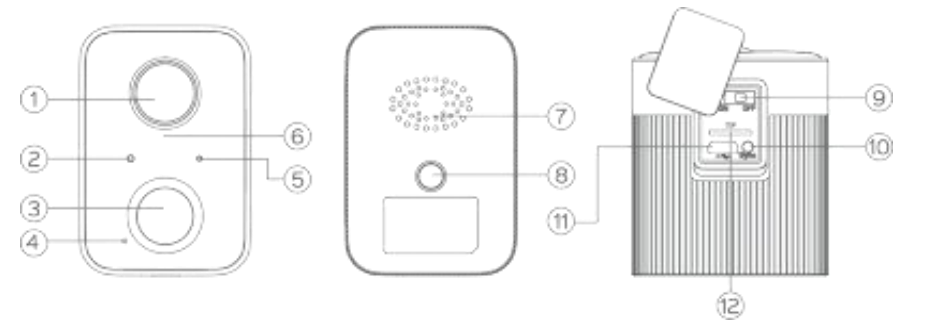
- Lens
- Light sensor
- Motion sensor
- Microphone
- Status LED
- Infrared LED
- Speaker
- Mounting hole
- Power ON/OFF
- Sync/Reset
- Charging port
- TF card slot
CAMERA SPECIFICATION
- Power supply
- DC 5V2A
- Power Consumption
- 2W Watts (Max.)
- Standby current
- <500uA
- Battery life
- 4-6 months(One full charge)
- Battery capacity
- 5200mAh
- Pixel
- 2 megapixel 1080P
- Viewing angle
- 130°
- Night visual range
- 8m(Max)
- Wireless connection
- 2.4 GHz Wi-Fi lEEE 802.11 b/g/n;
- Anti-flicker
- 50HZ. 60HZ
- Operating temperature
- - 20.5°C ~ 48.5°C
- Operating humidity
- 10% ~ 95% non-condensing
READ BEFORE INSTALLATION
- Keep the bird feeder and all accessories out of reach of children and pets.
- Make sure the camera has been fully charged.(DC 5V/2A)
- Working temperature :-5°F to 120°F (-20.5°C to 48.5°C)
- Working relative humidity : 10%~95%
- Please do not expose the camera lens to direct sunlight .
- The camera has an IP65 waterproof rating , which supports working properly in rain or snow. But it can not be soaked in water.
NOTE
- The bird feeder can only work with 2.4GHz WI-FI.
- Strong lights may interfere with the device`s ability to scan a QR code.
- Avoid placing the device behind furniture or near microwave products.
- Try to keep the bird feeder within range of your WI-FI signal.
ASSEMBLE BIRD FEEDER
The first installation effect
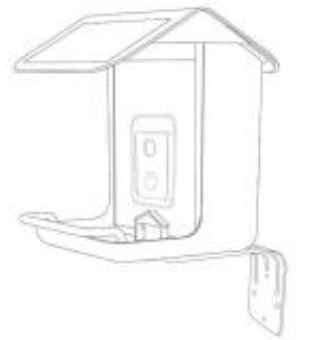
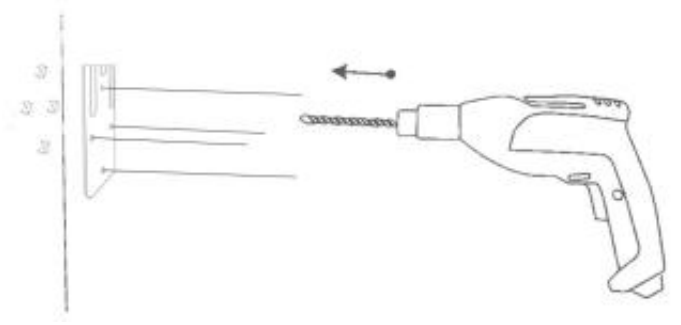
Use the provided drilling template to mark the position of holes on your wall. U a ea drill bit to drill 4 holes.
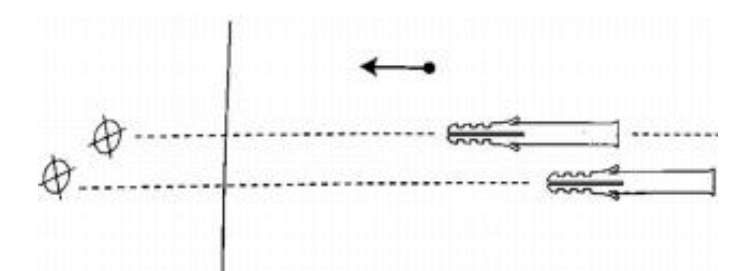
Install 4 Anchors
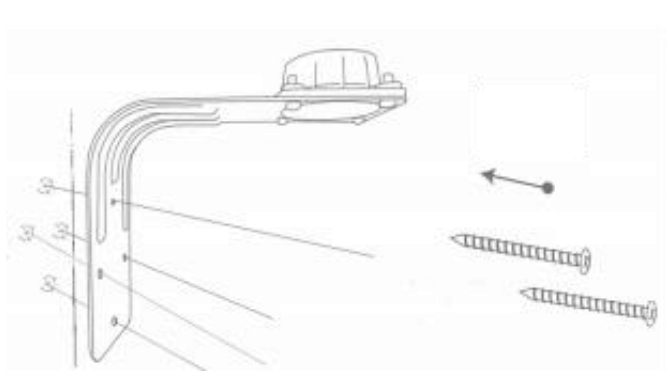
Install the screws to fix the bracket
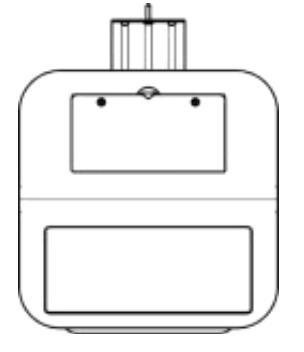
After opening the lid and adding the bird food. As shown in the picture, fastening the 2 Short screws can prevent it from being opened by squirrels.
- After opening the lid and adding the bird food. As shown in the picture, fastening the 2 Short screws can prevent it from being opened by squirrels.
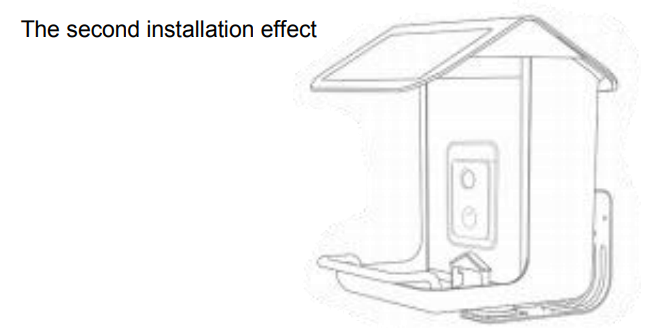
The second installation effect
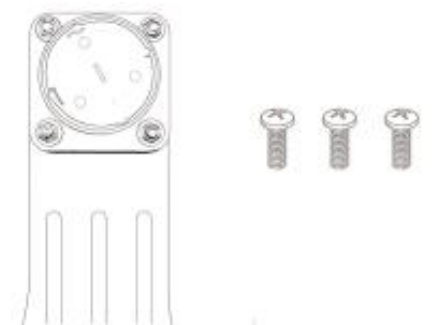
Need to unscrew 4 sets of screws from the Bird feeder wall mount and put them aside.
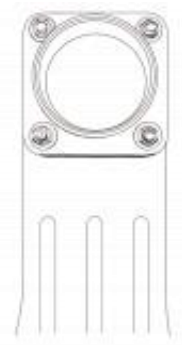
Put plastic accessories on the back , and Re-tighten the four sets of screws.
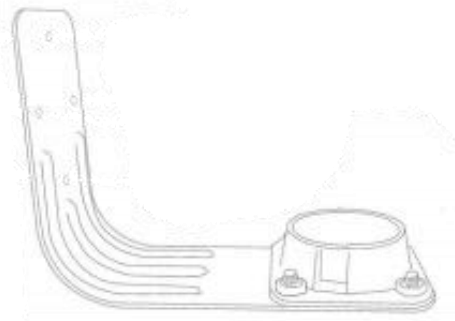
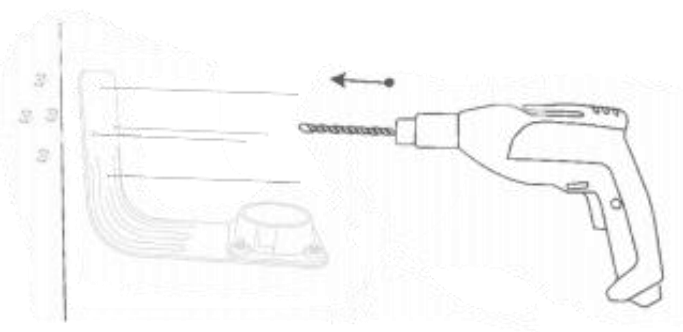
Use the provided drilling template to mark the position of holes on your wall. Use a drill bit to drill 4 holes.
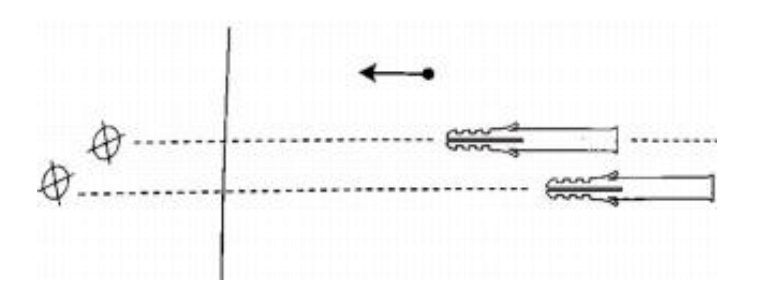
Install 4 Anchors
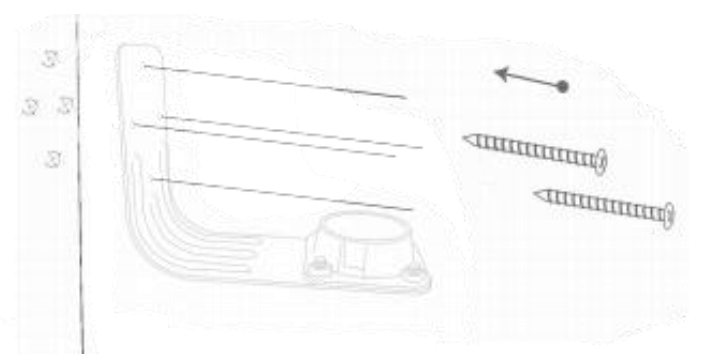
Install the screws to fix the bracket
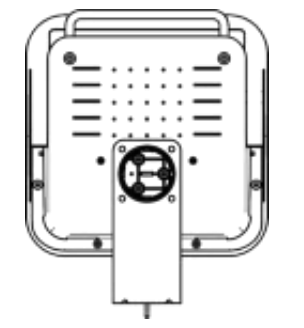
As shown in the picture, put the Bracket connector into the bottom of the bracket, and find 3 long screws to install it, and the bird feeder is fixed.
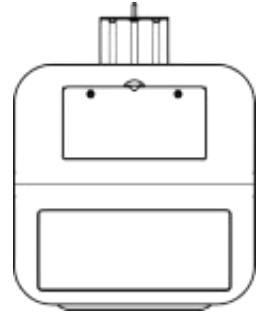
After opening the lid and adding the bird food. As shown in the picture, fastening the 2 container lids with Short screws can prevent them from being opened by squirrels.
Troubleshooting: Common Issues and Solutions
Occasionally, users may encounter minor issues with the Era and Smart AI Recognition Bird Feeder. Common problems include Wi-Fi connectivity errors, camera recognition delays, and seed leakage. If the device fails to connect to Wi-Fi, ensure your network is 2.4GHz and within range. For recognition errors, check for obstructions and clean the camera lens. Seed leakage can be prevented by properly securing the outlet valve and container lid.
Error codes such as "E01" (Wi-Fi failure) and "E02" (camera malfunction) are displayed in the app. Restart the device and reconfigure settings if these appear. Preventive measures include regular cleaning, firmware updates, and proper installation. The Era and Smart AI Recognition Bird Feeder comes with a 1-year limited warranty. For further assistance, contact customer support or call 1-800-ERA-BIRD.
Pros & Cons: Balanced Assessment
- Pros:
- AI-powered bird species identification
- HD video streaming and cloud storage
- Weather-resistant and durable design
- Easy smartphone app integration
- Effective squirrel-proof features
- Cons:
- Requires a stable 2.4GHz Wi-Fi connection
- Occasional recognition errors in low light
- Higher price point than basic feeders
- Limited battery life for solar models
The era and Smart AI Recognition Bird Feeder offers exceptional value for tech-savvy birdwatchers, outperforming traditional feeders with its smart features and reliable performance.
Customer Reviews: What Users Are Saying
Customers consistently rate the Era and Smart AI Recognition Bird Feeder 4.6/5 stars, praising its accurate bird identification and user-friendly app. Many users highlight the feeder's durability and the joy of receiving real-time bird alerts. Common complaints include occasional Wi-Fi issues and the need for regular cleaning. Most reviewers recommend the feeder for anyone interested in birdwatching, noting its superior features compared to standard models. Frequent mentions include the ease of installation and the effectiveness of the squirrel-proof design.
Faqs
How do I set up the eraand Smart AI Recognition Bird Feeder for the first time?
What should I do if the eraand Smart AI Recognition Bird Feeder is not recognizing bird species correctly?
Can the eraand Smart AI Recognition Bird Feeder work without a Wi-Fi connection?
How does the AI bird species recognition feature of the eraand Smart AI Recognition Bird Feeder work?
What maintenance is required to keep the eraand Smart AI Recognition Bird Feeder functioning optimally?
Is the eraand Smart AI Recognition Bird Feeder compatible with all smartphones and tablets?
How can I optimize the placement of my eraand Smart AI Recognition Bird Feeder for best bird recognition and video quality?
What should I do if the motion detection feature on my eraand Smart AI Recognition Bird Feeder is not triggering notifications?
Tags
Leave a Comment