
Setup: Etekcity Luminary Kitchen Scale EKS-L221-SUS User Manual
Content
Etekcity Luminary Kitchen Scale EKS-L221-SUS: Comprehensive Product Manual and Review
Introduction to the Etekcity Luminary Kitchen Scale EKS-L221-SUS
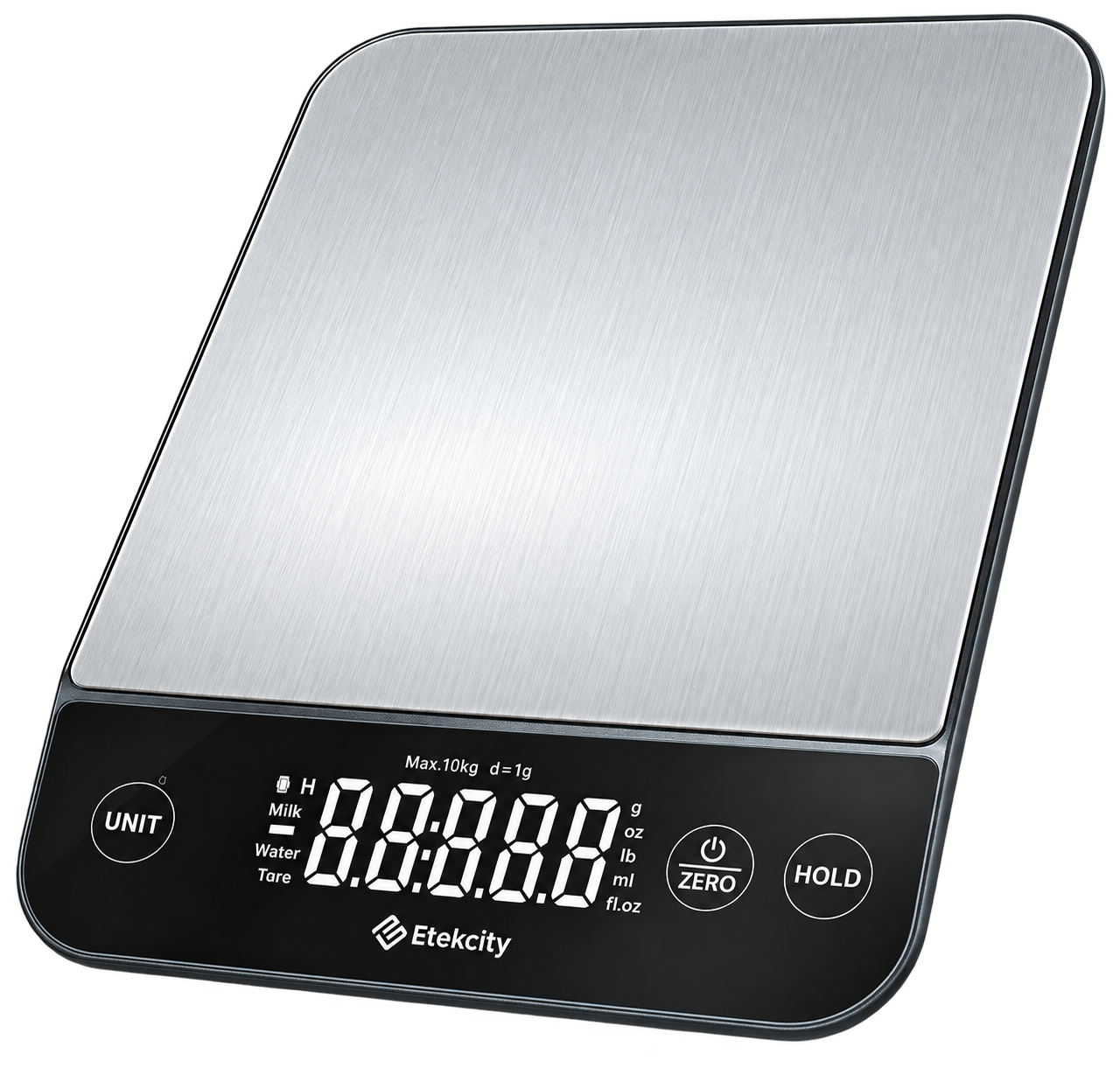
The Etekcity Luminary Kitchen Scale EKS-L221-SUS is a premium digital kitchen scale designed for precision baking, cooking, and meal prep. Featuring a spacious platform made from 304 food-grade stainless steel, this kitchen weighing scale supports up to 22 lb (10 kg) with precise increments of 0.05 oz / 1 g, ensuring accurate measurements for every recipe. Its IPX6 water-resistant surface allows easy cleanup from spills, while the rechargeable 300mAh Li-ion battery via USB-C charging eliminates the need for disposable batteries, making it eco-friendly and convenient.
Key benefits include a large backlit LED display for clear readability, one-touch unit conversion between g, oz, lb: oz, mL (water/milk), and fl oz (water/milk), tare function for subtracting container weights, and a hold button to lock measurements for up to 3 minutes—perfect for multitasking. Ideal for home bakers, meal preppers, pet owners weighing food, and DIY enthusiasts like candle making, this scale simplifies kitchen tasks with its slim 9.1 x 6.7 x 1.1 inch design for easy storage.
Targeted at health-conscious cooks and precision-focused users, the Etekcity Luminary Kitchen Scale EKS-L221-SUS excels in everyday use cases from following recipes exactly to portion control for weight loss. Priced in the $20–$40 range, it's widely available on Etekcity's site, Amazon, and retailers like VeSync, offering excellent value with a 2-year warranty. Whether you're a novice or pro chef, this reliable digital food scale elevates your culinary precision without cluttering your counter.
Specifications
- Models: EKS-L221-SUS, EKS-L221-BUSR
- Weight Capacity: 353 oz / 22 lb / 10 kg / 10000 mL
- Units: oz/lb: oz / g / mL (water/milk) / fl oz (water/milk)
- Increments: 0.05 oz / 1 g
- Auto-Off: 180 seconds
- Battery: 300mAh Li-ion battery
- Input: 5.0V 500mA (USB Type-C charging)
- Dimensions: 9.1 x 6.7 x 1.1 in / 230 x 170 x 27 mm
Package Contents
- 1 x Luminary kitchen scale
- 1 x USB charging cable
- 1 x Quick start guide
Functions
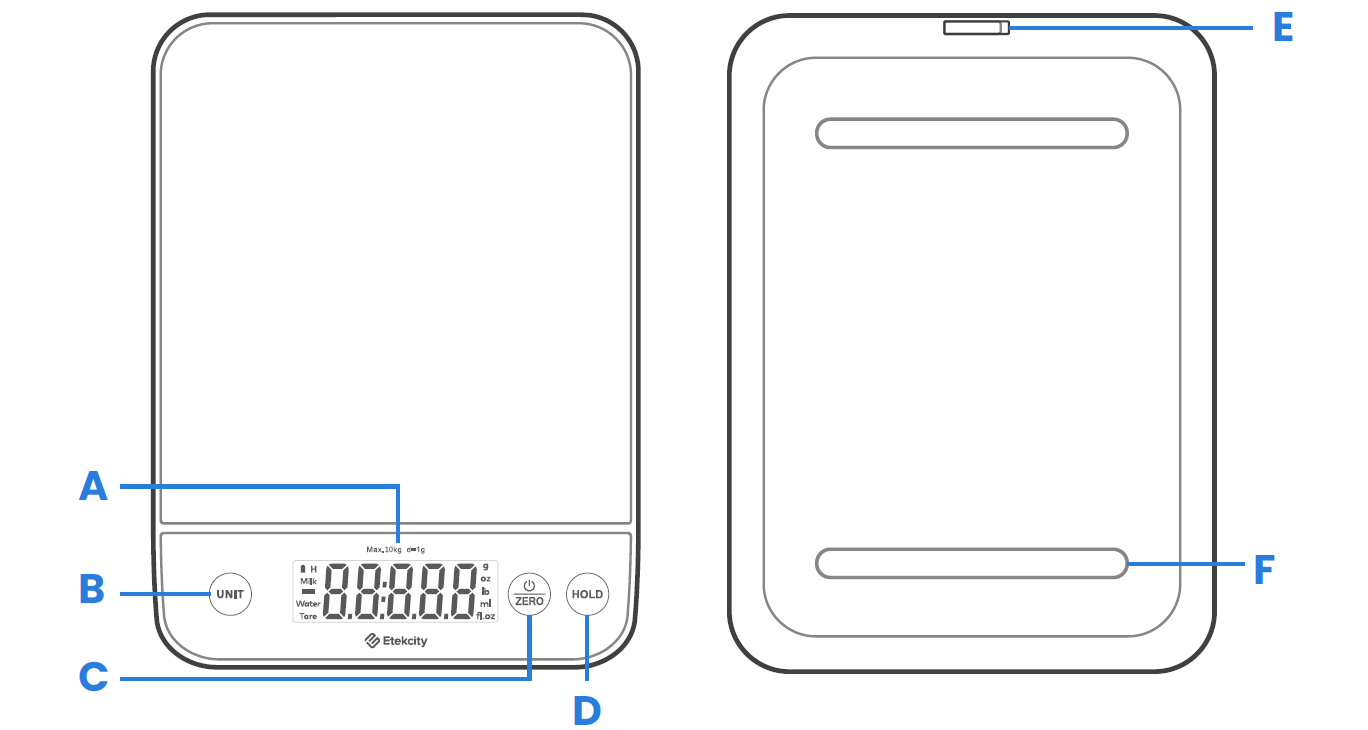
- LED display
- Unit selection button
- Power/zero button
- Locking key (hold button)
- USB charging port
- Anti-skid pads
Digital Display
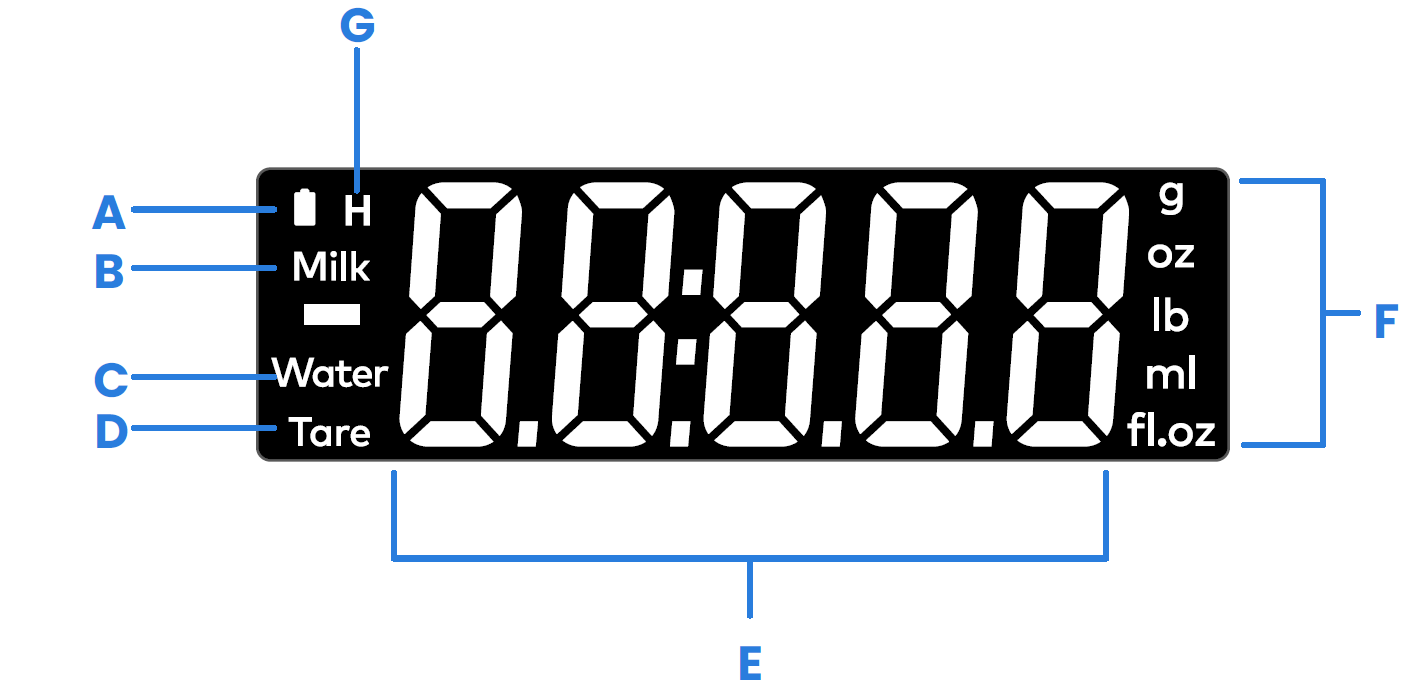
- Battery indicator
- Milk
- Water (liquid)
- Tare indicator
- Weight value
- Measurement unit
- Hold indicator
Using Your Scale
For accurate results, always place the scale on a hard, flat surface, and keep the scale away from dirt, dust, vibrations, wind, air currents, and electromagnetic interference. When you turn on the scale, choose units, or use the tare function, wait for the display to read "0.00" before measuring.
General Operation
- Place the scale on a hard, flat surface.
- Tap the ZERO button to turn on the scale. Make sure the display reads "0.00".
- Tap the UNIT button to select your desired measuring unit, which will appear on the right side of the display.
- Place your item on the scale.
- Wait for the weight reading to appear on the display.
- When finished, remove all items from the scale. If the display does not read "0.00", press the ZERO button to reset the weight to zero.
Optionally, press and hold the UNIT button to quickly switch between measurement units.
Zero/Tare Function
Whenever you measure items inside a container, you can use the tare function to remove the container's weight from the final measurement.
- Tap the ZERO button to turn on the scale. Make sure the display reads "0.00". If the screen does not display "0.00" automatically, tap ZERO to reset it.
- Place the container in the center of the scale.
- Wait for the display to show the container's weight.
- Tap the ZERO button to tare the container's weight. The screen will now display "0.00".
- Place the liquid or items into the container. The scale will measure the contents without including the weight of the container.
- When finished, remove all weight from the scale and tap the ZERO button again to reset it.
Unit Conversion
To change the unit of measurement, tap the UNIT button until the display shows your desired measurement unit. Optionally, press and hold the UNIT button to quickly switch between units.
Hold Function
Tap the HOLD button to lock the measurement data on the display. Tap HOLD again to unlock the display. In hold mode, the ZERO button will not work. However, you can still use the UNIT button to switch between measurement units.
Automatic Power Off
To save battery power, the scale will automatically turn off after 180 seconds of inactivity.
Manual Power Off
Press and hold the Power/Zero button for 2 seconds to turn off the scale.
Maintenance
- Use a slightly damp cloth to clean the surface of the scale, followed by a dry, soft cloth to remove any remaining moisture.
- Use a dry, soft cloth to wipe dust off the scale.
- Do not wash the scale or immerse it in water or any other liquid.
Troubleshooting
Pros and Cons of the Etekcity Luminary Kitchen Scale EKS-L221-SUS
Pros
- High Precision and Capacity: Measures up to 22 lb in 0.05 oz / 1 g increments, ideal for large batches or fine ingredients like flour in baking.
- User-Friendly Features: Tare, unit switch, and hold functions make multitasking easy; large, clear display visible in any light.
- Durable and Hygienic: 304 stainless steel platform is food-grade, IPX6 waterproof for quick wipe-downs after spills.
- Rechargeable Convenience: 300mAh Li-ion battery with USB-C lasts through multiple uses; auto-off after 180 seconds saves power.
- Versatile for Multiple Uses: Great for cooking, meal prep, pet food, and DIY; slim design stores easily in drawers.
Cons
- Limited to household use; not for commercial heavy-duty applications, as exceeding 22 lb shows an error.
- Precision drops for very light items under 1 g in some units; best for standard kitchen tasks.
- No app connectivity (unlike smart models like ENS-L221S-SUS), so no nutritional tracking.
Overall, the Etekcity Luminary Kitchen Scale EKS-L221-SUS offers superior value for money compared to basic scales like Amazon Basics (smaller platform, battery-powered) or pricier smart options, balancing features, durability, and affordability for daily precision weighing.
Customer Reviews and Feedback on Etekcity Luminary Kitchen Scale EKS-L221-SUS
Users rave about the Etekcity Luminary Kitchen Scale EKS-L221-SUS, with average ratings around 4.5–4.8 stars on sites like Amazon and Meh. Common praises include its "crystal-clear display and spot-on accuracy for baking," with one testimonial noting, “Finally, a scale that holds the weight reading while I pour—game-changer for recipes!” The waterproof design and rechargeable battery earn high marks: “No more battery replacements, and spills wipe right off.”
Frequent complaints are minor, like occasional auto-off during long sessions (mitigated by hold function) or preferring app integration found in pricier models. "Great for the price, but wish it tracked nutrition," says a meal prep user. Most recommend it for home kitchens, with 90%+ repurchase intent due to reliability and ease. Address issues by wiping dry after spills and avoiding overloads for longevity—ideal for anyone seeking a top digital kitchen scale for cooking and baking.
Faqs
How do I set up the etekcity Luminary Kitchen Scale EKS-L221-SUS for the first time?
How do I use the tare function on etekcity Luminary Kitchen Scale EKS-L221-SUS for multiple ingredients?
What should I do if etekcity Luminary Kitchen Scale EKS-L221-SUS won't turn on or shows error?
How do I switch units on etekcity Luminary Kitchen Scale EKS-L221-SUS for baking recipes?
How do I charge and check battery on etekcity Luminary Kitchen Scale EKS-L221-SUS?
How do I clean and maintain etekcity Luminary Kitchen Scale EKS-L221-SUS stainless steel platform?
What is the weight capacity and precision of etekcity Luminary Kitchen Scale EKS-L221-SUS?
How does the hold function work on etekcity Luminary Kitchen Scale EKS-L221-SUS for multitasking?
More etekcity manuals
- Setup: Etekcity Infrared Thermometer Lasergrip 1022 User Manual
- Setup: Etekcity Digital Kitchen Scale EK5150 Series User Manual
- Setup: Etekcity Smart Fitness Scale ESF-551 User Manual
- Setup: Etekcity LASERGRIP 630 Infrared Thermometer User Manual
- Setup: Etekcity Smart Fitness Scale EFS-E661-WUS User Manual
- Setup: Etekcity Smart Nutrition Scale ESN90 Series User Manual
Leave a Comment