
Setup: Etekcity Smart Fitness Scale ESF37 Series User Manual
Content
Etekcity Smart Fitness Scale ESF37 Series: Comprehensive Product Manual
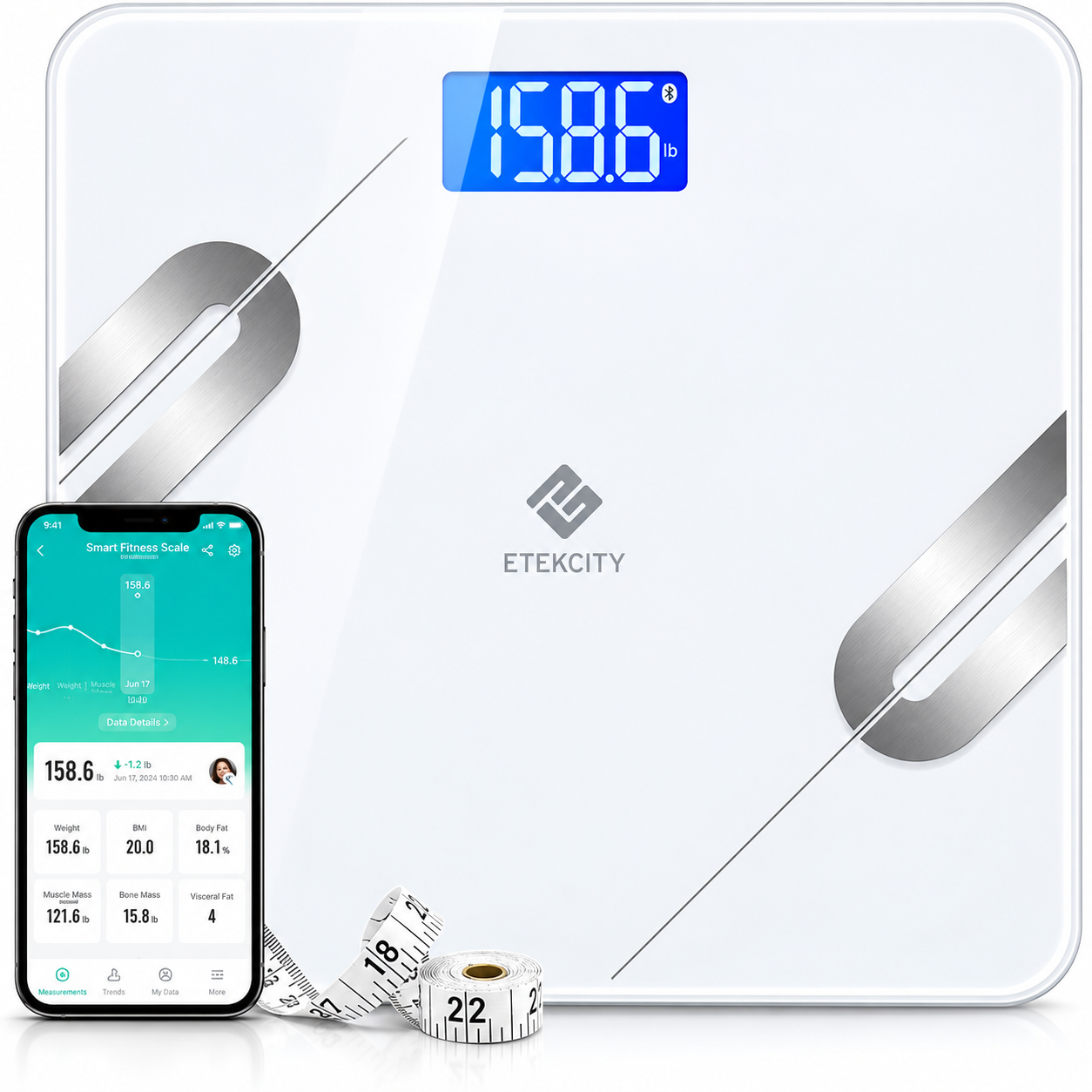
Introduction to Etekcity Smart Fitness Scale ESF37 Series
The Etekcity Smart Fitness Scale ESF37 Series is a cutting-edge Bluetooth body fat scale designed for precise health tracking and family-friendly use. Featuring advanced Bioelectrical Impedance Analysis (BIA) technology, this smart bathroom scale measures 12 essential body metrics, including weight, body fat, BMI, body water, muscle mass, visceral fat, subcutaneous fat, bone mass, protein, fat-free body weight, BMR, and metabolic age. Its spacious 11.8 x 11.8-inch platform with 6mm tempered glass ensures safety and comfort, complete with anti-skid padding and rounded corners for stability.
Key benefits include seamless syncing with the free VeSync app, which supports up to 8 user profiles and integrates with popular fitness platforms like Apple Health, Google Fit, and Fitbit. Ideal for fitness enthusiasts, families, and pet owners, the ESF37 Series offers Baby Mode for weighing infants or pets accurately. Track progress effortlessly on the go via your smartphone, with 0.2 lb / 0.05 kg precision and a 400 lb / 180 kg capacity.
Targeted at health-conscious individuals pursuing weight loss, muscle gain, or overall wellness, this scale excels in home gyms, bathrooms, or daily routines. Priced affordably around $22.99 to $39.99, it's widely available on Etekcity's site and major retailers. FDA/CE/FCC/ROHS certified, the Etekcity Smart Fitness Scale ESF37 Series delivers reliable, smart body composition analysis for motivated users seeking actionable fitness insights.
Specifications
- Weight capacity: 400 lb / 28 st / 180 kg
- Increments: 0.2 lb / 0.1 kg
- Weight units: lb / st / kg
- Platform: Tempered glass
- Dimensions: 11.8 × 11.8 × 1.0 in / 300 × 300 × 24 mm
- Battery: 3 × 1.5V AAA batteries
- Auto-off: 30 seconds
Package contents
- 1 × Smart fitness scale
- 3 × 1.5V AAA batteries (pre-installed)
- 1 × Quick start guide
Functions
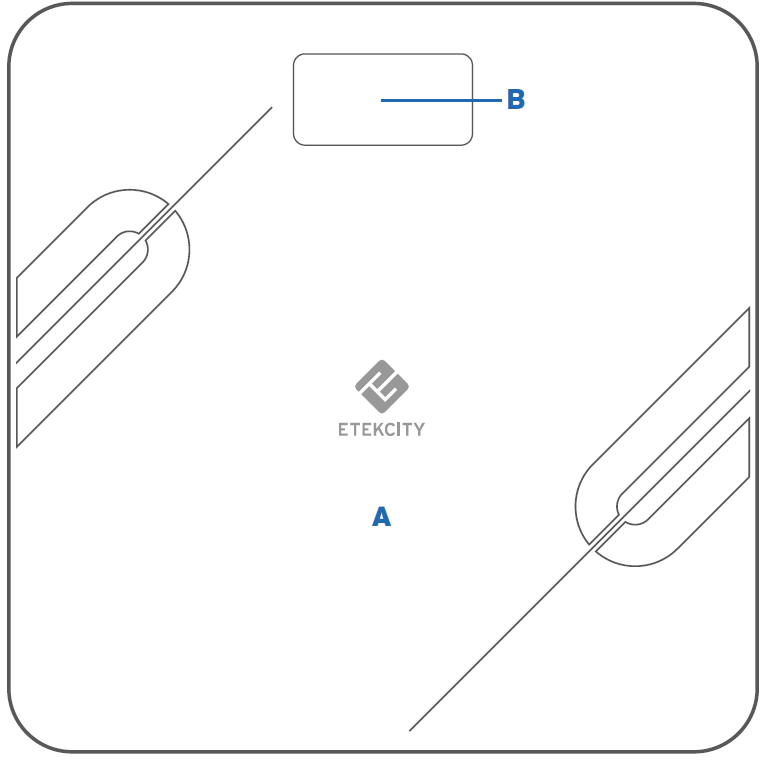
- Platform
- Display
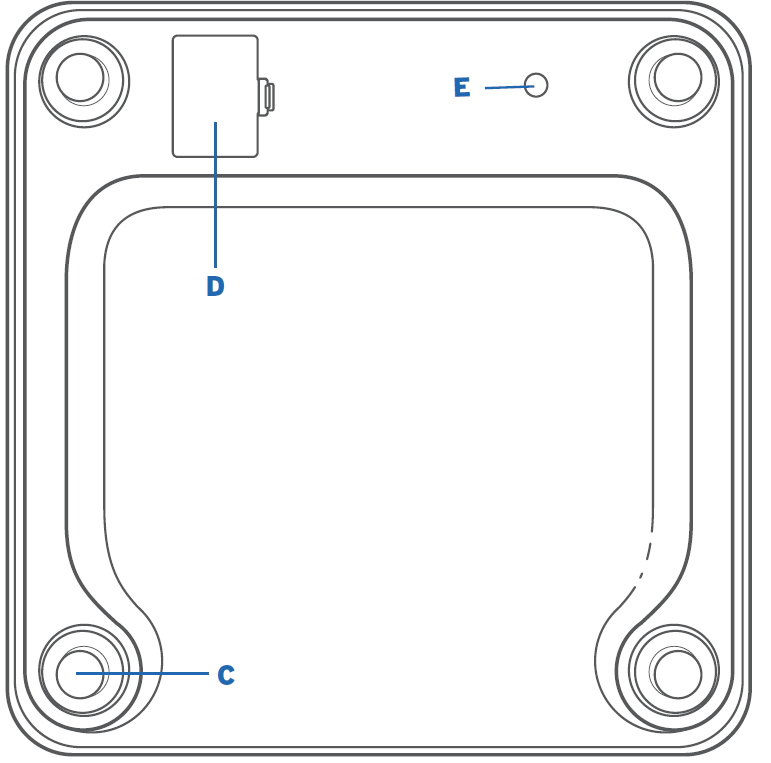
- Anti-skid padding
- Battery compartment
- Unit conversion button
Setup
Before first use
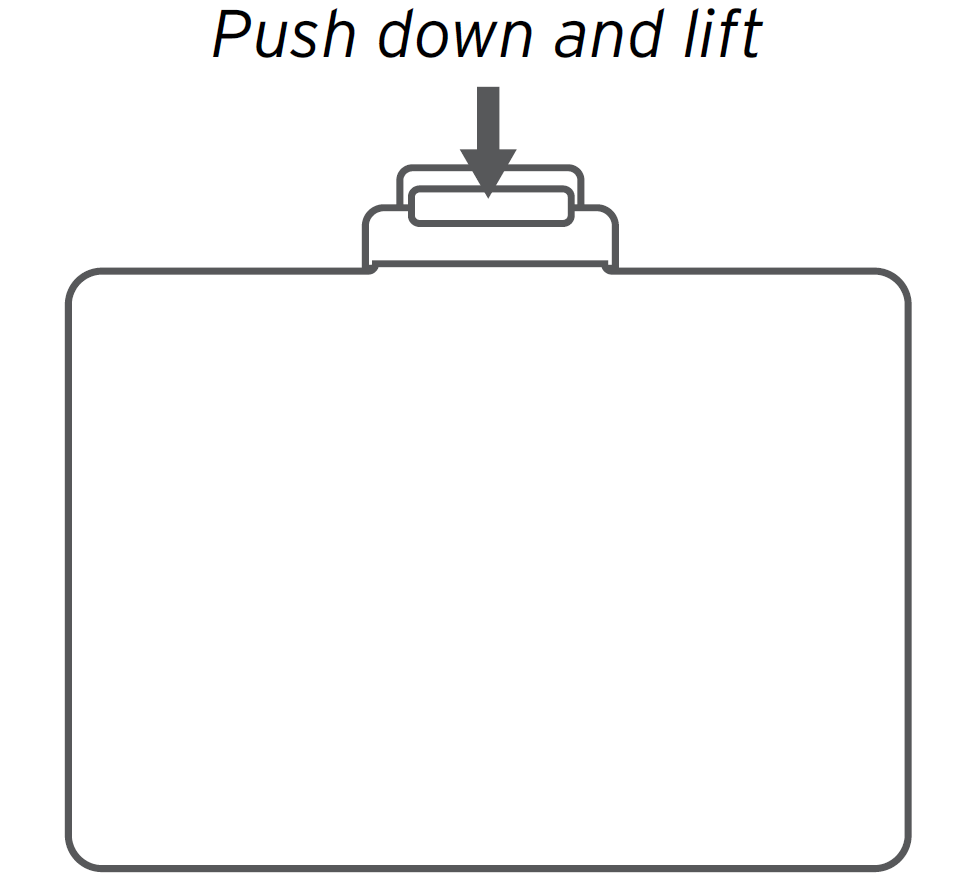
- Open the battery compartment on the underside of the scale. Remove the included AAA batteries from the scale.
- Remove the plastic wrap from the batteries, or remove the insulator strip from the battery compartment.
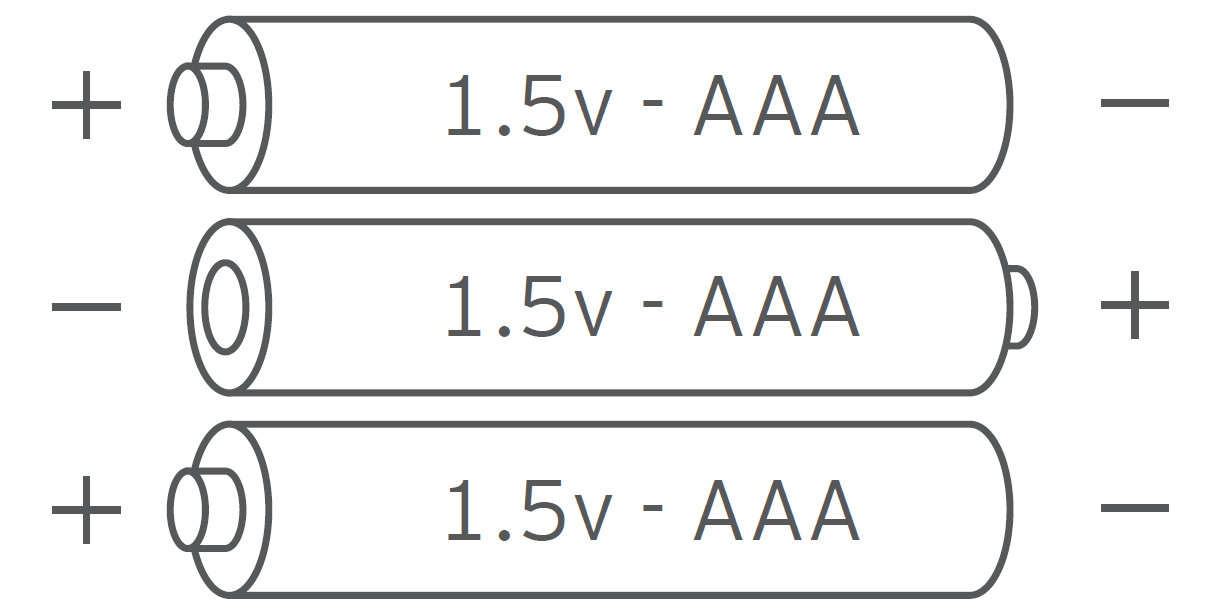
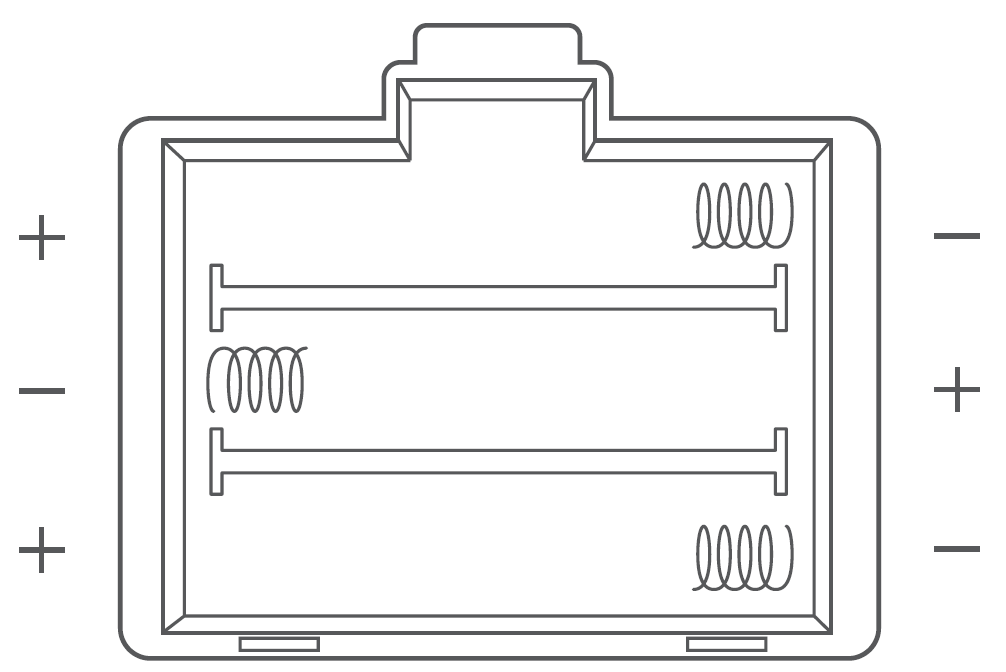
- Replace the batteries. Follow the guidelines in the battery compartment to match the + and – terminals.
VeSync app setup
To download the VeSync app, scan the QR code or search “VeSync” in the Apple App Store® or Google Play Store. Open the VeSync app. If you already have an account, tap Log in. To create a new account, tap Sign up.
Using the smart scale
If you are pregnant, scale measurements will not be accurate. If you want to measure the weight of your baby or pet, you can click the “Expand” button in the lower right corner of the home page and click the “Baby mode” button to enter the baby measurement mode and measure according to the prompts. In baby mode, the app will only measure weight and BMI.
Weighing without the VeSync app
- Place the scale on a hard, flat surface.
- Step on the scale, then step off. Wait for the screen to display “0.0” before using.
- Place dry, bare feet on the scale’s conductive areas. Stand on the scale until the display flashes several times, showing your final measurement.
Maintenance
Cleaning the scale
- Use a slightly damp cloth to clean the surface of the scale, followed by a soft, dry cloth to wipe away the remaining moisture.
- Do not use chemical or abrasive cleaning agents to clean the scale.
Clearing the scale
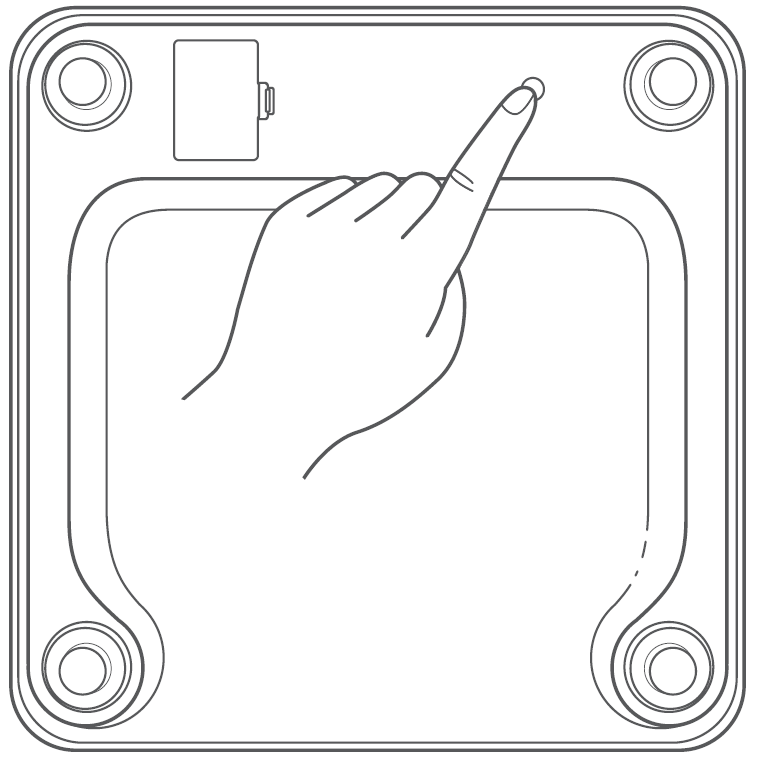
If the scale has been moved or flipped upside down, it must be cleared to ensure accurate results.
- Place the scale on a hard, flat surface.
- Step on the scale until digits appear on the display, then step off.
- The scale will show “0.0” when cleared.
Replacing the batteries
The display will show “Lo” when the batteries need to be replaced.
- Open the battery compartment on the underside of the scale.
- Remove the old batteries and dispose of them properly.
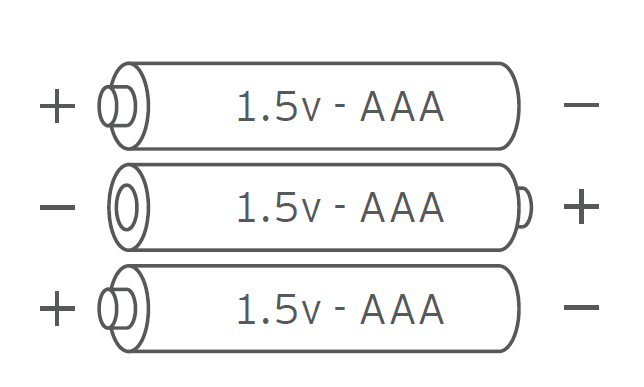
- Install 3 new 1.5V AAA batteries. Follow the guidelines in the battery compartment to match the + and – terminals.
- After closing the battery compartment, clear the scale.
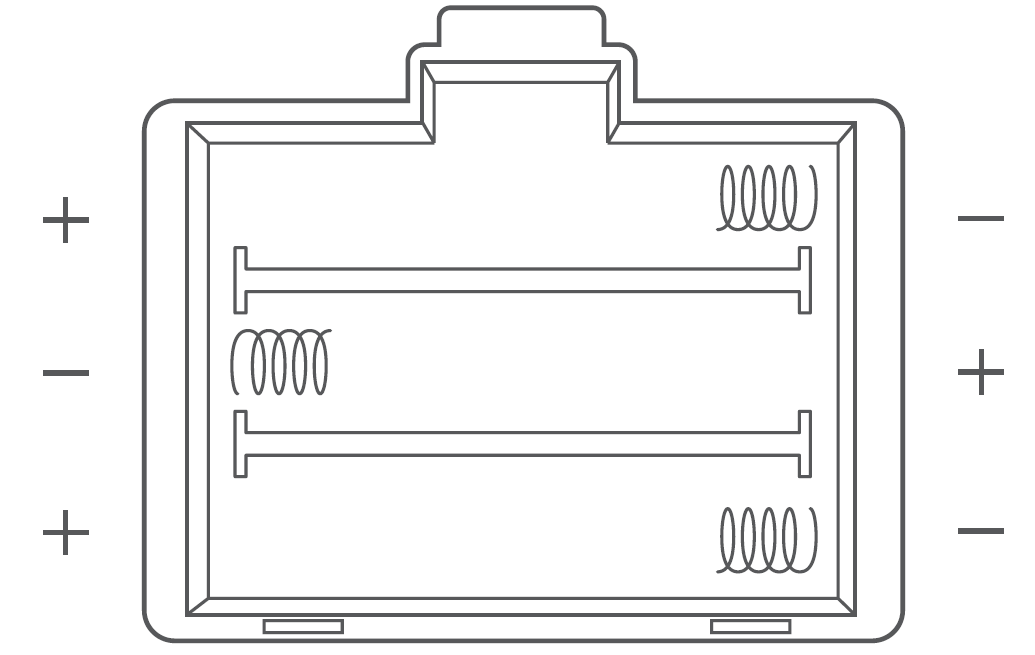
Troubleshooting
1. Why doesn’t the scale turn on?
- Check if the batteries are properly installed. If the scale is new, make sure to remove the plastic wrap from the batteries, or remove the insulator strip from the battery compartment.
2. Why does information flash on the screen and then disappear?
- The batteries are low and need to be replaced.
3. Why doesn’t the scale connect with the VeSync app?
- Make sure your phone’s operating system is running on iOS™ 10.0+ or Android™ 5.0+.
- Download and open the newest version of the VeSync app.
- Turn on your phone’s Bluetooth (for Android users, make sure your location is turned on as well).
- Make sure your scale and phone are within 30 ft / 10 m of each other.
- Make sure the scale is not currently connected to any other phone or device.
- Make sure your phone is not currently connected to another Bluetooth device.
4. Why is my body fat not measured when weighing in?
Step on the scale with dry, bare feet. Make sure your feet are on the scale’s conductive areas.
- Make sure Bluetooth is turned on.
- Enter your physical information into the VeSync app.
Pros and Cons of Etekcity Smart Fitness Scale ESF37 Series
Pros
- Comprehensive 12 Metrics: Tracks weight, BMI, body fat, muscle mass, and more via BIA for holistic fitness monitoring.
- Family-Friendly Design: Supports 8 users with auto-recognition; Baby Mode weighs pets and infants accurately.
- App Integration: VeSync app syncs data effortlessly to Apple Health, Google Fit, and Fitbit for seamless tracking.
- Premium Build: 6mm tempered glass, anti-skid base, and wide platform offer durability and 400 lb capacity.
- Great Value: At $22.99-$39.99, it outperforms basic scales; more affordable than premium brands like Withings.
Cons
- BIA Limitations: Accuracy depends on barefoot use and hydration; not medical-grade like DEXA scans.
- App Dependency: Full metrics require VeSync; standalone display shows only weight.
- Setup Learning Curve: Initial Bluetooth pairing and user profiles may confuse beginners.
- Compared to alternatives like Renpho scales, it lacks Wi-Fi but excels in app compatibility and price.
Overall, the Etekcity Smart Fitness Scale ESF37 Series offers exceptional value for smart body weight scales, balancing features and affordability.
Customer Reviews: Etekcity Smart Fitness Scale ESF37 Series Feedback
Users rave about the Etekcity Smart Fitness Scale ESF37 Series, averaging 4.5-4.8 star ratings across platforms. Praises highlight its accuracy, app ease, and family use: "Out of the box, very impressive—recognizes users automatically with red arrows for balance," notes a YouTube reviewer. Testimonials emphasize progress tracking: "Tracks body fat and muscle mass perfectly via VeSync—game-changer for my health journey!".
Common complaints include occasional Bluetooth glitches and BIA variability with clothing or dry skin, but these are minor. "Great for the price; syncs flawlessly with Fitbit," says another user. Recommendations: Perfect buy for budget-conscious fitness trackers. Address issues by stepping barefoot on a flat surface for the best smart digital bathroom scale results.
Faqs
How do I set up the etekcity Smart Fitness Scale ESF37 Series with the VeSync app for the first time?
What should I do if the etekcity Smart Fitness Scale ESF37 Series won't connect to the VeSync app?
How accurate are the body fat and muscle mass readings on etekcity Smart Fitness Scale ESF37 Series?
Is the etekcity Smart Fitness Scale ESF37 Series compatible with Apple Health or Google Fit?
How do I use baby mode on the etekcity Smart Fitness Scale ESF37 Series for pets and infants?
How do I calibrate and recalibrate the etekcity Smart Fitness Scale ESF37 Series for optimal performance?
What is the proper maintenance and cleaning for etekcity Smart Fitness Scale ESF37 Series?
Why is etekcity Smart Fitness Scale ESF37 Series showing an error message or inaccurate readings?
More etekcity manuals
- Setup: Etekcity Smart Fitness Scale ESF28 Series User Manual
- Setup: Etekcity Smart Fitness Scale ESF24 Series User Manual
- Setup: Etekcity Digital Luggage Scale EL11 & EL11H User Manual
- Setup: Etekcity Smart Fitness Scale ESF18 Series User Manual
- Setup: Etekcity Digital Hanging Scale EHS-18 User Manual
- Setup: Etekcity Stainless Steel Digital Kitchen Scale EK4150 Series User Manual
Leave a Comment