
Ge Appliances JVM1320 Microwave Oven User Manual
Content
GE Appliances JVM1320 Microwave Oven Manual
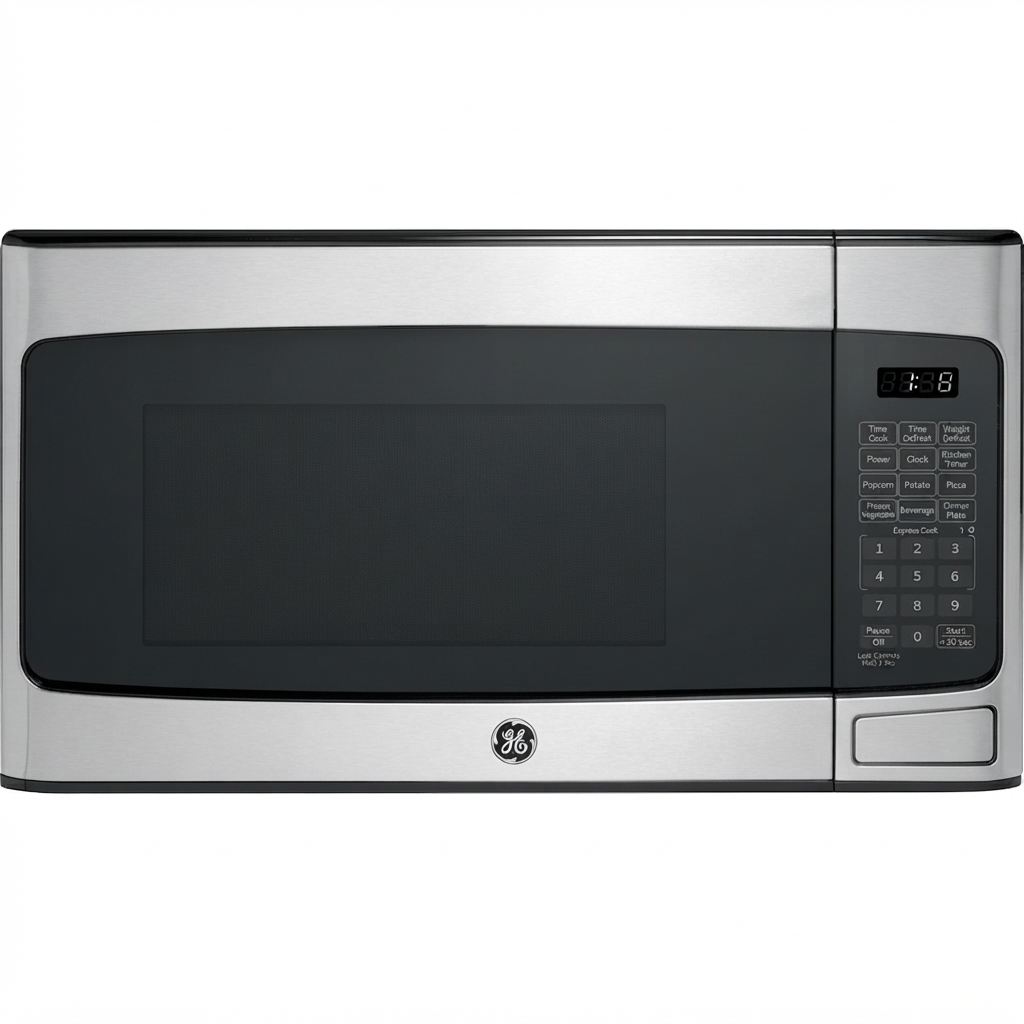
The GE Appliances JVM1320 Microwave Oven is a 1.3 cu. ft. over-the-range microwave designed for everyday cooking, reheating, and space-saving kitchen installation. Built as part of GE’s Spacemaker line, this model combines microwave convenience with built-in ventilation, making it a practical choice for apartments, small kitchens, and households that want to free up countertop space. The ge appliances JVM1320 Microwave Oven is known for its 900-watt cooking power, easy-mount installation, and straightforward electronic controls, which appeal to users who want reliable performance without complicated smart features.
This over-the-range microwave oven is best suited for families, renters, and homeowners replacing an older unit with a similar footprint. Its 1.3 cubic foot cavity can handle standard plates, bowls, and medium-size cookware, while the integrated hood helps manage cooking odors and steam from the range below. The GE Appliances JVM1320 Microwave Oven also includes convenience functions such as add 30 seconds, child lock, instant-on minute cook, and multiple power levels for flexible cooking control.
Because the JVM1320 is an older model and officially discontinued, availability is limited to secondary markets, replacement listings, and used or refurbished inventory. Depending on condition, seller, and included hardware, the estimated price range is typically about $75 to $250, with some units priced higher if they are fully tested or include original accessories. For shoppers searching for a dependable over-the-range microwave with classic GE functionality, the ge appliances JVM1320 Microwave Oven remains a recognizable and practical option.
Specifications for GE Appliances JVM1320 Microwave Oven
- Type: Over-the-range microwave oven with built-in ventilation.
- Capacity: 1.3 cubic feet, suitable for everyday family use.
- Cooking Power: 900 watts for standard microwave performance.
- Dimensions: Approximately 16 1/2 inches high, 29 7/8 inches wide, and 14 5/16 inches deep.
- Controls: Electronic keypad with scrolling digital display, clock, and AM/PM functionality.
- Convenience Features: Add 30 Seconds, Minute Cook, child lock, and multiple power levels.
- Ventilation: Built-in hood design for over-the-range installation and air circulation.
- Installation Style: Space-saving wall-mounted design for use above the cooking range.
- Performance Note: Compared with compact 0.9 cu. ft. countertop microwaves, the JVM1320 offers a larger cavity and stronger 900-watt output.
- Comparison: In the same class as other older GE over-the-range microwaves, but less feature-rich than modern convection or sensor-cooking models.
The ge appliances JVM1320 Microwave Oven balances size and power well for basic cooking tasks. It is not a premium smart microwave, but its simple interface and dependable output make it competitive with similar legacy over-the-range models from GE and other brands.
Troubleshooting Common Problems with the JVM1320 Microwave Oven
If the microwave does not start, first confirm that the door is fully closed and the power cord is plugged in securely. If the display is blank, check the household breaker or fuse before assuming a component failure. If the unit runs but does not heat, the magnetron, diode, or high-voltage circuit may need professional service.
- Problem: Turntable not rotating. Fix: Re-seat the tray and coupling, and remove any food debris that may block movement.
- Problem: Buttons not responding. Fix: Unlock the control panel if child lock is active, then reset power if needed.
- Problem: Weak airflow. Fix: Clean or replace the grease filter and check the vent path.
- Problem: Sparking inside cavity. Fix: Stop use immediately and inspect for metal, foil, or damaged waveguide cover.
- Problem: Display issues or intermittent operation. Fix: Unplug the microwave for one minute, then restore power to reset the control board.
There are no widely used error codes for this model in the way modern smart microwaves display them. For preventive care, avoid metal cookware, keep the cavity clean, and inspect door seals regularly. GE support documentation for the JVM1320 family is available through owner manuals and troubleshooting resources, and GE service can be reached at 1-800-GECares (1-800-432-2737). If parts are needed, replacement support and accessories are also available through GE’s appliance parts channels.
Pros and Cons of the GE Appliances JVM1320 Microwave Oven
Pros
- Space-saving design: Over-the-range installation helps free up counter space in compact kitchens.
- Reliable 900-watt power: Handles reheating, defrosting, and basic cooking efficiently.
- Simple controls: Easy to use for families and older users who prefer straightforward operation.
- 1.3 cu. ft. capacity: Fits most common plates and bowls without feeling cramped.
- Good value on resale market: Often more affordable than newer over-the-range alternatives.
Cons
- Discontinued model: Not sold as new in most retail channels, so availability is limited.
- Older feature set: Lacks modern sensor cooking, inverter technology, and smart connectivity.
- Condition varies: Used units may need parts, cleaning, or professional inspection.
- Noise and venting performance: Older hood designs may be less efficient than newer premium models.
For buyers comparing alternatives, the ge appliances JVM1320 Microwave Oven is best when affordability and fit matter more than advanced cooking automation. It delivers solid everyday performance, but shoppers seeking convection cooking or Wi-Fi features should look at newer GE Profile or smart over-the-range models.
Customer Reviews and User Feedback for GE Appliances JVM1320 Microwave Oven
User feedback for the GE Appliances JVM1320 Microwave Oven is generally positive among buyers looking for a dependable basic over-the-range unit. Average sentiment often lands around 4 out of 5 stars for function and ease of use, especially from users who appreciate the roomy interior and simple controls.
- Praise: “Easy to operate, heats evenly, and fits perfectly above my range.”
- Praise: “A solid replacement for an older GE microwave with the same footprint.”
- Complaint: “Because it is an older model, finding a brand-new one is difficult.”
- Complaint: “Some used units needed cleaning or minor repairs before installation.”
- Recommendation: Best for buyers who want a simple, reliable microwave and are comfortable purchasing refurbished or pre-owned equipment.
Commonly mentioned issues include age-related wear, noisy vent fans on some units, and the lack of modern premium features. Even so, the ge appliances JVM1320 Microwave Oven remains a practical choice for budget-conscious shoppers who want a proven kitchen appliance with a familiar GE layout.
Faqs
How do I set up the GE Appliances JVM1320 Microwave Oven for the first time?
What power requirements does the GE Appliances JVM1320 Microwave Oven need for proper installation?
Why is my GE Appliances JVM1320 Microwave Oven running but not heating food?
How do I use the sensor cooking and preset features on the GE Appliances JVM1320 Microwave Oven?
What cookware and containers are safe to use in the GE Appliances JVM1320 Microwave Oven?
Why does my GE Appliances JVM1320 Microwave Oven keypad or display stop responding?
How should I clean and maintain the GE Appliances JVM1320 Microwave Oven to keep it performing well?
What should I check if the GE Appliances JVM1320 Microwave Oven fan or light is not working correctly?
More ge appliances manuals
- Installation: Ge Appliances ZV750 Stainless Steel Range Hood User Manual
- Ge Appliances GSD1400 Series Dishwasher User Manual
- Ge Appliances JEM25 Microwave Oven User Manual
- Ge Appliances GHD3500 series Dishwasher User Manual
- Ge Appliances JGBS02 Gas Ranges User Manual
- Ge Appliances JSP26 Electric Range User Manual
Leave a Comment