
Generic Bone Conduction Headphones BH628 User Manual
Content
Generic Bone Conduction Headphones BH628: Product Manual and Buyer Guide
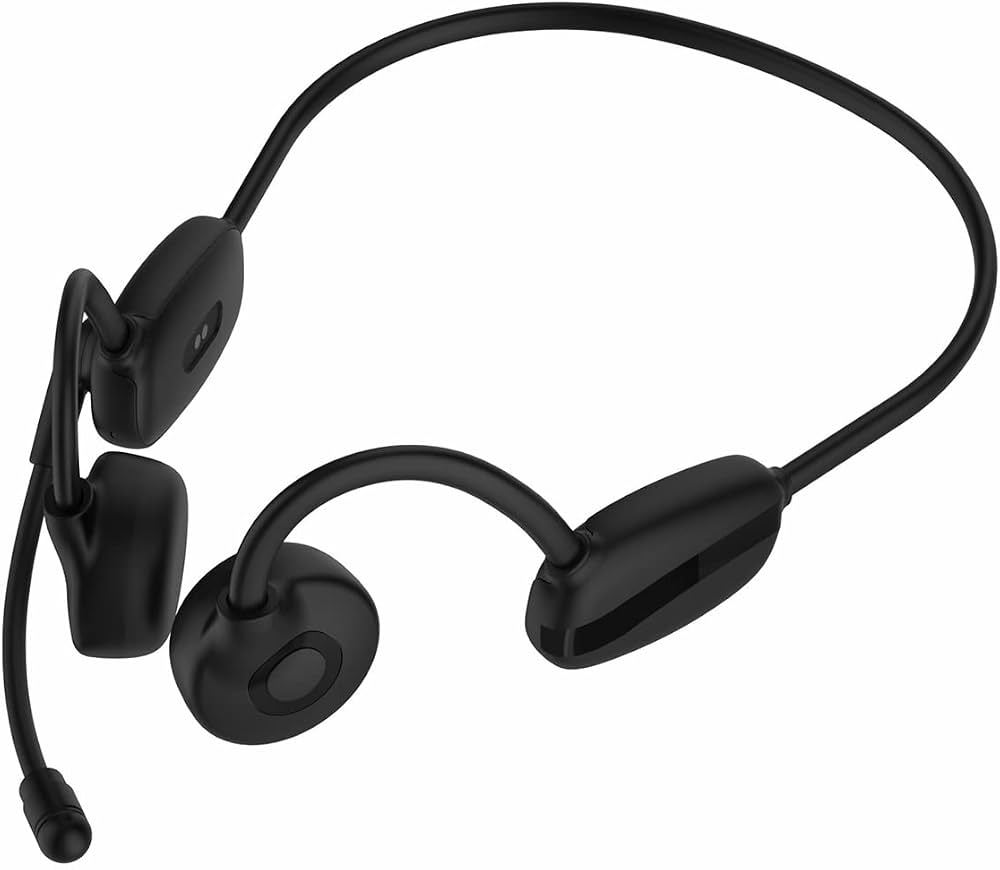
The generic Bone Conduction Headphones BH628 are open-ear audio headphones designed to deliver sound through the cheekbones instead of sealing the ear canal. This makes them a practical choice for runners, cyclists, office users, and anyone who wants to stay aware of their surroundings while listening to music, taking calls, or joining online meetings. The BH628 is commonly sold as a lightweight sports and communication headset with a built-in microphone, Bluetooth connectivity, and a flexible wrap-around frame for a secure fit.
In everyday use, the BH628 stands out for comfort, situational awareness, and versatility. The open-ear design reduces ear fatigue during long sessions and can be especially useful for outdoor workouts, commuting, pet walking, and hands-free calling. Many versions of the generic Bone Conduction Headphones BH628 are advertised with sweat resistance, around 3 hours of charging time, and a battery capacity around 170 mAh, though exact specifications may vary by seller. Typical pricing ranges from about $15 to $25 for budget models, with some marketplace listings going higher depending on features, shipping, and branding. Availability is generally strongest through online marketplaces and wholesale suppliers, where listings may vary in color, connectivity, and waterproof rating. If you want a practical, affordable open-ear headset for casual fitness and calls, the BH628 is a solid entry-level option.
Troubleshooting Guide for BH628 Bone Conduction Headphones
If the headphones do not power on, charge them for at least 30 minutes and confirm the charging cable is fully seated. If Bluetooth will not pair, turn the headset off, clear the device from your phone’s Bluetooth list, and reconnect from scratch. If sound is weak, check that the transducers are positioned correctly in front of the ears and raise the volume on both the headset and your device. If call audio is unclear, move to a quieter area and make sure the microphone opening is not blocked by sweat, dirt, or clothing.
Some sellers use simple status indicators instead of formal error codes. A blinking red light often means low battery, while alternating red and blue lights usually indicate pairing mode. If the headset shows no response, perform a reset by powering it off and holding the multifunction button for several seconds, then retry pairing. Prevent problems by keeping the charging port dry, wiping the frame after workouts, and storing the headset in a cool, dry case. Warranty coverage depends on the seller, but many listings offer a limited return window or short-term warranty. For support, contact the retailer, marketplace message center, or the manufacturer page listed on your order confirmation. Keep your order number, product name, and photos of the issue ready when requesting help.
Pros and Cons of Generic Bone Conduction Headphones BH628
Pros
- Open-ear design keeps you aware of traffic, coworkers, and outdoor surroundings.
- Comfortable for long listening sessions because nothing sits inside the ear canal.
- Lightweight build makes it suitable for running, cycling, and walking.
- Built-in microphone supports hands-free calls and online meetings.
- Good value for money for buyers who want an affordable bone conduction headset.
Cons
- Sound quality is usually less bass-heavy than traditional over-ear headphones.
- Privacy is limited because audio leakage can be noticeable in quiet rooms.
- Water resistance is often basic rather than fully waterproof.
- Battery life is modest compared with premium alternatives.
- Performance and build quality may vary across sellers and versions of the generic Bone Conduction Headphones BH628.
Compared with premium open-ear models, the BH628 is best seen as a budget-friendly choice rather than a high-end audio device. It offers strong everyday utility, but buyers who want richer sound, stronger waterproofing, or advanced app features may prefer more expensive alternatives.
Customer Reviews: What Buyers Say About the BH628
Customer feedback for the generic Bone Conduction Headphones BH628 is generally mixed to positive, with many users giving it around 4 out of 5 stars for comfort and convenience. Reviewers often praise the lightweight feel, stable fit during workouts, and the ability to hear ambient noise while listening to music. A common testimonial theme is that the headset is “great for walking and calls” and “easy to wear for hours without ear pain.”
Frequent complaints include limited bass, average microphone clarity in windy environments, and battery life that may feel short for all-day use. Some users also mention that sound leakage can be noticeable at higher volumes. The best purchase recommendation is for buyers who value safety, comfort, and open-ear listening over audiophile-level sound. If your priority is commuting, sports, or casual voice calls, the BH628 is often viewed as a worthwhile budget buy.
Faqs
How do I set up generic Bone Conduction Headphones BH628 for the first time?
Why are my generic Bone Conduction Headphones BH628 not pairing with Bluetooth?
How should generic Bone Conduction Headphones BH628 sit on my head for the clearest sound?
Can I use generic Bone Conduction Headphones BH628 for phone calls and voice commands?
Are generic Bone Conduction Headphones BH628 compatible with iPhone, Android, and laptops?
What should I do if the sound on generic Bone Conduction Headphones BH628 is too low?
How long does the battery last on generic Bone Conduction Headphones BH628 and how should I charge them?
How do I clean and maintain generic Bone Conduction Headphones BH628 for long-term use?
Leave a Comment