
How to Setup: Glowforge Personal Filter User Manual
Content
Glowforge Personal Filter
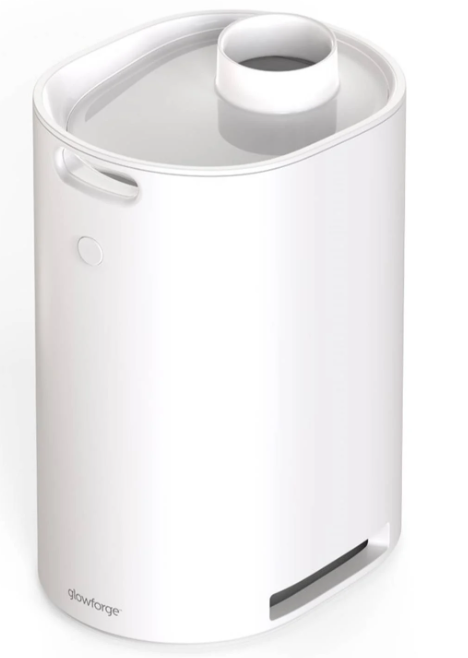
Introduction to Glowforge Personal Filter
The Glowforge Personal Filter is a revolutionary air filtration system designed specifically for use with Glowforge Aura and Spark laser cutters, enabling users to operate their machines anywhere without needing to vent out a window. Utilizing advanced carbon and HEPA filtration technology, it effectively cleans and purifies air by trapping over 99.9% of airborne particles generated during laser cutting or engraving projects. This quiet, compact filter is ideal for hobbyists, educators, makers, and small business owners working in confined spaces such as apartments, classrooms, or offices.
Uniquely tailored for portability and ease of use, the filter automatically activates when printing begins and shuts off after completion, extending cartridge life and ensuring a seamless creative experience. Its ergonomic design includes handles and wheels for easy movement, allowing you to transform any room into a personal creative studio. The Glowforge Personal Filter typically retails around $399.99 and is widely available through Glowforge’s official store and major electronics retailers.
This filter is perfect for users seeking flexibility in workspace setup, eliminating the inconvenience and limitations posed by traditional window venting. Whether engraving gifts, crafting prototypes, or producing educational projects, the Glowforge Personal Filter makes clean air and creative freedom accessible everywhere.
Technical Specifications and Features of the Glowforge Personal Filter
- Compatibility: Designed exclusively for Glowforge Aura and Glowforge Spark models
- Filtration System: Combination of HEPA-grade and activated carbon filters capturing 99.9% of airborne particles
- Filter Cartridge Life: Up to 100 hours of laser printing per replaceable cartridge
- Power Requirements: Draws up to 2 amps; compatible with standard household 120V outlets
- Dimensions: Approximately 22" height x 17" width x 13" depth
- Weight: Around 18 lbs, with ergonomic handles and wheels for mobility
- Operation: Automatic start/stop synchronized with print jobs; manual control available with multiple fan speed settings (100%, 75%, 50%)
- Noise Level: Quiet operation optimized for home and office environments
- Controls and Indicators: Multi-color LED button indicating pairing status and filter activity
Glowforge Personal Filter
- Air Inlet Interface: 4-inch hose connection
- Input Voltage: AC110V / 240V
- Maximum Power: 85W
- Noise: <65dBa
- Dimensions of Main Unit: 470 mm H x 445 mm W x 254 D18.5" x 17.5" x 10.0"
- Weight: 6.4 kg / 14 lb
Compared to the Glowforge Performance Laser Filter, which is designed for the Pro series and larger volume use, the Personal Filter is optimized for smaller footprint machines and moderate usage, focusing on convenience and portability rather than continuous heavy-duty operation.
Unboxing & Se ing Up
Prepare your Area
Your Glowforge Personal Filter must be on a flat surface, like the floor. It needs to be positioned so that the 8-foot (2.4384 m) exhaust hose can connect to the back of your Glowforge Aura without wisting, pinching, kinking, or fla ening.
Your Glowforge Personal Filter blows air out, so ensure that there are no obstructions within two inches (5.08 cm) of the vents on either side.
Unboxing
- Carefully cut the tape sealing the top of your Glowforge Personal Filter box and open it.
Remove the power cord and set it aside, then remove the cardboard insert to reveal your Glowforge Personal Filter.
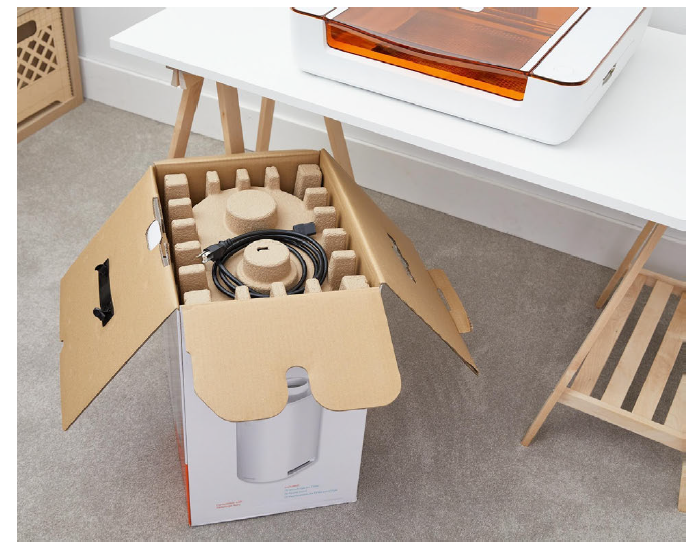
Grasp the handle on the rear of the Glowforge Personal Filter through the clear plastic bag. Lift the filter out of the box, and place it on the floor.
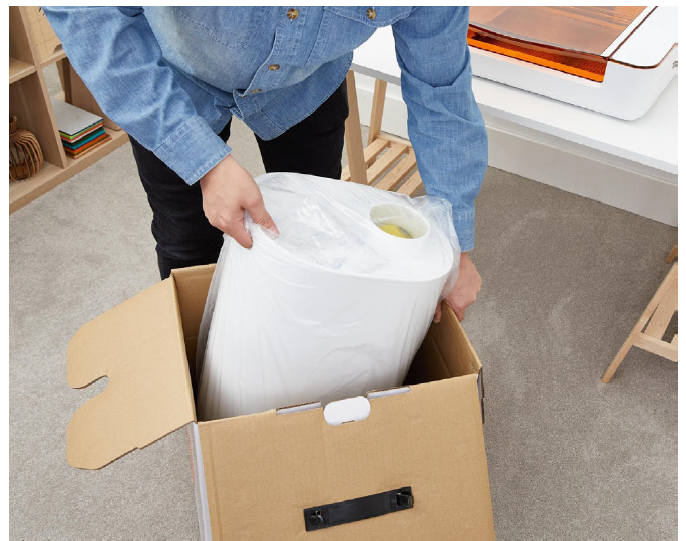
Open the bag, and remove it from the filter.
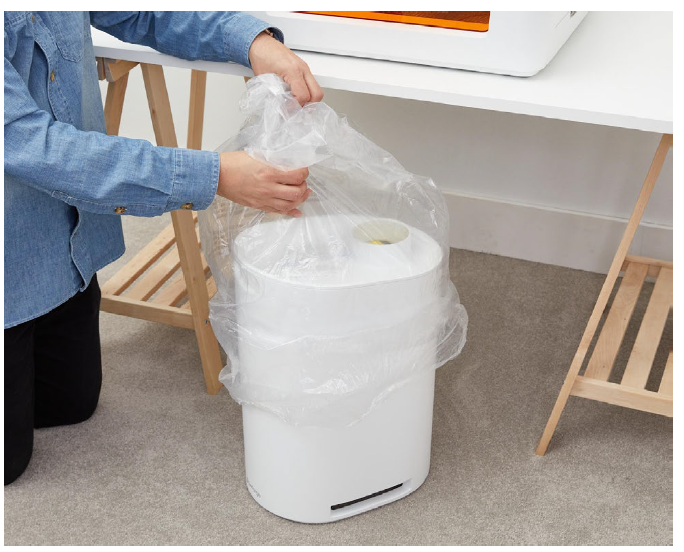
Open the filter by lifting the lid at the notch. Remove the yellow warning notice.
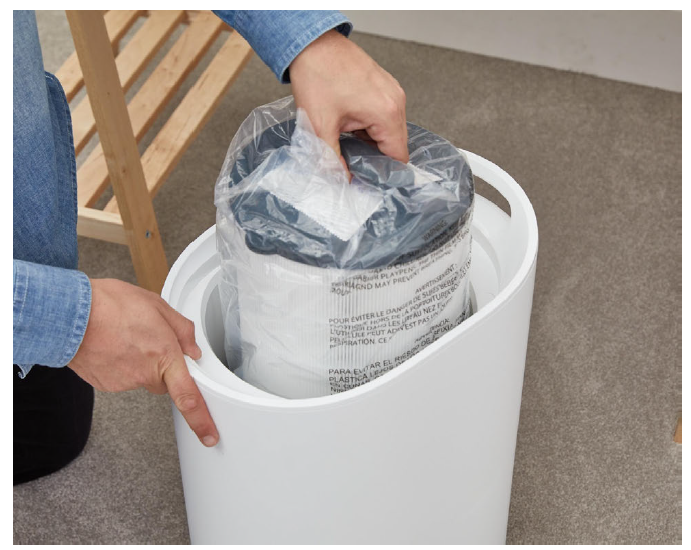
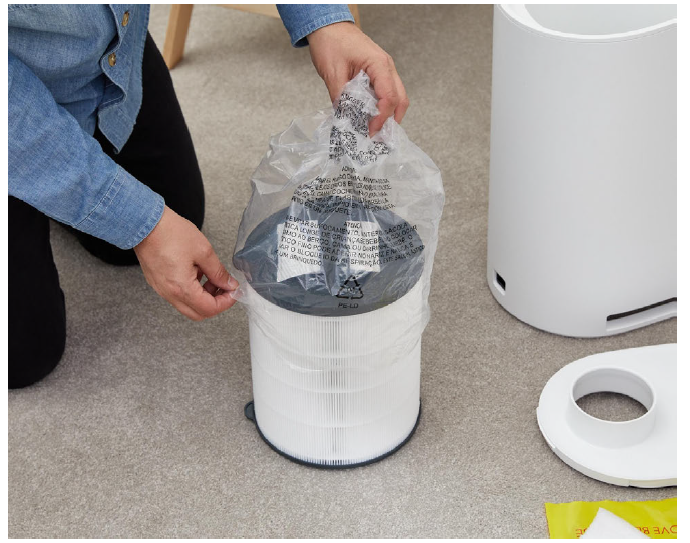
- Grasp the handle on the filter cartridge through the clear plastic bag. The heather cartridge of the filter.
- Remove the filter cartridge from the plastic bag, and discard the desiccant pack.
- Save everything! Save the packaging material,, including the box, foam, and bags. If you need to move your Glowforge Personal Filter or ship it back for warranty service, you’ll need all the original packing materials. The Glowforge Personal Filter cannot be shipped safely without the original packaging materials.
Print Amazing Things
After you’ve paired your Glowforge Personal Filter, perform the following steps for each print.
- Choose your material
Your Glowforge Personal Filter has been tested with a wide variety of Proofgrade materials. We suggest avoiding Proofgrade Draftboard on your Glowforge Aura, however, as it will cause your filter cartridge to fill up and require replacement much more quickly. - Run your print
There is no power button on your Glowforge Personal Filter. Once it’s paired, it will run automatically when you start printing. The button on the front of your printer is a status indicator.
When you’re ready to print, the bu on on the filter will blink white just like the bu on on your Glowforge Aura. When you push the button on your
Glowforge Aura to begin the print, your Personal Filter will automatically begin filtering.
When your print finishes, your Personal Filter will run for a few extra moments to avoid odors and prolong the life of the cartridge. The light turns off to open your printer.
Bu on Colors
When your Personal Filter is powered on, after the initial update is applied, the button will light up with different colors to indicate its status.
- Teal
A teal bu on means that the filter is not paired with your Glowforge Aura. You will see this color briefly when you power the filter on, and anytime it is “searching” for your printer. - No color
If the filter is powered on and the button is not lit up with a specific color, the filter is paired to your Glowforge Aura. - Blinking white
The button will blink white when a print is waiting to start. - White
While filtering during a print, the bu on will glow a steady white.
Manual Control Mode
While the bu on is teal, it is not paired with your printer. You can manually control he filter by tapping the button. Each tap will cycle through filter posettingstarting with 100%.
- First tap = 100%
- Second tap = 75%
- Third tap = 50%
- Fourth tap = 0% (exits manual mode)
Reducing Odors
The Glowforge Personal Filter is designed to allow you to safely and comfortably operate your Glowforge Aura printer indoors. It will dramatically reduce odors, smoke, and fumes to safe levels.
You should smell li le to no odor coming from the exhaust vents of the Glowforge Personal Filter itself. Note, however, that even when used properly, odors may still occur from the following:
- Opening the printer lid after a print
Tiny amounts of smoke and fumes remain trapped in the crumb tray, and will escape when the lid is opened and the material is removed. This can be reduced by leaving the material in the Glowforge Aura printer for a minute or two before removal. - The materials themselves
After printing, the materials may have an odor for as long as a day or two. This can be minimized by using Proofgrade material, removing and disposing of the protective masking (which has the bulk of the odor), and by setting the materials aside for a day. - The Glowforge Aura printer itself
After being used for many hours, tiny particles of dust and resin will accumulate on the Glowforge Aura printer itself. To minimize the odor, keep he lid closed when not in use, clean according to the Glowforge Aura user manual, and leave the Glowforge Aura connected to the Glowforge Personal Filter when not in use.
Troubleshooting
If you detect a strong, sharp smell that also causes eyes, nose, or throat irritation, or if there is visible smoke escaping your Glowforge Aura printer while the lid is closed, your Glowforge Personal Filter is not operating properly. Discontinue using your Glowforge Personal Filter and follow these instructions.
- Ensure your Glowforge Personal Filter is turned on before every print, and left running until the print is complete.
- Check if the exhaust hose is securely connected to the Glowforge AuAur Gtheowforge Personal Filter.
- Check if the Glowforge Personal Filter is paired in the Glowforge App (refer to he “Pairing your Glowforge Personal Filter and Glowforge Aura Printer” section above for details on how to do this).
- Ensure that the filter cartridge is not in its bag.
- Ensure that the filter cartridge has been properly installed in the filter. To make sure it’s inserted correctly, try to turn the cartridge using the handle. It should stay firmly in place.
- Check if the materials you are using are laser-compatible. The Glowforge Personal Filter has been tested with Proofgrade materials; other materials might have smoke and fumes that are not fully removed by the Glowforge Personal Filter.
- Change the filter cartridge. If you have been printing for a while, it may be ittime timeceour filter cartridge.
- Check the hose to make sure it is not kinked, squished, or twisted.
- Remove the hose and inspect the inside to ensure it is not obstructed.
- Review the “Reducing Odors” section above for other sources of smell.
Pros and Cons of the Glowforge Personal Filter
- Pros:
- Enables placement of Glowforge Aura/Spark anywhere without window venting
- High-efficiency filtration with HEPA and activated carbon ensures safe, odorless air
- Automatic activation and shutdown streamline workflow and extend cartridge life
- Compact, portable design with wheels and handles enhances mobility
- Simple cartridge replacement maintains continuous operation
- Quiet fan operation suitable for home, classroom, or office use
- Cons:
- Filter cartridges have a limited lifespan (~100 print hours) and require regular replacement, which can add to operating costs..
- Price point (~$399.99) may be significant for casual users or hobbyists on a tight budget.
- Only compatible with Glowforge Aura and Spark, not with Pro or Plus models
- Does not replace the need for window venting on larger or more intense laser cutters
Customer Reviews and Feedback on Glowforge Personal Filter
Users consistently praise the Glowforge Personal Filter for its convenience and effectiveness, with many highlighting how it frees them from the constraints of window venting and allows creative setups in apartments and classrooms. The quiet operation and ease of use are frequently mentioned as key benefits. Star ratings commonly range from 4 to 4.5 out of 5.
Common complaints include the cost and frequency of filter cartridge replacements and occasional pairing issues with the Glowforge Aura, requiring manual resets. However, most users recommend the product for those needing flexible workspace arrangements and appreciate the improved air quality during laser engraving sessions. Many emphasize that the filter is worth the investment for improved safety and comfort.
Tags
Leave a Comment