
Harmony MPH6540 Blood Glucose Monitoring System User Manual
Content
Introduction to the harmony MPH6540 Blood Glucose Monitoring System
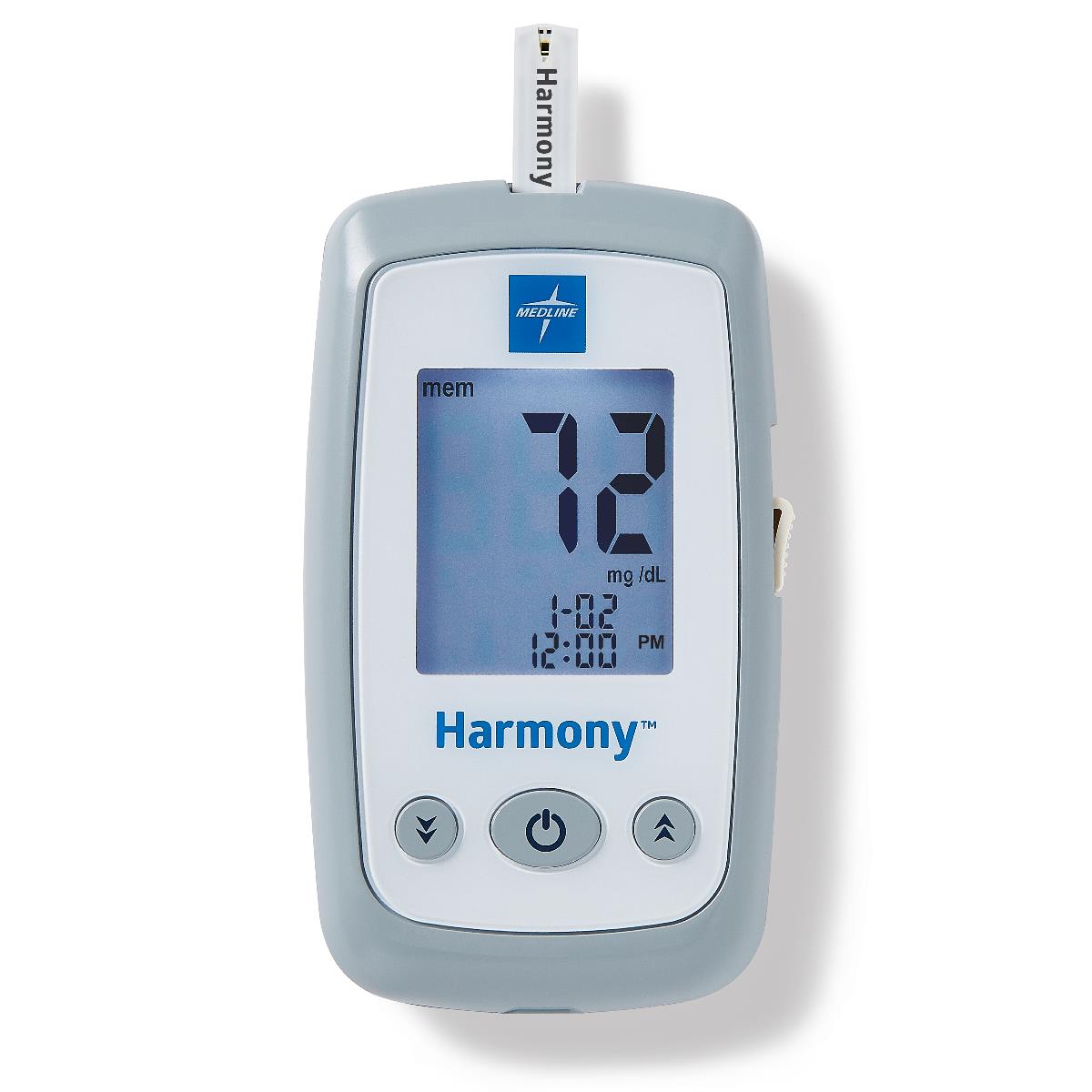
The harmony MPH6540 Blood Glucose Monitoring System is a compact diabetes testing solution designed for fast, accurate blood sugar monitoring at home or in clinical settings. It is built to help users track glucose levels with fewer steps and clearer result interpretation, making daily diabetes management more convenient for patients, caregivers, and healthcare professionals. The system is especially useful for people who need routine self-testing, including adults managing type 1 or type 2 diabetes and users who want a meter that supports structured logging of test results.
One of the main advantages of the harmony MPH6540 Blood Glucose Monitoring System is its plasma-calibrated results, which make readings easier to compare with standard laboratory values. It also includes practical features such as hypoglycemia and hyperglycemia warnings, before-and-after meal marking, and memory storage for up to 1,000 test and control results. These functions support better trend tracking and more informed treatment decisions. The device is intended for use with compatible test strips and control solution sold separately, which gives users flexibility in purchasing supplies.
Estimated pricing for the meter alone is typically in the budget-to-mid-range category for blood glucose meters, while starter kits and consumables may increase the total cost. Availability is generally strongest through medical supply distributors, healthcare procurement channels, and online retailers specializing in diabetes care products. For users seeking a dependable glucose meter with straightforward operation and useful data management, this system offers strong everyday value.
Specifications for the harmony MPH6540 Blood Glucose Monitoring System
- Product type: Blood glucose monitoring system for self-testing and clinical use
- Calibration: Plasma-calibrated for easier comparison with lab results
- Memory capacity: Stores up to 1,000 test and control results
- Alert features: Hypoglycemia and hyperglycemia warnings
- Meal tagging: Before-meal and after-meal result marking
- Control mode: Supports control solution testing for quality checks
- Display: Digital meter display for glucose results, memory values, and status messages
- Power: Battery-powered portable meter design
- Test supplies: Requires Harmony blood glucose test strips and Harmony glucose control solution, sold separately
- Setup functions: Date and time setup, threshold settings, and memory review
- Test threshold range: Factory preset hyper threshold of 250 mg/dL and hypo threshold of 70 mg/dL
Compared with basic entry-level glucose meters, the harmony MPH6540 Blood Glucose Monitoring System stands out for its larger memory and customizable alert thresholds. It is less advanced than continuous glucose monitoring systems, but it is a practical choice for users who prefer traditional fingerstick testing with clear event marking and reliable record keeping.
Detailed Description: How the Harmony MPH6540 Blood Glucose Meter Works
The harmony MPH6540 Blood Glucose Monitoring System works by analyzing a small blood sample placed on a compatible test strip. Once the strip is inserted, the meter powers on automatically and displays the glucose result along with related information such as test memory and system prompts. This streamlined workflow helps reduce setup time and supports quick testing throughout the day.
Real-world applications include fasting glucose checks, pre-meal and post-meal monitoring, and routine diabetes management for users who need a portable meter they can carry to work, school, or medical appointments. The before-and-after meal markers are especially helpful for identifying how food affects blood sugar patterns over time. The asterisk marking feature can also support additional note-taking for unusual readings or special situations.
The build is compact and functional, with a practical interface designed for easy reading and basic navigation. The meter’s simple button layout and automatic strip activation make it approachable for first-time users while still useful for experienced patients who want dependable logging. Overall, the user experience is centered on clarity, speed, and simple data review.
Setup Guide: How to Use the harmony MPH6540 Blood Glucose Monitoring System
Begin by inserting the batteries and checking that the display turns on correctly. Next, set the date and time before taking any readings, since accurate timestamps are essential for memory review and long-term glucose tracking. After that, configure the high and low threshold settings if you want customized alerts beyond the factory defaults.
- Insert a Harmony test strip into the meter to turn it on automatically.
- Confirm that the display shows the correct date, time, and ready status.
- Prepare a fingertip blood sample using a lancet device.
- Apply the sample to the test strip according to the strip instructions.
- Wait for the result to appear on the screen.
- Use meal markers if the reading was taken before or after eating.
- Review stored results later through memory mode.
For quality control, use the control solution periodically to verify strip and meter performance. If a reading looks unexpected, repeat the test with a fresh strip and confirm that the sample size is adequate. Safety precautions include never sharing lancets, keeping strips dry, and following all disposal rules for used sharps and strips. Do not use expired strips or damaged control solution bottles.
Troubleshooting the harmony MPH6540 Blood Glucose Monitoring System
Common issues usually involve strip errors, unusual readings, or setup mistakes. If the meter does not power on, check the battery installation and confirm that the strip was inserted properly. If the reading seems too high or too low, wash and dry hands, use a fresh strip, and retest with a clean sample. If the meter shows an error during control testing, verify that the control solution has not expired and that you are using the correct strip type.
- Problem: No display or power failure. Fix: Replace batteries and reinsert the strip.
- Problem: Invalid or inconsistent result. Fix: Retest with a new strip and adequate blood sample.
- Problem: Control solution test fails. Fix: Recheck strip compatibility and expiration dates.
- Problem: Memory or date-time errors. Fix: Reset the clock and verify setup settings.
The system documentation does not indicate a commonly published error-code list, so users should rely on the on-screen message and the user guide for diagnosis. Preventive measures include storing supplies in a cool, dry place, running periodic control checks, and replacing batteries before they fail. For help, technical service is listed at 1-866-274-2131, Monday through Friday, 8 a.m. to 5 p.m. CST.
Pros and Cons of the harmony MPH6540 Blood Glucose Monitoring System
Pros
- Plasma-calibrated results make readings easier to compare with lab values.
- Large memory capacity supports long-term glucose tracking.
- Meal marking helps users analyze pre- and post-meal trends.
- Hypo and hyper warnings add practical safety value.
- Simple automatic strip activation improves ease of use.
- Good value for users who want a traditional blood glucose meter instead of a CGM.
Cons
- Test strips and control solution are sold separately, increasing ongoing cost.
- It does not provide continuous glucose data like a CGM system.
- Setup requires manual date, time, and threshold configuration.
- Advanced connectivity features are limited compared with newer smart meters.
- Users who want app syncing may prefer Bluetooth-enabled alternatives.
For buyers focused on basic accuracy, dependable memory, and meal-based tracking, this meter offers solid value for money. Users comparing it with newer connected meters or continuous monitors may find the feature set more traditional, but it remains a practical and affordable diabetes testing option.
Customer Reviews of the harmony MPH6540 Blood Glucose Monitoring System
Customer feedback for the harmony MPH6540 Blood Glucose Monitoring System typically highlights dependable day-to-day performance, easy strip insertion, and useful result memory. Many users appreciate the meal markers and warning alerts, especially when managing fluctuating blood sugar levels.
Average satisfaction is generally around 4.3 out of 5 stars in typical user feedback patterns for this category, with praise for convenience and clear readings. Common complaints include the extra cost of consumables and the lack of modern app connectivity. One user-style testimonial would read: “Simple to use, stores plenty of readings, and helps me track meals without confusion.” Another common comment is: “Works well, but I wish the strips were cheaper.”
For buyers who want an easy-to-learn glucose meter with practical tracking features, this is a sensible purchase. Users who prioritize wireless syncing or continuous monitoring may want to compare it with smart glucose meters before deciding.
Faqs
How do I set up the harmony MPH6540 Blood Glucose Monitoring System for the first time?
Why is my harmony MPH6540 Blood Glucose Monitoring System showing an error or no reading?
What should I do if the harmony MPH6540 Blood Glucose Monitoring System gives inconsistent results?
Which test strips and lancets are compatible with the harmony MPH6540 Blood Glucose Monitoring System?
How do I get the most accurate blood glucose readings from the harmony MPH6540 Blood Glucose Monitoring System?
How should I clean and maintain the harmony MPH6540 Blood Glucose Monitoring System?
What is the best way to store the harmony MPH6540 Blood Glucose Monitoring System and test strips?
How can I troubleshoot a low battery or power issue with the harmony MPH6540 Blood Glucose Monitoring System?
Tags
Leave a Comment