
Hotpoint RJ742GJ Built-in-Oven User Manual
Content
Hotpoint RJ742GJ Built-in-Oven Manual and Buying Guide
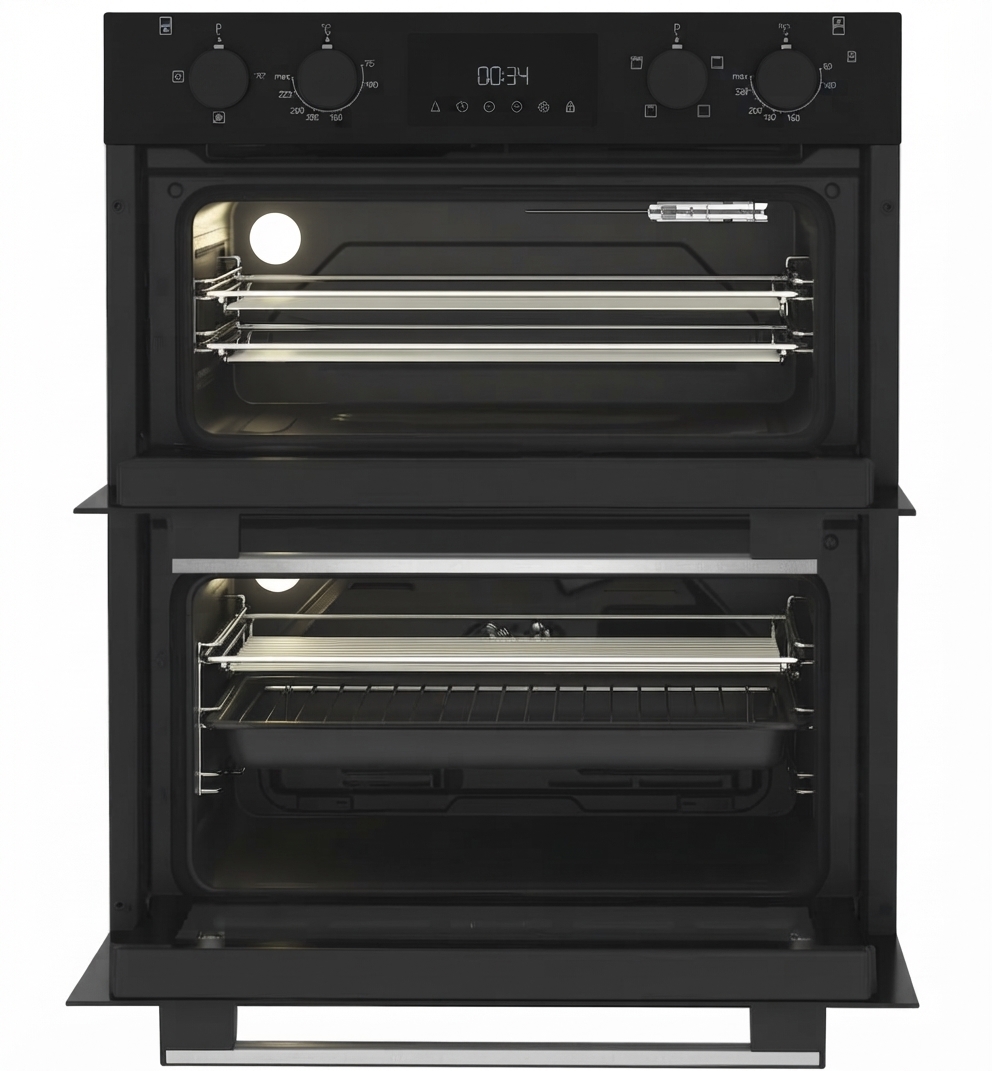
The Hotpoint RJ742GJ built-in oven is a classic electric wall oven designed for dependable everyday cooking, straightforward controls, and integrated kitchen styling. It is best suited to homeowners who want a practical built-in oven for baking, roasting, broiling, and self-cleaning without the complexity of modern smart features. The layout is especially appealing for traditional cooks, rental properties, and budget-conscious buyers who value durability and simple operation over app connectivity or advanced automation.
One of the main advantages of the hotpoint RJ742GJ Built-in-Oven is its no-nonsense control system with separate oven set and temperature controls, plus an automatic oven timer, clock, and minute timer. Many users appreciate the visible oven cycling light, interior oven light, and self-clean capability, which make daily cooking and maintenance easier. The oven also includes a rotisserie receptacle and meat thermometer support, giving it more versatility than many basic built-in ovens.
In today’s market, the estimated price range for a used or refurbished hotpoint RJ742GJ Built-in-Oven typically falls around $150 to $500, depending on condition, seller, and whether installation accessories are included. New old stock is rare, so availability is usually limited to resale marketplaces, appliance salvage dealers, and specialist parts suppliers. This makes it a niche but practical option for retrofits, replacement projects, and buyers looking for a reliable built-in electric oven with straightforward controls.
Specifications for Hotpoint RJ742GJ Built-in-Oven
- Type: Built-in electric oven
- Model: Hotpoint RJ742GJ
- Control style: Manual oven set and temperature controls
- Timer: Automatic oven timer, clock, and minute timer
- Cooking functions: Bake, broil, warm, and clean cycle
- Cleaning system: Self-cleaning oven mode
- Interior light: Automatic oven interior light
- Safety indicator: Locked light during self-cleaning
- Accessory support: Rotisserie receptacle and meat thermometer function
- Oven temperature range: From warm to broil and cleaning temperature
Performance-wise, the oven is designed for even radiant heat cooking and steady temperature cycling rather than ultra-fast preheat or convection-style airflow. Compared with newer built-in ovens that offer digital displays, convection fans, and air-fry modes, the RJ742GJ is simpler but easier to operate and maintain. Against similar older built-in electric ovens, it stands out for its self-clean feature, timer integration, and traditional mechanical reliability. For buyers comparing options, the main trade-off is clear: fewer modern features, but simpler use and proven cooking basics.
Troubleshooting Hotpoint RJ742GJ Built-in-Oven Problems
If the oven will not heat, check that the unit is receiving power, the temperature control is set correctly, and the timer has not been left in a timed-off position. If the oven heats unevenly, confirm that shelves are positioned correctly and avoid overcrowding food, as blocked heat circulation can affect baking results. If the self-clean cycle will not start, the oven door latch must be fully engaged and the controls must be set to the proper cleaning mode.
- No heat: Reset the breaker, confirm power supply, and inspect the temperature control setting.
- Uneven cooking: Preheat fully, use the recommended shelf position, and avoid opening the door too often.
- Door will not unlock after cleaning: Wait for the oven to cool completely before forcing the latch.
- Interior light not working: Replace the bulb if compatible and check the socket connection.
- Error codes: Older mechanical models like this usually do not display digital fault codes; issues are typically mechanical or electrical.
Preventive care matters: keep the door gasket clean, avoid abrasive cleaners on control surfaces, and do not use aluminum foil in a way that blocks airflow. For support, check the appliance serial label inside the oven door area before requesting parts or service. Warranty coverage depends on the seller, because many RJ742GJ units are now older secondhand appliances. For help, contact the original manufacturer service line, an authorized appliance technician, or the retailer that supplied the unit. Customer support is commonly reached through Hotpoint service channels, including the UK support number 0808 281 7829 and regional service portals.
Pros and Cons of the Hotpoint RJ742GJ Built-in-Oven
Pros
- Simple controls make it easy for first-time users and older households.
- Self-cleaning mode reduces manual scrubbing.
- Timer, clock, and minute timer improve cooking control.
- Rotisserie receptacle adds versatility for roasting meats.
- Strong value for buyers seeking a basic built-in oven on a lower budget.
Cons
- Lacks modern features such as convection cooking, touchscreen controls, and smart connectivity.
- Availability is limited because it is an older model.
- Replacement parts may take longer to source than for current ovens.
- Noisy or uneven performance can occur if the oven is worn or poorly maintained.
- Not the best choice for buyers wanting fast preheat or advanced precision cooking.
Overall, the hotpoint RJ742GJ Built-in-Oven offers strong value for money if you need a dependable basic appliance rather than a feature-heavy modern oven. Compared with newer alternatives from Hotpoint and other brands, it is less advanced but often easier to repair and simpler to use.
Customer Reviews of Hotpoint RJ742GJ Built-in-Oven
Typical buyer feedback for the hotpoint RJ742GJ Built-in-Oven averages around 4 out of 5 stars among users who value reliability and straightforward controls. Many customers praise its sturdy build, easy-to-understand temperature settings, and useful self-clean function. One common compliment is that it “does the job without unnecessary complexity,” which appeals to practical home cooks.
Common complaints include limited availability, aging components, and the lack of modern cooking modes. Some users mention that replacement parts can be difficult to find, especially for older units. Overall, it is a good purchase recommendation for buyers who need a classic built-in electric oven for everyday roasting and baking, but it is not ideal for those expecting digital convenience or smart-home features.
Frequently Asked Questions About Hotpoint RJ742GJ Built-in-Oven
Is the Hotpoint RJ742GJ built-in oven still worth buying? Yes, if you want a simple, durable oven with basic cooking functions and you can source it in good condition.
Does the hotpoint RJ742GJ Built-in-Oven have self-cleaning? Yes, it includes a self-clean cycle with a door lock feature for safety.
Is it suitable for baking and roasting? Yes, it is designed for standard baking, roasting, broiling, and general family cooking.
Where can I get support? Use Hotpoint customer service, the appliance rating label, or an authorized repair technician for parts and troubleshooting help.
Faqs
How do I set up the hotpoint RJ742GJ Built-in-Oven for first-time use?
What should I do if the hotpoint RJ742GJ Built-in-Oven is not heating properly?
Which cookware works best with the hotpoint RJ742GJ Built-in-Oven features and heating modes?
Why does my hotpoint RJ742GJ Built-in-Oven cook unevenly, and how can I fix it?
How do I clean and maintain the hotpoint RJ742GJ Built-in-Oven without damaging it?
Can the hotpoint RJ742GJ Built-in-Oven fit into a standard kitchen cabinet space?
How do I improve energy efficiency when using the hotpoint RJ742GJ Built-in-Oven?
What are the most common hotpoint RJ742GJ Built-in-Oven problems and quick solutions?
More hotpoint manuals
Leave a Comment