
Intel LGA1151 CPU Cooler User Manual
Content
Intel LGA1151 CPU Cooler Manual and Buying Guide
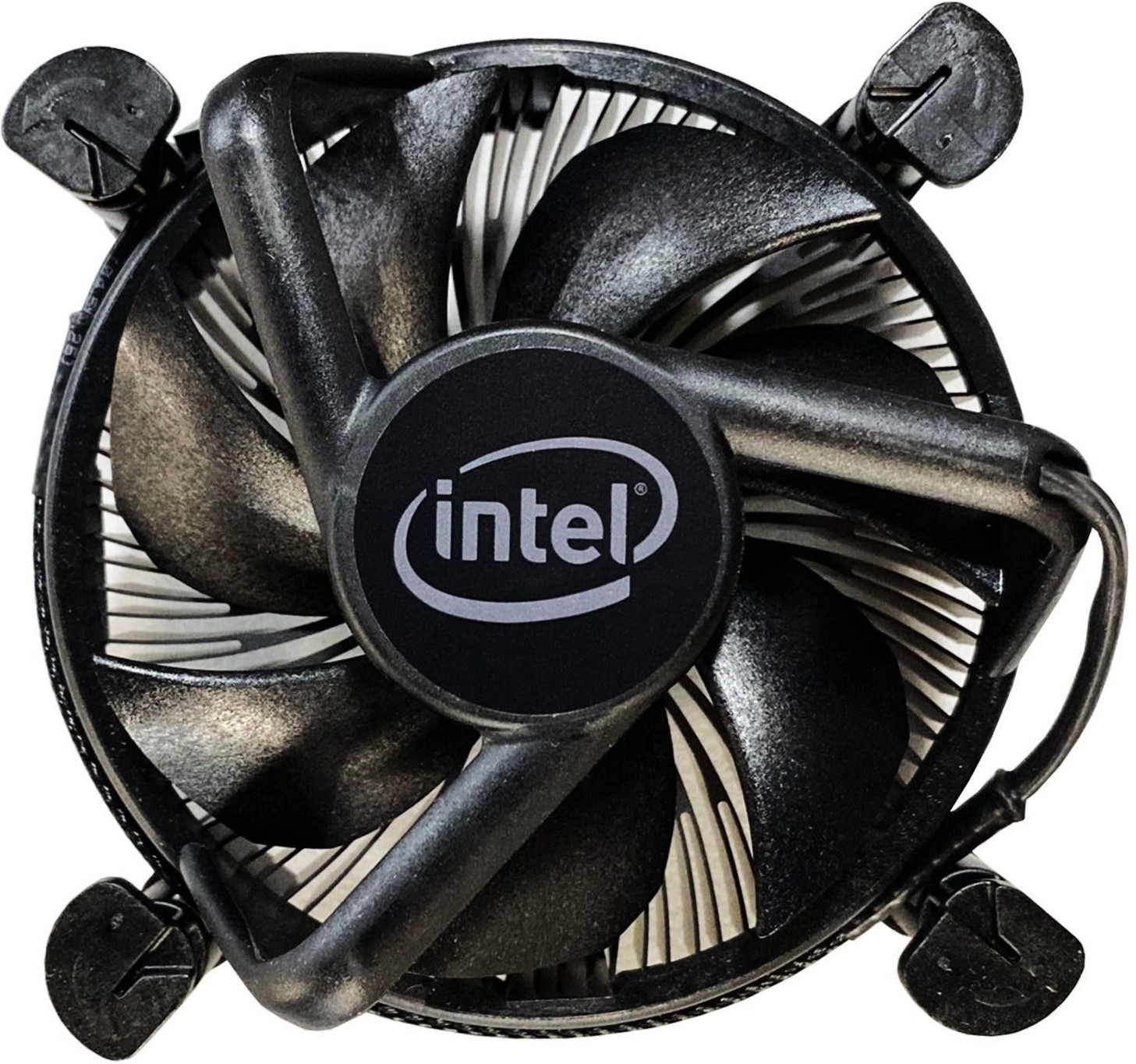
An intel LGA1151 CPU Cooler is a practical cooling solution for Intel-based desktop systems that use the LGA1151 socket, including many 6th, 7th, 8th, and 9th generation Core processors. It is designed to keep CPU temperatures under control during everyday computing, gaming, content creation, and light workstation use while maintaining stable performance and reducing thermal throttling. For users upgrading an older PC or replacing a noisy stock fan, this cooler category offers a strong balance of affordability, compatibility, and reliable thermal performance.
One of the main benefits of an intel LGA1151 CPU Cooler is broad compatibility across many LGA115x mounting patterns, which makes installation simpler for a wide range of Intel motherboards. Many models support low-profile builds, standard mid-tower systems, and quiet PC setups, so they fit everything from home office desktops to gaming rigs. Depending on the design, users can choose between compact air coolers, larger tower coolers, and all-in-one liquid cooling options. Current market pricing typically ranges from budget stock-style replacements around $10 to premium air coolers and AIO units from about $30 to $120 or more, with wide availability through online retailers, PC hardware stores, and system integrators. This makes the intel LGA1151 CPU Cooler a flexible choice for builders who want dependable cooling without overspending.
Specifications for Intel LGA1151 CPU Cooler
The exact specifications vary by model, but most LGA1151-compatible coolers share the following core characteristics. When comparing options, pay attention to thermal output, mounting support, fan size, noise level, and case clearance.
- Socket support: Intel LGA1151, often also compatible with LGA1150, LGA1155, LGA1156, and sometimes LGA1200.
- Cooling type: Air cooler, low-profile cooler, tower cooler, or liquid AIO.
- Fan size: Common sizes include 92 mm, 120 mm, and 140 mm depending on the design.
- Fan speed: Typically ranges from 800 RPM to 2500 RPM, with PWM control for automatic adjustment.
- Noise level: Budget models may sit around 20–30 dBA, while premium quiet models can remain lower under normal loads.
- TDP support: Entry-level models often handle 65W CPUs, while high-performance coolers are built for 95W to 125W and beyond.
- Mounting system: Tool-free or backplate-based brackets for secure installation on LGA1151 motherboards.
- Heat pipes: Many tower coolers use 2 to 6 heat pipes for improved heat transfer.
- Performance use case: Better than basic stock coolers for sustained gaming, multitasking, and moderate overclocking.
Compared with similar products, the intel LGA1151 CPU Cooler category is broader than basic OEM stock fans and more affordable than most modern flagship coolers designed for newer sockets. For many users, a mid-range tower cooler delivers the best value for noise reduction and thermal headroom.
Troubleshooting Intel LGA1151 CPU Cooler Installation and Performance Problems
Common issues with an intel LGA1151 CPU Cooler usually involve mounting, airflow, fan behavior, or thermal paste application. If the cooler is not performing correctly, check these fixes first.
- Problem: CPU temperature is too high.
Fix: Confirm the cooler is seated evenly, reapply thermal paste, and verify that the fan is spinning at normal speed. - Problem: Fan not detected in BIOS.
Fix: Make sure the fan cable is connected to the CPU_FAN header and that the motherboard BIOS is not set to disable the header. - Problem: Loud fan noise.
Fix: Clean dust from the heatsink, check for cable interference, and adjust the PWM fan curve in BIOS. - Problem: Cooler will not fit the case.
Fix: Measure cooler height, RAM clearance, and case width before purchase. - Problem: Uneven mounting pressure.
Fix: Reinstall the brackets and tighten screws in a diagonal pattern.
Some motherboards may show CPU fan warnings such as “CPU FAN ERROR” if the fan speed is below the board’s minimum threshold. This is usually solved by checking the PWM connector or changing the fan warning limit in BIOS. Preventive maintenance includes cleaning dust every few months, replacing thermal paste every 1 to 2 years, and keeping front-to-back case airflow unobstructed. Warranty terms vary by brand, but many coolers include limited manufacturer coverage. For support, contact the cooler brand’s official customer service, retailer support desk, or the motherboard manufacturer if the issue involves BIOS fan control.
Pros and Cons of Intel LGA1151 CPU Cooler Options
Pros
- Wide compatibility with many Intel LGA1151 systems and often other LGA115x sockets.
- Good value for money, especially when replacing a noisy stock cooler.
- Available in many formats, including low-profile, silent, tower, and liquid cooling designs.
- Improves thermal stability during gaming, streaming, and multitasking.
- Many models offer simple installation and dependable long-term use.
Cons
- Some compact models offer limited cooling for higher-TDP processors.
- Large tower coolers may interfere with tall RAM modules or smaller cases.
- Budget options may reduce noise less effectively under heavy load.
- Not every cooler includes all mounting hardware for every LGA1151 revision.
- Premium models can cost more than users expect for an older platform.
For most users, an intel LGA1151 CPU Cooler is a smarter upgrade than staying with a basic Intel stock cooler. If the system uses a hot-running i7 or i9 processor, a larger tower cooler or AIO often provides better long-term value than a low-cost replacement fan.
Customer Reviews for Intel LGA1151 CPU Cooler
User feedback is generally positive, with many buyers giving this product category around 4 out of 5 stars for reliability and value. Common praise includes quieter operation, lower CPU temperatures, and easier installation compared with stock cooling solutions.
- “My CPU dropped by 15 degrees and the PC is much quieter.”
- “Great fit for my LGA1151 motherboard and easy to mount.”
- “Good value, but check case clearance before ordering.”
Frequent complaints include missing mounting parts in older listings, limited clearance around RAM, and performance differences between compact and tower-style models. Buyers who want a budget-friendly, dependable cooling upgrade usually recommend this category for office PCs, gaming desktops, and older Intel builds that need quieter operation and better thermal control.
Faqs
How do I install an intel LGA1151 CPU cooler correctly on my motherboard?
Will an intel LGA1151 CPU cooler fit all LGA1151 processors and motherboard sizes?
Why is my intel LGA1151 CPU cooler making loud noise after installation?
How can I tell if my intel LGA1151 CPU cooler is performing well enough for gaming or heavy workloads?
What should I do if my intel LGA1151 CPU cooler is not recognized by the system fan header?
How often should I clean and maintain an intel LGA1151 CPU cooler?
Can I improve cooling performance on an intel LGA1151 CPU cooler without replacing the cooler?
What are the most common installation mistakes with an intel LGA1151 CPU cooler and how can I avoid them?
Tags
More intel manuals
Leave a Comment