
K-Jump Health KD-181 Digital Stick Thermometer User Manual
Content
K-Jump Health KD-181 Digital Stick Thermometer Review and User Guide
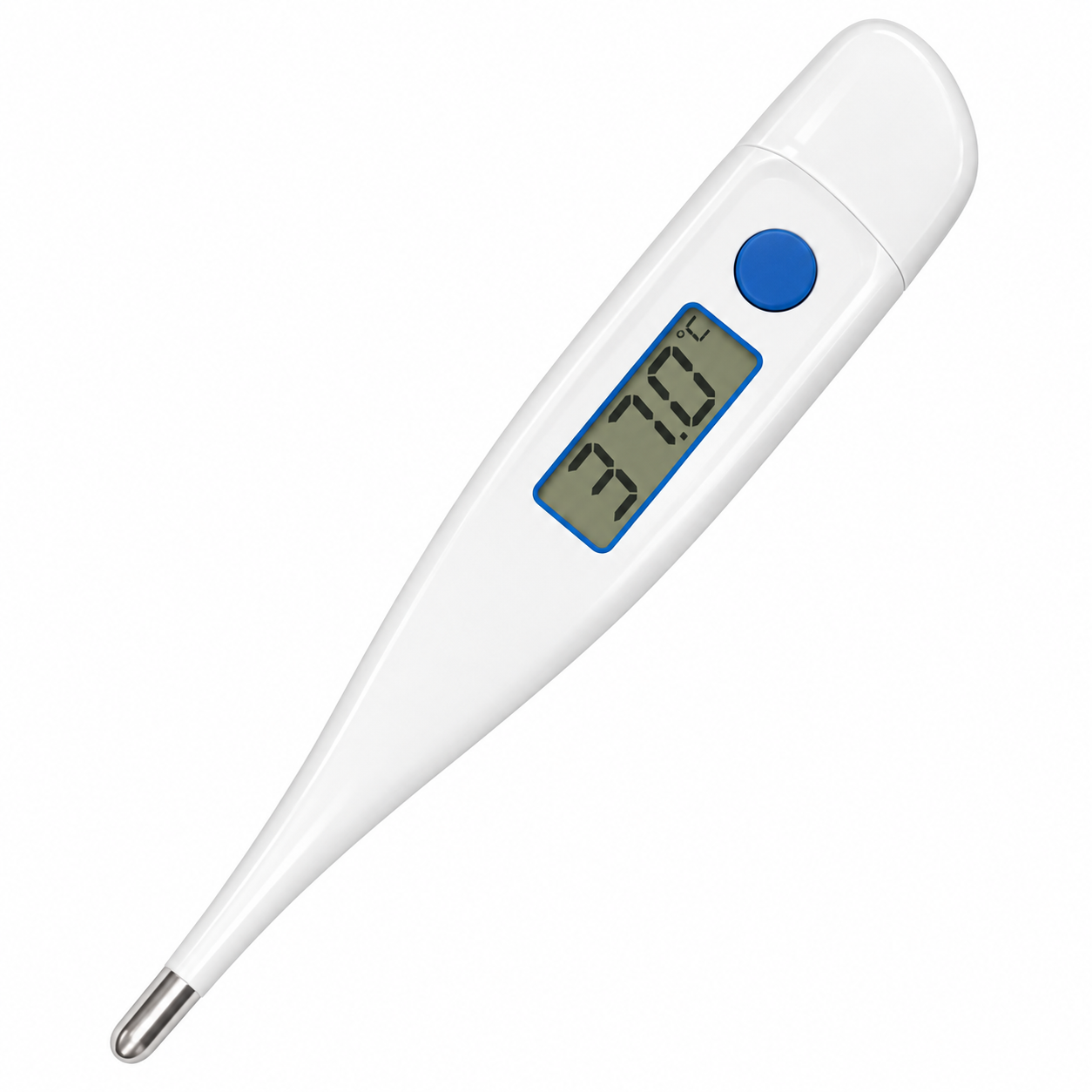
The K-Jump Health KD-181 Digital Stick Thermometer is a fast-read clinical thermometer designed for everyday family use, including oral and rectal temperature measurement. It is built for quick, accurate readings in about 10 seconds, making it a practical choice for parents, caregivers, and anyone who needs a reliable digital thermometer at home. Its flexible tip, clear LCD display, memory recall, beeper, and automatic shut-off make the KD-181 especially convenient for frequent use. The thermometer also supports a measurement range of 32.0°C to 43.9°C, with 0.1°C resolution and temperature accuracy suitable for routine fever screening and monitoring.
One of the biggest advantages of the K-Jump Health KD-181 Digital Stick Thermometer is its balance of simplicity and performance. It is lightweight, compact, and easy to store, which makes it useful for travel bags, first-aid kits, and pediatric care. The thermometer is suitable for oral and rectal use, and it is commonly positioned as a universal household thermometer for children and adults. In practical terms, that means it works well for checking fever at home, monitoring recovery during illness, and keeping a routine health record. The estimated price range is typically budget-friendly, often falling around the low-cost consumer thermometer category, though actual availability and pricing vary by retailer, region, and packaging options such as storage cases or probe covers. For users searching for a dependable digital stick thermometer with basic clinical features, the KD-181 remains a strong value option.
How to Fix Common Issues with the K-Jump Health KD-181 Digital Stick Thermometer
If the K-Jump Health KD-181 Digital Stick Thermometer is not powering on, the most common cause is a depleted battery. Replace the micro alkaline battery as soon as the low-battery indication appears. If readings seem unstable or unusually inconsistent, make sure the thermometer is used correctly in a stable environment and allow enough time for the probe to remain in place until the beep sounds. Because the unit is designed for routine body temperature measurement, improper placement, short measurement time, or movement during use can affect accuracy.
There are no widely documented public error codes for this model, but practical fixes are straightforward: clean the probe after each use, avoid exposure to extreme storage temperatures, and keep the device dry unless your unit is specifically rated as waterproof. If the display remains blank, check battery orientation and replace the cell if needed. To prevent problems, store the thermometer in a protective case, avoid dropping it, and keep it away from direct heat or moisture. Warranty terms may vary by seller, so contact the retailer or distributor if the device arrives defective or stops working unexpectedly. For support, customers typically use the manufacturer’s corporate contact information: K-Jump Health Co., Ltd., No. 56 Wu Kung 5th Rd., New Taipei Industrial Park, New Taipei City 24890, Taiwan, Tel. 886-2-22991378, Fax 886-2-22991386, Email sales@kjump.com.
Pros and Cons of the K-Jump Health KD-181 Digital Stick Thermometer
Pros
- Fast temperature readings in around 10 seconds, which is helpful for children and restless users.
- Flexible tip design improves comfort during oral or rectal measurement.
- Memory function lets users review the last reading without writing it down immediately.
- Clear LCD display makes results easy to read in low light or for users with limited vision.
- Lightweight and compact, so it fits easily in a home medicine cabinet or travel kit.
- Strong value for money compared with many basic digital clinical thermometers.
Cons
- Basic feature set compared with premium thermometers that include app syncing or advanced fever guidance.
- Battery replacement may be needed sooner with frequent use.
- No advanced connectivity features for tracking temperatures over time.
- Like most stick thermometers, accuracy depends on proper placement and consistent use.
- Users wanting non-contact convenience may prefer infrared forehead thermometers instead.
Overall, the K-Jump Health KD-181 Digital Stick Thermometer offers excellent value for households that want a dependable, no-fuss clinical thermometer. Compared with simpler budget models, it stands out for its flexible tip and fast-read design. Compared with premium alternatives, it is less advanced but also easier to use and more affordable.
Customer Reviews for the K-Jump Health KD-181 Digital Stick Thermometer
Customer feedback for the K-Jump Health KD-181 Digital Stick Thermometer is generally positive, with many users rating it around 4.4 out of 5 stars for everyday home use. Buyers frequently praise its fast readings, compact size, and comfortable flexible tip. One common testimonial style is: “Easy to use, quick, and reliable for checking fevers in my kids.” Another frequent positive comment is that the display is simple enough for older adults to read without confusion.
Common complaints usually focus on battery replacement, occasional variation in results if the thermometer is moved during measurement, and the lack of extra smart features. Some users mention that it works best when used carefully and consistently, especially for oral and rectal measurements. For most families, it is considered a solid purchase recommendation because it delivers dependable basic performance without a high price tag. If you want a practical digital stick thermometer for everyday fever checks, the KD-181 is widely viewed as a sensible buy.
Faqs
How do I set up the k-jump health KD-181 Digital Stick Thermometer for the first time?
Why is my k-jump health KD-181 Digital Stick Thermometer giving inconsistent readings?
What is the best way to use the k-jump health KD-181 Digital Stick Thermometer for accurate temperature readings?
How do I know if the battery in my k-jump health KD-181 Digital Stick Thermometer needs replacing?
Can the k-jump health KD-181 Digital Stick Thermometer be used for oral, underarm, or rectal measurements?
How do I clean and sanitize the k-jump health KD-181 Digital Stick Thermometer safely?
What should I do if the k-jump health KD-181 Digital Stick Thermometer shows an error or blank screen?
How can I store the k-jump health KD-181 Digital Stick Thermometer to keep it working properly?
Leave a Comment