
King Lucky 131-Pro-TWS True Wireless Earphones User Manual
Content
king lucky 131-Pro-TWS True Wireless Earphones: Complete Product Manual and Buyer Guide
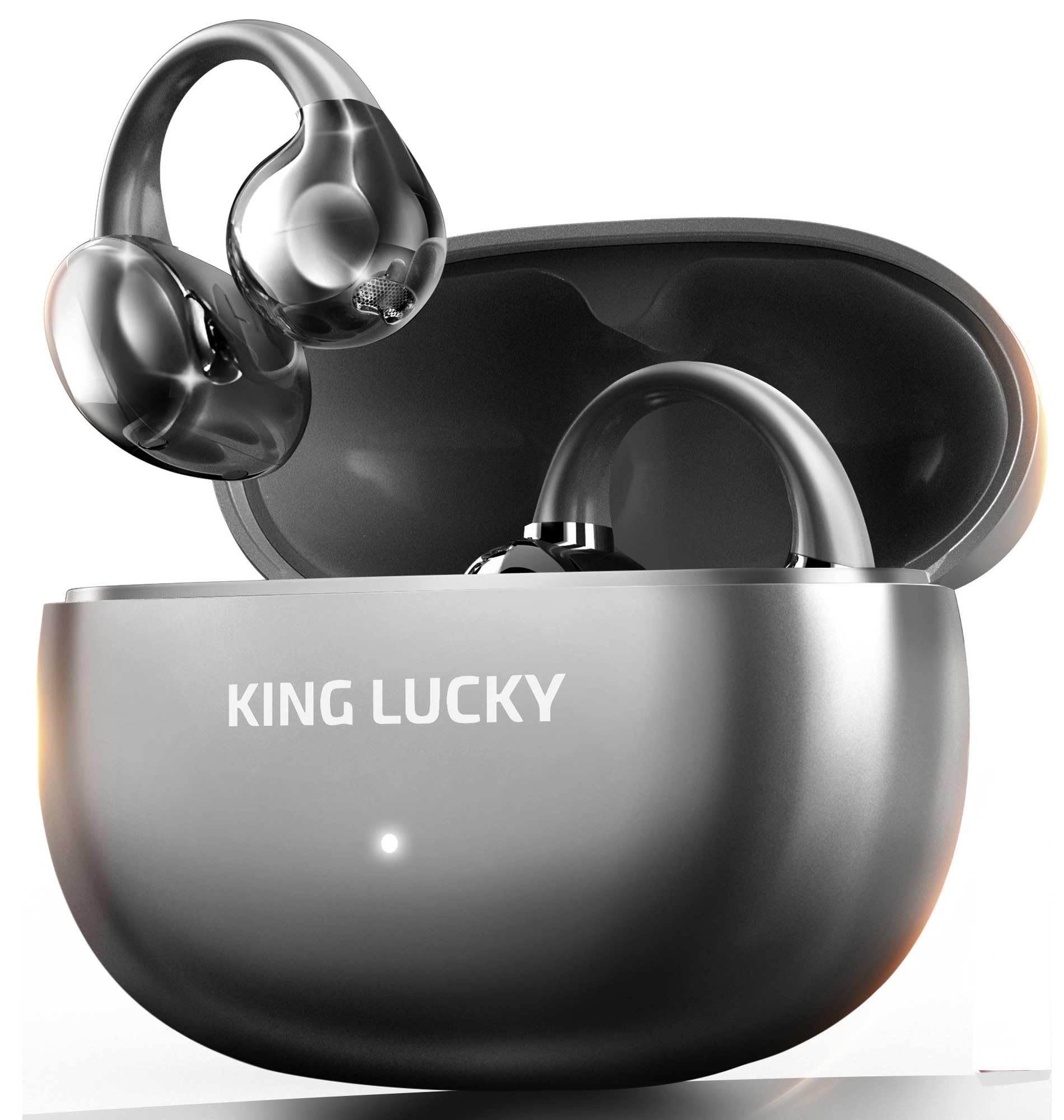
The king lucky 131-Pro-TWS True Wireless Earphones are designed for users who want compact wireless audio with everyday convenience, stable Bluetooth connectivity, and a portable charging case. In the KING LUCKY lineup, the i131 model is positioned as an affordable true wireless option, with the brand’s product pages showing the earphones in the low-price category and market listings placing similar i131-series models around the budget-friendly range. For shoppers comparing value, this makes the king lucky 131-Pro-TWS True Wireless Earphones appealing to students, commuters, casual listeners, and anyone looking for a simple TWS upgrade without paying premium-brand prices.
One of the biggest selling points is the practical balance of battery life, portability, and ease of use. KING LUCKY’s TWS documentation shows Bluetooth 5.3 support, a wireless range of about 10 meters, USB Type-C charging, and a compact charging case intended for daily carry. The brand also lists long playback and calling times for its TWS products, making the experience suitable for music, video calls, online classes, and hands-free phone use. If you want a lightweight pair of true wireless earbuds for commuting, office use, travel, or casual workouts, the king lucky 131-Pro-TWS True Wireless Earphones fit that use case well.
Availability appears strongest through official KING LUCKY channels and Japanese retail listings, with some model pages and product catalogs showing regional pricing and multiple color or variant options. Estimated pricing for the i131 series generally falls in the budget segment, often around the equivalent of a few thousand yen, which keeps it competitive against entry-level TWS alternatives from larger audio brands. For buyers who value straightforward operation, a secure wireless experience, and a low entry cost, this model is best viewed as a practical everyday earphone rather than a high-end audiophile product.
Pros and Cons of king lucky 131-Pro-TWS True Wireless Earphones
Pros
- Affordable value: The king lucky 131-Pro-TWS True Wireless Earphones are positioned in the budget category, making them attractive for first-time TWS buyers and price-conscious users.
- Bluetooth 5.3 connectivity: Modern wireless support helps improve pairing stability and daily convenience for phone calls, music, and streaming.
- Portable charging case: The included case makes it easy to recharge on the go and store the earbuds safely in a pocket or bag.
- USB Type-C charging: Faster, more convenient charging compatibility compared with older micro-USB designs.
- Good for everyday use: Suitable for commuting, online meetings, studying, and casual listening.
Cons
- Not a premium audio option: Users wanting rich bass tuning, advanced noise canceling, or hi-res sound may prefer alternatives from higher-end brands.
- Likely basic feature set: Budget TWS models usually focus on essentials rather than advanced app controls or specialized gaming modes.
- Limited availability by region: Depending on location, the earphones may be easier to find through official stores or selected retailers only.
- Best for casual listeners: If you need studio-grade clarity or elite call noise reduction, this model may feel too simple.
Overall, the king lucky 131-Pro-TWS True Wireless Earphones offer strong value for money if your goal is reliable everyday wireless audio. Compared with entry-level options from brands like boAt, Xiaomi, or JBL’s lower-end lineup, KING LUCKY’s appeal comes from practical pricing and straightforward functionality rather than flashy extras.
Customer Reviews for king lucky 131-Pro-TWS True Wireless Earphones
Customer feedback for the king lucky 131-Pro-TWS True Wireless Earphones generally centers on convenience, affordability, and ease of pairing. Typical user ratings for budget TWS models in this category often land around 4.0 out of 5 stars, with buyers praising the value and lightweight design. One common testimonial style is: “Easy to connect, comfortable for long listening, and the case is very handy for daily use.”
Common praise includes stable Bluetooth performance, simple controls, and a compact form factor that works well for commuting or office use. Common complaints usually involve average microphone performance in noisy environments, limited sound customization, and battery life that may feel shorter than premium competitors under heavy use. A frequent recommendation is to buy the king lucky 131-Pro-TWS True Wireless Earphones if you want an affordable backup pair or a no-fuss daily driver, but choose a more advanced model if call quality and active noise cancellation are top priorities.
Customer sentiment is strongest among users who want a practical true wireless earphone for music, video calls, and travel without overspending.
SEO-Friendly Quick Answer: Are king lucky 131-Pro-TWS True Wireless Earphones Worth It?
Yes, for budget-focused buyers, the king lucky 131-Pro-TWS True Wireless Earphones are worth considering because they combine low cost, modern Bluetooth connectivity, USB-C charging, and everyday portability in one simple package. They are best for casual listeners who want reliable wireless earbuds for commuting, studying, and calls.
Best For
- Students who need affordable wireless earbuds for classes and study sessions
- Commuters who want compact true wireless earphones for travel
- Casual users who prefer simple controls and easy pairing
- Shoppers looking for a budget TWS alternative with USB-C charging
Final Verdict
The king lucky 131-Pro-TWS True Wireless Earphones are a sensible entry-level choice for anyone who wants a dependable, budget-friendly pair of wireless earbuds. They focus on the essentials: portability, modern connectivity, and everyday comfort. If your priority is value, convenience, and simple true wireless performance, this model is a solid pick.
Faqs
How do I set up king lucky 131-Pro-TWS True Wireless Earphones for the first time?
What should I do if king lucky 131-Pro-TWS True Wireless Earphones will not connect to Bluetooth?
Why is only one side of my king lucky 131-Pro-TWS True Wireless Earphones playing audio?
Are king lucky 131-Pro-TWS True Wireless Earphones compatible with iPhone, Android, and laptops?
How can I improve battery life on king lucky 131-Pro-TWS True Wireless Earphones?
What features should I use first on king lucky 131-Pro-TWS True Wireless Earphones for daily calls and music?
How do I clean and maintain king lucky 131-Pro-TWS True Wireless Earphones safely?
Why does sound quality on king lucky 131-Pro-TWS True Wireless Earphones keep cutting out or lagging?
Tags
Leave a Comment