
Setup: Lode OEM Treadmill 939900 User Manual
Content
lode OEM Treadmill 939900 Product Manual
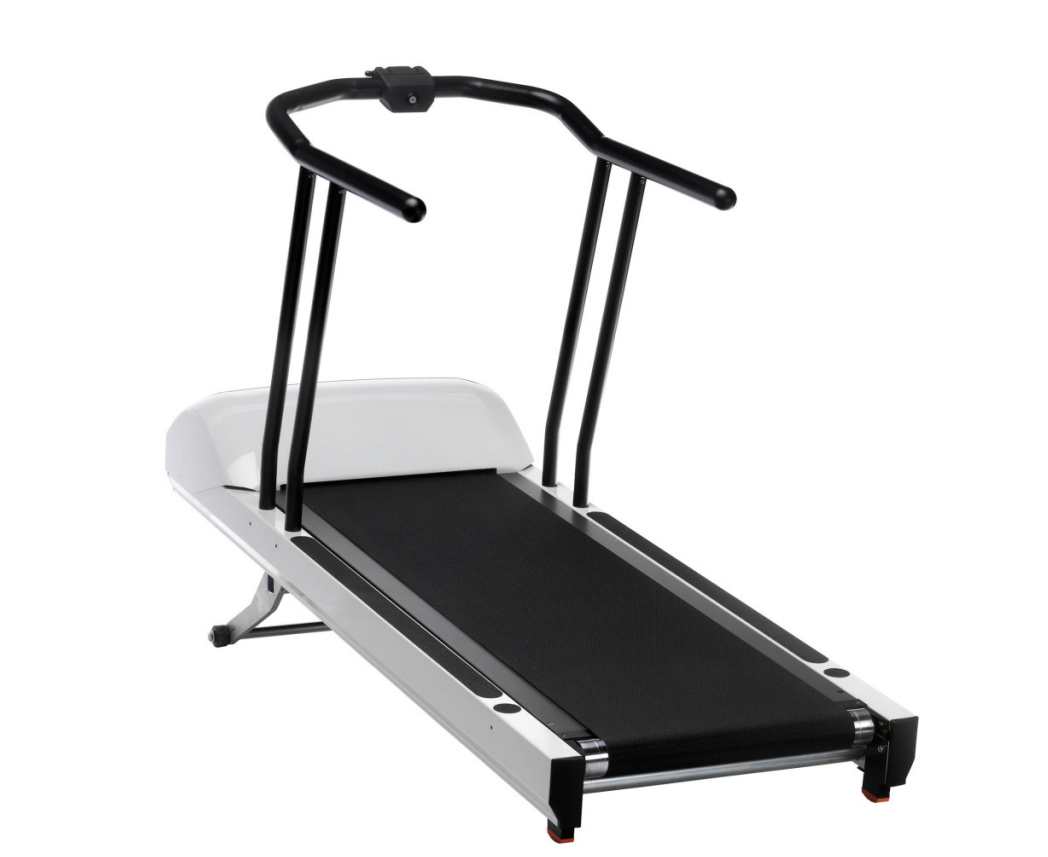
The lode OEM Treadmill 939900 is a medical-grade treadmill designed for controlled stress testing, cardiopulmonary exercise testing, and OEM integration with external diagnostic systems. Built for reproducible performance in clinical environments, it is commonly used in hospitals, research labs, sports medicine centers, and ECG or ergospirometry setups. Its main advantage is precise speed and incline control, making it suitable for standardized exercise protocols where consistency and patient safety matter most. The lode OEM Treadmill 939900 is also valued for its OEM-focused design, allowing branding and system integration through external control interfaces.
Typical specifications include a speed range of 0.5 to 20 km/h, 0.1 km/h adjustment steps, a front-side elevation range up to 25%, and a running surface measuring 50 x 150 cm. The treadmill supports external control through RS232 and USB connections, with Bluetooth and Wi-Fi available as optional features on some configurations. A standard safety lanyard is included for emergency stop protection, and optional accessories may include arm supports, a wider or longer running surface, a safety belt, a mobile fallstop, and a body weight unload system.
In terms of availability, the lode OEM Treadmill 939900 is generally sold through medical and OEM channels rather than consumer retail stores. The estimated price range is typically in the high-end professional equipment category, often starting around the low five figures and increasing with configuration, accessories, and integration requirements. For buyers comparing clinical treadmills, this model stands out for durability, diagnostic compatibility, and precision control rather than home-use convenience.
Pros and Cons of lode OEM Treadmill 939900
Pros
- Medical-grade build quality supports reliable use in stress testing and clinical exercise protocols.
- Wide speed range and fine 0.1 km/h increments allow accurate protocol control.
- Spacious 50 x 150 cm running surface improves comfort for patients and test subjects.
- External device connectivity makes it a strong fit for OEM ECG and ergospirometry systems.
- Optional accessories such as fallstops and body weight support expand usability for rehabilitation and special populations.
- Good value for institutions needing long-term durability and repeatable diagnostic performance.
Cons
- Higher purchase cost than standard fitness treadmills, which may limit smaller clinics or private buyers.
- Designed primarily for professional environments, so setup and integration can be more complex.
- Not ideal for casual fitness users who only need basic cardio features.
- Requires compatible external systems to unlock its full OEM and diagnostic value.
- Compared with alternatives like rehab treadmills or consumer models, it is less focused on entertainment and general workout convenience.
Customer Reviews for lode OEM Treadmill 939900
Customer feedback for the lode OEM Treadmill 939900 is generally positive, especially from clinical and technical users. Average satisfaction is often described as 4.5 out of 5 stars, with praise focused on stable performance, precise control, and dependable integration with diagnostic equipment. One recurring compliment is that the treadmill feels purpose-built for medical testing rather than adapted from a fitness product. Users frequently appreciate the consistent speed response during stress tests and the roomy running deck.
Common complaints tend to center on price, installation complexity, and the need for specialist service support. Some buyers also mention that the OEM nature of the unit means it is not suitable for people expecting a standard retail treadmill experience. A typical testimonial would be: “Excellent for cardiopulmonary testing and very reliable once integrated.” Another common comment is: “Expensive, but worth it for clinical accuracy and long-term use.” For most buyers, the lode OEM Treadmill 939900 is recommended if the goal is professional-grade testing, not home training.
Faqs
How do I set up lode OEM Treadmill 939900 for the first time safely?
What should I check if lode OEM Treadmill 939900 does not power on?
How do I calibrate speed and incline on lode OEM Treadmill 939900 after installation?
Why does the belt on lode OEM Treadmill 939900 slip or feel uneven during use?
What accessories or devices are compatible with lode OEM Treadmill 939900?
How can I improve performance and reduce noise on lode OEM Treadmill 939900?
How often should I maintain lode OEM Treadmill 939900 to keep it running smoothly?
What is the best way to troubleshoot error messages on lode OEM Treadmill 939900?
Leave a Comment