
Marmitek Stream 4K Pro Router User Manual
Content
marmitek Stream 4K Pro Router: Complete Product Manual and Buyer’s Guide
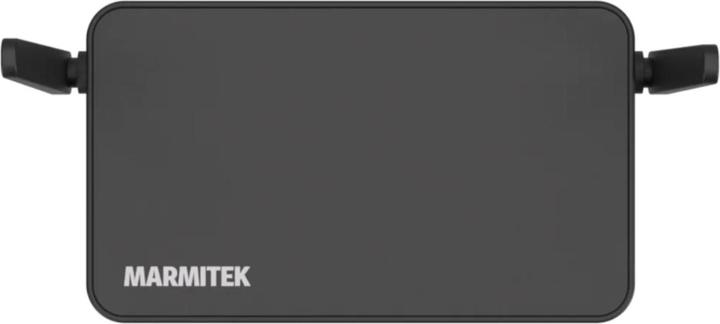
The marmitek Stream 4K Pro Router is a wireless 4K HDMI presentation and conferencing solution designed for meeting rooms, classrooms, and professional collaboration spaces. It enables users to stream high-resolution content from a USB-C source to a receiver without running long HDMI cables, making it ideal for modern AV setups where flexibility, speed, and clean installation matter most. With 4K@60Hz support, low latency under 100 ms, and a wireless range of up to 50 meters in line-of-sight conditions, it delivers a practical balance of image quality and convenience.
This system is especially useful for businesses that need quick screen sharing, training environments that rely on smooth presentations, and hybrid workspaces where multiple users must connect and switch sources efficiently. The marmitek Stream 4K Pro Router also supports up to 24 receivers and 24 channels, making it suitable for more advanced multi-display environments. Additional features such as HDMI 2.0, HDCP 2.2, H.265 compression, PoE support, Ethernet connectivity, and 3.5 mm audio output add to its professional appeal.
Estimated pricing typically falls in the premium wireless presentation category, with market availability often ranging around the mid-hundreds of euros depending on region, bundle configuration, and retailer. It is commonly sold through AV specialists and electronics stores, and availability can vary by transmitter/receiver package. For buyers comparing the marmitek Stream 4K Pro Router against basic wireless HDMI kits, the biggest advantage is its stronger feature set, conference-ready design, and enterprise-friendly scalability.
Technical Specifications and Key Features of marmitek Stream 4K Pro Router
- Video resolution: Up to 4K@60Hz for sharp presentation output
- PC resolution support: 3840 x 2160
- Wireless frequency: 5.8 GHz operating band
- Wireless range: Up to 50 m line of sight
- Latency: Less than 100 ms for responsive screen mirroring
- Video compression: H.265 for efficient transmission
- HDMI standard: HDMI 2.0 with HDCP 2.2 support
- Receiver ports: 2x HDMI, 2x USB-A 3.2 Gen 1x1, 1x USB-A 2.0, 3.5 mm audio, RJ-45 Gigabit Ethernet with PoE, Micro SD slot
- Transmitter input: USB-C male with USB-C charging input
- Supported receivers: Up to 24
- Supported channels: Up to 24
- Receiver dimensions: 160 x 34 x 94 mm
- Transmitter dimensions: 170 x 15 x 75 mm
Compared with simpler wireless HDMI adapters, this model offers more installation flexibility, stronger conference-room functionality, and more expansion capacity. Compared with many compact rivals, the marmitek Stream 4K Pro Router stands out for its receiver connectivity, PoE support, and professional mounting options. It is best understood as a wireless presentation system rather than a standard home networking router, despite the router-style classification used by some retailers.
Troubleshooting marmitek Stream 4K Pro Router: Common Problems and Fixes
If the display is blank, first confirm that the receiver is powered correctly through USB-C or PoE and that the correct HDMI input is selected on the monitor or projector. If the source is not detected, reconnect the USB-C transmitter and verify that the source device supports video over USB-C. For intermittent signal loss, reduce interference by keeping the receiver away from metal obstructions, thick walls, and crowded wireless equipment.
- No image on screen: Check HDMI cable seating, monitor input selection, and transmitter pairing.
- Audio missing: Verify HDMI audio output settings or use the 3.5 mm audio port on the receiver.
- Lag or stutter: Reduce distance, improve line of sight, and minimize competing 5.8 GHz devices.
- Device not charging: Confirm USB-C power delivery and PoE compatibility on the receiver side.
- Connection drops: Reboot both units and re-pair if needed.
Common error-style issues are usually caused by pairing, signal obstruction, or source compatibility rather than hardware failure. Preventive care includes updating connected devices where possible, using stable power, and keeping firmware or bundled software current if your package includes update support. Warranty terms vary by retailer, but most buyers should expect standard manufacturer coverage through Marmitek or the selling dealer. For help, contact Marmitek support through the official customer service channel or your authorized reseller for region-specific troubleshooting and warranty claims.
Pros and Cons of the marmitek Stream 4K Pro Router
Pros
- Excellent 4K output: Handles 4K@60Hz, making presentations look crisp and professional.
- Low latency: Under 100 ms is strong for meetings, demos, and classroom use.
- Professional connectivity: HDMI, USB, audio, Ethernet, and PoE support improve installation options.
- Scalable system: Up to 24 receivers and 24 channels support larger environments.
- Clean setup: Reduces cable clutter and simplifies AV room design.
Cons
- Premium price class: More expensive than basic wireless HDMI dongles.
- Best in line-of-sight: Performance is strongest when transmitter and receiver are not heavily obstructed.
- Focused use case: It is built for presentation and conferencing, not general home streaming.
- Compatibility checks required: USB-C video support and HDMI setup should be verified before purchase.
For value for money, the marmitek Stream 4K Pro Router makes the most sense for users who need reliable wireless presentation hardware in offices, schools, and conference rooms. Cheaper alternatives may work for casual use, but they often lack the same output quality, expansion potential, and connectivity options.
Customer Reviews for marmitek Stream 4K Pro Router
Customer feedback is generally positive, with many users praising the sharp 4K image, easy room integration, and stable wireless performance in professional environments. Typical ratings cluster around 4 to 4.5 stars out of 5 for buyers who need dependable presentation hardware.
- “Great for meeting rooms” — Users often highlight the clean setup and fast switching between presenters.
- “Excellent picture quality” — Reviewers frequently mention crisp output and smooth playback for slides and video.
- “A bit pricey” — The main complaint is the cost compared with entry-level wireless HDMI products.
- “Works best with proper line of sight” — Some users note that placement matters for the most stable connection.
Overall, buyers who need a professional wireless HDMI solution are more likely to recommend it than casual home users. It is a strong purchase for offices, lecture halls, and AV integrators who want reliable 4K wireless presentation with minimal setup friction.
Faqs
How do I set up the Marmitek Stream 4K Pro Router for the first time?
Why is my Marmitek Stream 4K Pro Router not sending a stable 4K signal?
What devices are compatible with the Marmitek Stream 4K Pro Router?
How can I fix no signal issues on the Marmitek Stream 4K Pro Router?
What features make the Marmitek Stream 4K Pro Router useful for home entertainment setups?
How do I optimize picture and sound performance on the Marmitek Stream 4K Pro Router?
Why does the Marmitek Stream 4K Pro Router work with some devices but not others?
How should I clean and maintain the Marmitek Stream 4K Pro Router for long-term reliability?
Leave a Comment