
Microlife BP-M1 Blood Pressure Monitor User Manual
Content
Microlife BP-M1 Blood Pressure Monitor Manual
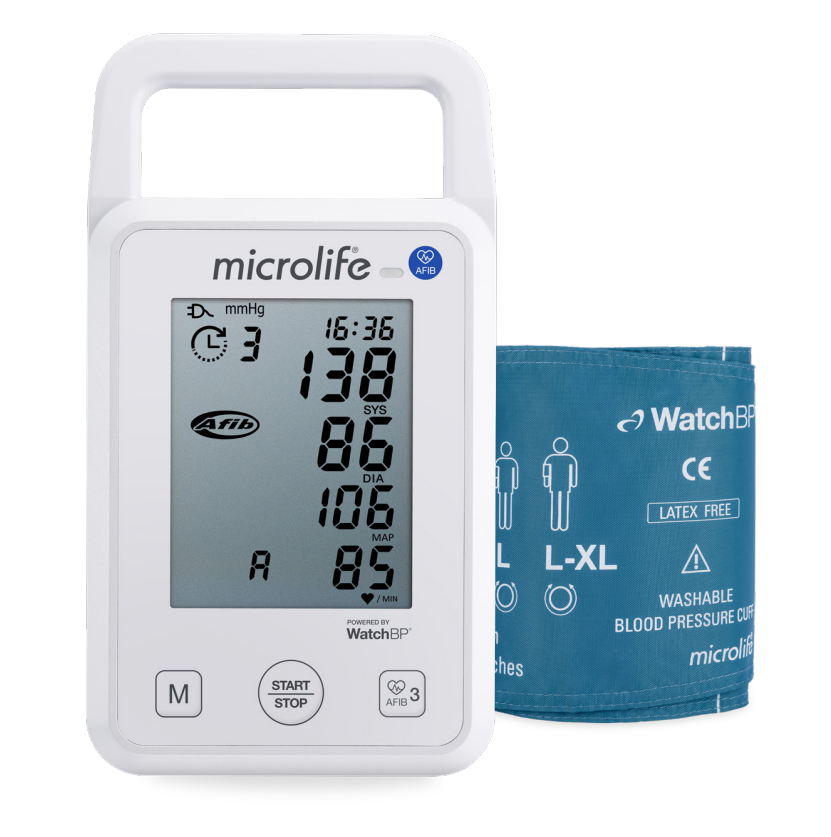
Introduction: Microlife BP-M1 Blood Pressure Monitor Overview
The microlife BP-M1 Blood Pressure Monitor is an upper-arm automatic digital blood pressure device designed for fast, easy, and reliable home or clinical use. It uses oscillometric measurement technology to track systolic pressure, diastolic pressure, pulse rate, and mean arterial pressure, making it a practical choice for routine blood pressure monitoring. The upper-arm cuff supports a wide arm circumference range, which helps improve comfort and measurement accuracy for a broad group of users, including adults and pediatric patients under clinical guidance. It is a strong option for people managing hypertension, caregivers monitoring family health, and clinics needing a straightforward digital BP monitor for repeated checks.
One of the main advantages of the microlife BP-M1 Blood Pressure Monitor is its simplicity. The interface is easy to understand, the reading process is automatic, and the device is built for consistent daily use. Depending on the retailer and region, the estimated price range is typically around $40 to $60, with availability through medical supply stores, online marketplaces, and selected Microlife distributors. Some markets may also offer Bluetooth-enabled or region-specific variants with different bundles or accessories. If you want a dependable upper-arm blood pressure monitor with a practical feature set and a trusted brand name, this model fits well into a home health routine. The microlife BP-M1 Blood Pressure Monitor is especially useful for users who want a no-fuss device that focuses on essential blood pressure tracking rather than advanced wellness extras.
Troubleshooting Common Problems with Microlife BP-M1
If the monitor does not power on, first check the batteries or power adapter and confirm correct polarity. If the cuff inflates but no reading appears, make sure the cuff is snug on the upper arm and positioned at heart level. If readings seem unusually high or low, the user may need to rest for 5 minutes, sit still, avoid caffeine or exercise before testing, and repeat the measurement. Movement, talking, loose cuff placement, and taking measurements over clothing can all reduce accuracy.
For error messages such as cuff-related or measurement-failure alerts, rewrap the cuff, keep the arm relaxed, and restart the test. If the device shows repeated measurement errors, replace batteries, inspect the cuff tube for damage, and ensure the monitor is in a stable environment away from moisture and extreme temperatures. Preventive care includes storing the unit in a dry place, cleaning the cuff gently, and using the monitor on a flat surface during setup. Warranty coverage and support vary by country, so users should check the regional Microlife paperwork included in the box. For help, contact the local Microlife distributor, the seller’s support team, or an authorized medical device service center using the customer service details printed in the product manual or warranty card.
Pros and Cons of the Microlife BP-M1 Blood Pressure Monitor
- Pros: Simple one-touch operation makes it beginner-friendly for home blood pressure checks.
- Pros: Upper-arm design is generally preferred over wrist monitors for more reliable readings.
- Pros: Practical feature set focuses on core health monitoring without a steep learning curve.
- Pros: Good value for money for users who want a dependable automatic BP monitor without premium extras.
- Pros: Suitable for regular tracking, caregiver use, and basic clinical workflows.
- Cons: Lacks the advanced app ecosystem and large memory features found in higher-end smart blood pressure monitors.
- Cons: Some buyers may prefer models with backlit displays, multi-user memory, or AFib screening.
- Cons: Performance depends heavily on proper cuff placement and user technique.
Compared with alternatives such as entry-level Omron or Beurer upper-arm monitors, the microlife BP-M1 Blood Pressure Monitor stands out for straightforward operation and brand reliability, but it may not offer the same connected-health features found in more advanced models.
Customer Reviews: What Users Say About Microlife BP-M1
User feedback is generally positive, with many buyers rating the device around 4.2 out of 5 stars for ease of use and dependable daily readings. Customers often praise the comfortable cuff, clear display, and quick setup. A common testimonial is: “It gave consistent readings and was easy for my parents to use every morning.” Another frequent comment is that the monitor feels like a solid value purchase for home health tracking.
Common complaints usually mention the lack of advanced features, occasional setup issues, or the need to repeat a reading for best accuracy. Some users wish for Bluetooth syncing or built-in memory sharing. Overall, the microlife BP-M1 Blood Pressure Monitor is often recommended for people who want a simple, practical blood pressure monitor rather than a feature-heavy smart device.
Faqs
How do I set up the microlife BP-M1 Blood Pressure Monitor for the first time?
Why is my microlife BP-M1 Blood Pressure Monitor showing inconsistent readings?
What should I do if the microlife BP-M1 Blood Pressure Monitor does not turn on?
How do I place the cuff correctly on the microlife BP-M1 Blood Pressure Monitor?
Can the microlife BP-M1 Blood Pressure Monitor be used by more than one person?
What features should I use on the microlife BP-M1 Blood Pressure Monitor for better accuracy?
How do I clean and maintain the microlife BP-M1 Blood Pressure Monitor properly?
What is the best way to get reliable home blood pressure readings with the microlife BP-M1 Blood Pressure Monitor?
More microlife manuals
Leave a Comment