
Setup & Features: Microsoft Surface Laptop 3 / Laptop 4 User Manual
Content
Microsoft Surface Laptop 3 / Laptop 4: Complete Product Manual and Buyer’s Guide
Introduction
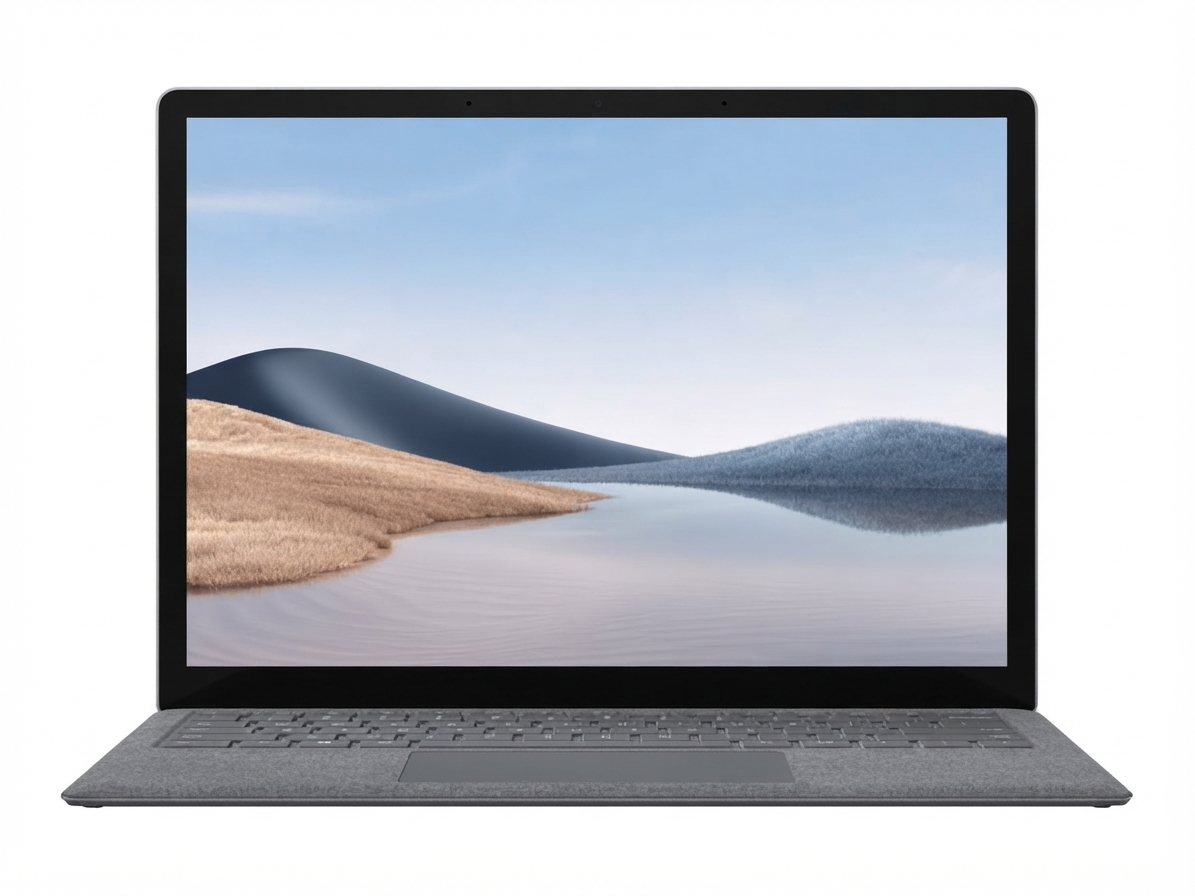
The Microsoft Surface Laptop 3 / Laptop 4 is a premium thin-and-light notebook designed for users who want a balanced mix of portability, touch-friendly productivity, and elegant design. Both models keep the Surface line’s clean aesthetic, high-resolution PixelSense displays, and comfortable keyboard experience, making them strong choices for students, professionals, and remote workers who need a reliable everyday laptop.
The Surface Laptop 3 introduced a choice of 13.5-inch and 15-inch screens, with Intel and AMD processor options, while the Surface Laptop 4 refined the formula with newer CPUs, improved responsiveness, and better battery life in real-world use. Key benefits include a vivid 3:2 display for document work, fast SSD storage, Windows Hello sign-in on supported configurations, and a lightweight chassis that travels easily between home, office, and classroom.
These laptops are especially well suited for office productivity, video calls, web research, note-taking, and creative tasks such as light photo editing. Estimated pricing varies widely by condition, storage, and seller, but refurbished and used units commonly fall into the mid-range premium category, while original retail pricing was significantly higher. Availability is now mostly through resellers, refurbished stores, and select business channels, since these models are no longer the newest Surface lineup.
Specifications
- Display: 13.5-inch or 15-inch PixelSense touchscreen with 3:2 aspect ratio and 10-point multi-touch support.
- Resolution: 13.5-inch at 2256 x 1504; 15-inch at 2496 x 1664.
- Processor options for Surface Laptop 3: 10th Gen Intel Core and AMD Ryzen Surface Edition configurations.
- Processor options for Surface Laptop 4: 11th Gen Intel Core and AMD Ryzen 4000 Surface Edition configurations.
- Memory: 8GB, 16GB, and up to 32GB on select Surface Laptop 4 configurations.
- Storage: SSD options typically range from 256GB to 1TB depending on model and configuration.
- Ports: USB-C, USB-A, Surface Connect, and 3.5 mm headphone jack.
- Wireless: Wi-Fi and Bluetooth support, with newer wireless standards depending on configuration.
- Battery life: Surface Laptop 4 generally offers better endurance than Surface Laptop 3, with the best results on lower-power configurations.
- Comparison: Compared with many ultrabooks, these Surface models emphasize display quality, keyboard comfort, and tablet-like touch input rather than maximum port selection or gaming performance.
Detailed Description
The Microsoft Surface Laptop 3 / Laptop 4 line is built around a simple idea: deliver a premium Windows laptop that feels fast, looks refined, and works well in daily use. The aluminum or Alcantara-covered chassis feels solid, the keyboard has a soft yet responsive typing action, and the large precision touchpad supports smooth navigation across Windows and web apps.
The 3:2 screen ratio is one of the biggest advantages because it shows more vertical content than a typical 16:9 panel. That makes the laptop ideal for spreadsheets, documents, coding, browsing, and writing. In real-world use, the Surface Laptop 4 feels like the more polished machine thanks to updated processors and improved thermals, while the Surface Laptop 3 remains a capable choice for general productivity.
Both models are suitable for remote work, school, presentations, and travel. Build quality is a highlight across the range, with a slim profile that still feels sturdy in a backpack or briefcase. The overall experience is polished, quiet, and user-friendly, making these laptops a strong fit for people who want a premium Windows notebook without a bulky design.
Setup Guide
Setting up a Microsoft Surface Laptop 3 / Laptop 4 is straightforward and takes only a few minutes. Start by connecting the charger, pressing the power button, and following the on-screen Windows setup steps. Choose your language, region, keyboard layout, and Wi-Fi network, then sign in with a Microsoft account or create a new one.
During setup, you can configure privacy options, OneDrive syncing, device encryption, and Windows Hello if your model supports facial or fingerprint authentication through compatible accessories. Pairing Bluetooth devices such as mice, headphones, and printers is done through Windows Settings under Bluetooth and devices.
For safe operation, keep ventilation areas unobstructed, avoid placing the laptop on soft surfaces during heavy workloads, and use only approved chargers and accessories. If the device does not power on, confirm the charger is seated properly and allow several minutes of charging before trying again. If Wi-Fi or Bluetooth fails during setup, restart the laptop and retry the connection.
Troubleshooting
Common issues on the Microsoft Surface Laptop 3 / Laptop 4 usually involve charging, startup, Wi-Fi, or performance slowdowns. If the battery does not charge, inspect the charging port, reboot the device, and test with another compatible charger if available. If the laptop freezes or becomes unresponsive, perform a standard restart first, then check for Windows updates and driver updates.
For display problems, disconnect external devices and reboot. If the screen remains blank, increase brightness, test an external monitor, and ensure the device is not in sleep mode. If error messages appear during boot, note the code and search Microsoft support resources using the exact wording shown on screen.
To prevent issues, keep the system updated, avoid excessive heat, and periodically free up storage space. Warranty and repair support are available through Microsoft’s support channels, and service requests can be initiated through the Surface app or Microsoft support center. For help, users should contact Microsoft Support through the official support website or the Surface app on the device.
Pros & Cons
Pros
- Excellent keyboard and comfortable typing experience for long work sessions.
- Sharp 3:2 touchscreen that is great for productivity and reading.
- Premium lightweight design with solid build quality.
- Good everyday performance for office apps, browsing, meetings, and media.
- Surface Laptop 4 offers better value if found at a competitive refurbished price.
Cons
- Limited port selection compared with many business laptops.
- No dedicated GPU, so it is not ideal for demanding gaming or heavy 3D work.
- Older configurations can feel less competitive against newer ultrabooks.
- Repairability and upgrade flexibility are more limited than on some alternatives.
- Value for money depends heavily on current resale or refurbished pricing.
Compared with alternatives such as Dell XPS, HP Spectre, or Lenovo Yoga models, the Surface lineup stands out for design and display comfort, while competitors may offer more ports, stronger graphics options, or newer processors at similar prices.
Customer Reviews
Typical customer feedback for the Microsoft Surface Laptop 3 / Laptop 4 is positive overall, with many users praising the premium feel, excellent keyboard, and bright display. A common rating pattern from owners is around 4 to 4.5 stars out of 5 for everyday productivity use.
Users frequently highlight smooth performance for school and office work, while some complain about limited port variety and higher pricing than comparable Windows laptops. Battery life reviews tend to be mixed on the older model and stronger on the Surface Laptop 4, especially with lighter workloads.
Many buyers recommend the laptop for students, professionals, and remote workers who want a stylish Windows device with a strong typing experience. The most common warning is to compare configurations carefully, because CPU, memory, and storage differences can significantly affect value.
For anyone searching for a premium productivity notebook, the microsoft surface Laptop 3 / Laptop 4 remains a dependable choice when purchased at the right price and configuration.
Faqs
How do I set up microsoft surface Laptop 3 / Laptop 4 for the first time without missing important Windows configuration steps?
Why is my microsoft surface Laptop 3 / Laptop 4 running slowly, and what performance fixes work best?
What should I do if microsoft surface Laptop 3 / Laptop 4 will not charge, turn on, or wake from sleep?
Which accessories are compatible with microsoft surface Laptop 3 / Laptop 4 for work, study, and travel?
How do I connect an external monitor to microsoft surface Laptop 3 / Laptop 4 and fix display problems?
How can I improve battery life on microsoft surface Laptop 3 / Laptop 4 during long workdays?
What is the best way to clean and maintain microsoft surface Laptop 3 / Laptop 4 without damaging the screen or keyboard?
Can microsoft surface Laptop 3 / Laptop 4 handle video calls, office apps, and light creative work smoothly?
Tags
Leave a Comment