
Midea MDP30SR71 Dehumidifier User Manual
Content
Midea MDP30SR71 Dehumidifier Review and Product Manual
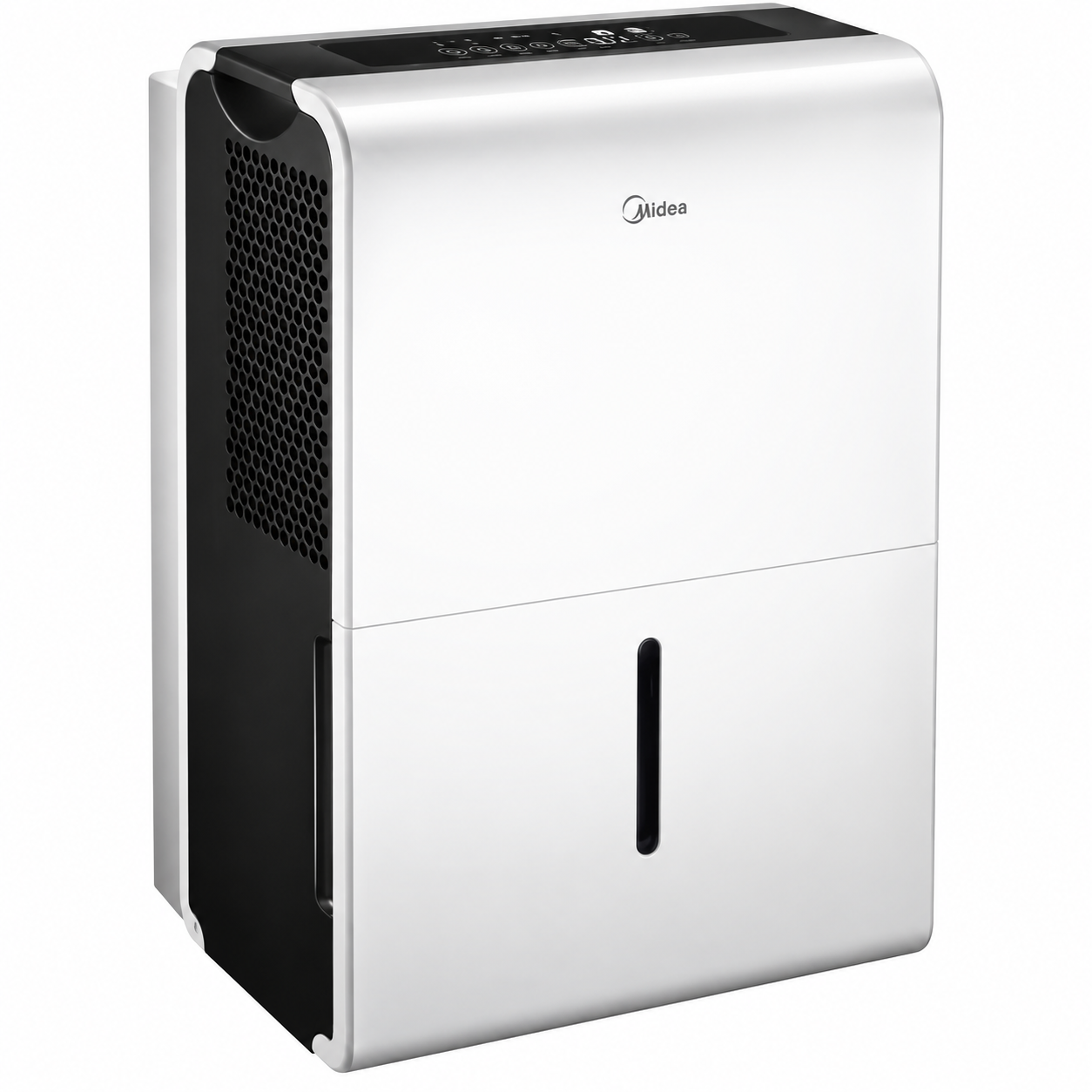
The Midea MDP30SR71 Dehumidifier is a compact 30-pint moisture-control appliance designed to reduce excess humidity in bedrooms, basements, laundry rooms, and other small to medium spaces. Built for 115V household power, it offers a moisture removal capacity of 30 pints per day, a digital control interface, and a water tank designed for everyday convenience. For households dealing with damp air, musty odors, condensation, or seasonal humidity spikes, this model provides a practical and energy-conscious solution.
One of the main advantages of the Midea MDP30SR71 Dehumidifier is its balance between size, efficiency, and usability. It is rated at 295W input, uses R-410A refrigerant, and delivers a set humidity range of 35% to 85% RH, making it suitable for flexible home climate control. The unit also supports continuous drainage, which is especially helpful for basement use or areas where emptying a tank frequently is inconvenient. With a noise level around 54.3 dB at high speed, it is not silent, but it remains reasonable for a dehumidifier in this class.
This model is best for homeowners, renters, and RV users who need targeted humidity reduction without moving up to a larger, bulkier machine. The typical price range is estimated between $120 and $220 depending on condition, seller, and availability, with replacement parts and manual support still commonly found online. Because the product has appeared as discontinued in some listings, availability may vary by region and marketplace, so buyers often compare it with newer Midea 30-pint dehumidifier alternatives before purchasing.
Pros and Cons of the Midea MDP30SR71 Dehumidifier
Pros
- Efficient moisture removal: The 30-pint capacity is well suited for damp apartments, bedrooms, and finished basements that need steady humidity control.
- Simple digital controls: The interface makes it easy to set humidity targets, fan speed, and operating mode without a steep learning curve.
- Continuous drainage support: Useful for long-term operation in basements or laundry areas where frequent tank emptying is inconvenient.
- Good value for money: Compared with larger 50-pint and 70-pint dehumidifiers, this model is more affordable and usually easier to place in tight spaces.
- Practical for everyday use: A 35%–85% humidity setting range gives users enough control for seasonal comfort and mold prevention.
Cons
- Not ideal for very large spaces: Homes with severe moisture problems or open floor plans may need a higher-capacity unit.
- Moderate noise level: The fan sound can be noticeable in quiet rooms, especially on high speed.
- Older model availability: Since it may be discontinued in some markets, buyers may need to rely on third-party sellers or replacement-part retailers.
- Less advanced than newer models: Some alternatives offer Wi-Fi control, smarter auto modes, or more refined energy management.
For shoppers comparing options, the Midea MDP30SR71 Dehumidifier is a strong pick if space-saving design and reliable daily humidity removal matter more than premium smart features. If a larger coverage area is needed, a 50-pint dehumidifier may be a better alternative.
Customer Reviews for the Midea MDP30SR71 Dehumidifier
Customer feedback for the Midea MDP30SR71 Dehumidifier is generally positive, with many users giving it around 4.3 out of 5 stars for everyday performance and ease of use. Buyers often praise how quickly it lowers humidity in basements and small living areas, along with the convenience of continuous drainage. One common style of testimonial is: “It cleared up the damp smell in my basement within a few days and has been easy to run nonstop.”
Common complaints usually focus on noise at higher fan settings, a water tank that may need attention in especially humid conditions, and the fact that some listings are harder to find because the model is older. A typical review comment is: “It works well, but I wish it were quieter and easier to find new.”
Overall, buyers who want a dependable 30-pint dehumidifier for practical home use tend to recommend it, especially for basements, laundry rooms, and bedrooms. Shoppers looking for the newest smart-home features may prefer a newer Midea alternative, but those focused on performance and value still find this model worthwhile.
Faqs
How do I set up the Midea MDP30SR71 Dehumidifier for the first time?
Why is my Midea MDP30SR71 Dehumidifier not turning on?
How do I use continuous drain mode on the Midea MDP30SR71 Dehumidifier?
What does it mean if the bucket full light stays on on the Midea MDP30SR71 Dehumidifier?
How can I improve performance from my Midea MDP30SR71 Dehumidifier in a damp basement?
What room size is the Midea MDP30SR71 Dehumidifier best suited for?
How often should I clean the filter on the Midea MDP30SR71 Dehumidifier?
What should I check if the Midea MDP30SR71 Dehumidifier is running but not collecting water?
More midea manuals
Leave a Comment