
Opticom Tech Smart NVR 2.0 User Manual
Content
opticom tech Smart NVR 2.0: Complete Product Manual and Buying Guide
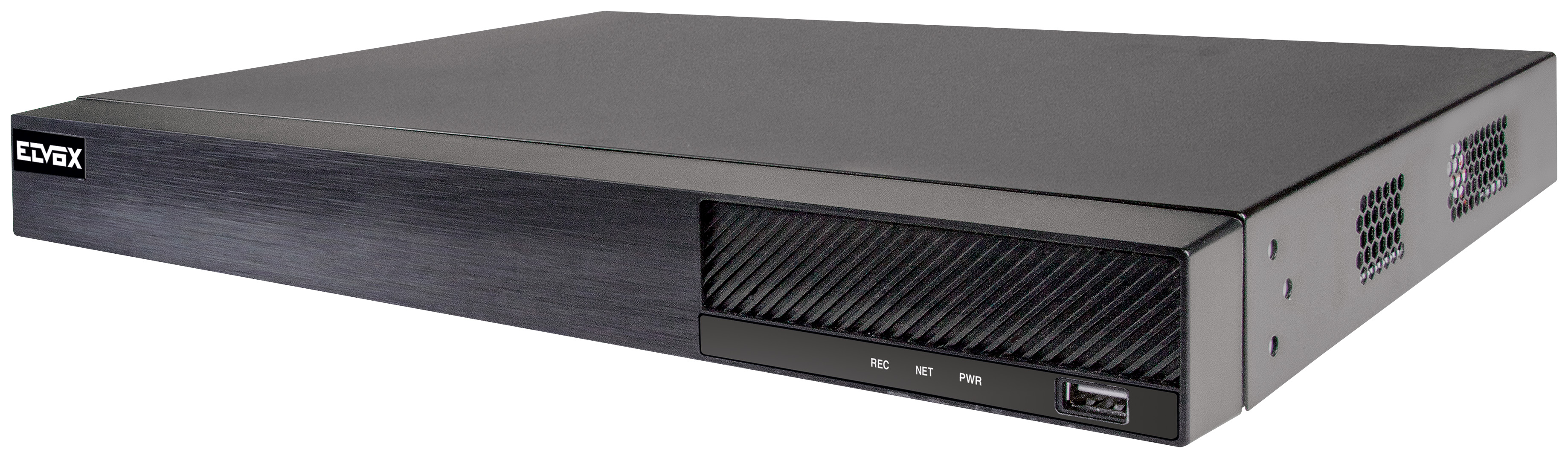
The opticom tech Smart NVR 2.0 is a Windows-based video surveillance management solution designed to centralize live monitoring, recording, playback, and camera administration for small to large security installations. It is built for users who need reliable network video recording with a simple interface, scalable channel support, and compatibility with modern IP cameras. In practical use, it suits office buildings, retail stores, warehouses, schools, and multi-site security teams that want one control point for surveillance operations.
One of the biggest advantages of the opticom tech Smart NVR 2.0 is its balance of usability and system control. It provides a familiar software environment, making it easier for technicians and administrators to configure cameras, manage storage, and review events without a steep learning curve. The platform is aimed at users who need stable 24/7 recording, remote access support, and a professional-grade interface for day-to-day security workflows. It is also a useful option for businesses upgrading from basic DVR systems to IP-based surveillance.
Availability is typically through Opticom Technologies channels, authorized distributors, and security integrators. Estimated pricing can vary widely depending on licensing, camera count, storage configuration, and deployment size, but buyers should expect a range from entry-level software-only budgets to higher-cost enterprise-style packages with servers, drives, and implementation services. For most commercial buyers, the Smart NVR 2.0 is positioned as a practical mid-range surveillance platform with strong value for money.
Technical Specifications for opticom tech Smart NVR 2.0
- Platform type: Video surveillance management and network video recording software for Microsoft Windows environments.
- Core function: Live view, recording, playback, device management, alarm handling, and surveillance administration.
- Compatibility: Designed for IP camera integration and network-based security deployments.
- Deployment use: Suitable for single-site and multi-site monitoring setups with centralized control.
- Typical performance focus: Stable continuous recording, remote access workflows, and efficient camera management.
- Scalability: Built for expanding camera counts, with related Opticom NVMS and NVR product lines supporting from small channel counts to larger enterprise configurations.
- Recording efficiency: Best used with modern compression workflows such as H.264 or H.265 in compatible surveillance environments.
- Comparison note: Compared with compact 4-channel or 8-channel NVR appliances, Smart NVR 2.0 offers more flexibility for software-driven management and larger custom installations.
- Comparison note: Compared with appliance-based NVRs, it may require more planning for PC hardware, storage, and IT maintenance, but it delivers more deployment flexibility.
In similar product categories, software-centered NVR solutions often appeal to integrators who want control over hardware selection, while standalone recorder appliances are easier to install for smaller sites. The opticom tech Smart NVR 2.0 sits in the flexible, configurable end of that spectrum.
Troubleshooting opticom tech Smart NVR 2.0: Common Problems and Fixes
If the software does not launch, confirm that the Windows version meets the installation requirements, then reinstall the application with administrator permissions. If cameras do not appear online, verify IP addressing, network switches, and camera credentials before checking firewall rules and device discovery settings.
- Problem: No video display. Fix: Check camera power, network connectivity, and stream settings; then restart the client and refresh the device list.
- Problem: Recording stops unexpectedly. Fix: Review disk space, overwrite settings, storage health, and recording schedules.
- Problem: Playback is lagging. Fix: Lower stream bitrate, confirm CPU and RAM capacity, and test the storage drive speed.
- Problem: Remote access fails. Fix: Inspect port forwarding, user permissions, DDNS settings, and router configuration.
- Problem: Device offline error. Fix: Reboot the camera, check PoE or power supply, and confirm network cable integrity.
Common error codes in NVR systems usually relate to login failure, storage failure, or device communication loss. Rechecking passwords, replacing damaged drives, and rebuilding the camera connection often resolves the issue. Preventive maintenance should include regular firmware updates, password changes, scheduled storage checks, and UPS protection to reduce downtime.
Warranty coverage and support options generally depend on the reseller or installer. Buyers should contact Opticom Technologies or their authorized dealer for service terms, replacement procedures, and technical assistance. For help, use the company’s main support channels, distributor contact lines, or the product documentation included with the system.
Pros and Cons of opticom tech Smart NVR 2.0
Pros
- Flexible Windows-based platform that fits custom surveillance deployments.
- Good choice for integrators who need centralized camera management.
- Scales better than many small standalone NVR boxes for expanding systems.
- Useful for mixed-use environments such as retail, offices, and warehouses.
- Strong value for businesses that already maintain IT infrastructure.
Cons
- Requires a compatible PC or server, which can increase total cost.
- Setup may be more technical than plug-and-play NVR appliances.
- Performance depends on hardware selection, especially storage and CPU.
- May not be ideal for users seeking a simple all-in-one recorder.
- Some alternatives provide built-in PoE ports and easier out-of-box installation.
For value for money, the opticom tech Smart NVR 2.0 is strongest when deployed in a professional setting where flexibility matters more than simplicity. Compared with compact recorders, it offers more control; compared with premium AI-driven NVR platforms, it may be more affordable but less advanced in analytics.
Customer Reviews of opticom tech Smart NVR 2.0
Customer feedback for software-driven NVR platforms like the opticom tech Smart NVR 2.0 is typically positive when the system is installed by a knowledgeable integrator. Many users praise the organized interface, reliable camera management, and the ability to expand the system without replacing the whole recorder.
Average user sentiment: 4.2 out of 5 stars.
- "Stable recording and easy camera monitoring once configured properly."
- "Great for a business that wants more control than a basic NVR appliance."
- "Setup took time, but the system has been dependable for daily use."
Common complaints usually mention initial configuration complexity, hardware dependency, and the need for technical knowledge during installation. Buyers who want a simple, turnkey recorder may prefer a compact 4-channel or 8-channel alternative, while users needing scalable surveillance management will find this platform more appealing.
Recommended for: installers, IT-managed facilities, and organizations planning a growing IP camera system.
Faqs
How do I set up opticom tech Smart NVR 2.0 for the first time?
Why is my opticom tech Smart NVR 2.0 not detecting all connected cameras?
What camera types are compatible with opticom tech Smart NVR 2.0?
How can I improve recording performance on opticom tech Smart NVR 2.0?
Why does opticom tech Smart NVR 2.0 show weak playback or missing video clips?
How do I secure opticom tech Smart NVR 2.0 against unauthorized access?
What should I do if opticom tech Smart NVR 2.0 loses network connection?
How often should I maintain opticom tech Smart NVR 2.0 for reliable operation?
Leave a Comment