
Pearl 900280-007 Portable Reading Camera User Manual
Content
pearl 900280-007 Portable Reading Camera Overview
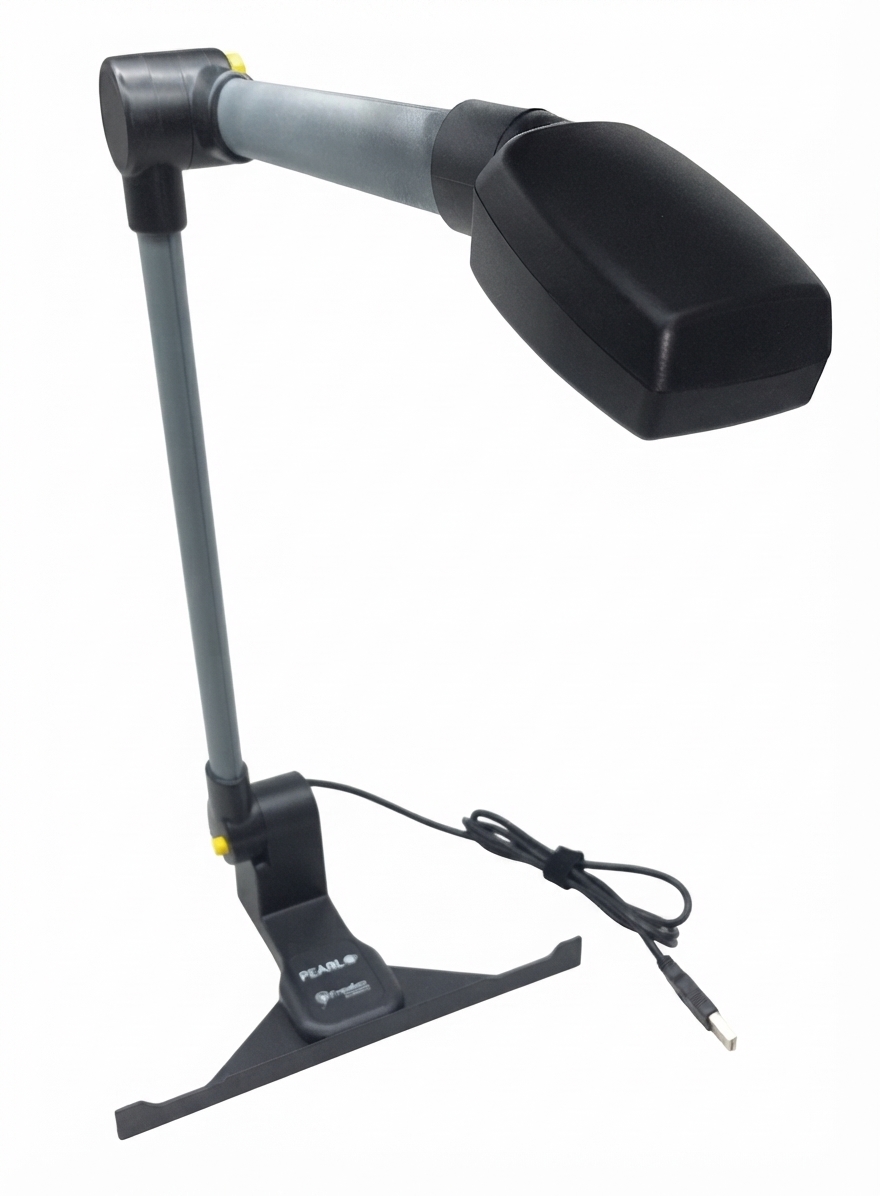
The pearl 900280-007 Portable Reading Camera is a compact assistive technology device designed to help blind and low-vision users access printed material quickly and efficiently. Built for portability and ease of use, it works with screen reading and OCR software to convert books, documents, magazines, and other paper-based content into speech or enlarged text. The folding design sets up in seconds, making it practical for home, classroom, workplace, and travel use.
One of the biggest advantages of the pearl 900280-007 Portable Reading Camera is its fast multi-page reading workflow. With motion-sensing support, the camera can detect when a page turns and automatically capture the next image, reducing repetitive steps during long reading sessions. Built-in LED lighting also helps improve visibility in dim environments, while USB plug-and-play connectivity keeps setup simple. For users who need dependable document access without a bulky desktop station, this portable reading camera offers strong convenience and flexibility.
It is especially useful for students, professionals, seniors, and accessibility users who need support reading printed letters, forms, handouts, and books. The estimated price range is typically around $325 to $358 USD, depending on the retailer and current stock. Availability is generally through low-vision specialty stores and accessibility product sellers, with inventory varying by region.
Technical Specifications for the PEARL Portable Reading Camera
- Product name: pearl 900280-007 Portable Reading Camera
- Manufacturer: Freedom Scientific
- SKU: 900280-007
- Primary use: Portable reading, OCR scanning, and text-to-speech document access
- Compatibility: Works with JAWS, Fusion, and OpenBook software
- Capture mode: Automatic motion-sensing page detection for multi-page reading
- Lighting: Built-in LED illumination for low-light conditions
- Reading speed: Up to 20 pages per minute while reading
- Portability: Folds into a compact 14 x 3 x 2 1/8 inch package
- Connectivity: USB plug-and-play setup
- Accessory: Protective neoprene carrying case
- Warranty: Two-year warranty against manufacturing defects, depending on seller policy
Compared with many standard desktop document cameras, the pearl 900280-007 Portable Reading Camera is more focused on accessibility and reading performance than general presentation use. Compared with larger CCTV magnifiers, it offers greater portability and software-driven speech output, though it requires a compatible Windows-based reading workflow rather than functioning as a fully standalone reader.
Pros and Cons of the Pearl 900280-007 Portable Reading Camera
Pros
- Fast setup and compact folding design make it easy to carry between locations.
- Automatic page detection is ideal for reading books and multi-page documents.
- Works well with JAWS, Fusion, and OpenBook for speech output and OCR support.
- Built-in LED lighting improves usability in low-light settings.
- Strong value for users who need a specialized accessibility camera rather than a general-purpose document camera.
- Useful for reading mail, forms, textbooks, and printed handouts at home, school, or work.
Cons
- Requires compatible software and a computer, so it is not an independent handheld reader.
- Best suited to accessibility workflows, which may feel limiting for users wanting broader camera functions.
- Higher cost than basic scanning accessories, though the feature set justifies the price for many users.
- Less versatile than some alternative document cameras that can also support video conferencing or live presentation use.
For buyers comparing alternatives, this model stands out when low-vision accessibility and fast OCR reading are the top priorities. For general office imaging or classroom display, a standard document camera may be more flexible.
Customer Reviews and User Feedback on the Pearl 900280-007 Portable Reading Camera
Customer feedback is generally positive, with many users praising the quick setup, portability, and reliable page-by-page reading experience. A common theme in reviews is appreciation for how well the camera works with accessibility software, especially for scanning mail, books, and everyday paperwork. Average user sentiment can be summarized at about 4.5 out of 5 stars for the people who need its specific use case.
- “Easy to set up and very helpful for reading printed documents.”
- “The automatic page sensing saves time when reading longer documents.”
- “Excellent portability, but it works best when paired with the right software.”
Frequent complaints include the need for a computer connection and the fact that it is not a standalone device. Some users also note that the experience depends heavily on the OCR software in use. For best results, this product is recommended for blind and low-vision users, students, and professionals who already rely on JAWS, Fusion, or OpenBook and want a portable reading camera with dependable performance.
Final Verdict: Is the Pearl 900280-007 Portable Reading Camera Worth It?
The pearl 900280-007 Portable Reading Camera is a strong choice for accessibility-focused users who want fast, portable access to printed material. Its combination of motion sensing, LED lighting, compact design, and OCR compatibility makes it especially valuable for reading books and documents efficiently. If portability and speech-based reading matter most, it delivers excellent practical value.
Faqs
How do I set up the pearl 900280-007 Portable Reading Camera for the first time?
Why is my pearl 900280-007 Portable Reading Camera not detecting text clearly?
What devices and software are compatible with the pearl 900280-007 Portable Reading Camera?
How can I improve scan quality and OCR accuracy on the pearl 900280-007 Portable Reading Camera?
What should I do if the pearl 900280-007 Portable Reading Camera is not turning on?
How do I clean and maintain the pearl 900280-007 Portable Reading Camera safely?
Can the pearl 900280-007 Portable Reading Camera help with accessibility and reading support?
How do I troubleshoot frozen image, lag, or delayed response on the pearl 900280-007 Portable Reading Camera?
Leave a Comment