
Qaekie V5.3 Bone Conduction Headphone QaekieQ10 User Manual
Content
qaekie V5.3 Bone Conduction Headphone QaekieQ10 Review and User Manual
Introduction
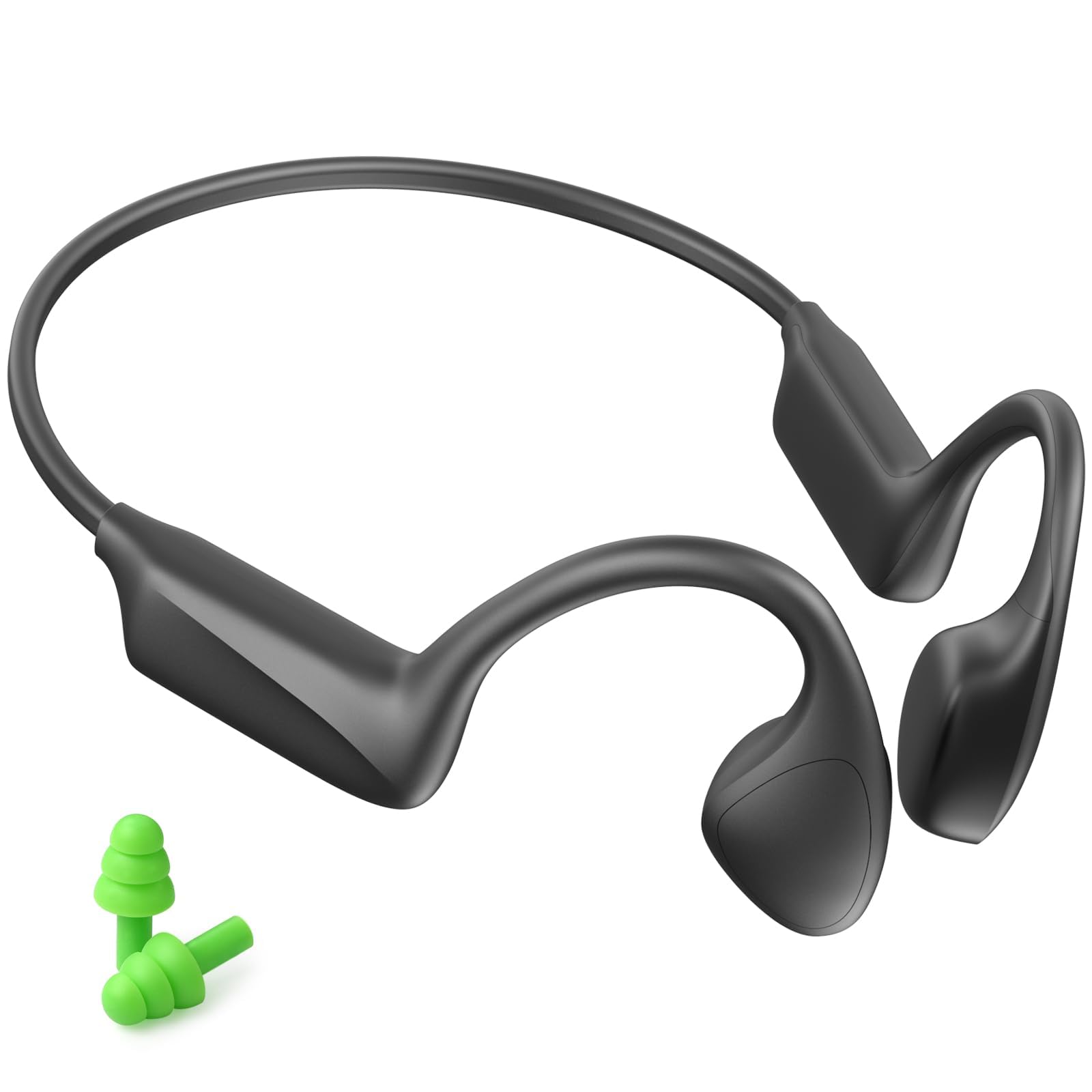
The qaekie V5.3 Bone Conduction Headphone QaekieQ10 is an open-ear wireless headset designed for users who want awareness, comfort, and practical everyday performance in one lightweight package. Instead of sealing the ear canal, it sends sound through the cheekbones, making it a strong choice for runners, cyclists, commuters, office workers, and anyone who prefers safer listening during outdoor activity.
This model is positioned as a budget-friendly bone conduction headphone with Bluetooth 5.3 connectivity, Type-C fast charging, and a lightweight 31 g frame. It also supports dual-device pairing, hands-free calling, and sweat resistance with an IPX5 rating, which makes it suitable for workouts and casual use. The open-ear design is the main selling point, especially for people who need to stay alert to traffic, conversations, or environmental sounds while listening to music, podcasts, or calls.
For buyers comparing open-ear headphones, the QaekieQ10 typically sits in the affordable range, with estimated pricing often around $25 to $45 depending on the seller, color, and promotions. It is commonly available through online marketplaces and third-party electronics retailers. If you are looking for a practical bone conduction headphone for fitness, travel, or daily hands-free communication, this model offers a solid entry-level option with useful core features.
Specifications for qaekie V5.3 Bone Conduction Headphone QaekieQ10
- Wireless version: Bluetooth V5.3 + EDR
- Supported profiles: HSP, HFP, A2DP, AVRCP
- Transmission range: Up to 10 m in an obstacle-free environment
- Battery capacity: 250 mAh
- Music time: About 8 to 12 hours, depending on volume and audio content
- Talk time: About 8 to 12 hours, depending on phone volume and usage
- Standby time: Up to 300 hours
- Charging time: About 1 to 2 hours
- Charging port: Type-C
- Rated input: 5V/0.5A
- Water resistance: IPX5 splash and sweat resistance
- Weight: About 31 g
- Call support: Yes
- Multi-point support: Yes
- Impedance: 80 ohms
Compared with premium bone conduction headphones, the QaekieQ10 offers a lower price and similar core convenience features, but it is not designed to compete with flagship audio performance. It focuses more on value, lightweight comfort, and basic daily reliability than high-end sound detail or advanced noise handling.
Setup Guide for qaekie V5.3 Bone Conduction Headphone QaekieQ10
Setting up the qaekie V5.3 Bone Conduction Headphone QaekieQ10 is straightforward. First, fully charge the headset using the included Type-C cable until the indicator shows a complete charge. Next, power on the headphones by holding the multifunction button until the LED signal appears. On your phone or tablet, open Bluetooth settings and search for available devices, then select the QaekieQ10 to pair.
For best results, keep the headphones close to your device during the first connection. If the headset supports multi-point pairing, you can connect it to two devices, such as a phone and laptop, for easier switching between calls and media. Adjust the fit so the transducers rest securely in front of the ears and sit firmly against the cheekbones. This improves sound transfer and comfort.
If pairing fails, turn Bluetooth off and on again, reset the headset, and remove any old pairing record before trying again. Avoid charging the headphones in wet conditions, and never use them for swimming, as the IPX5 rating only covers sweat and light water exposure. Keep volume at a reasonable level to protect hearing and maintain battery performance.
Troubleshooting qaekie Q10 Bone Conduction Headphones
Common problems with the qaekie V5.3 Bone Conduction Headphone QaekieQ10 are usually easy to fix. If the headset does not power on, charge it for at least 20 to 30 minutes and try again. If Bluetooth pairing fails, clear the headset from your device list, restart both devices, and reconnect from scratch. If sound is weak, make sure the transducers are positioned correctly on the cheekbones and that the volume is not too low on either device.
There are no widely documented error codes for this model, so most issues are handled through basic Bluetooth resets and power checks. If the headset keeps disconnecting, reduce the distance between the headphone and phone, and avoid interference from walls or crowded wireless environments. For low battery warnings, charge immediately with a standard 5V USB source.
Preventive care helps extend lifespan: keep the charging port dry, wipe off sweat after workouts, and store the headset in a cool place. Qaekie-style bone conduction products often include a 12-month quality-related replacement warranty, and support is commonly handled through the brand’s customer service email and official website. If you need help, check the seller page or packaging for the current support contact details.
Pros and Cons of qaekie V5.3 Bone Conduction Headphone QaekieQ10
Pros
- Open-ear design helps users stay aware of traffic, coworkers, and surroundings.
- Lightweight 31 g build improves comfort for long listening sessions.
- Bluetooth 5.3 provides stable everyday wireless connectivity.
- Type-C charging is convenient and widely compatible.
- IPX5 protection makes it suitable for running, gym use, and sweaty workouts.
- Dual-device support adds flexibility for work and personal use.
- Strong value for money compared with premium open-ear alternatives.
Cons
- Sound quality is typically less rich than over-ear or in-ear premium headphones.
- Bass response is limited, which is common in bone conduction models.
- Noise isolation is minimal because the ears remain open.
- Not suitable for swimming or heavy water exposure.
- Users seeking audiophile-grade detail may prefer higher-end brands.
For shoppers comparing budget bone conduction headphones, the QaekieQ10 stands out as a practical daily-use option rather than a luxury audio product. It is best suited to people who want awareness and comfort more than deep bass or studio-level sound.
Customer Reviews for qaekie V5.3 Bone Conduction Headphone QaekieQ10
Typical user feedback for the qaekie V5.3 Bone Conduction Headphone QaekieQ10 trends positive on comfort, fit, and usefulness during exercise. Many users rate it around 4.1 out of 5 stars for its light design and open-ear convenience. A common praise is that it feels comfortable for long wear and works well for calls, podcasts, and walking outdoors.
Frequent complaints usually mention modest bass, occasional need for repositioning, and sound leakage at higher volumes. One user summary often sounds like this: “Great for running and commuting, but not the best choice if you want heavy bass.” Another common comment is: “Battery life is good for the price, and pairing is simple.”
It is a good purchase for people who want a budget-friendly bone conduction headphone for sports, safety, and everyday communication. Buyers who prioritize powerful audio, deep bass, or full sound isolation should consider premium open-ear or traditional wireless headphones instead.
Frequently Asked Questions
What is the qaekie V5.3 Bone Conduction Headphone QaekieQ10 used for?
It is used for open-ear listening during running, cycling, commuting, office work, and hands-free calling.
Does it support phone calls?
Yes, it supports voice calls and includes Bluetooth calling features.
Is it waterproof?
It has an IPX5 rating, which means it is resistant to sweat and light splashes, but not swimming.
How long does the battery last?
Battery life is typically about 8 to 12 hours, depending on volume and usage.
Is it worth buying?
Yes, if you want an affordable open-ear Bluetooth headset with practical daily features and good comfort.
Faqs
How do I set up qaekie V5.3 Bone Conduction Headphone QaekieQ10 for the first time?
Why is my qaekie V5.3 Bone Conduction Headphone QaekieQ10 not connecting to Bluetooth?
How long does the battery last on qaekie V5.3 Bone Conduction Headphone QaekieQ10?
Can I use qaekie V5.3 Bone Conduction Headphone QaekieQ10 for running, cycling, and outdoor workouts?
Is qaekie V5.3 Bone Conduction Headphone QaekieQ10 compatible with iPhone, Android, and laptops?
How do I improve sound quality on qaekie V5.3 Bone Conduction Headphone QaekieQ10?
What should I do if the microphone on qaekie V5.3 Bone Conduction Headphone QaekieQ10 sounds weak or unclear?
How should I clean and maintain qaekie V5.3 Bone Conduction Headphone QaekieQ10?
Leave a Comment