
Seiki SE32HY10 LED TV User Manual
Content
Seiki SE32HY10 LED TV Manual and Product Guide
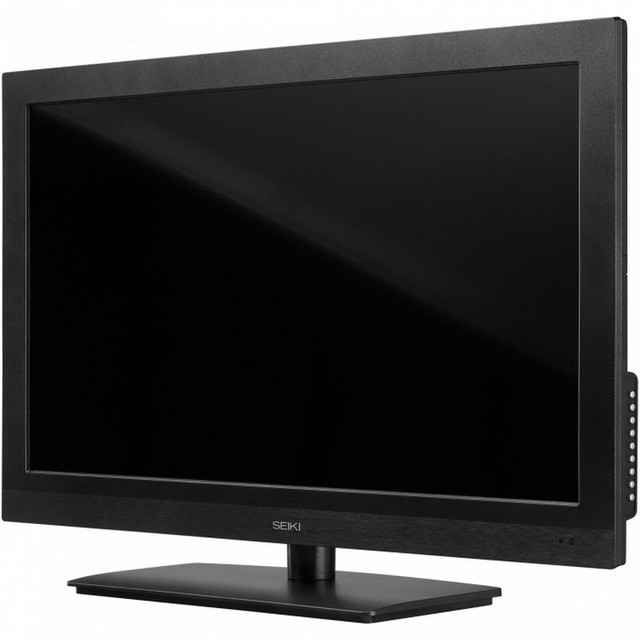
Introduction: What the Seiki SE32HY10 LED TV Offers
The Seiki SE32HY10 LED TV is a compact 32-inch HDTV designed for everyday viewing in bedrooms, dorm rooms, kitchens, guest spaces, and small apartments. Built around a 720p LED panel, it delivers a practical balance of size, energy efficiency, and simple usability. For shoppers looking for an affordable HD television without the complexity of smart-TV platforms, the Seiki SE32HY10 LED TV remains a straightforward and budget-friendly option.
Its main strengths include a 16:9 widescreen layout, 60 Hz refresh rate, multiple HDMI inputs, USB playback support, VGA connectivity for older computers, and V-chip parental controls. The set is also compact and lightweight, making it easier to place on furniture or mount on a wall. With its broad 178-degree viewing angles and reasonable brightness, it works well for casual TV watching, streaming through an external device, gaming on older consoles, or use as a secondary display.
In today’s market, the estimated price range for a used or refurbished unit is typically low-cost, often around the budget category depending on condition and seller. New availability may be limited, so the Seiki SE32HY10 LED TV is most commonly found through resale marketplaces, surplus retailers, and refurbished electronics sellers. For anyone seeking a simple 32-inch HD television with essential ports and easy setup, this model delivers strong value.
Specifications for Seiki SE32HY10 32-inch 720p LED TV
- Screen size: 32 inches diagonal, approximately 31.5 inches viewable
- Resolution: 1366 x 768 pixels, 720p HD
- Display type: LED with edge/direct-style backlighting depending on source listing
- Refresh rate: 60 Hz
- Aspect ratio: 16:9 widescreen
- Response time: about 6.5 ms on some listings, with other documentation listing 14 ms
- Viewing angle: 178 degrees horizontal and vertical
- Brightness: about 200 cd/m²
- Contrast ratio: dynamic contrast commonly listed around 1400:1 to 3000:1
- Ports: HDMI, component video, VGA/PC input, USB, optical digital audio output, antenna/cable input
- HDMI inputs: commonly listed as 3
- USB ports: 1
- Weight: about 10.36 lb without packaging
- Power use: energy-efficient for a TV in this class, with low annual operating cost estimates
Compared with other compact 32-inch HD televisions, the Seiki SE32HY10 stands out for offering a strong mix of ports and basic home-theater compatibility at a lower price point. It does not compete with modern 1080p or smart TVs in image sharpness or app support, but it performs well as a dependable secondary television.
Setup Guide: How to Install and Configure the Seiki SE32HY10 LED TV
Start by placing the TV on a stable surface or using a VESA-compatible wall mount. Confirm the mount fits the 200 x 100 mm pattern before installation. Keep ventilation space around the set and avoid placing it near heat sources or moisture. If using the stand, tighten all screws securely before plugging in the power cord.
Connect the antenna, cable box, streaming stick, game console, or DVD player using the available HDMI, component, or VGA ports. If you plan to connect a computer, choose VGA for older systems or HDMI for newer devices. For audio through external speakers or a soundbar, use the digital optical output if supported by your equipment.
After powering on, follow the on-screen setup menu to choose language, scan for channels, and adjust picture settings such as brightness, contrast, and aspect ratio. If the image looks stretched, switch the screen mode to the correct widescreen or standard option. If no signal appears, verify the input source using the remote control.
Always unplug the unit before cleaning or moving it, and never block the ventilation openings. If the TV fails to respond, replace the remote batteries and confirm the power source before assuming a hardware issue.
Troubleshooting the Seiki SE32HY10 LED TV
Common issues with the Seiki SE32HY10 LED TV usually involve signal selection, loose cables, or incorrect picture settings. If the screen stays black but the power light is on, check that the correct input source is selected and confirm the HDMI or antenna cable is fully inserted. If sound is missing, make sure the volume is not muted and that external audio settings are correct.
If the image appears blurry or distorted, verify the incoming source resolution and try another HDMI cable or device. For over-the-air channels, rerun the channel scan from the setup menu. If the TV does not power on, inspect the outlet, power cord, and remote batteries before seeking service.
This model does not typically rely on modern error-code menus like newer smart TVs, so many problems are resolved through input resets, cable checks, or a full power cycle. Unplug the TV for 60 seconds, then reconnect it to clear temporary faults. Preventive care includes keeping dust out of ports, avoiding power surges, and using a surge protector.
Warranty coverage is commonly listed as a 1-year limited warranty on retail documentation, though support availability may vary by seller. For help, contact the retailer, refurbished seller, or Seiki customer support channel provided with your purchase paperwork.
Pros and Cons of the Seiki SE32HY10 32-inch LED HDTV
Pros
- Affordable entry-level television with strong value for money
- Compact size works well for bedrooms, dorms, offices, and kitchens
- Multiple HDMI ports support streaming devices, consoles, and cable boxes
- USB, VGA, and component inputs add flexibility for older and newer devices
- Lightweight design makes it easy to move or wall-mount
- Wide viewing angles help maintain picture quality from the side
Cons
- 720p resolution is less sharp than modern 1080p and 4K TVs
- No built-in smart TV platform or app ecosystem
- Audio quality is basic and may benefit from external speakers
- Picture brightness and contrast are modest compared with newer displays
- Availability is mostly limited to used or refurbished units
For buyers who want a simple television at a low price, the Seiki SE32HY10 LED TV is practical and easy to live with. Compared with newer budget smart TVs, it loses on resolution and streaming features but can still be a smart purchase if external media devices are already available.
Customer Reviews: What Buyers Say About the Seiki SE32HY10 LED TV
Customer feedback for the Seiki SE32HY10 LED TV is generally mixed to positive, with many buyers rating it around 4 out of 5 stars for value and ease of setup. Users frequently praise the low price, compact design, and the usefulness of the HDMI and VGA connections. A typical positive comment is that it works well as a bedroom TV or second screen without taking up much space.
Common complaints include average picture quality, limited sound output, and the lack of smart-TV features. Some users also mention that the 720p resolution is acceptable for casual viewing but not ideal for viewers who expect crisp detail from modern displays. Buyers who pair the TV with a streaming stick, soundbar, or game console often report better satisfaction.
Recommended for budget-focused shoppers, students, and anyone needing a dependable secondary TV. Best suited for basic viewing, cable use, and simple device connections rather than premium home-theater setups.
Faqs
How do I set up the seiki SE32HY10 LED TV for the first time?
What picture and resolution options does the seiki SE32HY10 LED TV support?
Why does my seiki SE32HY10 LED TV show no picture when connected to HDMI?
How many HDMI and USB ports are available on the seiki SE32HY10 LED TV?
Can I use the seiki SE32HY10 LED TV as a monitor for a PC or laptop?
How do I improve the sound quality on the seiki SE32HY10 LED TV?
What should I do if the seiki SE32HY10 LED TV is not turning on?
How should I clean and maintain the seiki SE32HY10 LED TV safely?
Tags
Leave a Comment