
Siglent SVA1000X Series Spectrum Analyzer User Manual
Content
Siglent SVA1000X Series Spectrum Analyzer: Complete Product Manual and Buyer Guide
Introduction
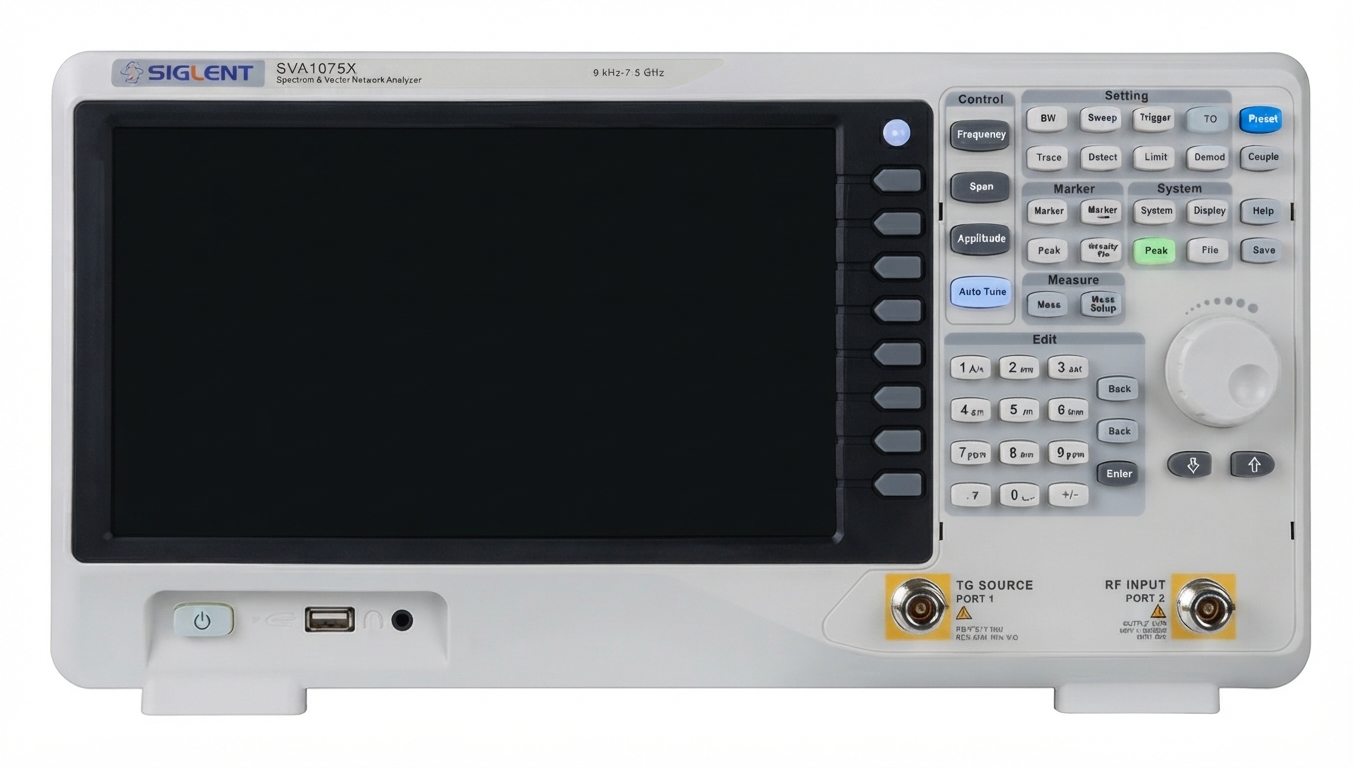
The Siglent SVA1000X Series Spectrum Analyzer is a versatile RF test instrument designed for engineers who need both spectrum analysis and vector network analysis in one platform. Built for laboratory, service, and production environments, the series combines a wide frequency range, a responsive touchscreen interface, and multiple optional measurement modes to support modern RF workflows. It is a strong fit for wireless development, EMC pre-compliance checks, antenna testing, cable diagnostics, and general RF troubleshooting.
One of the biggest advantages of the Siglent SVA1000X Series Spectrum Analyzer is its flexibility. Depending on the model, it covers frequency ranges from 9 kHz up to 1.5 GHz, 3.2 GHz, or 7.5 GHz, while offering tracking generator support, optional vector network analysis, distance-to-fault testing, and modulation analysis. This makes it especially useful for RF technicians who want a single instrument that can replace multiple bench tools. The 10.1-inch multitouch display and remote-control support also improve ease of use in both standalone and connected test setups.
Estimated pricing typically starts around the low four-figure range for entry models and rises significantly for higher-frequency versions. Availability is generally good through Siglent distributors and electronics test-equipment resellers, though some higher-end models may be backordered depending on region. For users seeking a spectrum analyzer with strong value, broad functionality, and modern connectivity, this series remains highly competitive.
Specifications for Siglent SVA1000X Series Spectrum Analyzer
- Frequency coverage: 9 kHz to 1.5 GHz, 3.2 GHz, or 7.5 GHz depending on model
- Resolution bandwidth: 1 Hz to 1 MHz, with 1 Hz to 3 MHz on the highest-frequency model
- Displayed average noise level: as low as -165 dBm/Hz on top-tier versions
- Phase noise: better than -98 dBc/Hz at 1 GHz with 10 kHz offset on typical configurations
- Total amplitude accuracy: better than 0.7 dB on higher-end models
- VNA dynamic range: up to 90 dB for reflection measurements
- Display: 10.1-inch WVGA multitouch screen at 1024 x 600 resolution
- Interfaces: LAN, USB Device, USB Host, and GPIB support on supported configurations
- Analysis modes: spectrum analysis, tracking generator, vector network analysis, distance-to-fault, modulation analysis, EMI-related functions
- Compared with many entry-level spectrum analyzers, it offers wider feature depth and stronger connectivity for automated test setups
In the mid-range RF market, the Siglent SVA1000X Series Spectrum Analyzer stands out by combining analyzer and VNA functions in one instrument, whereas many competing models focus only on basic spectrum measurement. That makes it a practical choice for users who need more than standard RF display and marker functions.
Detailed Description
The Siglent SVA1000X Series Spectrum Analyzer uses a swept super-heterodyne architecture with all-digital IF technology to capture and process RF signals accurately. In practical terms, it measures signal amplitude across a chosen frequency span, allowing users to identify carriers, harmonics, spurious emissions, noise floors, and interference sources. When optional modes are enabled, it can also test return loss, insertion loss, cable faults, and modulation characteristics.
This makes the instrument useful in real-world applications such as antenna tuning, cellular and wireless device debugging, RF component validation, EMI pre-testing, and field-service diagnostics. Engineers can use the tracking generator for filter characterization, while service teams can use distance-to-fault tools to identify coax or cable issues. The unit is designed as a bench instrument with a sturdy enclosure, a large color touchscreen, and an interface layout that supports both touch and remote operation.
User experience is generally positive because the interface is direct, the display is readable, and the measurement workflow is efficient for day-to-day testing. The product feels more advanced than a basic analyzer, yet still approachable for technicians who are new to RF measurement.
Setup Guide for Siglent SVA1000X Series Spectrum Analyzer
Start by placing the analyzer on a stable bench with adequate ventilation. Connect the supplied power cable, then power on the instrument and allow it to complete its self-check. Attach the RF input only after confirming the expected signal level to avoid damaging the front end. For generator-based measurements, connect the tracking generator output to the DUT through the correct RF cabling and attenuation as needed.
Next, configure the basic settings: choose the frequency span, center frequency, reference level, and resolution bandwidth. If you are using vector network analysis, perform the required calibration procedure before measuring return loss or insertion loss. For remote use, connect via LAN or USB and confirm communication with the host computer or control software. When available, pairing with accessories such as GPIB or USB modules can simplify integration into automated test benches.
Troubleshooting during setup often comes down to overload, incorrect attenuation, or missing calibration. Always verify signal power before connecting an unknown source, and use proper ESD-safe handling for sensitive RF components. Never exceed the input power limits specified in the instrument documentation.
Troubleshooting Common Problems
Common issues with the Siglent SVA1000X Series Spectrum Analyzer usually involve input overload, no displayed trace, calibration drift, or communication failures. If the display shows an unexpected flat line, confirm that the center frequency and span are correct, that the input is connected, and that the reference level is set appropriately. If readings appear distorted, reduce the signal level or add attenuation to prevent overload.
When remote control does not work, check LAN settings, USB drivers, and the communication mode selected on the instrument. For VNA-related errors, repeat the calibration steps and verify cable integrity. If the analyzer seems noisy or unstable, allow sufficient warm-up time and confirm that the RBW and detector settings match the measurement goal.
Preventive maintenance includes keeping connectors clean, using quality RF cables, avoiding excessive input power, and storing the unit in a dust-free environment. Warranty coverage and support are typically handled through Siglent or authorized distributors, with regional service assistance available through local sales channels and technical support departments.
Pros and Cons
Pros
- Combines spectrum analysis and vector network analysis in one instrument
- Wide frequency coverage up to 7.5 GHz on top models
- Strong phase noise, amplitude accuracy, and low displayed noise floor
- Large 10.1-inch touchscreen improves usability and speed
- Useful optional functions for EMI, modulation, and distance-to-fault work
- Good value for labs that need multiple RF tools in a single device
Cons
- Higher-frequency models cost noticeably more than entry versions
- Some advanced functions are optional rather than standard
- Not as lightweight as handheld field instruments
- Beginners may need time to learn calibration and RF measurement workflows
For value for money, the series is strong because it delivers capabilities often found in separate instruments. Compared with simpler alternatives, it offers more depth, but users who only need basic spectrum monitoring may find it more feature-rich than necessary.
Customer Reviews Summary
Typical user feedback for the Siglent SVA1000X Series Spectrum Analyzer is positive, with many owners giving it around 4 to 5 stars for capability, display quality, and measurement versatility. Reviewers often praise the touchscreen interface, the wide frequency options, and the ability to use one device for multiple RF tasks. One common comment is that it feels like a serious lab instrument rather than an entry-level analyzer.
Common complaints usually focus on optional feature licensing, the learning curve for advanced measurements, and the higher price of upper-tier models. A frequent recommendation is to choose the model that matches the highest frequency you will actually measure, rather than overbuying. Users who need dependable RF analysis, VNA support, and remote connectivity usually consider it a smart purchase.
Faqs
How do I set up the Siglent SVA1000X Series Spectrum Analyzer for the first time?
What should I do if the Siglent SVA1000X Series Spectrum Analyzer shows an unexpected trace or no signal?
Which features make the Siglent SVA1000X Series Spectrum Analyzer useful for RF and antenna testing?
How do I connect the Siglent SVA1000X Series Spectrum Analyzer to a PC or remote-control software?
What bandwidth and frequency settings should I use for accurate measurements on the Siglent SVA1000X Series Spectrum Analyzer?
Why does the Siglent SVA1000X Series Spectrum Analyzer need firmware updates, and when should I install them?
What is the best way to prevent overload and inaccurate readings on the Siglent SVA1000X Series Spectrum Analyzer?
How should I maintain and care for the Siglent SVA1000X Series Spectrum Analyzer for long-term reliability?
Tags
Leave a Comment