
Summit Led Television LE3237 User Manual
Content
Summit LED Television LE3237: Product Manual and Buyer Guide
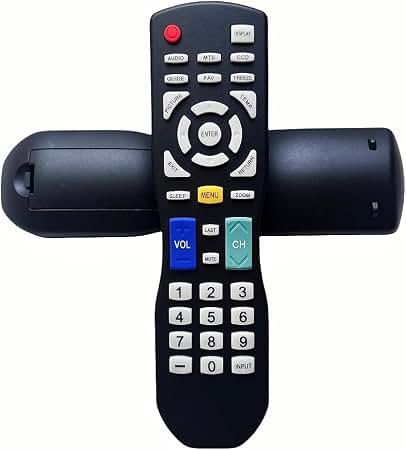
The summit Led Television LE3237 is a compact LED TV designed for practical everyday viewing, especially in bedrooms, kitchens, RVs, guest rooms, and small apartments. It is best suited for users who want a straightforward television with simple controls, a space-saving footprint, and dependable performance for cable TV, streaming devices, and basic home entertainment setups.
One of the main advantages of the summit Led Television LE3237 is its value-focused design. It is typically positioned as a budget-friendly or mid-range option, with the most common market listings suggesting an estimated price range of about $150 to $300, depending on condition, seller, and availability. Because it is often found through third-party sellers, replacement parts, accessories, and manuals may vary by source. This makes it especially appealing to buyers who need a simple TV solution rather than a premium smart television with advanced features.
In real-world use, the LE3237 works well as a secondary TV for casual viewing, news, sports, and streaming through connected devices such as media players or set-top boxes. Its LED display provides energy-efficient operation and a clear picture for standard household viewing distances. The summit Led Television LE3237 is a practical choice for users who prioritize simplicity, affordability, and compact size over high-end picture processing or cutting-edge smart features.
Pros & Cons of Summit Led Television LE3237
Pros
- Affordable value: The LE3237 is generally considered a cost-effective television for buyers who need a dependable screen without paying for premium extras.
- Compact and versatile: Its size makes it well-suited for tight spaces, dorm rooms, RVs, and secondary viewing areas.
- Simple operation: Straightforward controls make setup and daily use easy for all skill levels.
- Energy-efficient LED design: LED technology typically offers lower power consumption than older display types.
- Good for basic entertainment: Ideal for cable, over-the-air channels, and external streaming devices.
Cons
- Limited premium features: Compared with modern smart TVs, it may lack advanced app ecosystems, voice control, and high-end picture enhancement.
- Basic viewing experience: It is not designed to compete with larger 4K or OLED alternatives in brightness, contrast, or motion handling.
- Availability can be inconsistent: The model is often sourced through secondary marketplaces, so stock and pricing may vary widely.
- Accessories may be harder to replace: Remote controls and compatible parts are sometimes sold by third-party vendors.
For buyers comparing the LE3237 with newer smart TVs, the biggest trade-off is feature depth versus price. It delivers solid everyday performance, but users wanting built-in streaming apps, Bluetooth, or ultra-high-definition resolution may prefer a more recent alternative. Still, for the price, the summit Led Television LE3237 remains a sensible choice for basic home entertainment.
Customer Reviews and Real User Feedback for Summit Led Television LE3237
Customer feedback for the summit Led Television LE3237 is generally positive, especially among buyers looking for a simple, compact television. Many users rate it around 4 out of 5 stars for value, ease of use, and space-saving design.
- Praise: “Perfect for my RV. Easy to install, lightweight, and works well with my cable box.”
- Praise: “Good picture for the price. I wanted a basic TV, and this one does the job.”
- Complaint: “The remote replacement took some effort because I had to search through third-party sellers.”
- Complaint: “It’s fine for everyday use, but it doesn’t have the smart features I expected from newer models.”
The most frequently mentioned issues are limited advanced features and occasional difficulty finding compatible accessories. On the positive side, users appreciate the straightforward setup, compact dimensions, and solid performance for casual viewing. If you want a dependable secondary TV or a no-frills screen for a small room, the summit Led Television LE3237 is often recommended. Buyers seeking a modern smart TV experience, however, may want to compare it with current entry-level LED and Roku TV alternatives before purchasing.
Faqs
How do I set up summit Led Television LE3237 for the first time?
What should I do if summit Led Television LE3237 has no picture but the sound still works?
Can summit Led Television LE3237 connect to a Roku, Fire Stick, or cable box?
How do I scan channels on summit Led Television LE3237 after setup?
Why is summit Led Television LE3237 showing a weak or pixelated picture?
What picture settings work best on summit Led Television LE3237 for movies and sports?
How do I clean and maintain summit Led Television LE3237 safely?
What size wall mount or stand do I need for summit Led Television LE3237?
More summit manuals
Leave a Comment