
Tenergy T9688 Universal Battery Charger User Manual
Content
tenergy T9688 Universal Battery Charger Manual
Introduction
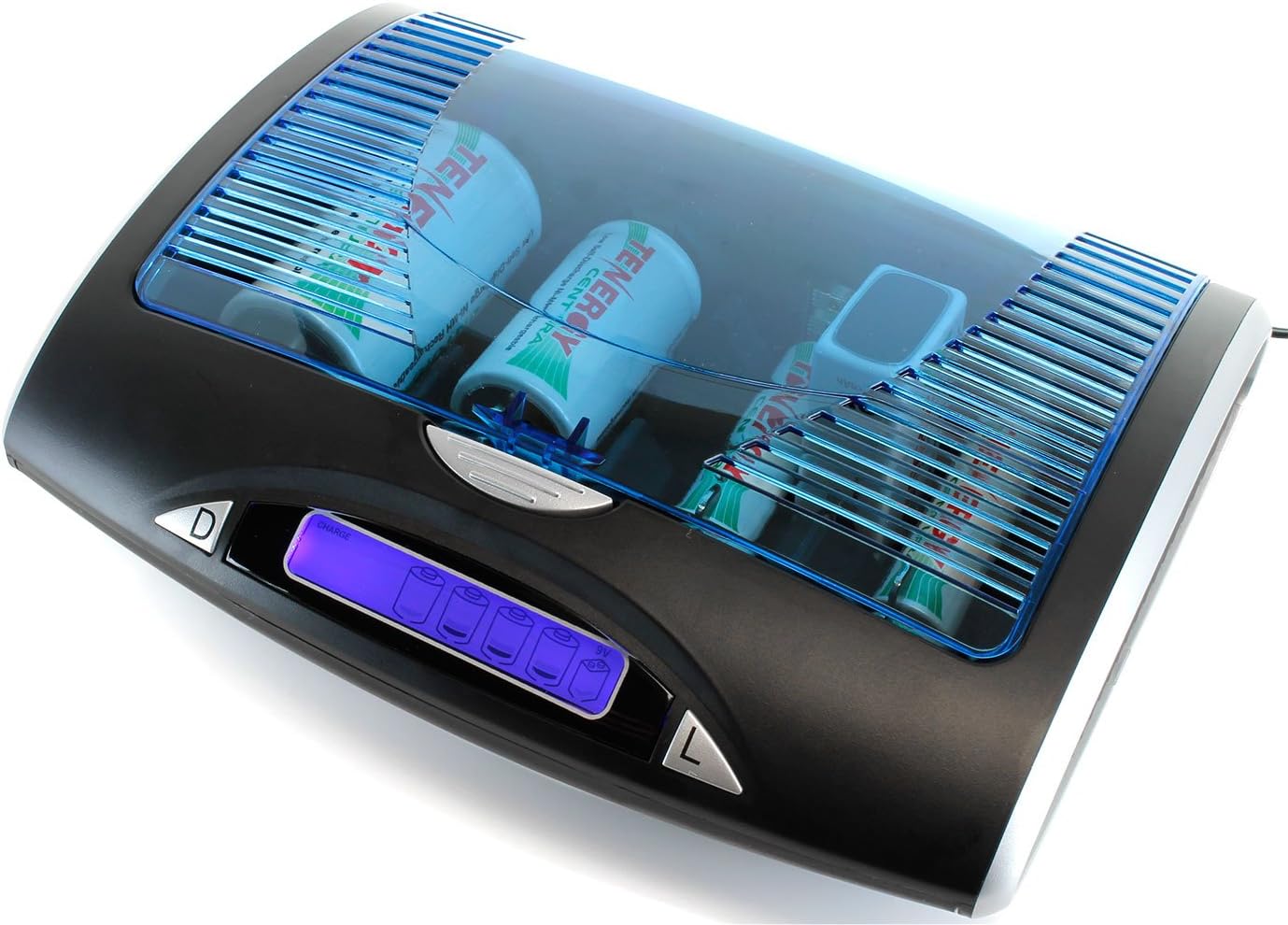
The tenergy T9688 Universal Battery Charger is a versatile LCD smart charger designed for NiMH and NiCd rechargeable batteries in AA, AAA, C, D, and 9V sizes. It is built for users who want one charger that can handle multiple battery formats at home, in workshops, for emergency kits, and for frequent-use electronics such as flashlights, cameras, game controllers, radios, and household devices. Its biggest advantage is flexibility: instead of buying separate chargers for each battery type, the T9688 provides a single organized charging solution with status reporting on an LCD screen.
This model stands out for its independent charging channels, discharge function, and USB output, which adds extra utility beyond standard battery charging. The charger uses an automatic negative delta V cut-off for AA, AAA, C, and D batteries, helping prevent overcharging and supporting safer everyday use. It also displays charge, discharge, full, and bad status indicators, making it easier to monitor battery health at a glance. For users who rely on rechargeable batteries regularly, the T9688 offers practical convenience and strong value for money.
The typical price range for the charger is about $41 to $45, depending on retailer availability and bundle options. It is commonly sold through online electronics stores and major marketplaces, and stock may vary by region. The tenergy T9688 Universal Battery Charger is best suited for households, hobbyists, and professionals who want a dependable universal battery charging station with LCD feedback and broad compatibility.
Specifications: Tenergy T9688 Universal Battery Charger Features and Technical Details
- Compatible battery types: NiMH and NiCd rechargeable AA, AAA, C, D, and 9V batteries
- Charging capacity: 1 to 4 AA/AAA/C/D batteries or 1 to 2 9V batteries at a time
- Input power: 12V DC, 1000mA with supplied AC adapter
- Charge current: AAA at 500mA; AA/C/D at 1300mA; 9V at 30mA
- Discharge current: AA/AAA/C/D at 400mA
- Detection method: Negative delta V cut-off for AA/AAA/C/D batteries
- USB output: 5V DC, 500mA for small external devices
- Display: Blue LCD screen with charge, discharge, full, and bad indicators
- Operation: Independent charging slots for mixed battery sizes
Compared with basic multi-bay chargers, the T9688 is more advanced because it includes discharge support and battery status detection. Compared with premium smart chargers, it is simpler and more affordable, but it still covers the core needs of most rechargeable battery users. Its strongest benchmark is convenience: one charger can serve multiple battery families without needing a separate unit for 9V or cylindrical cells.
Troubleshooting the Tenergy T9688 Universal Battery Charger
If the charger does not power on, first confirm that the AC adapter is properly connected and the outlet is working. If a battery slot shows “bad” or does not begin charging, remove the battery, check for incorrect polarity, and make sure the battery type is NiMH or NiCd. The charger is not intended for alkaline, lithium primary, or other unsupported chemistries.
If charging seems slow, verify that the battery size matches the expected current profile. AAA batteries charge at a lower rate than AA, C, and D batteries, while 9V cells charge at a much slower current. If the LCD shows unusual status, reseat the battery and allow the charger to re-detect it. There are no widely documented error codes for this model, but status words such as full, bad, and discharge help identify the issue quickly.
To prevent problems, avoid mixing old and new batteries in the same charge cycle, keep the contacts clean, and store the charger in a dry location. For support, check the seller’s warranty terms or the manufacturer’s product support page. Customer service contact details may vary by retailer, so use the official Tenergy website or the authorized store where the charger was purchased for the most reliable help.
Pros and Cons of the Tenergy T9688 Universal Battery Charger
Pros
- Supports a wide range of rechargeable batteries, including AA, AAA, C, D, and 9V
- LCD screen makes it easy to monitor charging status
- Independent slots improve flexibility when charging different battery types
- Discharge function helps maintain battery performance over time
- USB output adds extra usefulness for small devices
- Strong value for money compared with buying multiple single-purpose chargers
Cons
- Only works with NiMH and NiCd batteries
- 9V charging is relatively slow
- Bulkier than compact AA-only chargers
- No advanced app control or digital battery analytics
- USB output is limited and not suitable for larger devices
For most users, the tenergy T9688 Universal Battery Charger offers an excellent balance of compatibility, safety, and price. Alternatives may provide faster charging or more modern features, but they often cost more and support fewer battery sizes. If you want a dependable universal charger for everyday rechargeable batteries, this model is a practical buy.
Customer Reviews: What Users Say About the Tenergy T9688
User feedback is generally positive, with many buyers giving it 4 to 5 stars for convenience and broad compatibility. Common praise includes the easy-to-read LCD display, reliable performance, and the ability to charge multiple battery sizes in one unit. One recurring compliment is that it simplifies home battery management by replacing several chargers with one universal device.
Common complaints focus on slower 9V charging, the charger’s larger footprint, and the fact that it only supports NiMH and NiCd batteries. A typical testimonial style comment is: “It works exactly as expected and saves me from buying separate chargers for each battery type.” Another frequent note is: “The display is useful, but 9V batteries take patience.” For shoppers looking for a versatile rechargeable battery charger, the T9688 is widely recommended, especially for households with mixed battery needs.
Faqs
How do I set up the Tenergy T9688 Universal Battery Charger for the first time?
What battery types and sizes are compatible with the Tenergy T9688 Universal Battery Charger?
Why is my Tenergy T9688 Universal Battery Charger not charging batteries?
How do I know when the Tenergy T9688 Universal Battery Charger has finished charging?
Can the Tenergy T9688 Universal Battery Charger safely charge partially depleted batteries?
What should I do if the Tenergy T9688 Universal Battery Charger gets warm during use?
How can I optimize charging speed and battery performance with the Tenergy T9688 Universal Battery Charger?
How do I clean and maintain the Tenergy T9688 Universal Battery Charger for long-term use?
Tags
More tenergy manuals
Leave a Comment