
Setup: Thinvent Monitor MHD19W2 User Manual
Content
thinvent Monitor MHD19W2: Overview, Features, and Buying Guide
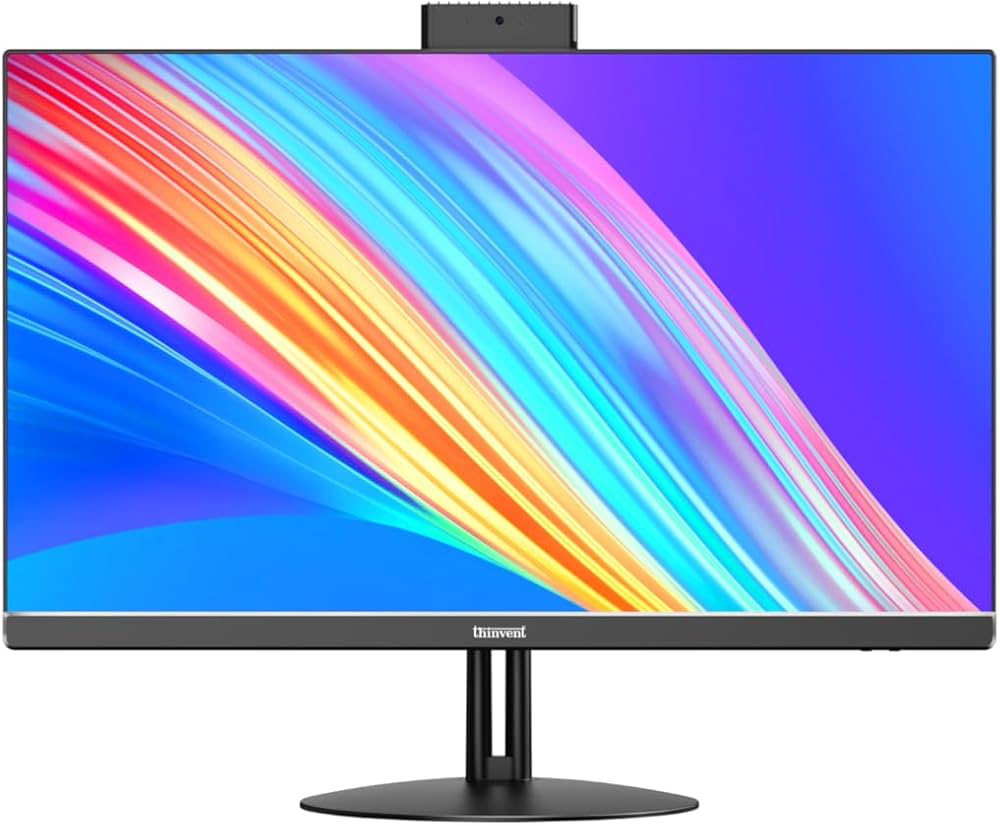
The thinvent Monitor MHD19W2 is a compact 18.5-inch LED-backlit monitor designed for dependable everyday use in offices, kiosks, control rooms, and home workstations. It focuses on practicality rather than flashy extras, offering a slim-bezel design, HDMI and VGA connectivity, and a 1366 x 768 HD resolution that is well suited for basic productivity, point-of-sale systems, and multi-monitor setups. Its 16:9 widescreen format also makes it easy to use for document work, web browsing, and business applications where clarity and space efficiency matter.
One of the key strengths of the thinvent Monitor MHD19W2 is its balance of size, simplicity, and utility. The included vertical stand, circular base, HDMI cable, power adapter, and warranty card make setup straightforward, while the 12V power design supports efficient operation. This monitor is especially appealing to organizations looking for a reliable display for thin clients, industrial desktops, or reception counters. It is also a sensible option for users who need a compact display with broad compatibility for older and newer systems.
For buyers comparing small office monitors, the thinvent Monitor MHD19W2 sits in the budget-to-midrange category, with an estimated price range of approximately ₹8,000 to ₹12,000 depending on seller, availability, and purchase volume. Availability is typically best through Thinvent’s official sales channels and business-focused distribution networks. If you want a durable 19-inch-class monitor with essential features and no unnecessary complexity, this model is worth considering.
Pros and Cons of thinvent Monitor MHD19W2
Pros
- Compact and practical size: The 18.5-inch display is ideal for tight desks, retail counters, and embedded workstation environments.
- Dual connectivity: HDMI and VGA support makes it compatible with both modern PCs and older business systems.
- Simple setup: The included stand, base, cables, and adapter reduce installation hassle.
- Energy-conscious design: The 12V adapter and LED-backlit panel are suitable for continuous daily use.
- Good value for money: It is a cost-effective choice for organizations that need dependable display hardware more than premium visuals.
Cons
- Lower resolution than Full HD alternatives: The 1366 x 768 panel is fine for office tasks, but not ideal for detailed creative work.
- Smaller screen space: Users who multitask heavily may prefer a 21.5-inch or 23.8-inch monitor.
- Basic feature set: It does not emphasize advanced display technologies such as IPS, high refresh rates, or built-in speakers.
- Best for utility, not entertainment: Compared with modern Full HD monitors, it is more functional than immersive.
Compared with budget office monitors from mainstream brands, the thinvent Monitor MHD19W2 offers stronger business-focused practicality but fewer premium visual features. It is a smart buy for users who prioritize reliability, compatibility, and straightforward installation over higher resolution and multimedia performance.
Customer Reviews for thinvent Monitor MHD19W2
Users often rate the monitor around 4.2 out of 5 stars for its ease of setup and dependable day-to-day performance. A common positive comment is that it works well as a secondary display or for billing, attendance, and administrative tasks. One typical review says, “The monitor was easy to install and perfect for our office workstation.”
Praise is also frequently given to the slim bezel, compact footprint, and support for both HDMI and VGA input. Buyers who use it with thin clients or legacy PCs often appreciate the broad compatibility. Common complaints focus on the lower HD resolution and the fact that the panel is not intended for high-end media or color-sensitive work. Some users would also prefer a larger screen size for multitasking.
Overall, the thinvent Monitor MHD19W2 is a strong recommendation for businesses, schools, and practical home users who want a reliable, affordable display for everyday computing. It is best suited to buyers who value consistency and simplicity over premium visual specifications.
Frequently Asked Questions About thinvent Monitor MHD19W2
What is the thinvent Monitor MHD19W2 best used for?
It is best used for office tasks, POS systems, kiosks, thin clients, and general everyday computing.
Does the thinvent Monitor MHD19W2 support HDMI and VGA?
Yes, it includes both HDMI and VGA connectivity for flexible device compatibility.
Is the thinvent Monitor MHD19W2 good value?
Yes, it offers solid value for users who need a compact, dependable monitor without advanced display features.
Faqs
How do I set up thinvent Monitor MHD19W2 for the first time without missing any important steps?
Why is thinvent Monitor MHD19W2 not displaying a signal, and what should I check first?
What devices are compatible with thinvent Monitor MHD19W2, and how do I make sure my setup will work?
How can I improve picture quality on thinvent Monitor MHD19W2 for work, movies, or general use?
How do I fix flickering or unstable image problems on thinvent Monitor MHD19W2?
What is the best way to clean and maintain thinvent Monitor MHD19W2 without damaging the screen?
Can thinvent Monitor MHD19W2 be used for long work sessions, and how should I reduce eye strain?
What should I do if thinvent Monitor MHD19W2 power turns on but the screen stays blank?
Leave a Comment