
Setup: Typhur Sync Bluetooth-Enabled Wireless Meat Thermometer User Manual
Content
Typhur Sync Bluetooth-Enabled Wireless Meat Thermometer: Complete Product Manual
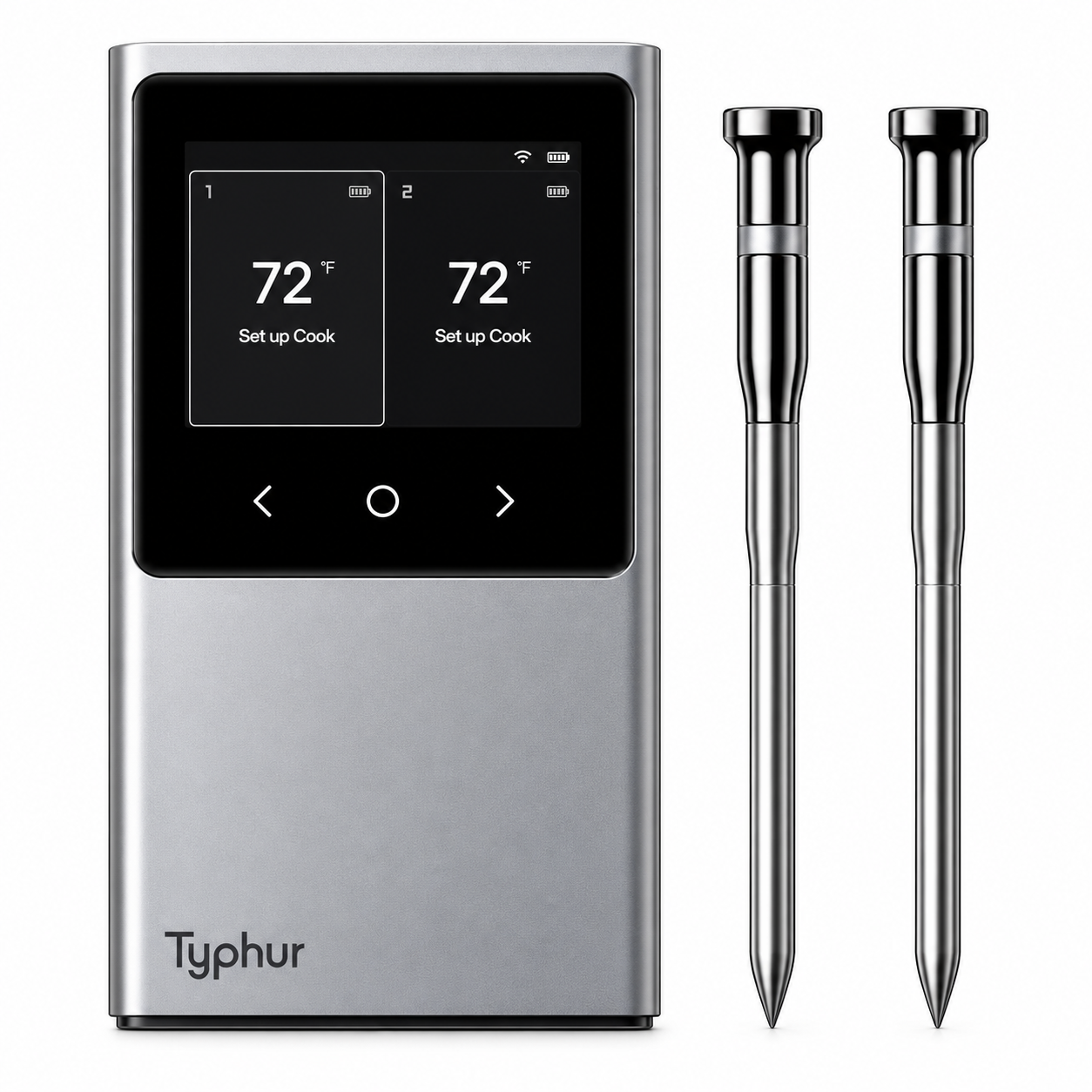
Introduction to Typhur Sync Bluetooth-Enabled Wireless Meat Thermometer
The Typhur Sync Bluetooth-Enabled Wireless Meat Thermometer revolutionizes grilling, smoking, and oven cooking with its advanced dual-probe design, delivering flawless precision and connectivity. This smart wireless meat thermometer features Bluetooth 5.4 for up to 400 feet range in open spaces, plus Wi-Fi bridge capability via its multi-function smart station, allowing unlimited remote monitoring through the intuitive Typhur app. Ideal for BBQ enthusiasts, home chefs, and professional cooks, it ensures perfect doneness every time with ±0.5°F accuracy and a lightning-fast 0.5-second response time.
Key benefits include six sensors per probe (five internal, one ambient) for accurate temperature mapping and cook time estimates, IP67 waterproofing for easy cleanup, and 50 hours of battery life with quick USB-C charging. Whether monitoring a brisket in a smoker or roasting in the oven, this Typhur Sync Bluetooth-Enabled Wireless Meat Thermometer supports versatile use cases like grilling, baking, and candy making. Target users range from backyard grillers to serious pitmasters seeking reliable wireless food thermometers.
Priced around $100-$200 depending on the dual or quad-probe model, it's available at major retailers like Walmart, Lowe's, and Typhur's official site. Its sleek design, app-guided recipes, and robust build make it a standout in wireless probe thermometers, outperforming competitors in range and sensor precision for stress-free cooking.
Typhur Sync Bluetooth-Enabled Wireless Meat Thermometer Specifications
- Temperature Range: Internal 32°F-221°F (0°C-105°C); Ambient 32°F-707°F to 752°F (0°C-375°C to 400°C).
- Accuracy: ±0.5°F (±0.3°C) internal, with 0.5-second response time; each probe triple-calibrated.
- Connectivity: Bluetooth 5.4 (400ft open, 135ft closed); Wi-Fi 2.4GHz bridge for unlimited app range; Typhur app with presets, recipes, and graphs.
- Probes: Dual or quad options; 6 sensors each (5 internal, 1 ambient); stainless steel + ceramic; 5.03"L x 0.19" dia; IPX8 waterproof, dishwasher-safe.
- Smart Station: 2.0-3.5" TFT LCD; charging dock, storage; IPX2; dimensions 5.9 x 3.4 x 1.1 inches.
- Battery: 50 hours per charge; 2-minute quick charge for 2 hours of use.
- Package Includes: Device base, 2-4 probes, USB-C cable, manual, calibration certificate.
Compared to MEATER, Typhur Sync excels in range and multi-sensor accuracy; vs. Combustion, it prioritizes internal sensors for coldest-spot detection but has fixed ambient positioning[5]. Perfect for high-performance BBQ thermometers.
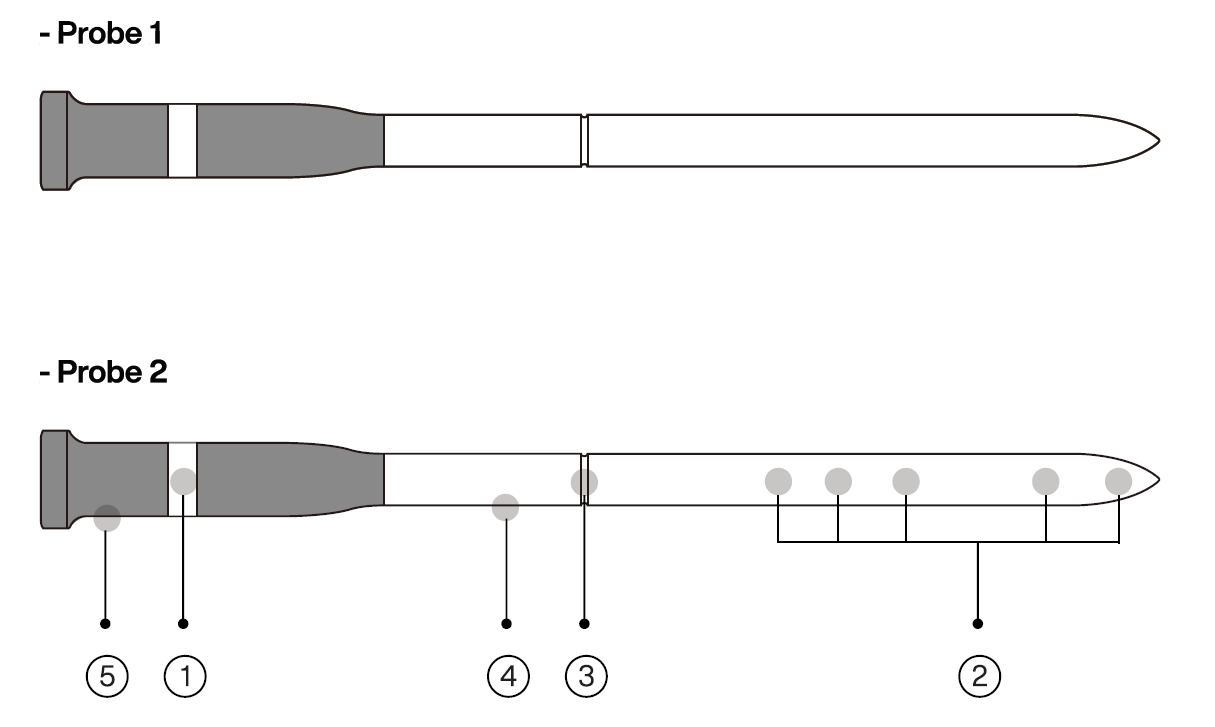
Parts
- Ambient temperature sensor (ambient max 707°F)
- Internal temperature sensor 1–5 (internal max 212°F)
- Safety notch
- Stainless steel
- High-density zirconia ceramic handle
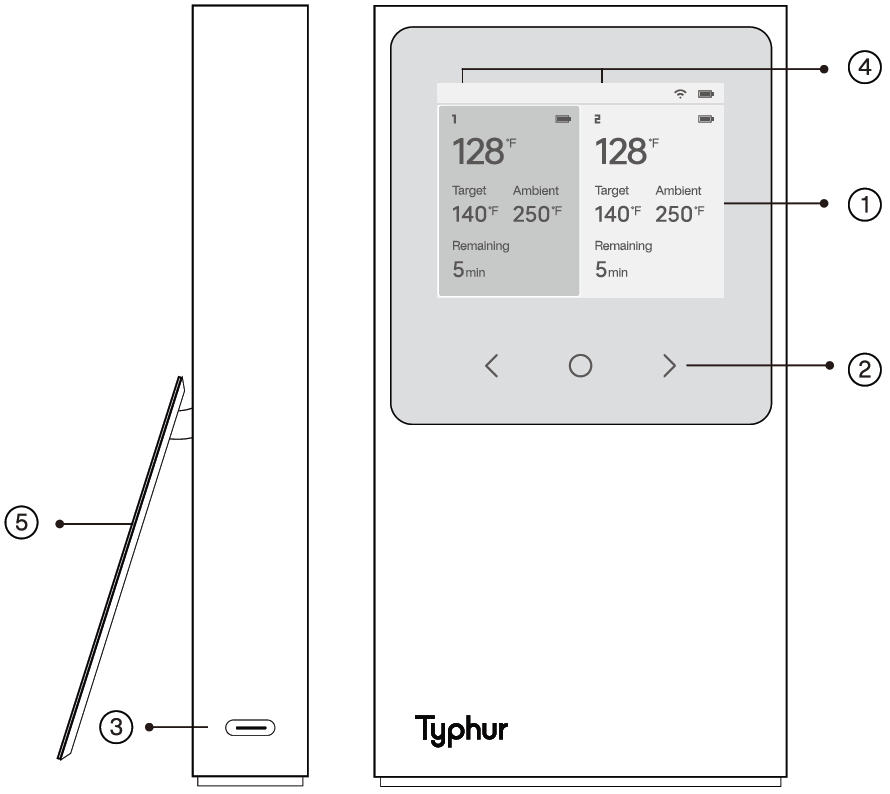
Includes
- 2.4" TFT screen
- Touch capacitive control
- Type-C USB (5V, 1400mA minimum required)
- Probe icon: Identify each probe by number.
- Stand
Using for the first time
- Before using your Typhur Sync, ensure the product is fully charged and you have reviewed the important safety information.
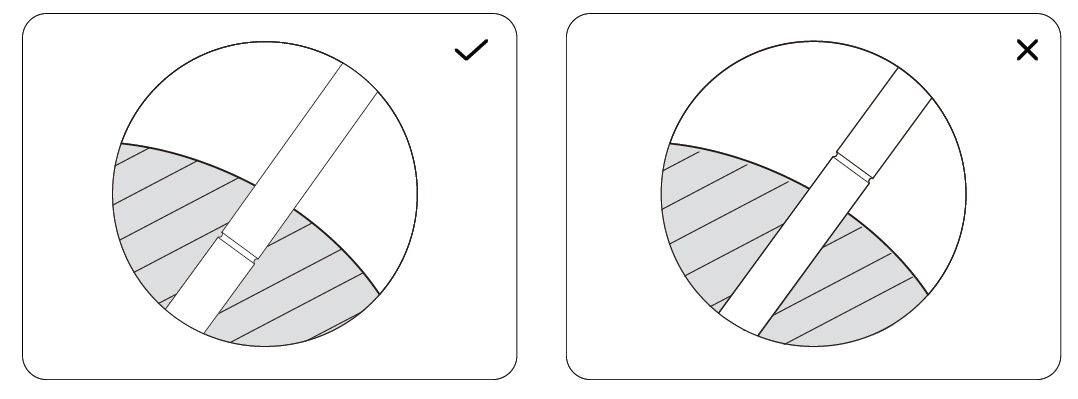
- Insert the probe completely into the meat, ensuring that it passes the safety notch but does not exceed the zirconia ceramic handle and that the internal sensors are in the center of the meat.
Operation
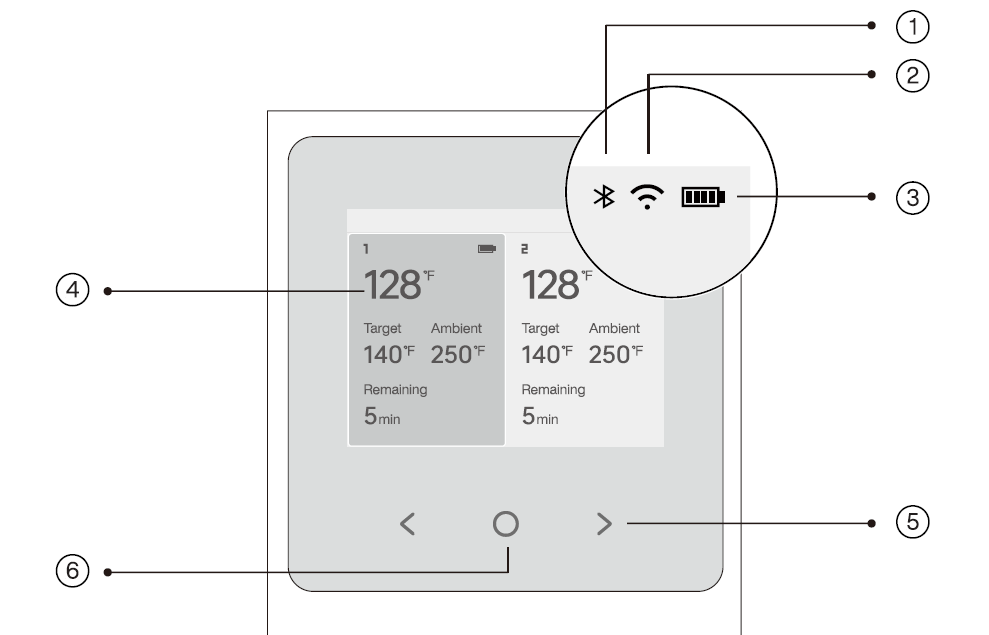
Panel instruction
- Indicator
- Wi-Fi indicator
- Battery indicator: Rechargeable device base.
- Interface: Displays the battery status of the probe, temperature, and remaining time.
- Left/right button: Select an item.
- Power/confirm button: Turn the device base on or off; execute the selected action.
Power control
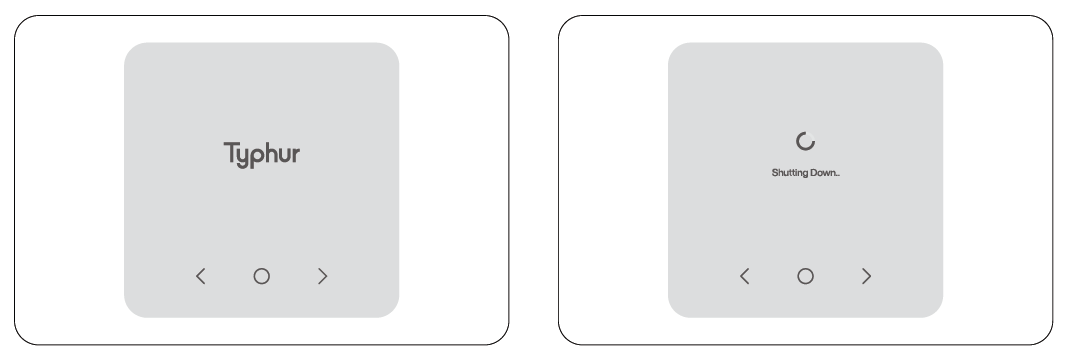
Power on
To power on the device base, press the "O" button for 3 seconds. The device base will activate, and the buttons will illuminate.
Power off
Press and hold the "O" button for 3 seconds to shut down the screen. When cooking, select "Stop" on the screen prompt "Stop the current cooking" to turn off the device base. The probe will automatically power off after 30 minutes of being plugged into the device base.
Sleep mode
The device base automatically enters default sleep mode after 30 minutes of probe inactivity. The default sleep mode time can be changed via the Typhur app. When in sleep mode, the display turns off, the "" buttons cease to illuminate, and the "O" button emits a pulsing light.
Screen lock mode
The screen will enter locked mode after 30 seconds of inactivity on the main page. To unlock the screen, simply touch any key. The screen will then return to its previous state.
Cooking
Temperature setting
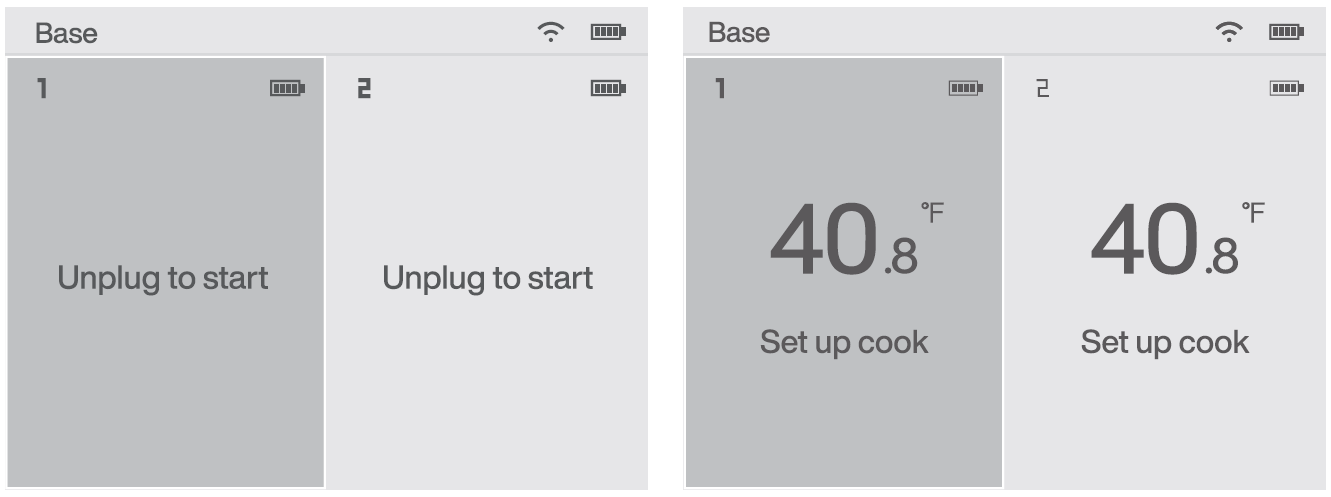
Unplug either probe to be used, and the device base's screen will display the "Set up cook" prompt.
Smart mode
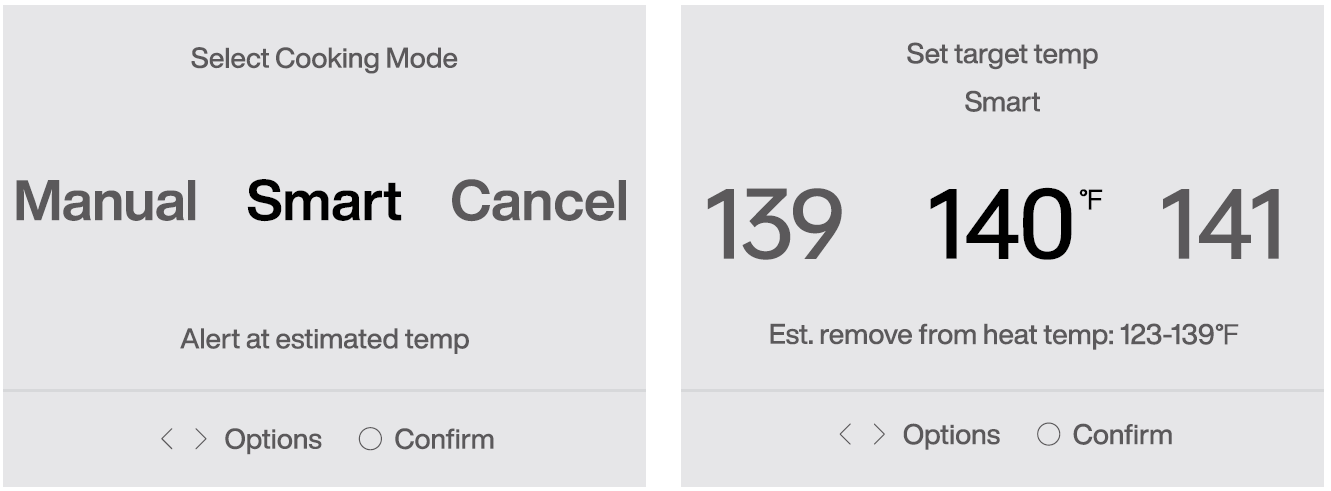
Smart mode will predict when the meat should be removed from the heat source, based on its target temperature and the rate of warming. You will be alerted when the meat should be removed from the heat and when it is ready to serve.
Temperature adjustment
While cooking, you can press the "O" button to access the "Settings" to adjust the target temperature.
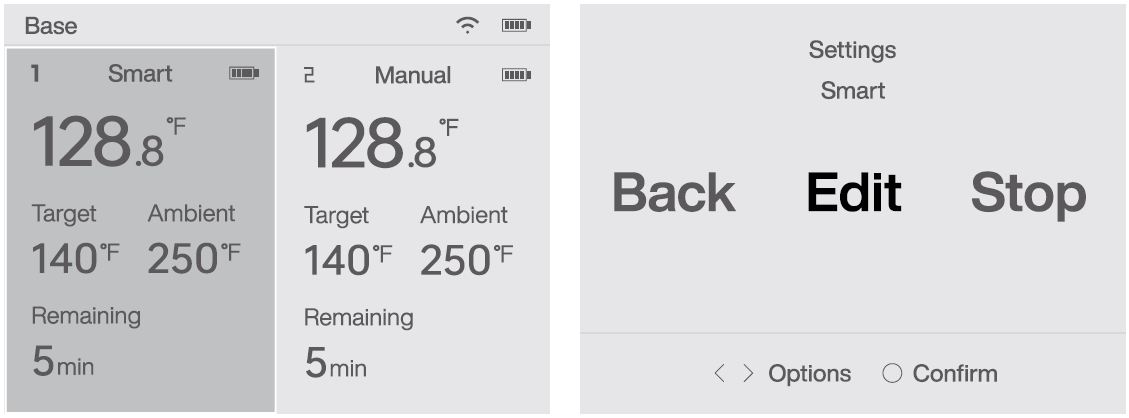
Cooking states:
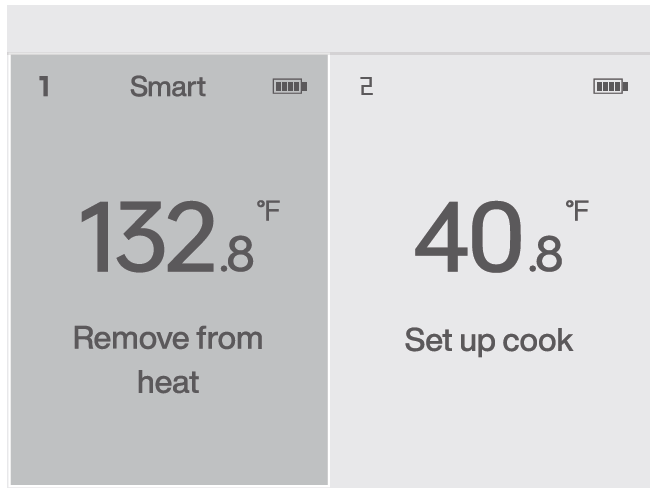
Remove from heat
This state indicates that the food should be removed from the heat source.
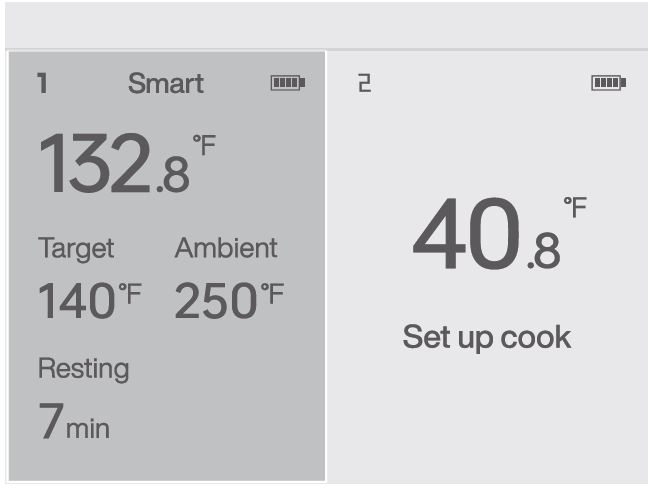
Resting
The food has entered a resting state, allowing the residual heat to continue to rise.
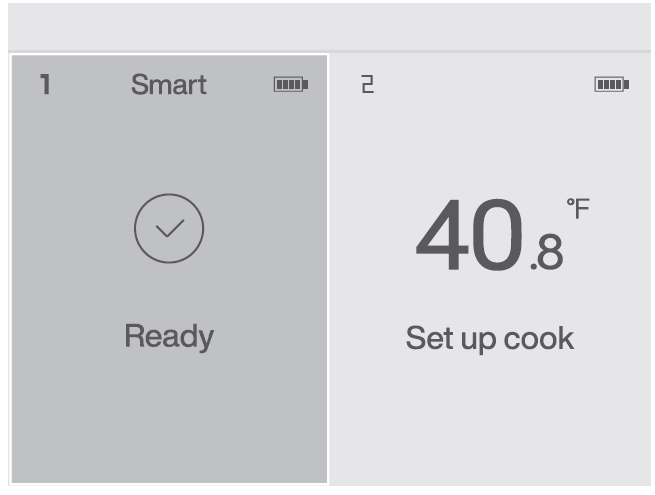
Ready
The food is cooked and ready to be served. Click the "O" button to end the cooking process.
Troubleshooting Typhur Sync Wireless Meat Thermometer Issues
- Bluetooth Connection Drops: Common in thick metal smokers (e.g., 60ft away); solution: place base closer or on smoker; ensure Bluetooth 5.4 pairing via app. Test in open space for 400ft range.
- No App Connectivity: Verify 2.4GHz Wi-Fi; restart station/probes; update firmware for 6th sensor activation.
- Inaccurate Readings: Insert probe past minimum line; recalibrate using certificate; clean sensors. Error: Ambient over 707°F—remove from extreme heat.
- Battery Drains Fast: Enable sleep mode (auto after 5min probe removal); quick charge via USB-C.
- Display Issues: Wipe LCD; ensure probes are docked for charging.
Prevent issues: Store dry, avoid direct flames, update app regularly. 1-year warranty covers defects.
Pros & Cons of Typhur Sync Bluetooth-Enabled Wireless Meat Thermometer
Pros
- Exceptional ±0.5°F accuracy and 6-sensor probes for precise doneness and time estimates—e.g., perfect brisket pulls.
- Superior Bluetooth 5.4/Wi-Fi range outperforms MEATER in penetration and distance.
- User-friendly app with recipes and graphs; 50-hour battery and quick charge add convenience.
- IP67/IPX8 waterproofing, dishwasher-safe; great value at $100-$200 vs. pricier rivals.
Cons
- Bluetooth struggles through thick metal (e.g., smokers); needs base repositioning.
- Fixed ambient sensor limits surface detection vs. Combustion's adaptive setup.
- App-dependent for full features; occasional firmware updates required.
Excellent value for multi-probe wireless thermometers, ideal if range issues are mitigated.
Customer Reviews: Typhur Sync Bluetooth-Enabled Wireless Meat Thermometer
Users rave about the Typhur Sync Bluetooth-Enabled Wireless Meat Thermometer, averaging 4.5-5 stars across sites. Praises include "Worked as expected... cook feature is really nice" for app-guided cooks, and responsive probes with stable connections post-firmware. One reviewer noted: "Great other than Bluetooth in house to smoker—placed base on trailer, perfect!" highlighting range versatility.
Common complaints: Initial Bluetooth hiccups in enclosed spaces, resolved by proximity. Testimonials emphasize precision: "Flawless results every time" for BBQ. Recommended for grillers seeking smart wireless meat probes; addresses connectivity via updates, making it a top pick.
Faqs
How do I set up the typhur Sync Bluetooth-Enabled Wireless Meat Thermometer for the first time?
What should I do if the typhur Sync Bluetooth-Enabled Wireless Meat Thermometer won't connect to the app?
How do I properly insert the probe in the typhur Sync Bluetooth-Enabled Wireless Meat Thermometer?
Is the typhur Sync Bluetooth-Enabled Wireless Meat Thermometer compatible with my smartphone and Wi-Fi?
How does Smart Mode work on the typhur Sync Bluetooth-Enabled Wireless Meat Thermometer?
What if the probe battery is low on my typhur Sync Bluetooth-Enabled Wireless Meat Thermometer?
How do I clean and maintain the typhur Sync Bluetooth-Enabled Wireless Meat Thermometer?
What are the temperature limits for the typhur Sync Bluetooth-Enabled Wireless Meat Thermometer probes?
More typhur manuals
- Setup: Typhur Sync Quad Smart Wireless Meat Thermometer User Manual
- Setup: Typhur Sous Vide Station User Manual
- Setup: Typhur InstaProbe Digital Meat Thermometer User Manual
- Setup: Typhur InstaProbe Core Meat Thermometer User Manual
- Setup: Typhur Dome 2 Air Fryer User Manual
- Setup: Typhur Sync One Wireless Meat Thermometer Owner Manual
Leave a Comment