
Setup: Veikk S640 Pen Tablet User Manual
Content
Veikk S640 Pen Tablet
Introduction
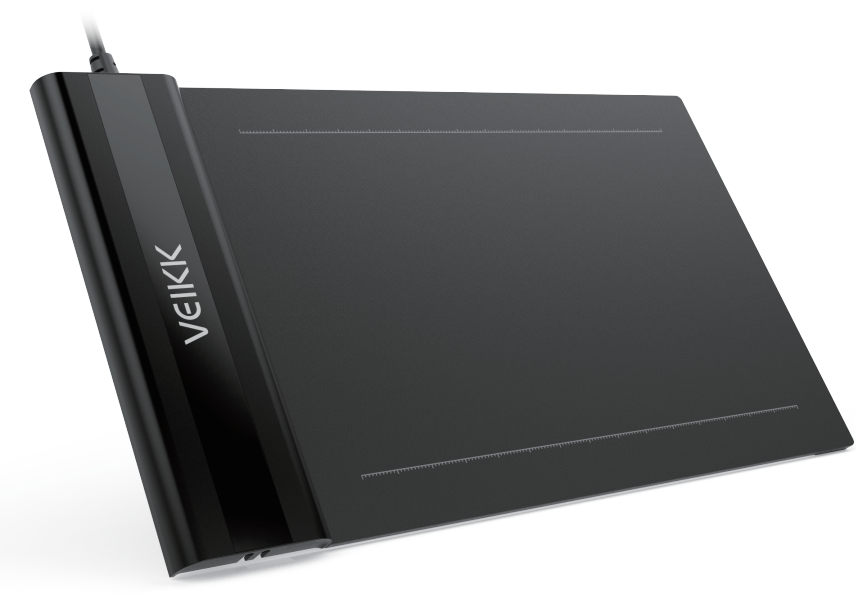
The Veikk S640 Pen Tablet is a versatile and compact digital drawing tool designed for artists, gamers, and professionals alike. With its ultra-slim design and lightweight build, it is perfect for carrying around, making it ideal for remote work, digital art, and gaming. This tablet offers a 6x4-inch active area, 8192 levels of pressure sensitivity, and a resolution of 5080 LPI, ensuring precise and accurate drawing experiences. It supports both left and right-handed users, making it a great choice for playing games like osu and for digital art applications. The Veikk S640 is compatible with Windows, macOS, Linux, and Android systems, providing a broad range of usability. Priced affordably, typically around $25-$35, it is an excellent value for money, offering high-quality performance at a budget-friendly price.
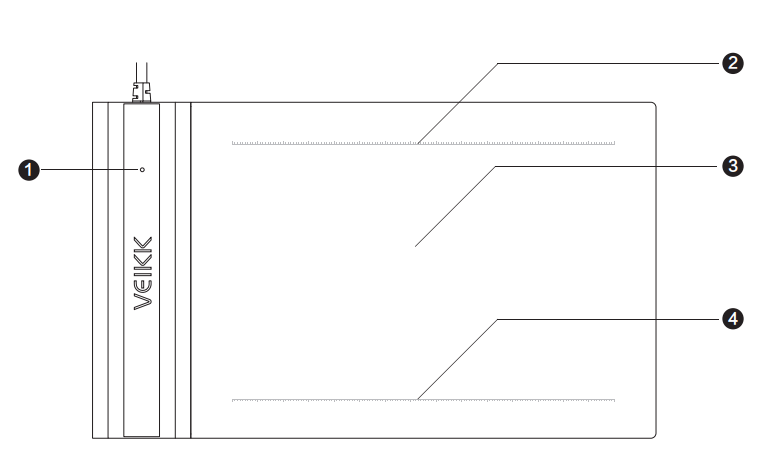
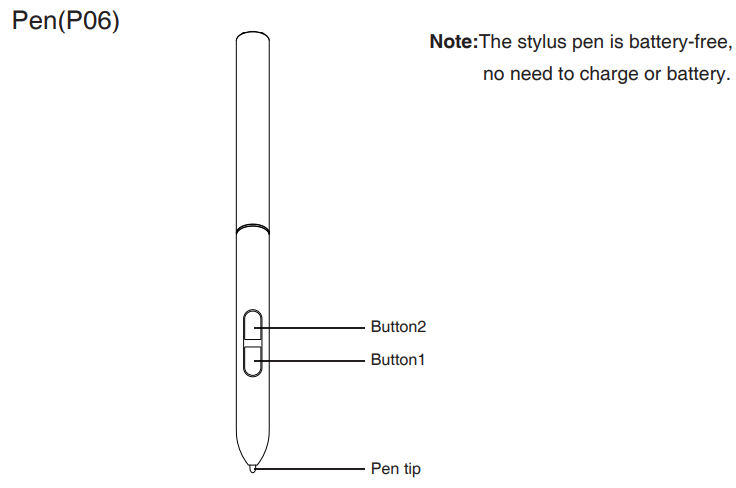
Product Overview
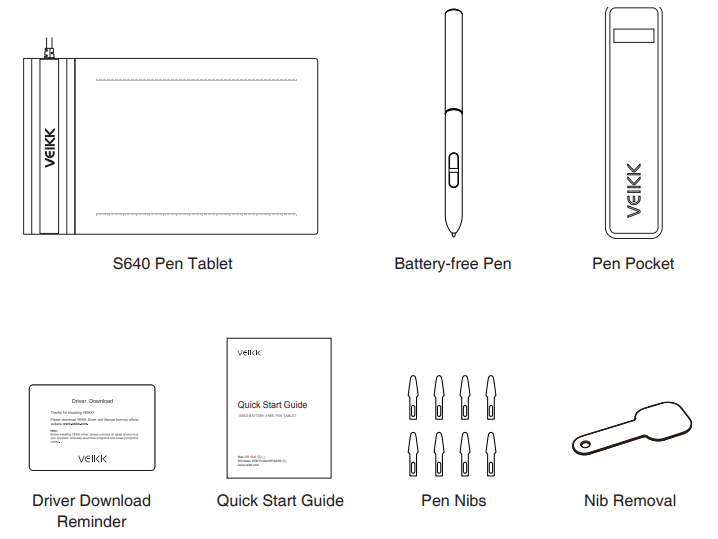
Packing List
Installing Driver
OS Support
Windows 10/8/7(32/64 bits) or later Mac OS 10.12 or later
Installation
- Before installing the driver, please uninstall all tablet drivers from your computer, and keep all antivirus programs closed.
- Connect the tablet to your computer before installation(Please refer to 4 . Tablet Connection).
- Please download the updated driver from the website
- Unzip the downloaded file to the desktop, and open it.
- Click Set up.exe and follow the onscreen instructions.
- After installation then restart your computer.
Tablet Connection
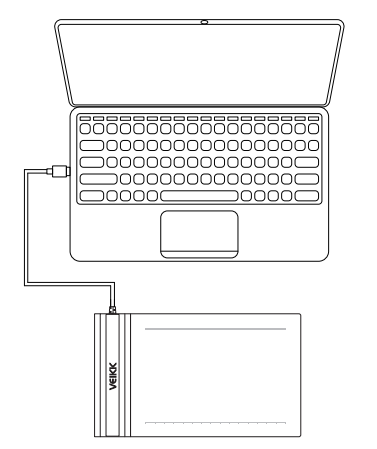
- Take out the S640 from the package , and connect the tablet to your computer with the USB cable.
- Open the driver interface, and the upper left corner shows the device is connected, indicating that the tablet has been successfully mounted to the driver. You can start using your tablet now.
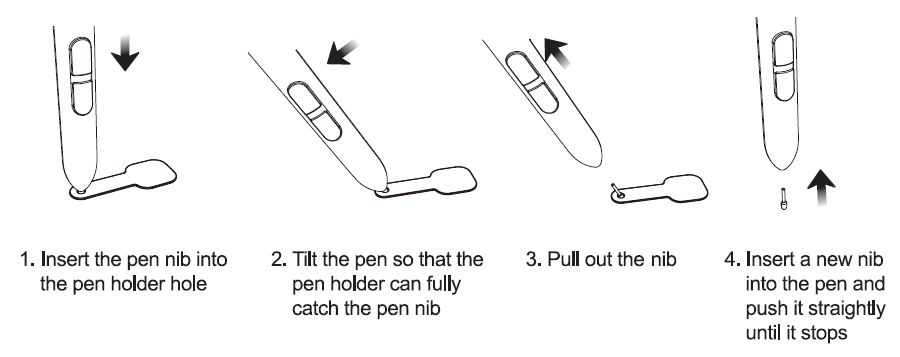
Replacing the Nibs
When the pen nib is heavily worn, please replace the nib with the nib removal tool.
Specifications
- Model
- S640
- Dimension
- 218mm x 130mm x 9mm
- Working Area
- 6 x 4 inch
- Pressure Sensitivity
- 8192 levels
- Report Rate
- 230 PPS
- Resolution
- 5080 LPI
- Reading Height
- 10 mm
- Interface
- Micro USB
Troubleshooting
Common issues with the Veikk S640 may include pen accuracy problems, driver installation errors, or connectivity issues. To resolve these:
- Pen Accuracy Issues: Ensure the pen is properly calibrated and clean. Use the included nib remover to replace worn-out nibs.
- Driver Installation Errors: Visit Veikk's official website to download the latest drivers. Ensure the tablet is properly connected via USB.
- Connectivity Issues: Check the USB connection and ensure the tablet is recognized by your computer.
The Veikk S640 comes with a 2-year warranty when purchased from the website. For further assistance, contact Veikk's customer support via their official website or email.
Pros and Cons of the Veikk S640 Pen Tablet
Here's a balanced view of the Veikk S640's advantages and disadvantages:
Pros:
- Ultra-Slim and Lightweight Design: At 2mm thick and 117g, it is easy to carry and store.
- High Pressure Sensitivity: Offers 8192 levels of pressure sensitivity for precise drawing.
- Affordable Price: Priced around $25-$35, making it an excellent value for money.
- Compatibility: Supports Windows, macOS, Linux, and Android systems.
Cons:
- Small Active Area: The 6x4-inch area may be limiting for some users.
- Pen Squeak: Some users report a slight squeak when using the pen initially.
- Limited Tilt Support: The tablet offers 60° tilt, which may not be sufficient for all users.
Customer Reviews
The Veikk S640 Pen Tablet has received positive reviews for its affordability, portability, and performance. Users praise its high-pressure sensitivity and compatibility with various operating systems. However, some users mention the small active area as a drawback. On platforms like Amazon, it typically receives a rating of around 4.5 out of 5 stars.
For those looking for a compact and efficient drawing solution, the Veikk S640 is highly recommended. It offers excellent value for its price, making it ideal for beginners and hobbyists in digital art and gaming.
Faqs
How do I set up the veikk S640 Pen Tablet for the first time on Windows or Mac?
What should I do if the veikk S640 Pen Tablet pen is not responding or lagging?
Can the veikk S640 Pen Tablet be used for osu! gameplay and other creative software?
Is the veikk S640 Pen Tablet compatible with Linux and Android devices?
How do I optimize the veikk S640 Pen Tablet for better drawing performance and pressure sensitivity?
What maintenance tips help prolong the lifespan of the veikk S640 Pen Tablet and its pen?
How do I fix common veikk S640 Pen Tablet driver installation issues?
What are the unique features of the veikk S640 Pen Tablet compared to similar budget tablets?
Tags
Leave a Comment