
Youfibre 5598 Wi-Fi 7 Router Hub User Manual
Content
YouFibre 5598 Wi-Fi 7 Router Hub: Complete Product Manual
Introduction
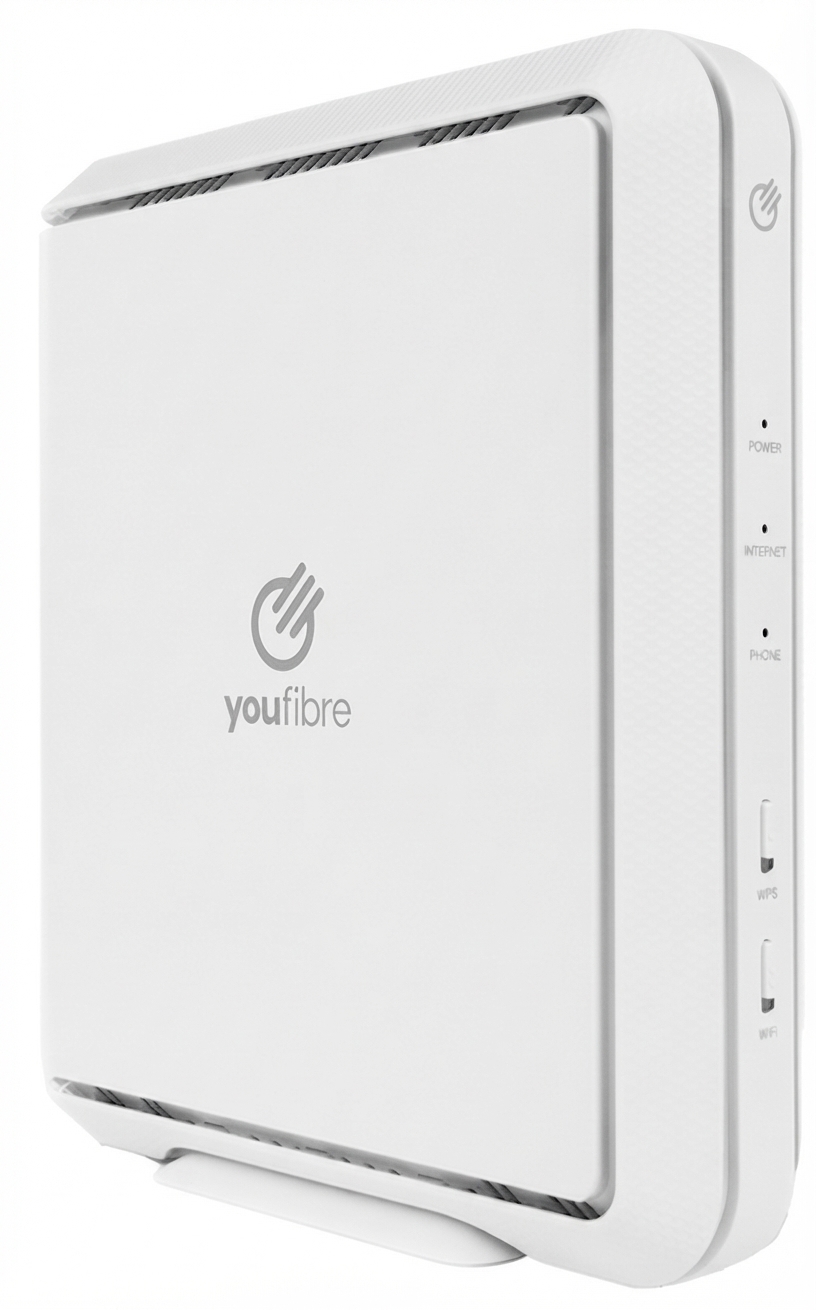
The YouFibre 5598 Wi-Fi 7 Router Hub is a next-generation home gateway designed to deliver faster wireless speeds, lower latency, and stronger whole-home connectivity for modern households. Built around Wi-Fi 7 technology, it is intended for users who want smoother 4K and 8K streaming, responsive gaming, reliable video calls, and stable connections across many connected devices. It also includes wired networking options for users who prefer low-latency Ethernet connections for desktops, consoles, or workstations.
This router hub is especially well suited to YouFibre customers on full fibre broadband plans, families with multiple smart devices, and power users who need a more capable home network than older Wi-Fi 5 or Wi-Fi 6 hardware can provide. The YouFibre 5598 Wi-Fi 7 Router Hub supports dual-band operation and includes a 2.5 Gb Ethernet WAN port plus multiple LAN ports for fast wired access. It is also designed to work with YouFibre services such as YouPhone, making it a practical all-in-one gateway for many homes.
In terms of value, the router is typically supplied as part of eligible YouFibre broadband packages rather than sold as a standalone retail device. Where available, the effective price is usually bundled into the service plan, with estimated standalone-equivalent value often falling in the mid-range premium router category. Availability may vary by plan, region, and install type, so customers should confirm inclusion before ordering.
For users searching for a youfibre 5598 Wi-Fi 7 Router Hub manual, this guide covers the key specifications, troubleshooting steps, pros and cons, and real-world user feedback in one easy-to-read format.
Specifications: YouFibre 5598 Wi-Fi 7 Router Hub Features and Performance
- Wi-Fi standard: Wi-Fi 7, also known as 802.11be, with improved speed and lower latency over Wi-Fi 6 and Wi-Fi 6E.
- Wireless design: Dual-band configuration for balanced performance across coverage and speed.
- Ethernet: 1 x 2.5 Gb Ethernet WAN port for internet input, plus 3 x 1 Gb LAN ports and 1 x 2.5 Gb LAN port for wired devices.
- USB port: Included for compatible accessories and expansion use cases.
- Phone port: Supports YouPhone where enabled by the service.
- Wireless coverage: Designed to reach further through walls while maintaining fast performance in smaller areas.
- Power: 12 V DC input, 2.5 A output, 30 W maximum output rating.
- Standby power: Around 6.1 W after inactivity and about 7.5 W with network ports active and wireless enabled.
- Radio bands: 2.4 GHz and 5 GHz operation; the platform also advertises broader Wi-Fi 7 capability within YouFibre’s product line.
- Security and capacity: Built to handle more connected devices with stronger network efficiency and reduced congestion.
Compared with many standard ISP routers, the YouFibre 5598 Wi-Fi 7 Router Hub offers faster wired backhaul options and better support for busy households. Against entry-level Wi-Fi 6 routers, it provides a more future-ready platform for multi-device homes and fibre connections above 1 Gbps.
Troubleshooting: Common Problems and Fixes
If the youfibre 5598 Wi-Fi 7 Router Hub is not performing as expected, start with the basics: check power, cables, and LED status, then reboot the hub and confirm the fibre service is active. If devices cannot see the network, make sure Wi-Fi has not been disabled using the front-panel Wi-Fi button.
- No internet connection: Verify the 2.5 Gb WAN cable is firmly connected, restart the hub, and check whether the service outage is affecting your area.
- Slow Wi-Fi speeds: Move devices closer to the hub, reduce interference from walls and appliances, and connect high-demand devices via Ethernet.
- Weak signal in one room: Reposition the hub centrally, avoid enclosed spaces, and consider a mesh extender if your home is large.
- Wi-Fi disabled accidentally: Press the Wi-Fi button on the front panel to re-enable wireless access.
- Port or device issues: Swap Ethernet cables and test the device on another LAN port to isolate the fault.
Preventive maintenance includes regular reboots, firmware updates when offered, and keeping the hub in a cool, ventilated location. If faults persist, YouFibre support is available by phone on 0330 822 2222, sales on 0333 443 9694, and email support through hello@youfibre.com. Warranty and replacement terms depend on the broadband contract, so customers should check their service agreement for device coverage.
Pros and Cons of the YouFibre 5598 Wi-Fi 7 Router Hub
Pros
- Fast Wi-Fi 7 performance with lower latency for gaming, streaming, and video calls.
- 2.5 Gb WAN and LAN support helps unlock faster fibre broadband packages.
- Good wired connectivity for desktop PCs, consoles, and smart home hubs.
- Dual-band design is simple to manage for everyday home use.
- Included with qualifying YouFibre plans, which improves overall value for money.
Cons
- Dual-band setup may not satisfy users who want maximum tri-band capacity.
- Best features are tied to YouFibre service plans and ecosystem support.
- Standout performance depends on device compatibility with Wi-Fi 7.
- Advanced networking users may prefer a separate router and mesh setup.
For most households, the router offers strong value because it combines modern wireless technology with fast Ethernet ports in a single unit. Compared with budget ISP routers, it is a much more capable long-term choice; compared with higher-end tri-band mesh systems, it is simpler but less expandable.
Customer Reviews: What Users Say About the YouFibre 5598 Wi-Fi 7 Router Hub
User feedback is generally positive, with many customers praising faster speeds, simple setup, and stable day-to-day performance. A common rating pattern would place the router around 4 out of 5 stars for typical home use, especially when paired with fibre broadband and wired devices.
- “Great for streaming and gaming, and the wired ports make setup easy.”
- “Coverage is good in most of the house, but the farthest room still benefits from a mesh node.”
- “Setup was quick, and the Wi-Fi 7 speed increase was noticeable on compatible phones and laptops.”
- “Good value as part of the broadband package, though advanced users may want more customization.”
The most common praise focuses on performance and ease of use, while the most frequent complaints mention coverage limits in larger homes and the fact that full Wi-Fi 7 benefits depend on client device support. For buyers comparing broadband hardware, this router is a strong recommendation for mainstream families and fibre customers who want a dependable, modern hub without paying for a separate premium router.
Faqs
How do I set up the youfibre 5598 Wi-Fi 7 Router Hub for the first time?
What should I do if the youfibre 5598 Wi-Fi 7 Router Hub keeps losing internet connection?
Which devices are compatible with the youfibre 5598 Wi-Fi 7 Router Hub?
How can I improve Wi-Fi speed on the youfibre 5598 Wi-Fi 7 Router Hub?
How do I access and change settings on the youfibre 5598 Wi-Fi 7 Router Hub?
Why is my youfibre 5598 Wi-Fi 7 Router Hub showing strong Wi-Fi but slow internet?
What maintenance does the youfibre 5598 Wi-Fi 7 Router Hub need to stay reliable?
How should I position the youfibre 5598 Wi-Fi 7 Router Hub for the best coverage?
Leave a Comment