
Zihnic WH-816 Bluetooth Headphone User Manual
Content
zihnic WH-816 Bluetooth Headphone Manual and Product Guide
Introduction: What the zihnic WH-816 Bluetooth Headphone Offers
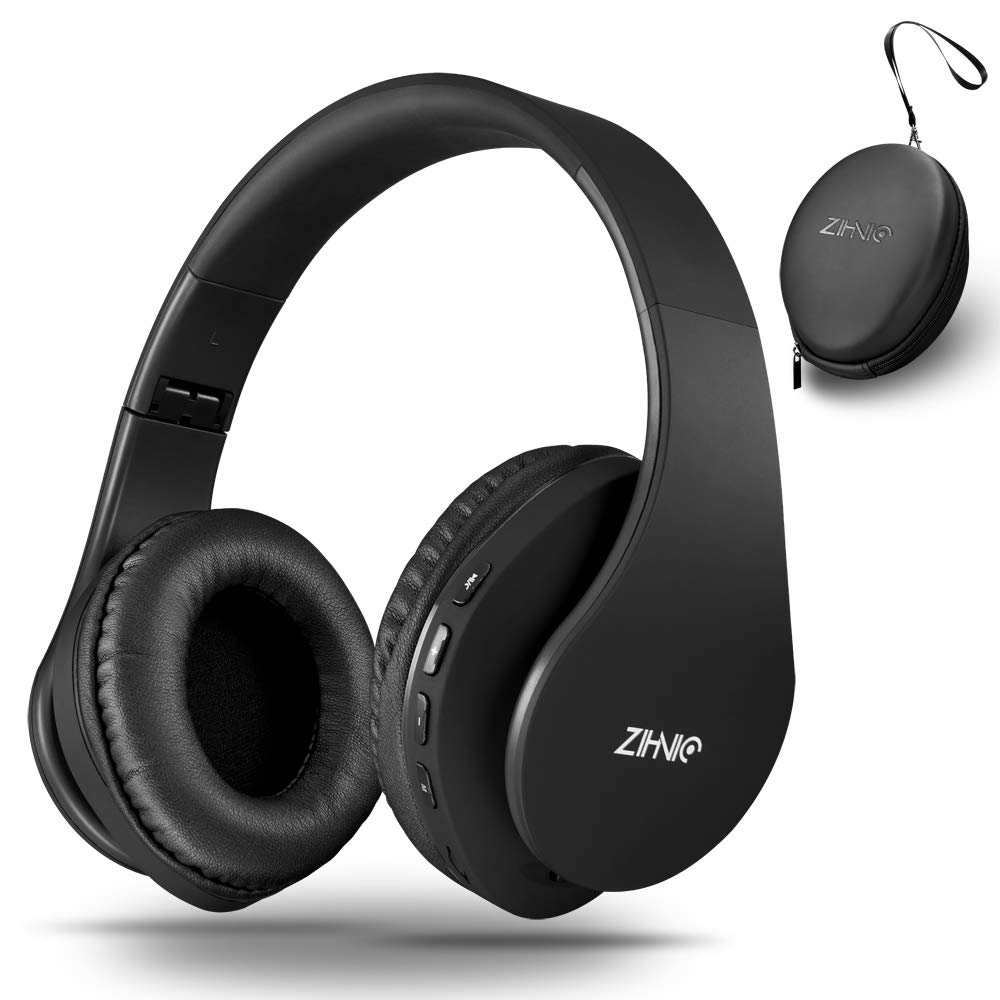
The zihnic WH-816 Bluetooth Headphone is a budget-friendly over-ear wireless headset designed for everyday listening, calls, travel, and casual work-from-home use. It combines Bluetooth 5.0 connectivity, wired 3.5 mm support, foldable portability, and sound-isolating earcups in a lightweight design that appeals to students, commuters, office users, and anyone looking for a simple multi-purpose headset. The WH-816 is also a practical choice for users who want both wireless convenience and a backup wired connection when the battery runs low.
One of the main strengths of the zihnic WH-816 Bluetooth Headphone is its versatility. In addition to standard Bluetooth listening, it commonly supports wired audio playback, micro SD card use, and FM radio on many versions, making it more flexible than many entry-level wireless headphones. The 40 mm drivers, over-ear fit, and soft earmuffs are intended to deliver a fuller listening experience with passive noise reduction for home, office, and travel environments. Battery life is generally quoted at around 14 to 15 hours of music playback, with charging taking about 2.5 hours, which makes it suitable for daily use without frequent charging.
Estimated pricing typically falls in the budget range, often around $20 to $35 depending on color, seller, and availability. It is widely available through online marketplaces and electronics resellers. If you want an affordable wireless headphone for podcasts, casual music, video calls, and light entertainment, the zihnic WH-816 Bluetooth Headphone is built to cover those needs without adding complexity.
Specifications: zihnic WH-816 Bluetooth Headphone Features and Technical Details
- Model: WH-816 over-ear Bluetooth headphone
- Connectivity: Wireless Bluetooth and wired 3.5 mm audio jack
- Bluetooth version: Bluetooth 5.0 for stable pairing and improved range
- Wireless range: Up to 10 meters under ideal conditions
- Driver size: 40 mm dynamic drivers
- Frequency response: 20 Hz to 20,000 Hz
- Impedance: 32 ohms
- Battery life: About 14 to 15 hours of playback
- Charging time: Around 2.5 hours
- Fit: Over-ear with soft earmuffs and foldable headband design
- Weight: Approximately 300 g
- Extra functions: Depending on the version, may include micro SD and FM radio support
In performance terms, the WH-816 sits below premium headphones from brands like Sony, JBL, or Soundcore, but it competes well in the entry-level category by offering Bluetooth 5.0, wired fallback, and a practical battery runtime. For buyers comparing affordable wireless headphones, the zihnic WH-816 Bluetooth Headphone stands out for feature variety rather than audiophile-grade sound.
Setup Guide: How to Connect and Use the zihnic WH-816 Bluetooth Headphone
Start by fully charging the headphones before first use. Connect the included USB charging cable to the headphone charging port and plug the other end into a USB power source. A full charge usually takes about 2.5 hours. Once charged, slide the power switch to the ON position and wait for the LED indicator to begin flashing, which signals pairing mode.
On your phone, tablet, laptop, or PC, open Bluetooth settings and search for nearby devices. Select the WH-816 or ZIHNIC device name from the list. If prompted for a pairing code, enter 0000. After connection, the LED should stop flashing or change to a steady light. To use wired mode, connect a 3.5 mm cable to both the headset and your audio source.
For best results, keep the first pairing close to the device and avoid obstacles like thick walls or metal surfaces. If the headphones do not connect, turn Bluetooth off and on again, restart the headset, or remove the device from the paired list and reconnect. Safety tip: do not charge the headphones near water, and avoid using damaged cables or adapters.
Troubleshooting: Common Problems with the zihnic WH-816 Bluetooth Headphone
If the headphones do not power on, charge them for at least 30 minutes before trying again. If pairing fails, reset the connection by turning the headset off, forgetting the device in your phone’s Bluetooth list, and repeating the pairing process. If sound cuts out, move closer to the source device and check for wireless interference from routers, microwaves, or multiple active Bluetooth devices.
Common issues include low volume, unbalanced audio, and weak battery performance. These are often solved by checking device volume, cleaning the earcup area, recharging fully, and updating the source device’s Bluetooth software. There are no widely documented error codes for this model, so most fixes rely on basic pairing and power-reset steps.
To prevent future issues, store the headphones in a dry place, avoid overbending the folding joints, and recharge before the battery is completely drained. Warranty coverage and support depend on the seller, so check the retailer listing carefully. For help, contact the marketplace seller, the brand support channel, or the store where the product was purchased.
Pros and Cons of the zihnic WH-816 Bluetooth Headphone
Pros
- Affordable price makes it a strong value-for-money option.
- Bluetooth 5.0 provides reliable everyday wireless connectivity.
- Wired 3.5 mm mode adds backup listening when the battery is low.
- Foldable design is convenient for travel and storage.
- Over-ear cushions help with comfort during short to medium sessions.
- Feature-rich for the price, especially compared with basic wireless headsets.
Cons
- Sound quality is good for casual use but not on par with premium headphones.
- Build materials feel budget-oriented compared with higher-end alternatives.
- Battery life is acceptable, but not class-leading.
- Fit and comfort may vary for users with larger heads or longer listening sessions.
- Extra features like FM and micro SD may not be essential for all users.
For buyers who want low-cost wireless audio, the zihnic WH-816 Bluetooth Headphone offers solid overall value. Compared with alternatives in the same price range, it is appealing because it combines wireless, wired, and portable use in one package.
Customer Reviews: What Users Say About the zihnic WH-816 Bluetooth Headphone
Customer feedback is generally positive, with many buyers giving it around 4 out of 5 stars for affordability and ease of use. Users frequently praise the quick pairing process, decent sound for music and videos, and the convenience of having both wireless and wired modes. Many reviewers also like the foldable structure and lightweight feel for travel and daily commuting.
Common complaints focus on average bass response, basic build quality, and occasional comfort concerns during long wear. Some users mention that battery life is good enough for regular use but shorter than premium models. Overall, the zihnic WH-816 Bluetooth Headphone is recommended for shoppers who want a low-cost, flexible headset for casual listening rather than high-end audio performance.
Faqs
How do I set up the zihnic WH-816 Bluetooth Headphone for the first time?
Why is my zihnic WH-816 Bluetooth Headphone not connecting to my device?
Can the zihnic WH-816 Bluetooth Headphone work in wired mode when the battery is low?
What devices are compatible with the zihnic WH-816 Bluetooth Headphone?
How do I use the micro SD card and FM radio features on the zihnic WH-816 Bluetooth Headphone?
What should I do if the sound on my zihnic WH-816 Bluetooth Headphone is low or distorted?
How can I make the battery last longer on my zihnic WH-816 Bluetooth Headphone?
How should I clean and maintain the zihnic WH-816 Bluetooth Headphone?
Leave a Comment