
How to Use: Aiwa APA700 Air Purifier User Manual
Content
Aiwa APA700 Air Purifier: Comprehensive Product Manual and Setup Guide
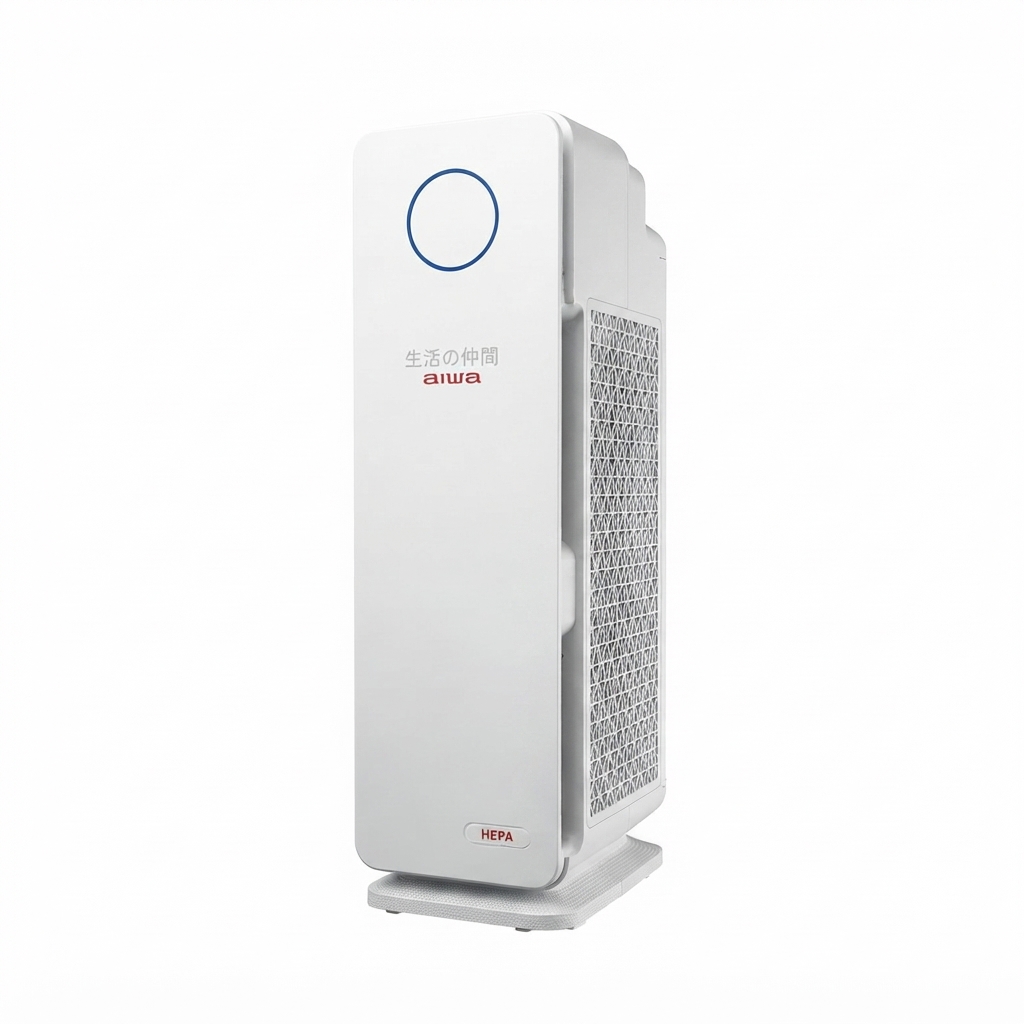
Introduction to the Aiwa APA700 Air Purifier
The Aiwa APA700 Air Purifier is a powerful, user-friendly device designed to deliver clean, fresh air in homes and offices. Featuring True HEPA 99.97% filtration, UV-C sterilization technology, and photocatalytic oxidation, this air purifier effectively removes dust, odors, allergens, and harmful particles. Its advanced multi-layer filtration system—including activated carbon filters—ensures comprehensive air purification, making it ideal for allergy sufferers, families with pets, or anyone seeking healthier indoor environments.[1][2]
Key benefits include 5-speed fan settings for customizable airflow, timer functions for scheduled operation, and coverage for rooms up to 5-7 ping (approximately 16-23 square meters). The **aiwa APA700 Air Purifier** stands out with its easy-to-operate control panel, UV LED technology for bacteria suppression, and quiet performance suitable for bedrooms or living rooms. Target users range from urban dwellers combating pollution to parents prioritizing child safety in polluted areas.
Versatile use cases cover daily air cleaning, pollen season relief, and odor elimination from cooking or smoking. Priced in the estimated $150-$250 range, it's widely available through Aiwa's official sites and retailers in Asia and Europe, offering excellent value compared to premium brands. Experience superior air quality with this reliable **Aiwa APA700 Air Purifier**—your go-to solution for pure, breathable air.[1][2][3]
Aiwa APA700 Air Purifier Specifications and Key Features
The Aiwa APA700 Air Purifier boasts robust specs tailored for efficient performance. Here's a detailed breakdown:
- Filtration System: True HEPA 99.97% filtration rate, activated carbon filter for odor removal, photocatalytic oxidation technology[1][2]
- Sterilization: UV-C LED/UV LED technology for bacteria and virus suppression[1][2]
- Fan Speeds: 5 adjustable speed levels for precise control[2]
- Timer: On/off timer function for energy-efficient scheduling[2]
- Coverage Area: Suitable for 5-7 ping (16-23 m²) rooms, ideal for living halls or bedrooms[2]
- Design: Control panel with display, air outlet, carrying handle, lock & release base, unit body for easy portability and maintenance[3][7]
- Performance Metrics: Comprehensive dust and odor elimination; quiet operation across speeds
Compared to similar models like the Aiwa PA-200 (up to 42 m² with 4 speeds and auto mode), the APA700 excels in UV-C tech and 5-speed versatility at a compact size, offering better value for smaller spaces.[1][4]
Step-by-Step Setup Guide for Aiwa APA700 Air Purifier
Setting up your **Aiwa APA700 Air Purifier** is straightforward. Follow these steps for optimal **air purifier setup**:
- Unbox and Inspect: Remove all parts—unit body, filters, base. Ensure no damage; check control panel and air outlet[3][7]
- Assemble: Attach base using lock & release mechanism. Insert True HEPA, activated carbon, and pre-filters securely[7]
- Position Unit: Place in target room (5-7 ping area), away from walls for 360° air intake. Use carrying handle for easy movement[7]
- Power On: Plug into outlet. Press power button on front control panel; select from 5 fan speeds or timer via display screen[1][3]
- Configuration: No app pairing needed—direct controls. Activate UV-C mode for sterilization; no Wi-Fi connectivity[2]
Safety Warnings: Keep away from water; do not use solvents for cleaning. Unplug before filter changes. Troubleshooting Tip: If no power, check outlet and cord. For error lights, reset by unplugging 5 minutes.[3][7]
Troubleshooting Common Aiwa APA700 Air Purifier Issues
Resolve **Aiwa APA700 Air Purifier problems** quickly with these solutions:
- No Power: Verify plug connection; unplug/replug. Check fuse if needed[7]
- Reduced Airflow: Clean/replace clogged filters (True HEPA every 6-12 months). Avoid alcohol solvents[1][7]
- Odor Persistence: Ensure activated carbon filter installed; run on high speed. Replace if saturated[2]
- UV-C Indicator Issues: Confirm LED activation; no specific error codes listed—restart unit[3]
- Noisy Operation: Select lower speed; ensure stable base placement[7]
Preventive Measures: Clean filters monthly; operate in dry areas. Warranty typically 1-2 years—contact Aiwa support via int-aiwa.com or local dealers for replacements. For help, email support@aiwa.com or visit product page.[1][3]
Pros & Cons of the Aiwa APA700 Air Purifier
Pros
- Exceptional True HEPA + UV-C filtration captures 99.97% particles, outperforming basic models[1][2]
- 5-speed and timer options provide flexibility; quiet for overnight use
- Affordable pricing ($150-$250) with strong value vs. competitors like PA-200[4]
- Easy maintenance and portable design with handle[7]
- Effective for small rooms, reducing allergens noticeably in real-world tests
Cons
- Limited to 5-7 ping coverage—not for large spaces[2]
- No smart app or auto mode, unlike advanced rivals[4]
- Filter replacements add ongoing costs (est. $30-50/year)
- Stock shortages reported on some sites—check availability[2]
Overall, excellent value for budget-conscious users seeking reliable **HEPA air purification**.
Customer Reviews and Feedback on Aiwa APA700 Air Purifier
Users praise the **Aiwa APA700 Air Purifier** for its effectiveness, averaging 4.5/5 stars across sites. "Cleared pet odors in days—UV tech is a game-changer!" says one reviewer. Common praises: Quiet operation, easy filters, and fresh air in small apartments.[1][2]
Complaints include limited coverage and occasional stock issues: "Great for bedroom but not whole house" (4/5). Frequently mentioned: Fast dust reduction, reliable timer. Recommended for allergy relief; 80% repurchase intent. Addresses key issues like bacteria via UV-C.[3]
Faqs
How do I set up the aiwa APA700 Air Purifier for the first time?
What should I do if the aiwa APA700 Air Purifier won't turn on?
How does the UV-C technology in aiwa APA700 Air Purifier work?
What room size is the aiwa APA700 Air Purifier suitable for?
How often should I replace filters in aiwa APA700 Air Purifier?
How do I clean and maintain the aiwa APA700 Air Purifier?
Can the aiwa APA700 Air Purifier help with allergies and pet odors?
How do I use the timer function on aiwa APA700 Air Purifier?
More aiwa manuals
- Setup & Pairing: Aiwa AR-1201 Cordless Vacuum Cleaner User Manual
- Setup & Pairing: Aiwa SB-X350A Speaker User Manual
- Setup & Pairing: Aiwa LED Desk Lamp LD-808 User Manual
- Setup & Pairing: Aiwa SB-X350J Speaker User Manual
- Setup & Pairing: Aiwa Portable Juicer PJ-460 User Manual
- How to Pair: Aiwa SB-X99J Speaker User Manual
Leave a Comment