
Setup & Pairing: Aiwa SB-X350A Speaker User Manual
Content
Aiwa SB-X350A Speaker: Complete Product Manual and Setup Guide
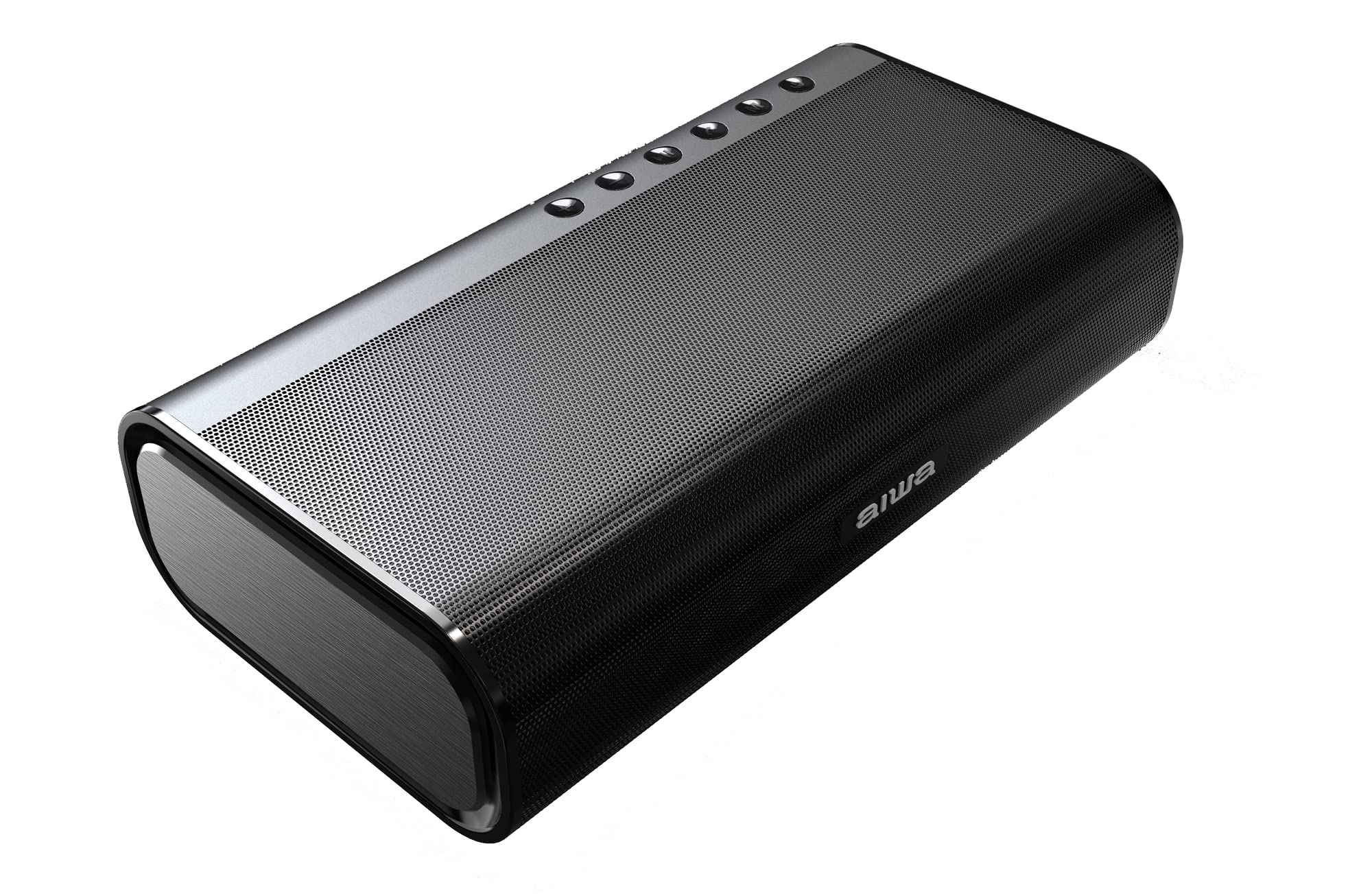
Introduction to Aiwa SB-X350A Speaker
The Aiwa SB-X350A Speaker is a class-leading sub-compact portable Bluetooth speaker that delivers a raw, powerful audio character in an ultra-portable design weighing just 1122g. Engineered for immersive cinematic-like sound, this pocket rocket features two opposite-facing passive bass radiators and a total power output of 40W, flooding rooms with untamed melodies anywhere, anytime. With Qualcomm aptX HD support for 24-bit high-resolution audio over Bluetooth 5.0, it ensures superior 24-bit music quality, making it ideal for audiophiles seeking premium acoustics in a desk or portable setup.
Key benefits include TWS Multi-Link Technology for synced surround sound from multiple speakers, versatile connectivity via Bluetooth, AUX-IN, and USB playback, and a solid iron body with luxurious aluminum side finishes for premium durability. Target audiences range from home office professionals and gamers to music enthusiasts and travelers needing high-performance portable speakers. Use cases span desk audio for video calls (with built-in mic), wireless streaming, and multi-speaker home theater setups.
Priced originally around Rs 19,990 in India, the Aiwa SB-X350A Speaker is widely available on platforms like Amazon India, Aiwa's official site, and retailers such as Croma, often with discounts up to 20-30%. Its compact 230 x 125 x 60mm size combines portability with best-in-class performance, offering 5 hours of playback at 50% volume after a 4-hour Type-C charge—perfect for uninterrupted entertainment in the Aiwa SB-X series.
Aiwa SB-X350A Speaker Specifications and Key Features
- Power Output: 40W total (high-efficiency active drivers)
- Frequency Response: 60Hz - 20kHz (or 80Hz - 20kHz per some specs) for full-range stereo sound
- Bluetooth: Version 5.0 with Qualcomm QCC3031 chip, supporting aptX HD, AAC, SBC, MP3 for 24-bit high-resolution audio
- Bass Enhancement: 2 passive bass radiators (left and right facing) for immersive low-end
- Playback Time: Up to 5 hours at 50% volume; Charging: 4 hours via DC 5V/1A Type-C
- Battery: Built-in Lithium-Ion (4x2000mAh equivalent)
- Connectivity: Bluetooth, AUX-IN (3.5mm), USB playback; Built-in mic for calls; TWS Multi-Link for surround sound
- Build: Solid iron body with aluminum side finish; Dimensions: 230 x 125 x 60mm; Weight: 1.122kg
- Other: THD: 1%; Signal-to-Noise Ratio: 75dB; On-device button controls; Surround audio mode
Compared to similar compact speakers like JBL Clip or Sony SRS-XB13, the Aiwa SB-X350A Speaker stands out with higher 40W output in a desk-friendly form, aptX HD codec, and TWS linking, outperforming in bass and resolution for its sub-compact size.
Step-by-Step Setup Guide for Aiwa SB-X350A Speaker
- Unbox and Charge: Remove the Aiwa SB-X350A Speaker, Type-C cable, manual, and warranty card. Connect to a 5V/1A charger for 4 hours until fully charged (LED indicator shows status).
- Power On: Press the power button; LED blinks blue for pairing mode.
- Bluetooth Pairing: Enable Bluetooth on your device (phone, laptop). Search for "Aiwa SB-X350A" and connect—supports aptX HD for optimal audio. Range up to 10m.
- Alternative Connections: Plug AUX-IN cable for wired audio or insert USB drive for direct playback.
- TWS Multi-Link: Pair multiple SB-X350A/J units: Power on both, double-press TWS button on primary speaker to link for stereo surround.
- Controls: Use buttons for volume, play/pause, track skip, and calls via built-in mic.
Troubleshooting Tips: If no sound, check volume and source; reset by holding power + volume down for 10s. Safety Warnings: Avoid water exposure (not IP-rated); do not charge unattended; keep away from children.
Troubleshooting Common Aiwa SB-X350A Speaker Issues
- No Bluetooth Connection: Ensure speaker in pairing mode (blinking blue LED); forget device and re-pair. Update source Bluetooth if needed.
- Poor Sound/Bass: Enable aptX HD codec; position on flat surface for bass radiators. THD under 1% ensures clarity—clean ports if distorted.
- Battery Drains Fast: Playback at 50% volume yields 5 hours; disable unused features. Charge fully; replace if under 3 hours after 300 cycles.
- No Power/LED Issues: Use certified 5V/1A Type-C; check cable. Hard reset: Hold power 15s.
- TWS Not Syncing: Pair units within 1m; cross-compatible with SB-X350J.
Prevent issues by firmware updates via Aiwa app (if available) and regular cleaning. Warranty: 1-year from Aiwa; contact Aiwa India support at support@aiwaindia.com or 1800-102-1092. Register on aiwaindia.com for extended service.
Pros and Cons of Aiwa SB-X350A Speaker
Pros
- Exceptional 40W power and bass in compact 1.12kg design—beats larger competitors in portability
- aptX HD Bluetooth 5.0 for lossless 24-bit audio; TWS for true surround
- Premium iron-aluminum build feels luxurious and durable
- Versatile inputs (BT, AUX, USB) and 5-hour battery for all-day use
- Great value at discounted Rs 14,000-20,000 vs pricier JBL equivalents
Cons
- Battery life short at max volume (under 3 hours); no IP rating for outdoors
- No app for EQ customization; basic controls only
- Charging limited to slow 1A Type-C
Overall, excellent value for high-performance desk speakers, outperforming budget alternatives in audio quality.
Customer Reviews and Feedback on Aiwa SB-X350A Speaker
Users rave about the Aiwa SB-X350A Speaker's punchy bass and clarity, with average 4.3/5 stars on Amazon India. "Insane sound from such a small speaker—aptX HD makes music come alive!" praises one 5-star review. Common praises: Portable power for desks/offices, TWS immersion for movies. Complaints include short battery at high volumes and occasional pairing glitches, fixed via reset.
Testimonials highlight value: "Better than JBL at half price" (4.5 stars). Recommendations strong for indoor audio enthusiasts; address battery by moderate use. Frequently mentioned: Cinematic experience rivals bigger systems.
Faqs
How do I set up the aiwa SB-X350A Speaker for the first time?
How do I pair the aiwa SB-X350A Speaker with Bluetooth devices?
What should I do if the aiwa SB-X350A Speaker won't connect to Bluetooth?
How do I use TWS Multi-Link Technology on aiwa SB-X350A Speaker for surround sound?
Is the aiwa SB-X350A Speaker compatible with non-Bluetooth devices?
How can I optimize battery life and performance on aiwa SB-X350A Speaker?
How do I clean and maintain the aiwa SB-X350A Speaker?
Why is the sound distorted on my aiwa SB-X350A Speaker and how to fix it?
More aiwa manuals
- How to Use: Aiwa APA700 Air Purifier User Manual
- Setup & Pairing: Aiwa SB-X350J Speaker User Manual
- Setup & Pairing: Aiwa AR-1201 Cordless Vacuum Cleaner User Manual
- How to Pair: Aiwa SB-X99J Speaker User Manual
- Setup & Pairing: Aiwa LED Desk Lamp LD-808 User Manual
- Setup & Pairing: Aiwa VA-X100RV & VA-X150RV Multifunctional Speaker User Manual
Leave a Comment