
Setup: Amplifi Mesh Point AFi-P-HD User Manual
Content
AmpliFi Mesh Point AFI-P-HD
Introduction
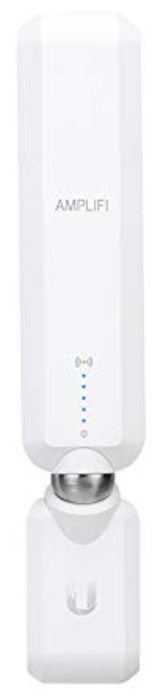
The **AmpliFi Mesh Point AFI-P-HD** is a powerful tool designed to enhance Wi-Fi coverage in homes or offices by integrating seamlessly into existing networks. This device is part of the AmpliFi series by Ubiquiti, known for its innovative mesh technology that eliminates dead spots and ensures robust wireless performance. The AFI-P-HD features an adjustable super antenna, allowing users to optimize signal reception and strength according to their environment.
Key benefits of the AFI-P-HD include its ability to work with both AmpliFi routers and third-party routing solutions, making it versatile for various network setups. It supports dual-band frequencies (2.4 GHz and 5 GHz) and adheres to the 802.11a/b/g/n/ac standards, offering a maximum data transfer rate of 1750 Mbps. The device is ideal for users seeking to expand their Wi-Fi coverage without the complexity of setting up a new router.
Targeted at homeowners and small businesses looking to improve their internet coverage, the AFI-P-HD is priced competitively, typically within the range of $100 to $150, depending on the retailer and any promotions available. It is widely available through online retailers and specialized tech stores.
Getting Started
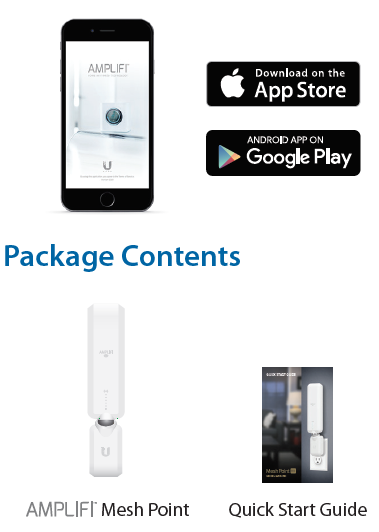
Thank you for purchasing the AmpliFi™ Mesh Point. To get started, download and install the AmpliFi app from the App Store or Google Play™ store.
Mesh Point Overview
Installing the Mesh Points
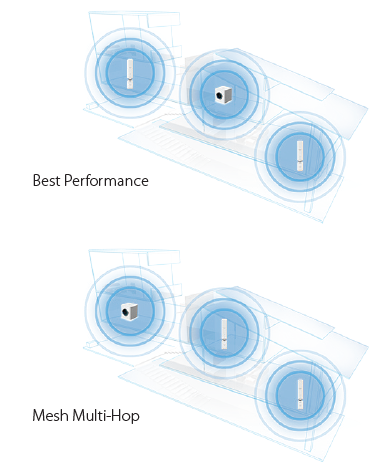
For best performance, the Mesh Points should be placed in different directions between the Router and the areas farthest from the Router. Mesh multi-hop should only be used when necessary, as performance will degrade with each hop.
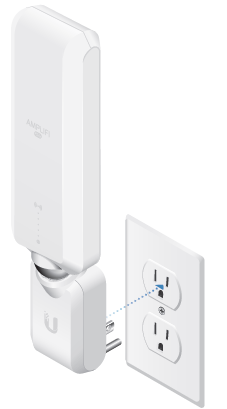
- Plug the Mesh Point into a power outlet.
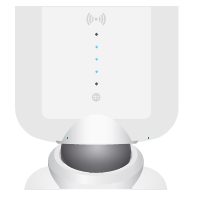
- The Mesh Point will be in the Ready to Add state with the three middle LEDs flashing on and off.
- Launch the app and follow the instructions for the router you are connecting to.
- AmpliFi Router - Page 7
- Third-Party Router - Page 10
Ensure that Bluetooth is enabled on your smartphone.
Connect to an AmpliFi Router
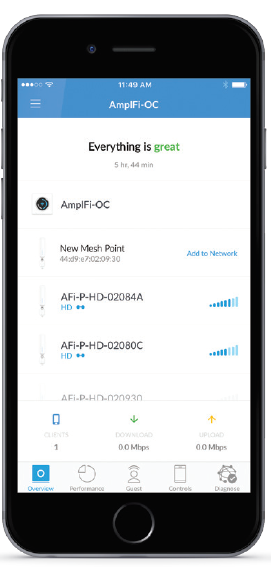
- If your AmpliFi Router is already up and running, once you launch the app,p the new Mesh Point should be displayed. Tap Add to Network
- Edit the name of the Mesh Point if desired. Tap Continue.
- After about a minute, the LEDs on the Mesh Point will reflect signal strength once connected to the Router. The Overview screen in the app will appear and show the Mesh Point connected.
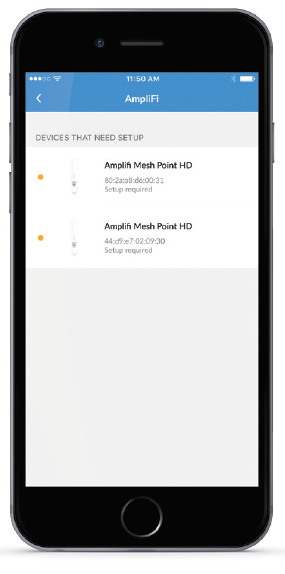
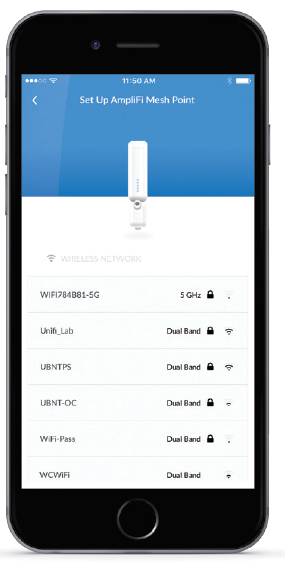
Connect to a Third-Party Router
- Select the device that needs to be configured (if more than one Mesh Point is being installed).
- The app will display a list of available Wi-Fi networks. Select the network associated with your Router.
- Enter the password associated with the wireless network and tap Continue.
- An audible tone will indicate successful configuration. After about a minute, the LEDs will reflect the signal strength once the Mesh Point is connected to the Router.
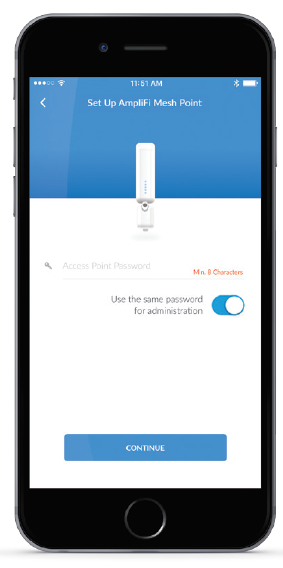
Adjusting the Antenna
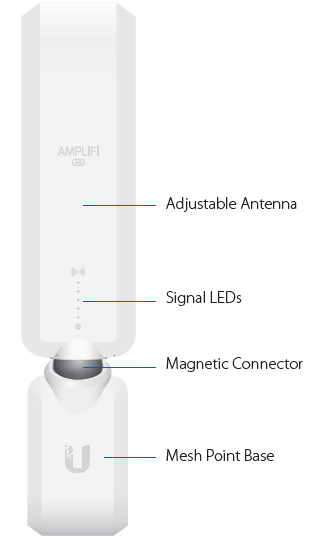
The Mesh Point antenna can be adjusted to provide optimal signal coverage for your location.
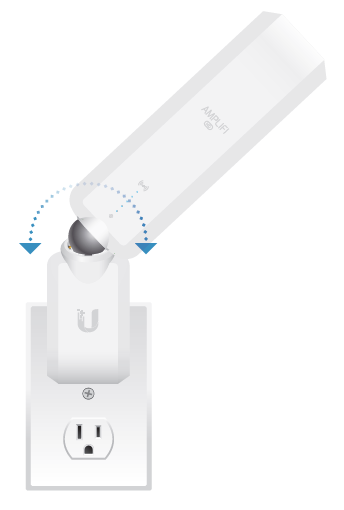
Resetting to Factory Defaults
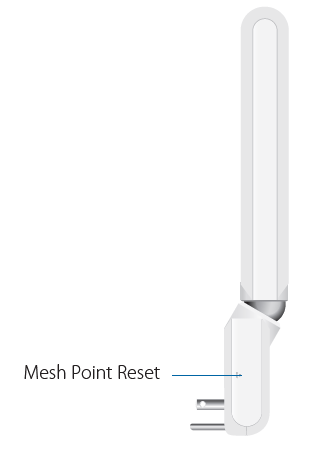
Factory default settings can be restored by using an object such as a straightened paper clip or pin to press the Mesh Point Reset for approximately 10 seconds until the LED turns off and an audible tone is heard.
If the Router is reset, all Mesh Points must also be reset.
Mesh Point Specifications
- Dimensions
- 243.83 x 54 x 57.75 (9.60 x 2.13 x 2.27")
- Weight
- 224 g (7.90 oz)
- Max. TX Power
- 26 dBm
- Radios
- 2
- MIMO Chains
- 6
- Speed
- 1750 Mbps
- ESD/EMP Protection
- ± 24kV Air/Contact
- Buttons
- Reset
- Antennas
- (1) Dual-Band Antenna, Tri-Polarity
- Wi-Fi Standard
- 802.11ac
- Power Save
- Supported
- Wireless Security
- WPA2-PSK AES/TKIP
- Operating Temperature
- 14 to 131° F (-10 to 55° C)
- Operating Humidity
- 5 to 95% Noncondensing
- Certifications
- FCC / CE / IC
Supported Data Rates
- 802.11ac
- 13 Mbps to 1300 Mbps (MCS0 - MCS9, VHT 20/40/80)
- 802.11n
- 6.5 Mbps to 450 Mbps (MCS0 - MCS23, HT 20/40)
- 802.11a
- 6, 9, 12, 18, 24, 36, 48, 54 Mbps
- 802.11b
- 1, 2, 5.5, 11 Mbps
- 802.11g
- 6, 9, 12, 18, 24, 36, 48, 54 Mbps
Troubleshooting
Common issues with the AFI-P-HD include poor signal strength and connectivity problems. To resolve these, ensure the MeshPoint is placed in an open area with minimal obstructions and adjust the antenna for optimal signal reception. Use the AmpliFi app to monitor signal levels and adjust the device's position accordingly.
For more complex issues, refer to the user manual or contact AmpliFi support. The device comes with a one-year manufacturer's warranty, providing peace of mind for users.
Pros & Cons
Pros:
- Easy Setup: The AFI-P-HD integrates seamlessly with existing networks using the intuitive AmpliFi app.
- Adjustable Antenna: Allows for optimal signal strength and reception.
- Compatibility: Works well with both AmpliFi routers and third-party devices.
- High-Speed Data Transfer: Supports up to 1750 Mbps, ensuring fast internet speeds.
Cons:
- Dependence on Router: The AFI-P-HD requires a router to function, limiting its standalone use.
- Limited Advanced Features: Compared to newer models like the AmpliFi Alien, it lacks advanced features such as Wi-Fi 6 capabilities.
Customer Reviews
Users praise the AFI-P-HD for its ease of setup and effectiveness in extending Wi-Fi coverage. Common complaints include the need for a router to operate and the lack of advanced features compared to newer models.
Star Rating: 4.2/5
Testimonial: "The AmpliFi Mesh Point AFI-P-HD has been a game-changer for my home Wi-Fi. It's easy to set up and provides excellent coverage."
Purchase Recommendation: For those needing a reliable Wi-Fi extension without breaking the bank, the AFI-P-HD is a solid choice.
Faqs
How do I set up amplifi Mesh Point AFi-P-HD for the first time?
What should I do if amplifi Mesh Point AFi-P-HD is not working properly?
Can I use amplifi Mesh Point AFi-P-HD with a third-party router?
How often should I maintain amplifi Mesh Point AFi-P-HD?
What are the key features that make amplifi Mesh Point AFi-P-HD different?
How do I optimize the performance of amplifi Mesh Point AFi-P-HD?
Can I use multiple amplifi Mesh Point AFi-P-HD devices together?
What are the requirements for using amplifi Mesh Point AFi-P-HD with Apple iOS devices?
Tags
More amplifi manuals
Leave a Comment