
How to Use: Audio-Technica ATH-M50xBT2 Wireless Headphones User Manual
Content
Introduction to the Audio-Technica ATH-M50xBT2 Wireless Headphones
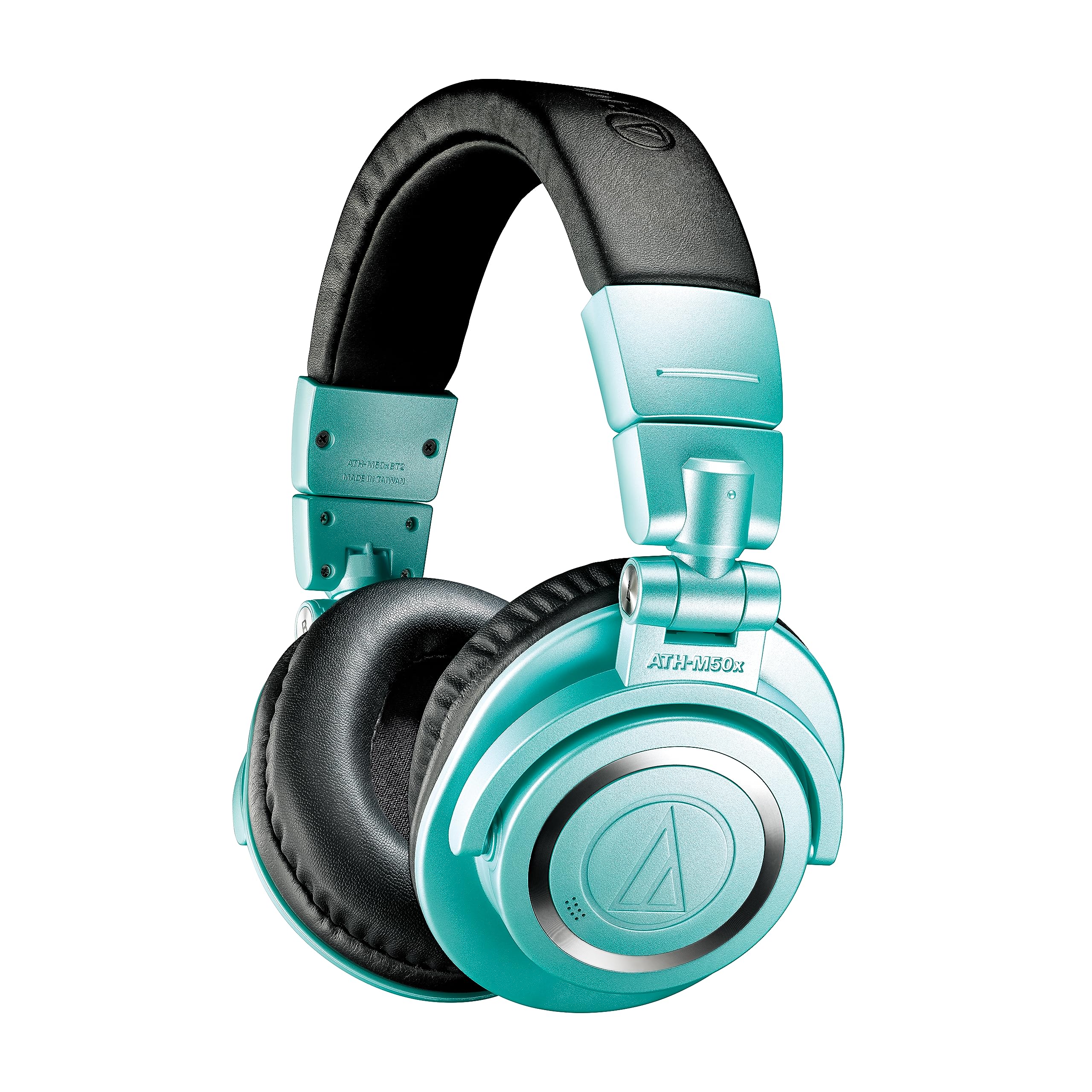
The Audio-Technica ATH-M50xBT2 Wireless Headphones are a popular over-ear Bluetooth model designed for listeners who want studio-inspired sound without giving up everyday wireless convenience. Built around 45 mm drivers, a closed-back design, and a long-lasting battery, these headphones deliver a balanced, detailed listening experience that works well for music, podcasts, streaming, gaming, and remote work. The ATH-M50xBT2 wireless headphones are especially appealing to users who value accurate audio, strong bass control, and dependable all-day battery life.
One of the biggest selling points is the combination of premium sound and practical features. You get Bluetooth 5.0, support for LDAC, AAC, and SBC codecs, USB-C charging, multipoint connectivity, and a built-in MEMS microphone for calls and voice chats. The battery life is rated at about 50 hours, which makes these headphones a strong choice for frequent travelers, professionals, students, and creators who need long uninterrupted use. The wired option also adds flexibility for studio monitoring or low-battery situations.
In the current market, the price range typically falls in the mid-range premium segment, often around $180 to $250 depending on seller, region, and seasonal discounts. Availability is generally broad through major electronics retailers, audio specialists, and online marketplaces. For anyone searching for wireless headphones that deliver the familiar Audio-Technica signature with modern features, the Audio-Technica ATH-M50xBT2 Wireless Headphones remain a compelling option.
Specifications for Audio-Technica ATH-M50xBT2 Wireless Headphones
- Type: Closed-back dynamic over-ear headphones
- Driver size: 45 mm
- Frequency response: 15 Hz to 28,000 Hz
- Sensitivity: 99 dB/mW
- Impedance: 38 ohms
- Bluetooth version: 5.0
- Wireless range: Approximately 10 m line of sight
- Supported codecs: LDAC, AAC, SBC
- Battery life: Approximately 50 hours of continuous use
- Charging time: Approximately 3.5 hours
- Microphone: MEMS type, omnidirectional
- Microphone frequency response: 85 Hz to 15,000 Hz
- Weight: Approximately 307 g
- Charging port: USB-C
- Included accessories: USB charging cable, 3.5 mm audio cable, carrying pouch
Compared with many mainstream wireless headphones in the same class, the ATH-M50xBT2 stands out for its studio-style tuning, higher codec support, and wired backup connection. It is often favored over bass-heavy consumer models when accuracy and detail matter more than exaggerated low-end output.
Detailed Description of the ATH-M50xBT2 Wireless Headphones
The ATH-M50xBT2 builds on the well-known M50x sound profile and converts it into a modern wireless listening solution. The 45 mm drivers aim to reproduce audio with clarity, punch, and controlled bass, making the headphones suitable for critical listening as well as casual use. The closed-back earcups help reduce external noise, which improves focus in busy environments such as offices, trains, cafes, and shared workspaces.
The headphones work in both wireless and wired modes. In Bluetooth mode, they support a stable connection with compatible phones, laptops, tablets, and gaming devices. In wired mode, the included audio cable lets users continue listening when the battery is low or when a direct connection is preferred. The USB-C charging system keeps power management simple and modern.
Build quality is one of the product’s strong points. The design uses a sturdy frame with folding earcups and a practical, travel-friendly shape. The ear pads and headband are designed for comfort during long sessions, while the lightweight construction helps reduce fatigue. In real-world use, these headphones work well for commuting, editing audio, online meetings, and everyday entertainment.
Setup Guide: How to Pair and Use the ATH-M50xBT2
- Charge the headphones fully with the included USB-C cable before first use.
- Power on the headphones by holding the multifunction button until the indicator light activates.
- Enable Bluetooth on your phone, tablet, or computer.
- Select the headphones from the available device list to complete pairing.
- If you want higher-quality wireless playback, check whether your device supports LDAC or AAC.
- For wired listening, connect the included 3.5 mm audio cable directly to the headphone jack and your source device.
To manage everyday use, keep volume at a safe level and avoid exposing the headphones to excessive heat, moisture, or dust. If pairing fails, turn Bluetooth off and on again, remove the device from the Bluetooth list, then repeat the pairing process. If audio cuts out, move closer to the source device and make sure no strong wireless interference is nearby.
Do not charge the headphones near water or while wearing them in unsafe conditions. Before long trips, confirm battery level and store the headphones in the included pouch for protection.
Troubleshooting Common ATH-M50xBT2 Problems
If the headphones do not power on, charge them for at least 15 to 20 minutes and try again. If the device does not appear during Bluetooth pairing, clear previous pairings on both the headphones and the source device, then restart both devices. If audio is connected but not playing, verify that the headphones are selected as the active output device in your phone or computer settings.
Common issues include weak wireless range, distorted sound, and microphone problems during calls. Weak range is often caused by walls, bodies, or nearby wireless devices. Distortion can happen if the source volume is too high or if the media file is low quality. For call issues, make sure the microphone is not blocked and that the correct input device is selected.
There are no widely used public error codes for everyday consumer troubleshooting, so most fixes rely on reset, reconnection, and charging checks. Preventive care includes regular charging, careful cable handling, and storing the headphones in a dry place. For warranty and support, contact Audio-Technica through the official support page or the retailer where the product was purchased. Keep your proof of purchase handy when requesting service.
Pros and Cons of the Audio-Technica ATH-M50xBT2 Wireless Headphones
Pros
- Detailed, studio-inspired sound that suits music, editing, and daily listening
- Excellent battery life at around 50 hours for long trips and workdays
- Bluetooth 5.0 with LDAC support for higher-quality wireless playback
- USB-C charging and included wired connection for flexible use
- Solid build quality with a foldable design and portable carrying pouch
Cons
- No active noise cancellation, so ambient noise remains noticeable
- Some users may find the sound less exciting than bass-boosted alternatives
- At about 307 g, they are not the lightest headphones in the category
- Touchless physical controls are reliable, but may feel less modern than app-heavy competitors
For value, the Audio-Technica ATH-M50xBT2 Wireless Headphones offer strong performance for the price, especially if accurate sound matters more than flashy features. Compared with consumer-focused alternatives, they are a better fit for users who want clarity, durability, and long battery life rather than maximum noise isolation.
Customer Reviews: What Buyers Say About the ATH-M50xBT2
Customer feedback is generally positive, with many buyers rating the ATH-M50xBT2 around 4.5 out of 5 stars. Praise often focuses on sound quality, long battery life, and dependable Bluetooth performance. One frequent comment is that the headphones feel like a wireless version of a trusted studio classic, which appeals to longtime Audio-Technica fans.
Common complaints include the lack of active noise cancellation and the fit, which may feel firm during very long listening sessions for some users. A typical testimonial reads: “Great sound, easy pairing, and battery life that lasts for days.” Another frequent note is that the headphones are best for listeners who prioritize audio quality over extra smart features.
They are a strong purchase recommendation for commuters, students, remote workers, and music lovers who want balanced wireless headphones with a proven design. Buyers who need top-tier noise cancellation may want to compare them with ANC alternatives before deciding.
Faqs
How do I set up audio-technica ATH-M50xBT2 Wireless Headphones for the first time?
Why are my audio-technica ATH-M50xBT2 Wireless Headphones not pairing with my device?
Can audio-technica ATH-M50xBT2 Wireless Headphones connect to two devices at once?
What should I do if the sound quality on audio-technica ATH-M50xBT2 Wireless Headphones seems weak or distorted?
How long does the battery last on audio-technica ATH-M50xBT2 Wireless Headphones, and how can I make it last longer?
Can I use audio-technica ATH-M50xBT2 Wireless Headphones with a wired connection?
How do I improve microphone call quality on audio-technica ATH-M50xBT2 Wireless Headphones?
How should I clean and maintain audio-technica ATH-M50xBT2 Wireless Headphones?
More audio-technica manuals
- How to Use: Audio-Technica ATH-SQ1TW Wireless Headphones User Manual
- How to Use: Audio-Technica ATH-CKS50TW2 Wireless Headphones User Manual
- Audio-Technica ATH-ANC9 QuietPoint Noise-Cancelling Headphones User Manual
- How to Setup : Audio-Technica AT-LP120XUSB Direct-Drive Turntable User Manual
- Setup: Audio-Technica AT-LPW50PB Belt-Drive Turntable User Manual
- How to Use: Audio-Technica AT-LP120XBT-USB Wireless Direct-Drive Turntable User Manual
Leave a Comment