
Avantree Audikast Series Bluetooth Transmitter BTTC-418 User Manual
Content
Avantree Audikast Series Bluetooth Transmitter BTTC-418 Product Manual
Introduction
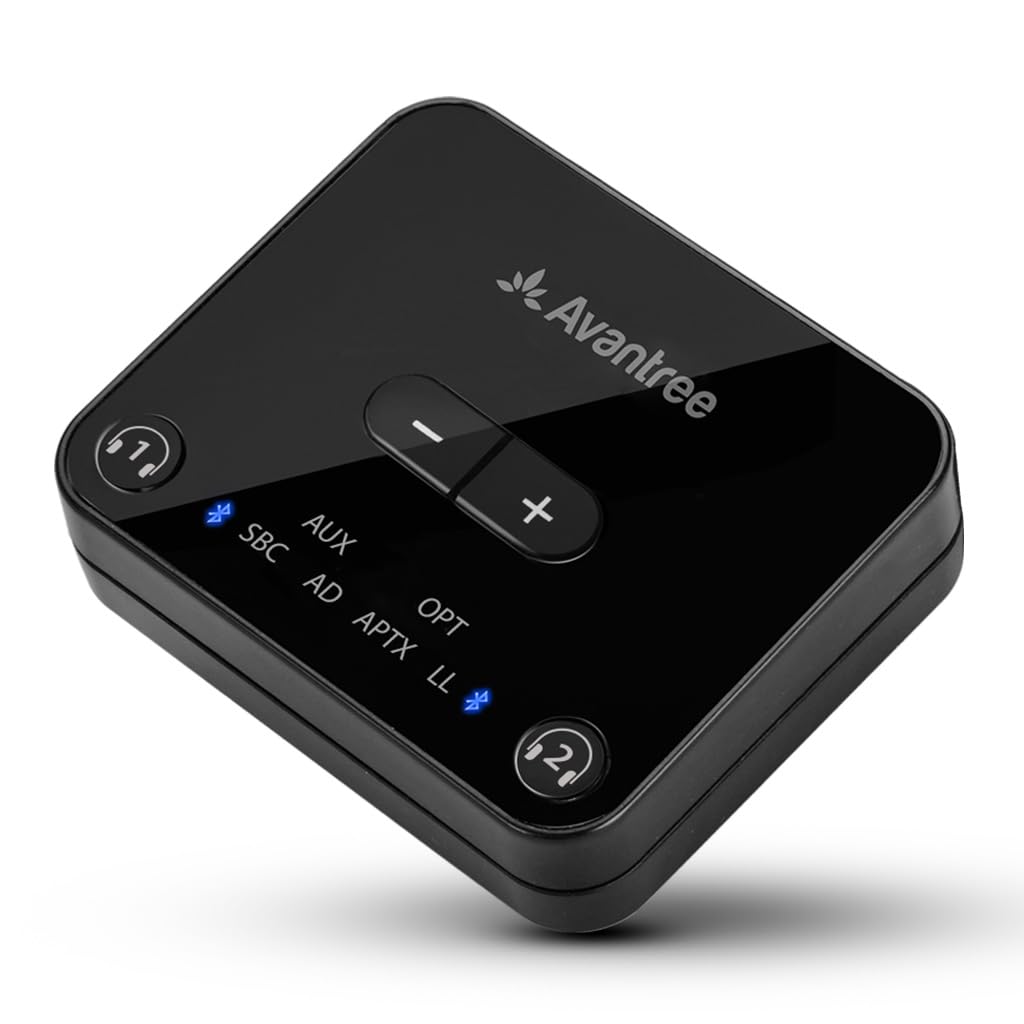
The avantree Audikast Series Bluetooth Transmitter BTTC-418 is a compact wireless audio transmitter designed to send TV, PC, and home audio to Bluetooth headphones, earbuds, and speakers. It is built for users who want low-latency listening, reliable wireless range, and flexible wired input options without replacing their existing audio gear. The Audikast line is especially appealing for late-night TV viewing, assisted listening, shared entertainment, and desktop audio streaming.
One of its biggest advantages is support for low-latency audio codecs such as aptX Low Latency, aptX, FastStream, and SBC, which helps reduce lip-sync delay when used with compatible headphones. It also offers broad compatibility through optical and 3.5mm connections, making it easy to connect to most TVs and audio devices. Dual headphone support is another key selling point, allowing two listeners to enjoy the same audio at once.
This product is ideal for TV owners, gamers, office users, and anyone seeking a straightforward Bluetooth audio transmitter for home use. In the current market, the estimated price range is typically mid-range for Bluetooth transmitters, often around the budget-to-premium crossover depending on retailer, bundle, and condition. Availability is generally good through major online electronics stores, specialty audio shops, and refurbished marketplaces.
Specifications for Avantree Audikast Series Bluetooth Transmitter BTTC-418
- Bluetooth version: Bluetooth 4.2 or later variant depending on the exact Audikast model edition
- Bluetooth profiles: A2DP, AVRCP, and related audio streaming support
- Supported codecs: aptX Low Latency, aptX, FastStream, SBC
- Operating range: Class 1 wireless range up to 100 ft / 30 m in open space
- Audio inputs: Optical TOSLINK, 3.5mm AUX, and USB digital audio on supported configurations
- Power input: USB power supply from TV USB port or 5V adapter
- Product size: Compact desktop-friendly form factor for TV stands and media cabinets
- Weight: Lightweight design, typically around 55 g for the transmitter body
- Key functions: Dual-device pairing, auto reconnect, low-latency wireless audio streaming
- Best use cases: TV audio, wireless headphones, home theater, and personal listening
Compared with many basic Bluetooth transmitters, the BTTC-418 stands out for better codec support and more stable long-range performance. Against newer Bluetooth 5.3 models, it may not offer the newest wireless stack, but it remains strong for dependable audio streaming and low-latency TV use.
Setup Guide for Avantree Audikast Series Bluetooth Transmitter BTTC-418
Setting up the avantree Audikast Series Bluetooth Transmitter BTTC-418 is simple and usually takes only a few minutes. First, connect the transmitter to your TV or audio source using the best available input: optical for cleaner digital sound, 3.5mm AUX for universal compatibility, or USB audio if your model and device support it. Next, connect power through the included USB cable or a compatible 5V USB source.
Turn on your Bluetooth headphones or speakers and place them in pairing mode. Then press and hold the transmitter pairing button until the indicator light begins flashing, which signals pairing mode. Once connected, the transmitter should remember the device and reconnect automatically later. If your TV has a volume control for optical output, set it to a moderate level before fine-tuning on the headphones.
Useful configuration options may include switching between single and dual-device pairing, choosing the proper input source, and confirming aptX Low Latency compatibility for the best lip-sync performance. For troubleshooting, make sure the TV audio output is set to external speakers or optical output as required. Safety precautions include keeping the unit away from moisture, avoiding blocked ventilation around connected equipment, and unplugging the device during lightning storms or long periods of non-use.
Troubleshooting Common Issues With BTTC-418
Most problems with the Audikast transmitter are easy to solve with a few quick checks. If there is no sound, confirm that the correct TV audio output is selected and that the cable is fully inserted. If pairing fails, reset both the transmitter and headphones, then try again with the devices within close range. If audio is delayed, use headphones that support aptX Low Latency or FastStream to reduce lag.
- No power: Try a different USB cable or a wall adapter with stable 5V output.
- No audio: Check optical format settings, AUX output selection, and source volume.
- Device not pairing: Clear previous connections and retry pairing in a quiet RF environment.
- Sound cuts out: Move closer to the transmitter and remove nearby wireless interference.
- Weak volume: Increase source output and confirm the correct input mode.
There are no commonly used public error codes for this model, so most fixes are based on indicator light behavior and connection state. Preventive care includes keeping firmware-supported devices updated when possible, storing cables neatly, and avoiding signal obstruction. For warranty or support, contact Avantree support through the company’s official help channels or the retailer where the product was purchased.
Pros and Cons of the Avantree Audikast Series Bluetooth Transmitter BTTC-418
Pros
- Low-latency audio support delivers better TV lip-sync performance with compatible headphones.
- Multiple input options make it easy to connect to TVs, PCs, and audio systems.
- Dual headphone pairing is excellent for shared viewing and family use.
- Class 1 range provides strong wireless coverage in a typical home setup.
- Good value for money for users who need a reliable Bluetooth audio transmitter.
Cons
- Older Bluetooth generation compared with newer transmitter models.
- Best performance depends on codec support in the receiving headphones.
- Some TVs may require menu changes to output sound correctly.
- Users looking for the newest features may prefer Bluetooth 5.3 alternatives.
Overall, the BTTC-418 is a strong choice for buyers who want dependable wireless TV audio without paying extra for advanced features they may not need. Compared with newer alternatives, it offers fewer modern wireless upgrades, but it remains competitive in practical home use.
Customer Reviews and User Feedback
Customer feedback for the avantree Audikast Series Bluetooth Transmitter BTTC-418 is generally positive, with many users praising its easy setup, stable connection, and low-latency performance. A typical satisfaction score would fall around 4 to 4.5 out of 5 stars, especially among TV viewers and headphone users who want synchronized audio.
Common praise includes clear sound quality, strong range, and the convenience of connecting two headphones at once. Common complaints usually involve pairing confusion, TV audio settings, or limited benefits when used with non-aptX headphones. One recurring testimonial style comment is that it “works exactly as needed for late-night TV without disturbing anyone.”
For most buyers, this model is a smart purchase if the goal is simple wireless audio streaming and good everyday reliability. It is especially recommended for households that want a practical Bluetooth transmitter for TV, movies, and personal listening.
Frequently Asked Questions
What is the Avantree Audikast Series Bluetooth Transmitter BTTC-418 used for?
It is used to send audio from a TV, computer, or audio source to Bluetooth headphones or speakers wirelessly.
Does the BTTC-418 support low-latency audio?
Yes, it supports low-latency codecs such as aptX Low Latency on compatible receiving devices.
Can two headphones connect at the same time?
Yes, dual connection is supported for shared listening.
Is it good for TV use?
Yes, it is especially well suited for TV audio because it reduces delay and supports multiple input types.
Faqs
How do I set up the avantree Audikast Series Bluetooth Transmitter BTTC-418 for first-time use with my TV?
What TV audio settings are needed for avantree Audikast Series Bluetooth Transmitter BTTC-418 to work correctly with optical or RCA output?
Why is my avantree Audikast Series Bluetooth Transmitter BTTC-418 not pairing with my Bluetooth headphones?
Can avantree Audikast Series Bluetooth Transmitter BTTC-418 connect to two headphones at the same time?
What devices are compatible with avantree Audikast Series Bluetooth Transmitter BTTC-418?
How can I reduce audio delay when using avantree Audikast Series Bluetooth Transmitter BTTC-418 for TV watching?
What should I do if the avantree Audikast Series Bluetooth Transmitter BTTC-418 has sound but the audio is unstable or keeps dropping out?
How do I maintain and care for avantree Audikast Series Bluetooth Transmitter BTTC-418 for long-term use?
Tags
More avantree manuals
Leave a Comment