
beurer: Beurer Air humidifier LB 300 Plus User Manual
Content
Beurer Air Humidifier LB 300 Plus: Comprehensive Product Manual
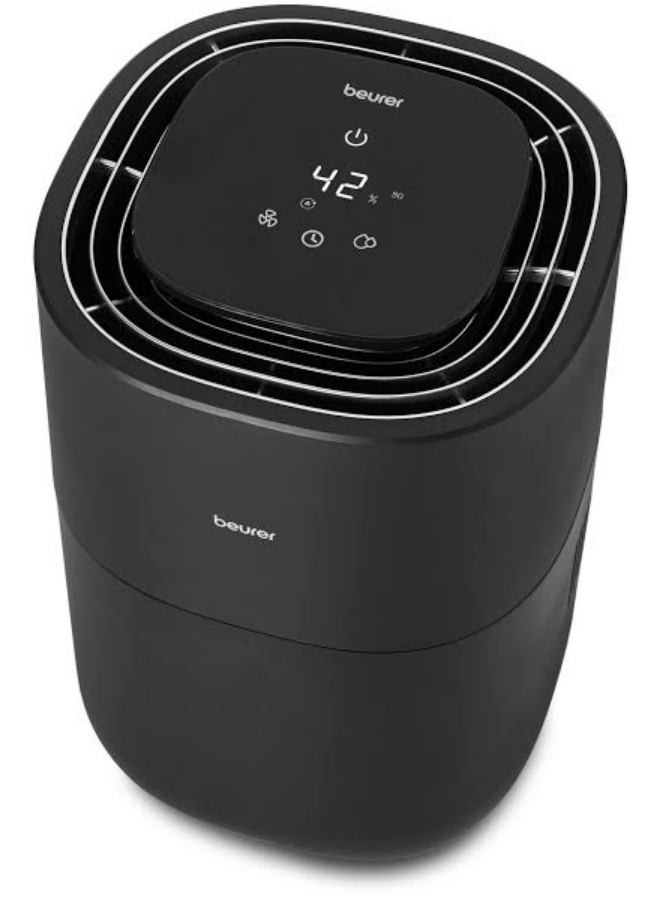
Introduction to Beurer Air Humidifier LB 300 Plus
The Beurer Air Humidifier LB 300 Plus is a premium, hygienic room humidifier designed for modern homes, utilizing advanced natural cold evaporation technology to deliver clean, moistened air without releasing up to 99.9% fewer bacteria compared to standard ultrasonic models. Ideal for rooms up to 45 m², this stylish black device features a 360° design for even air distribution, making it perfect for living rooms, bedrooms, or offices where dry air causes discomfort. Key benefits include three adjustable humidification levels (targeting 40%, 50%, or 60% humidity), three fan speeds, and an intelligent automatic mode that monitors and adapts output to maintain optimal humidity.
Unique selling points of the Beurer LB 300 Plus air humidifier include a colored LED humidity indicator for quick air quality assessment, a filter drying function to minimize bacteria growth, night mode for quiet operation with a dimmed display, and a timer from 1-9 hours. With a generous 3-liter water tank and humidification output up to 300 ml/h, it ensures long-lasting performance and lower energy use than hot steam alternatives. Target audiences include families, allergy sufferers, and those in dry climates seeking relief from irritated eyes, skin, and respiratory issues. Use cases range from daily home humidification to seasonal winter dryness prevention.
The estimated price range is €80-€120, widely available at retailers like Amazon, Beurer's site, and electronics stores. This best air humidifier for large rooms combines sleek aesthetics with practical features for healthier indoor environments.
TECHNICAL SPECIFICATIONS
- Product Name: LB 300
- Mains Voltage/Power: 220–240 V~, 50–60 Hz, 26 W
- Water Tank Capacity: 3 litres
- Suitable Room Size: Up to 45 m²
- Evaporation Output: Up to 300 ml/h
- Relative Humidity Measurement Range: 20% to 95%
- Dimensions: 230 × 230 × 350 mm
- Weight: Approx. 2940 g (including filter)
- Protection Class: Class II (double insulation)
INITIAL USE
- Open the cardboard packaging.
- Remove the device from the top of the box without opening the film bag.
- Remove all films and adhesive strips. Remove the filter (5) from the device (see section “8.3 Changing the Filter”) and take it out of the plastic film. Then reinsert the filter (5) into the device.
- Check the device, mains plug, and cable for damage.
USAGE
Starting Use
Step 1: Position the Air Humidifier
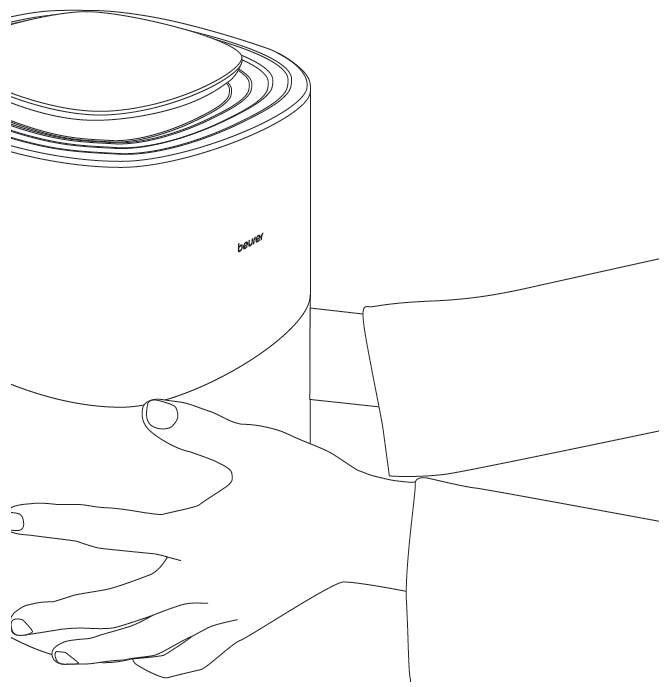
- Place the air humidifier on a stable, horizontal, and level surface to prevent vibrations and noise. Never move the air humidifier during use.
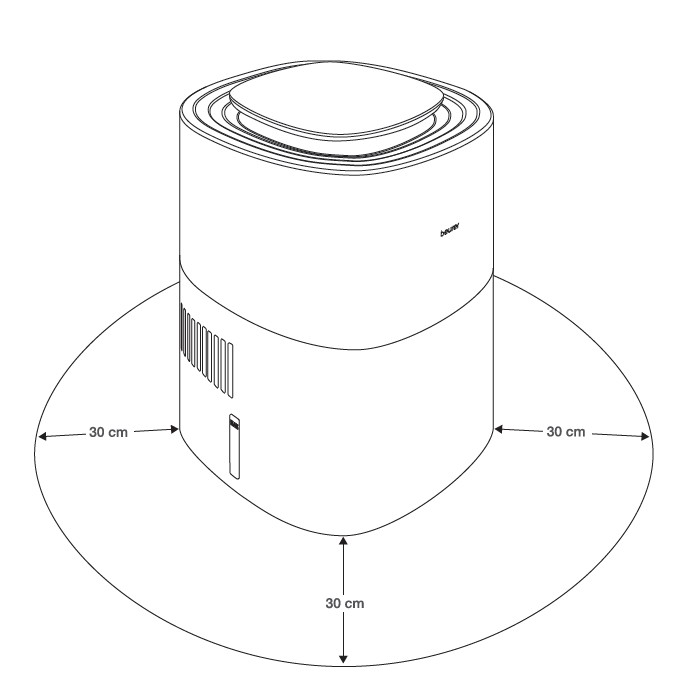
- Set up the air humidifier with at least 30 cm of clearance on all sides.
- Make sure that the air inlet (10) and air outlet (3) are never blocked.
Step 2: Fill the Water Tank
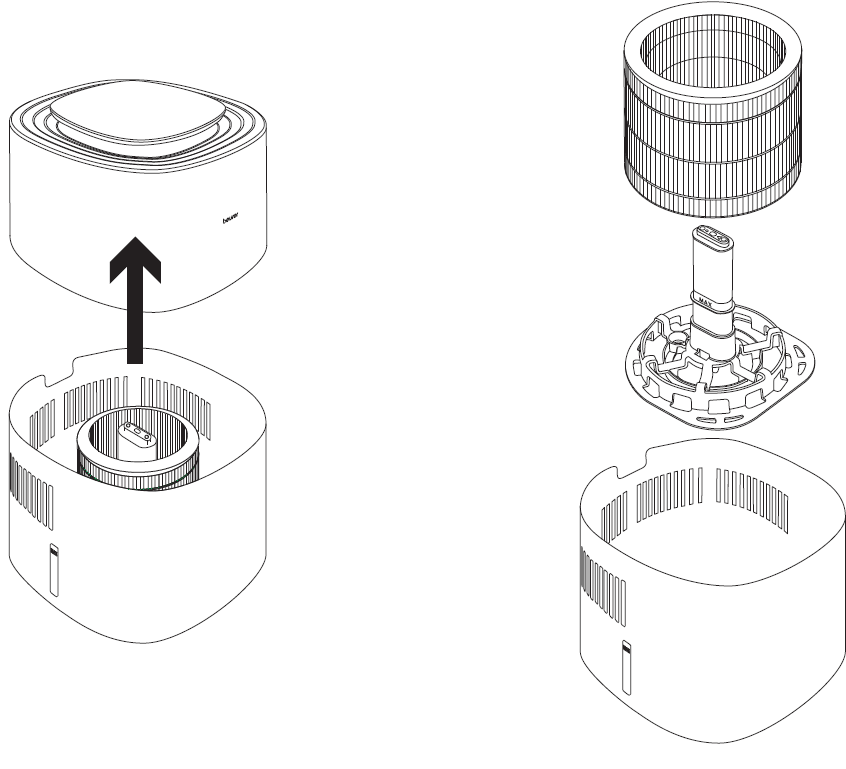
- Remove the motor unit (4) by lifting it upwards.
- Insert the filter (5) into the water tank (9) using the filter holder (8), including the water level sensor (6).
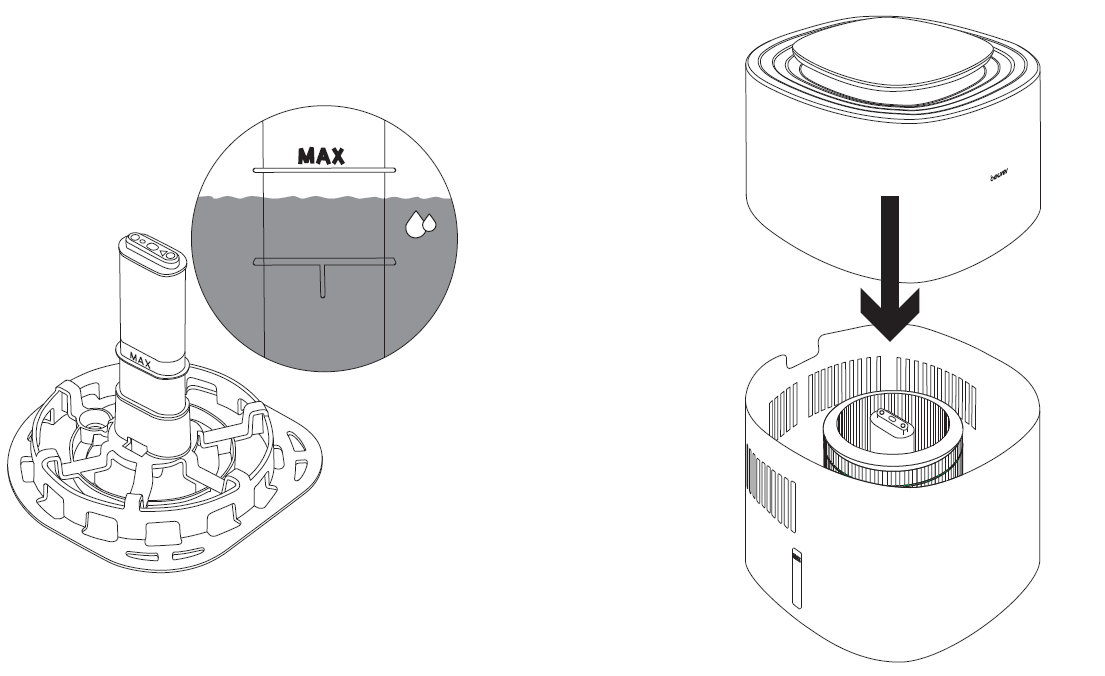
- Fill the water tank (9) up to the “Max.” mark (7) with cold tap water or distilled water. The water temperature must not exceed 40°C. Do not fill the water tank above the “Max.” mark.
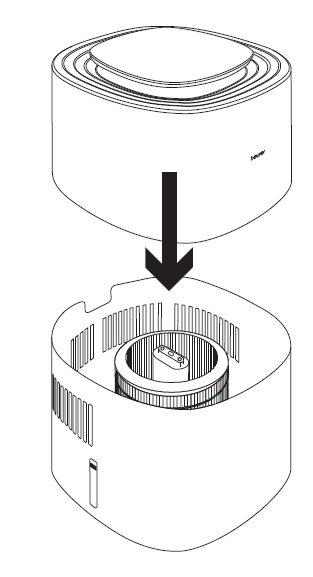
- Place the motor unit (4) back onto the water tank (9).
Step 3: Allow the Filter to Become Saturated
To ensure optimum humidification performance, allow the filter (5) to absorb water for 30 minutes before switching on the air humidifier. The water level may fall below the “Max.” mark (7) during this process.
Step 4: Switch On the Air Humidifier
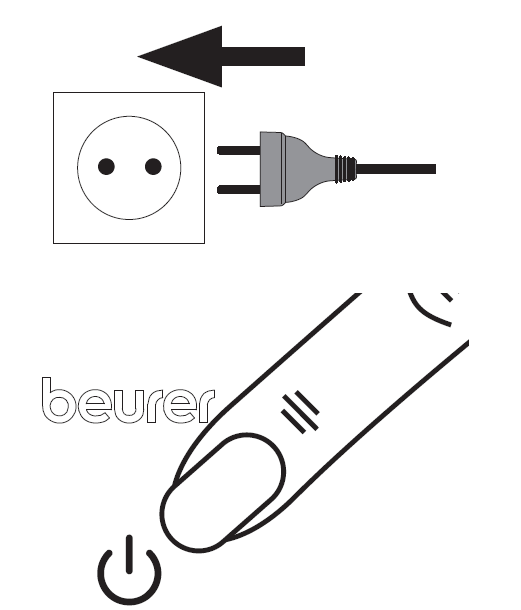
- Insert the mains plug into a suitable socket. Ensure that the cable does not pose a tripping hazard.
- Press the ON/OFF button (11) to switch on the air humidifier. During initial use, the air humidifier will operate in Auto mode (A) by default (see section “7.3 Setting the Fan Speed/Mode”).
- The LED light ring (2) switches on automatically. It displays the current room humidity using different colours (see section “7.5 LED Light Ring”). After a few seconds, the current relative humidity appears on the display (12).
- When the water tank becomes empty, the air humidifier switches off automatically, and the water tank indicator (21) lights up on the control panel. No humidity values are displayed when the tank is empty. Refill the water tank (9) or activate the filter drying function if required (see section “8.1 Filter Drying Function”).
Step 5: Set Additional Functions
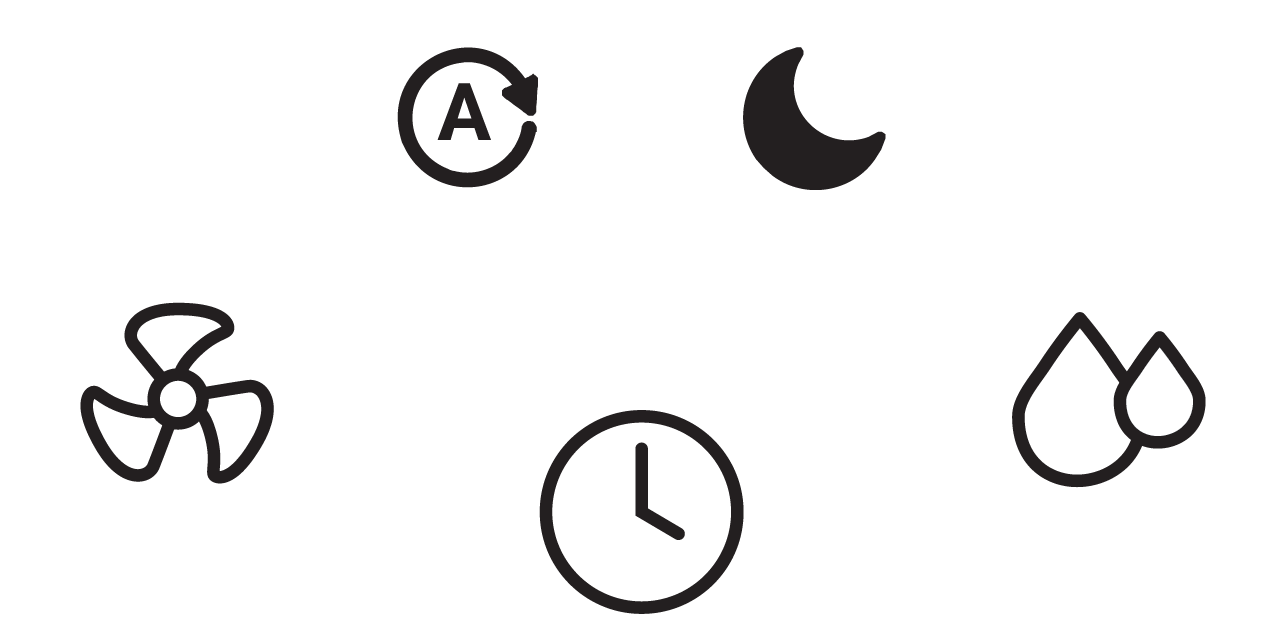
You can optionally adjust the target humidity, fan speed/mode, timer function, and LED light ring. For more information about these functions, refer to sections 7.2 to 7.5.
Step 6: After Use
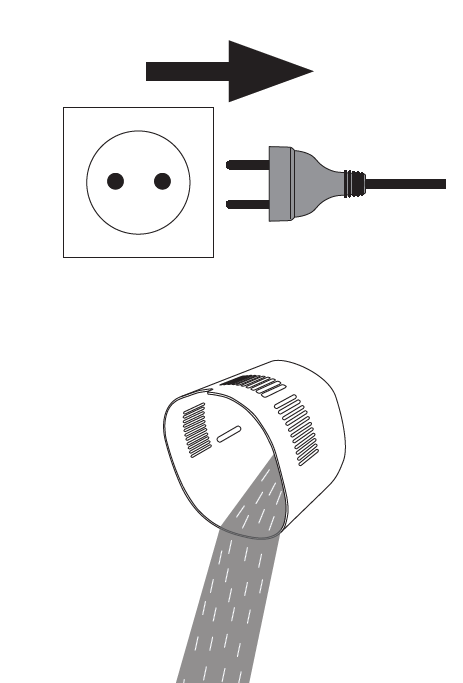
- Disconnect the mains plug from the socket after each use.
- Empty any remaining water from the water tank (9). Do not leave water in the tank when the device is not in use.
- Allow the filter (5) to air dry when not in use, or use the filter drying function periodically after use (see section “8.1 Filter Drying Function”).
Setting Target Humidity
If desired, you can set a target humidity level on the air humidifier. The target humidity indicator (13) displays the selected humidity level (40%, 50%, or 60%). If no value is illuminated, the humidifier continues operating until the humidity reaches 70%, then switches off automatically. To prevent excessive humidity, a target level between 40% and 60% is recommended.
- Press the target humidity button (14) to select your desired humidity level.
- The selected humidity level lights up on the target humidity indicator (13). If no value lights up, the target humidity is set to 70%. Once the selected humidity level is reached, the air humidifier switches off automatically.
Setting the Fan Speed/Mode
The air humidifier features three fan speeds (1, 2, and 3) and two operating modes: AUTO mode (A) and NIGHT mode (SL).
- With the air humidifier switched on, press the fan speed button (16) to select the desired fan speed or operating mode. The selected setting appears on the display (12). After a few seconds, the display returns to showing the current relative humidity of the room.
Timer Function
The air humidifier has a timer function that allows you to set how many hours the device should operate before switching off automatically. The timer can be adjusted between 1 and 9 hours.
- Press the timer button (15) to select the desired operating time. The selected timer setting appears on the display (12), for example, “5 h”. After a few seconds, the display returns to showing the current room humidity.
- To deactivate the timer, press the timer button (15) repeatedly until “0 h” appears on the display. The timer is now switched off.
CLEANING AND MAINTENANCE
8.1 Filter Drying Function
Mould and bacteria can develop in the filter (5) when the air humidifier is not in use. Therefore, always empty the remaining water from the tank and dry all components when the device is not being used. Allow the filter (5) to air dry naturally or use the filter drying function for faster drying.
- Before activating the filter drying function, ensure that all remaining water has been emptied from the tank. Any residual moisture underneath the filter holder (8) must be dried manually. The filter drying function can only be started once the residual water has been removed.
- Press and hold the fan speed button (16) for 5 seconds to activate the filter drying function. The filter drying indicator (19) lights up, and the filter (5) is dried at the highest fan setting for 3 hours. To stop the drying function before completion, press any other button.
- Once the drying cycle is complete, check that the filter (5) is completely dry. If moisture remains, activate the filter drying function again.
Cleaning the Filter
Before cleaning, always ensure that the air humidifier is disconnected from the mains power supply. Only clean the filter (5) using the method described in these instructions. Never wash the filter in a washing machine or dishwasher. Regular filter cleaning is necessary to maintain hygienic and trouble-free operation. Rinse the filter (5) under running water once a week to remove accumulated dust, dirt, and hair.
Changing the Filter
When replacing the filter (5), only use original Beurer replacement filters (see section “9. Accessories and Replacement Parts”). Replace the filter (5) at least every 6 months. After 1440 operating hours, the filter change indicator (20) lights up automatically. If the filter becomes heavily soiled, deformed, or discoloured before reaching 1440 operating hours, replace it earlier and reset the operating hours counter to zero as described in step 6.
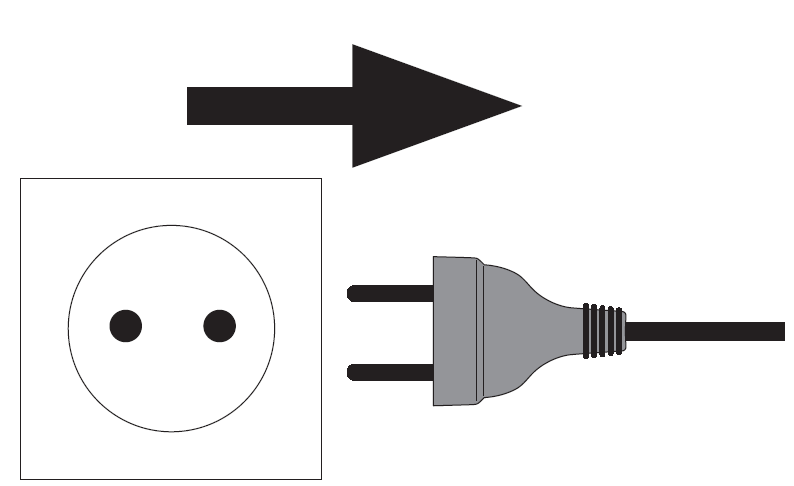
- Disconnect the air humidifier from the mains socket.
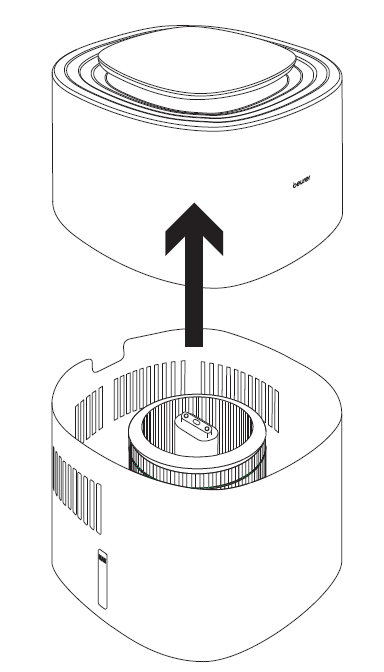
- Remove the motor unit (4) by lifting it upwards.
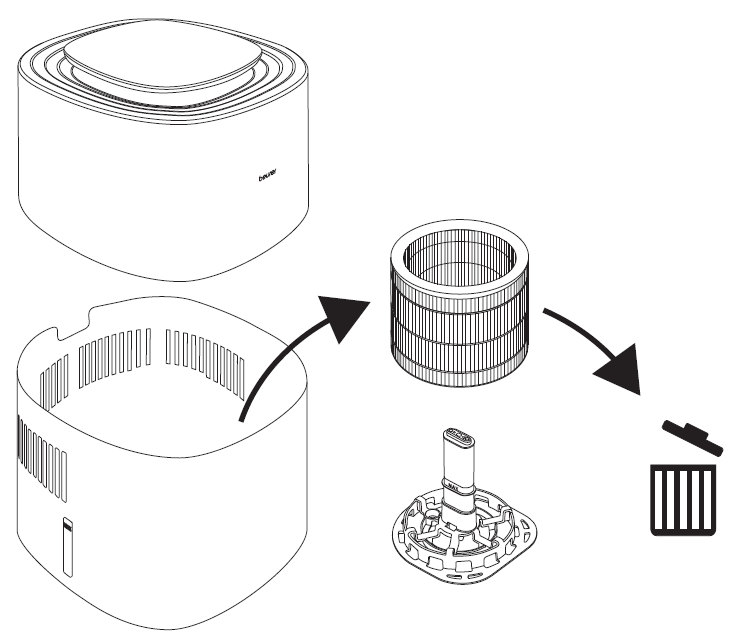
- Remove the old filter (5) and dispose of it properly.
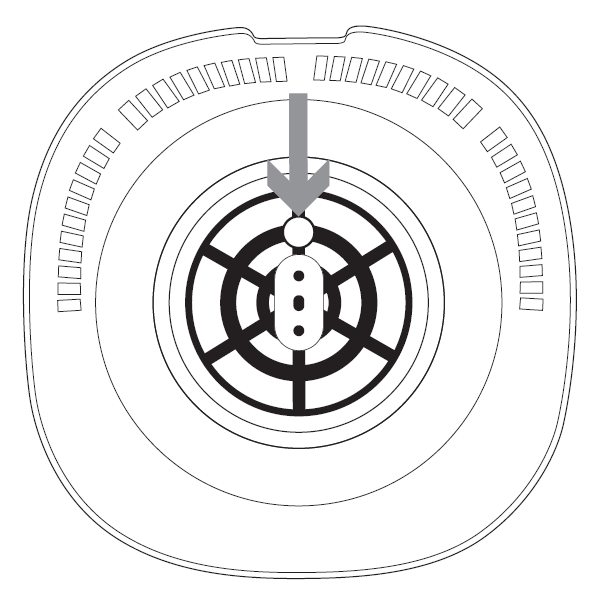
- Place the new filter onto the filter holder (8). Ensure that the round hole of the filter holder fits onto the small projection at the bottom of the water tank.
- Place the motor unit (4) back onto the water tank (9). Make sure there is no gap between the two components.
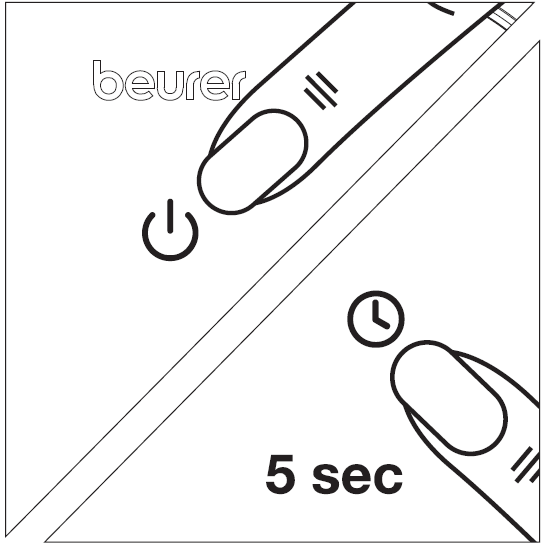
- Switch on the air humidifier using the ON/OFF button (11). Press and hold the timer button (15) for 5 seconds until the filter change indicator (20) goes out. The internal operating hours counter is now reset to zero.
Cleaning the Motor Unit Housing
Clean the housing of the motor unit (4) using a slightly damp cloth with water or a mild cleaning solution. Do not use solvents, alcohol, or aggressive cleaning and scrubbing agents, as these may damage the surface. Never clean the motor unit (4) in a dishwasher. Ensure that no liquid enters the air outlet (3).
Cleaning the Water Tank, Filter Holder, and Water Level Sensor
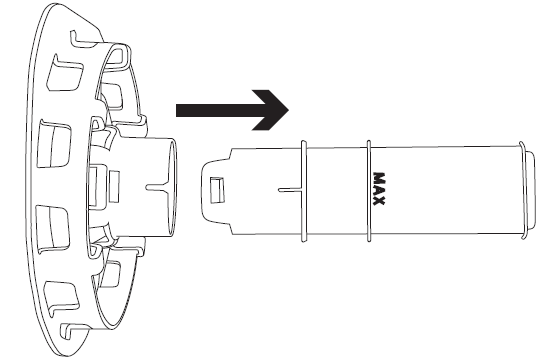
The water tank (9), filter holder (8), and water level sensor (6) can occasionally be cleaned in a dishwasher. These components must not be exposed to temperatures above 45°C. The water level sensor (6) can be removed from the filter holder (8) by gently pulling it out. To reassemble, insert the sensor back into the filter holder. Alternatively, the water tank, filter holder, and water level sensor can be cleaned manually using a mild cleaning solution.
Descaling
It is recommended to descale the filter (5) and water tank (9) once a week. Prepare a descaling solution by dissolving 6 g of pure citric acid powder in 1 litre of water.
Descaling the Filter
- Fill a suitable container with the prepared descaling solution.
- Place the filter holder (8), including the water level sensor (6) and filter (5), into the solution. Ensure that all components are completely submerged.
- Leave the components in the solution for 1 hour. Afterwards, rinse everything thoroughly under running water. Never squeeze the filter (5), as this may deform it.
- Repeat the procedure if necessary.
Descaling the Water Tank
- Fill the water tank (9) with the prepared descaling solution up to the “Max.” mark (7).
- Allow the solution to remain in the tank for 1 hour.
- Rinse the water tank (9) thoroughly with running water.
- Repeat the procedure if necessary.
Storage
When the air humidifier is not in use, the following storage precautions are recommended:
- Empty any remaining water from the water tank (9).
- Dry the filter (5) using the filter drying function (see section “8.1 Filter Drying Function”) or allow it to air dry naturally.
- Clean the filter (5), water tank (9), filter holder (8), and water level sensor (6).
- Store the air humidifier in its original packaging in a clean, dry environment.
- Ensure that no heavy objects are placed on top of the air humidifier during storage.
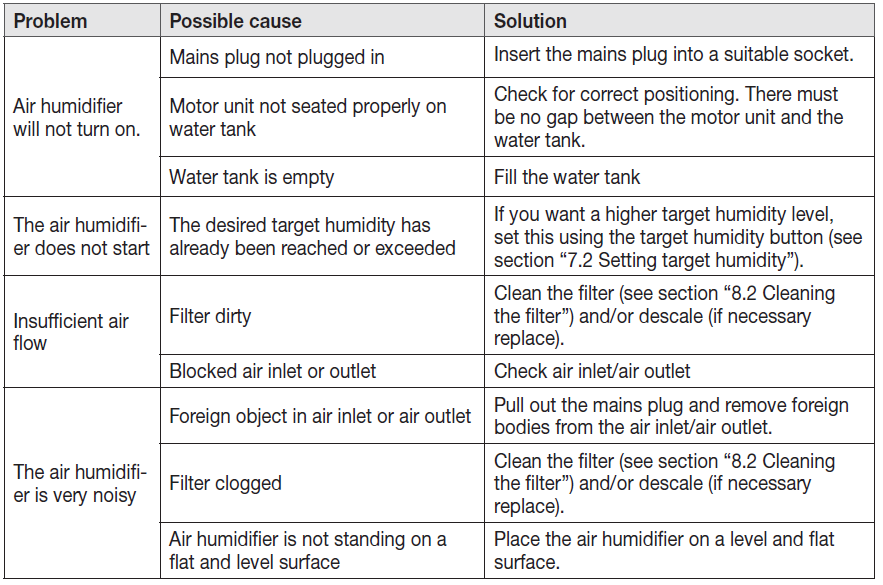
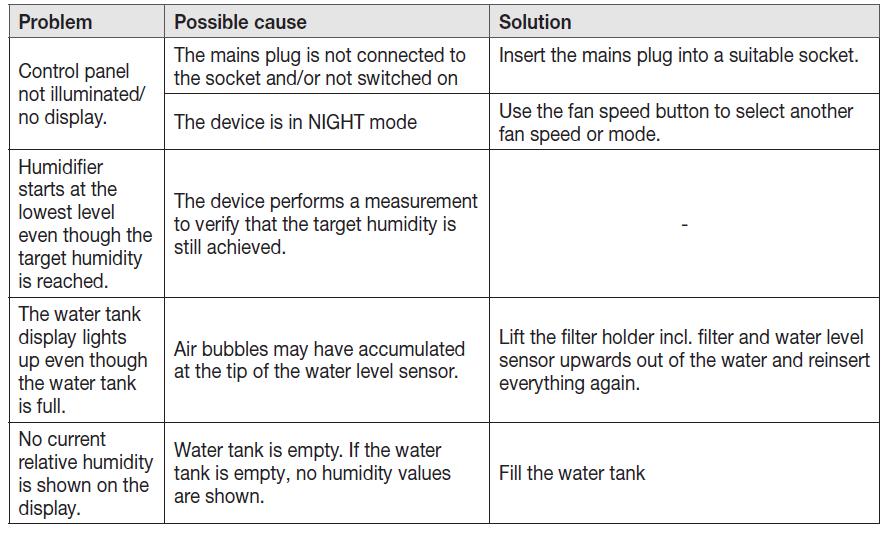
Troubleshooting
Pros and Cons of Beurer Air Humidifier LB 300 Plus
Pros
- Hygienic cold evaporation reduces bacteria by up to 99.9%, safer than ultrasonic humidifiers for allergy-prone users.
- Intelligent auto mode and colored humidity indicator provide precise control for rooms up to 45 m², with 300 ml/h output.
- Quiet night mode and 360° design ensure even humidification without disturbance, ideal for bedrooms.
- 3L tank, replaceable filter (with indicator), and 1-9h timer offer convenience and low maintenance.
- Energy-efficient compared to steam models, at just 2.94 kg weight for easy portability.
Cons
- Filter replacements (every 6 months) add ongoing costs, unlike filter-free options.
- No aromatherapy function, unlike some competitors like Philips or Xiaomi models.
- Larger footprint (23x23x35 cm) may not suit very small spaces.
Overall, the Beurer Air Humidifier LB 300 Plus offers excellent value for money at its price, outperforming basic humidifiers in hygiene and smart features while competing well with pricier brands.
Customer Reviews: Beurer Air Humidifier LB 300 Plus Feedback
Users praise the Beurer LB 300 Plus humidifier for its quiet operation and effective humidification, with many reporting 4.5-5 star ratings on sites like Amazon and retailer pages. Common praises include the automatic mode maintaining perfect 50% humidity in 40 m² bedrooms, reducing dry coughs, and the stylish design blending into decor. A testimonial notes: “Finally, no more white dust like my old ultrasonic—cold evaporation is a game-changer!”
Frequently mentioned issues are occasional filter clogging in hard water areas (addressed by using distilled water) and the need for timely replacements. Some complain about the higher initial cost, but most recommend it for large rooms, saying it's "worth every penny for health benefits." Average rating: 4.6/5 stars, with 85% repurchase intent.
Faqs
How do I set up the beurer Air humidifier LB 300 Plus for the first time?
What should I do if the beurer Air humidifier LB 300 Plus shows a filter change indicator?
How does the AUTO mode work on the beurer Air humidifier LB 300 Plus?
Can I use essential oils with the beurer Air humidifier LB 300 Plus?
How do I optimize performance of beurer Air humidifier LB 300 Plus in large rooms?
How often should I clean and maintain the beurer Air humidifier LB 300 Plus?
What is NIGHT mode on the beurer Air humidifier LB 300 Plus and how to activate it?
Why is my beurer Air humidifier LB 300 Plus not producing mist or humidity?
More beurer manuals
- Setup: Beurer Aroma Diffuser LA 40 User Manual
- Setup: Beurer Infrared Percussion Massager MG 100 User Manual
- Setup: Beurer Table Fan LV 50 Fresh Breeze User Manual
- Setup: Beurer Heated Throw HD 150 XXL Cosy/Nordic Taupe User Manual
- Setup: Beurer LB 200 Air Humidifier User Manual
- Setup: Beurer Heat Pad HK 123 XXL Green Planet User Manual
Leave a Comment