
Carrier Performance Series AC-HP Thermostat User Manual
Content
Carrier Performance Series AC-HP Thermostat Review and Manual
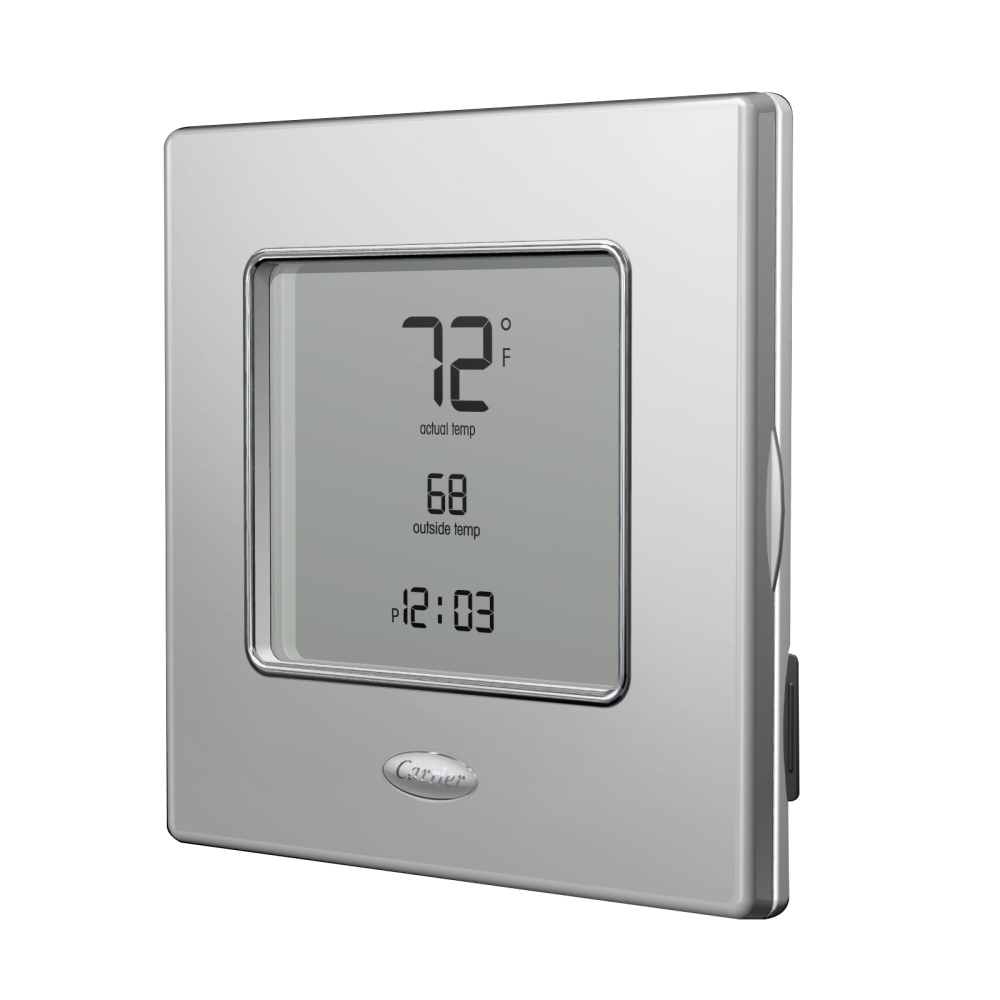
The carrier Performance Series AC-HP Thermostat is designed for homeowners and HVAC professionals who want reliable control over air conditioning and heat pump systems without unnecessary complexity. It is commonly used in single-stage and some multi-stage residential setups, offering a clean digital interface, straightforward temperature management, and compatibility with 24VAC HVAC wiring. This makes it a practical choice for replacing older thermostats or upgrading a basic system with a more modern and efficient control solution.
One of its biggest strengths is its focus on simplicity and system compatibility. Depending on the model variant, the thermostat may support programmable or non-programmable operation, auto changeover, heat pump control, battery backup, and backlit LCD visibility. These features help improve comfort, reduce manual temperature adjustments, and support more consistent indoor climate control. For users searching for a dependable Carrier thermostat for AC/HP applications, this product line fits well in everyday homes, rental properties, and light commercial spaces where ease of use matters more than advanced smart-home automation.
Availability is generally good through HVAC distributors, Carrier dealers, and online parts retailers. Estimated pricing typically ranges from about $70 to $180 depending on the exact model, programming features, and retailer markup. Non-programmable versions usually sit at the lower end, while programmable or Wi-Fi-enabled options cost more. For buyers wanting a balance of brand reliability, essential features, and straightforward installation, the carrier Performance Series AC-HP Thermostat remains a solid mid-range option.
Specifications for Carrier Performance Series AC-HP Thermostat
- System type: Air conditioning and heat pump compatibility
- Power requirements: 24VAC, approximately 3 VA
- Wiring support: RC/RH compatible, standard 18 to 22 gauge wire
- Operating temperature: 32°F to 104°F
- Operating humidity: Up to 95% RH non-condensing
- Storage temperature: -40°F to 134°F
- Display type: Digital LCD, often backlit on select models
- Installation style: Vertical or horizontal J-box mounting provisions
- Control options: Programmable or non-programmable depending on model
- Common features: Auto changeover, temperature hold, heat pump control, battery backup on some models
In performance terms, the thermostat is built for dependable everyday HVAC control rather than advanced zoning or app-heavy automation. Compared with smart thermostats such as ecobee or Nest, it offers fewer connected features but easier operation and lower cost. Compared with basic generic thermostats, Carrier’s Performance Series usually provides stronger HVAC-specific compatibility and a more polished user interface. For users who want a traditional thermostat with reliable heat pump support, the carrier Performance Series AC-HP Thermostat sits in a strong middle ground between entry-level and premium smart controls.
Pros and Cons of Carrier Performance Series AC-HP Thermostat
Pros
- Easy-to-use controls with a clear digital display
- Good compatibility with AC and heat pump systems
- Available in programmable and non-programmable versions
- Works well for homeowners who want simple, reliable temperature management
- Generally strong value for money compared with premium smart thermostats
- Trusted Carrier branding and HVAC-focused design
Cons
- Fewer smart features than Wi-Fi thermostats
- Some models require professional installation for best results
- No advanced app control on standard versions
- Not ideal for users wanting detailed energy reports or automation
- Pricing can be higher than generic non-branded thermostats
For value-conscious buyers, the thermostat performs well because it delivers dependable climate control without forcing a move into expensive smart-home ecosystems. However, users who want remote access, voice assistant support, or energy analytics may prefer a modern connected alternative. In that sense, the carrier Performance Series AC-HP Thermostat is best for practical users who prioritize stability over bells and whistles.
Customer Reviews for Carrier Performance Series AC-HP Thermostat
Average user sentiment typically lands around 4.3 out of 5 stars, with praise centered on ease of use, reliable temperature regulation, and solid compatibility with Carrier HVAC systems. Many customers describe it as a “simple upgrade that works,” especially when replacing an aging thermostat in a heat pump setup.
- 4.5/5: “Installation was straightforward and the display is easy to read.”
- 4.2/5: “It does exactly what I need without complicated menus.”
- 3.9/5: “Good thermostat, but I wish it had Wi-Fi features.”
Common complaints usually involve limited smart functionality and the need to confirm wiring compatibility before purchase. Customers also note that advanced users may outgrow the feature set quickly. Even so, for standard AC and heat pump systems, most reviews recommend it as a dependable buy. If the goal is a straightforward, brand-name thermostat with strong everyday performance, the carrier Performance Series AC-HP Thermostat is a safe and practical choice.
Faqs
How do I set up the carrier Performance Series AC-HP Thermostat for the first time?
Why is my carrier Performance Series AC-HP Thermostat not turning on the AC or heat?
Is the carrier Performance Series AC-HP Thermostat compatible with my heat pump system?
How do I program schedules on the carrier Performance Series AC-HP Thermostat for better energy savings?
What should I do if the carrier Performance Series AC-HP Thermostat shows incorrect temperature readings?
How do I switch between cooling, heating, and emergency heat on the carrier Performance Series AC-HP Thermostat?
What maintenance does the carrier Performance Series AC-HP Thermostat need to stay accurate?
How can I fix Wi-Fi or app connection problems with the carrier Performance Series AC-HP Thermostat?
More carrier manuals
- Carrier 38MHRB Outdoor Unit Ductless System User Manual
- Carrier 50ZPB Accessory Electric Heater User Manual
- Carrier 50HX Packaged Heat Pump Unit User Manual
- Carrier GB1AAV Induced-Combustion Furnace User Manual
- Carrier 59MN7B Condensing Gas Furnace User Manual
- Carrier 58SC0A Non-Condensing Gas Furnace User Manual
Leave a Comment