
Conair WW712XF Digital Body Analysis Scale User Manual
Content
Conair WW712XF Digital Body Analysis Scale: Complete Product Manual
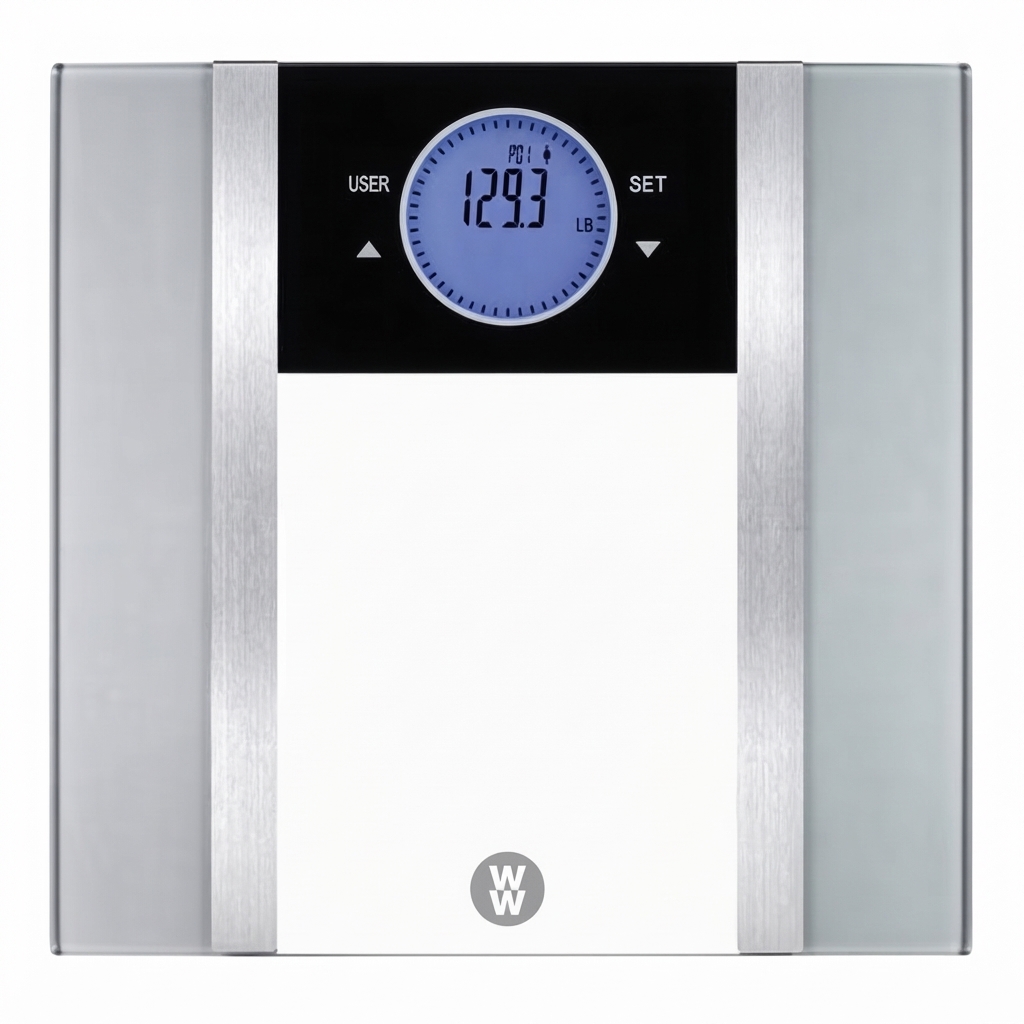
The Conair WW712XF Digital Body Analysis Scale is designed for users who want more than basic weight tracking. This body composition scale measures weight along with key wellness metrics such as body fat, body water, muscle mass, bone mass, and BMI, giving you a broader view of your health at home. Its glass platform, easy-to-read digital display, and user memory make it a practical choice for families, fitness enthusiasts, and anyone following a weight management plan.
One of the biggest advantages of the Conair WW712XF Digital Body Analysis Scale is its combination of simplicity and analysis. It supports multiple users, stores personal data, and automatically cycles through measurements after a single barefoot reading. That makes it especially useful for households where more than one person wants to monitor progress over time. The scale is also designed for quick daily use, with automatic shutoff and straightforward controls.
For buyers comparing smart bathroom scales, this model sits in the affordable mid-range category. The estimated price range is typically around $25 to $70, depending on retailer, stock, and region. Availability may vary, but it is commonly found through major online marketplaces, health product retailers, and Conair-related distribution channels. If you want a digital body analysis scale with essential health metrics and a simple setup, the WW712XF is a strong value-focused option.
Specifications for Conair WW712XF Digital Body Analysis Scale
- Model: WW712XF digital body analysis scale
- Primary measurements: weight, body fat, body water, muscle mass, bone mass, and BMI
- Measurement method: bioelectrical impedance analysis for body composition estimates
- Display: digital LCD readout with sequential measurement output
- User memory: multi-user support for stored personal profiles
- Platform: tempered glass body scale design
- Activation: foot-tap start and automatic shutoff
- Units: pounds and kilograms
- Power: battery-operated household scale
- Use requirement: barefoot operation for body analysis readings
- Weight capacity: up to 400 lb / 182 kg
- Readout increments: 0.1 lb or 50 g
The Conair WW712XF Digital Body Analysis Scale is comparable to other budget-friendly body composition scales, but it stands out for offering core wellness metrics without overwhelming setup complexity. Compared with basic weight-only bathroom scales, it provides significantly more health data. Compared with premium smart scales, it is simpler and usually less expensive, though it may not include app syncing, Wi-Fi, or advanced trend analytics.
Key performance notes
The scale is intended for consistent home use on a firm, level surface. For the most reliable body composition results, readings should be taken under similar conditions each day, such as in the morning before food or exercise. Weight accuracy is generally best when the scale is placed on hard flooring rather than carpet.
Setup Guide for the WW712XF Body Composition Scale
Setting up the Conair WW712XF Digital Body Analysis Scale is simple and usually takes only a few minutes. Start by placing the scale on a flat, secure floor. Avoid carpet, uneven tile, or soft surfaces, since these can affect accuracy.
- Insert the batteries in the correct orientation and close the battery compartment securely.
- Choose the unit of measurement if needed by switching between pounds and kilograms.
- Tap the scale lightly with your foot to wake it up.
- Wait until the display shows zero before stepping on.
- Enter your user number using the USER button if the scale stores multiple profiles.
- Step on the scale barefoot and make sure both feet are on the metal electrodes.
- Stand still until the display cycles through weight and body analysis results.
For best pairing and configuration, assign each household member a separate user number before regular use. Keep feet clean and dry for better conductivity and more stable body analysis readings. If the display does not turn on, check battery orientation first.
Safety precautions: do not use the scale if the glass is cracked or damaged, do not overload it beyond the rated capacity, and do not allow children to jump on the platform. Pregnant users and anyone with a medical implant should consult a healthcare professional before relying on bioimpedance body composition results.
Troubleshooting the Conair WW712XF Digital Body Analysis Scale
If the Conair WW712XF Digital Body Analysis Scale is not working properly, most issues can be solved with a few quick checks.
- Scale will not turn on: Replace the batteries, confirm correct battery placement, and clean the battery contacts if needed.
- Display shows unstable weight: Move the scale to a hard, level surface and avoid standing near the edge of the platform.
- Body analysis results do not appear: Make sure you are barefoot and both feet are touching the electrodes.
- Readings seem inconsistent: Weigh yourself at the same time each day and avoid measuring immediately after exercise or showering.
- ERROR message: Remove excess weight, step off, and restart the scale. Error conditions are often caused by overload or an uneven surface.
- Low battery behavior: Replace all batteries at once for best performance.
Preventive care improves long-term reliability. Keep the glass surface dry, avoid dropping the scale, and store it in a safe indoor location. If the device needs a full reset, use the reset option under the unit if available. Warranty coverage and support options depend on the retailer or regional distributor, so keep your proof of purchase and product packaging. For help, contact Conair customer support or the retailer where the scale was purchased.
Pros and Cons of the Conair WW712XF Digital Body Analysis Scale
Pros
- Measures more than body weight, including body fat, body water, muscle mass, bone mass, and BMI.
- Easy to use for everyday home tracking.
- Multi-user memory is useful for families.
- Affordable compared with many smart body composition scales.
- Tempered glass design offers a clean, modern look.
- Good entry-level option for users who want wellness insights without a smartphone app.
Cons
- No advanced app connectivity or cloud syncing.
- Body composition readings can vary based on hydration and timing.
- Requires barefoot use, which may feel inconvenient to some users.
- Not as feature-rich as premium Bluetooth body scales.
- Best results depend on consistent placement and usage habits.
In terms of value for money, the WW712XF is attractive for users who want core body analysis features at a lower price than connected smart scales. Compared with app-based alternatives, it is less advanced but also less complicated and often more dependable for straightforward daily weighing.
Customer Reviews for Conair WW712XF Digital Body Analysis Scale
Users commonly rate the Conair WW712XF Digital Body Analysis Scale around 4 out of 5 stars for ease of use, design, and affordability. Many buyers praise its simple setup, clear display, and useful body composition measurements for home fitness tracking. One typical comment is: “Great scale for the price and easy to share with the whole family.”
Frequent complaints usually focus on body fat and muscle readings, which can change depending on hydration and measurement conditions. Some users also mention that the scale works best on hard floors and may feel less precise on uneven surfaces. A common sentiment is: “Weight readings are consistent, but the body analysis numbers make the most sense when I use it the same way every day.”
Overall, this body composition scale is a good purchase recommendation for anyone seeking a budget-friendly bathroom scale with helpful health metrics. It is especially suitable for users who prefer a no-app, no-fuss experience and want a dependable scale for long-term weight monitoring.
Faqs
How do I set up the Conair WW712XF Digital Body Analysis Scale for the first time?
Why is my Conair WW712XF Digital Body Analysis Scale showing an error or inconsistent readings?
What body composition measurements does the Conair WW712XF Digital Body Analysis Scale provide?
How many users can the Conair WW712XF Digital Body Analysis Scale store?
Does the Conair WW712XF Digital Body Analysis Scale work with socks or shoes on?
What should I do if the Conair WW712XF Digital Body Analysis Scale display is blank or turns off too quickly?
How can I get the most accurate results from the Conair WW712XF Digital Body Analysis Scale?
How do I clean and maintain the Conair WW712XF Digital Body Analysis Scale?
More conair manuals
- Conair 425 Style & Shine Dryer User Manual
- Conair 303 Mid-Size Dryer User Manual
- Conair InfinitiPRO Hydro Fusion Steam Straightener S9900 User Manual
- Conair Glidelite Professional Iron GI500 User Manual
- Conair CD2115 InfinitiPro Curling & Straightening Iron User Manual
- Conair GS2 Fabric Steamer User Manual
Leave a Comment