
Connex CX39A19 HD LED TV User Manual
Content
Connex CX39A19 HD LED TV Manual and Product Overview
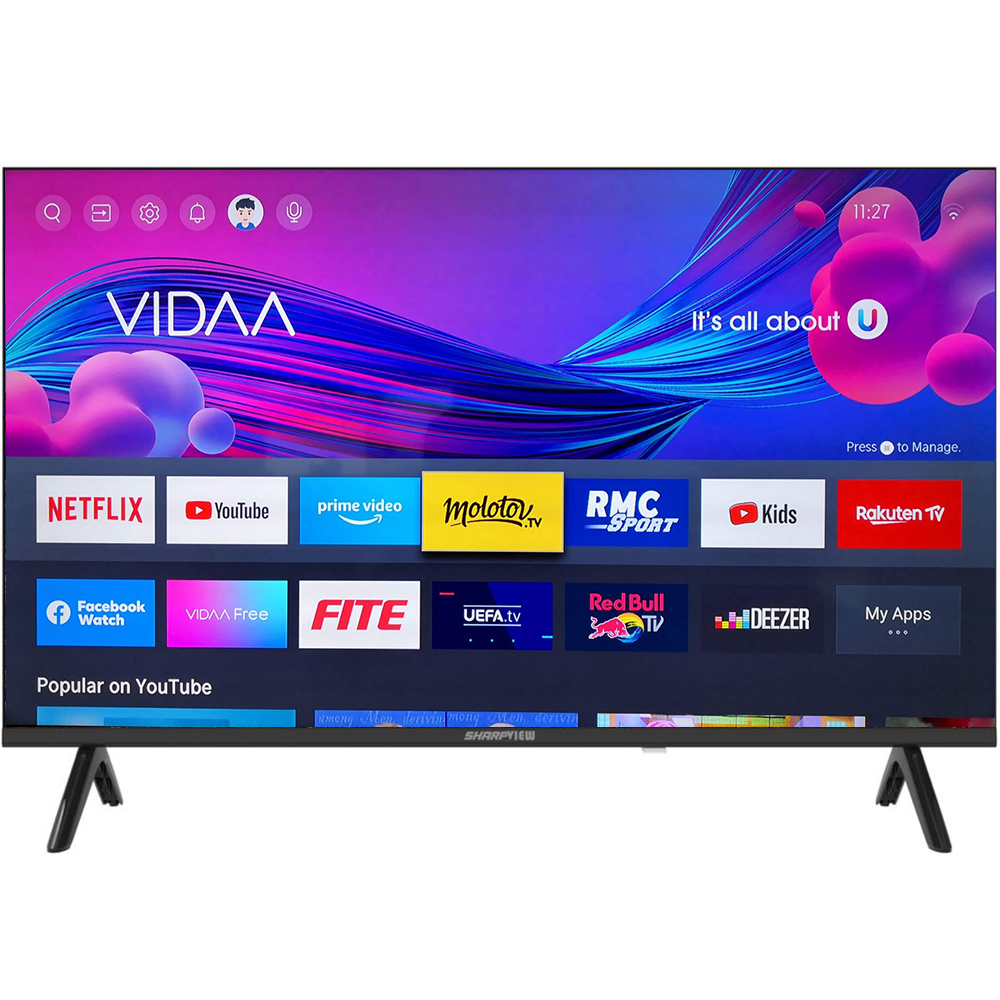
The Connex CX39A19 HD LED TV is a 39-inch television designed for everyday home entertainment, offering a practical balance of screen size, picture quality, and simple connectivity. With a 1366 x 768 HD-ready panel, a wide 178-degree viewing angle, and a 16:9 aspect ratio, it is well suited for bedrooms, apartments, guest rooms, small lounges, and budget-conscious households that want a dependable TV for cable viewing, streaming devices, USB playback, and casual gaming.
One of the biggest advantages of the Connex CX39A19 HD LED TV is its straightforward setup and user-friendly operation. It typically includes a remote control with batteries, a base stand, and an instruction manual, making it easy to start using right away. USB playback support for common media formats such as JPEG, MP3, and MPEG video files adds convenience for users who want local media access without extra hardware. The TV also supports VESA wall mounting, which makes it flexible for both tabletop and wall-mounted installation.
For shoppers looking for an affordable HD LED television, this model usually falls in the lower budget price range, often estimated around the entry-level TV segment depending on region and seller. Availability may vary by country, electronics retailer, and online marketplace, but it is generally positioned as a value-focused 39-inch LED TV for basic everyday viewing. The Connex CX39A19 HD LED TV is best suited for users who want a simple, reliable television rather than a feature-heavy smart TV platform.
Connex CX39A19 HD LED TV Specifications
- Screen size: 39 inches
- Panel resolution: 1366 x 768 HD
- Aspect ratio: 16:9
- Viewing angle: 178° horizontal and 178° vertical
- USB media support: JPEG images, MP3 audio, and MPEG1, MPEG2, and MPEG4 video files
- Included accessories: remote control, 2 AAA batteries, base stand, and instruction manual
- Mounting support: VESA-compatible wall mounting
- Display type: HD LED panel designed for everyday viewing
- Use case focus: basic home entertainment, cable TV, USB playback, and external source input
In practical terms, the Connex CX39A19 HD LED TV is comparable to other entry-level 39-inch HD LED televisions, but it stands out for its simple feature set and easy setup rather than advanced smart functions. It is a strong match for users who want a straightforward television with broad viewing angles and solid compatibility for basic media playback. Compared with Full HD or smart TV alternatives, it offers lower resolution and fewer streaming features, but it can be more affordable and easier to operate for users who only need the essentials.
How to Set Up the Connex CX39A19 HD LED TV Step by Step
Start by placing the TV on a stable surface or preparing a compatible VESA wall mount before unpacking all accessories. Attach the stand according to the manual, then connect the power cable to a safe wall outlet. Insert the included AAA batteries into the remote control, making sure the polarity is correct. Once the TV is powered on, follow the on-screen first-time setup prompts to select language, region, picture mode, and source preferences.
Next, connect your devices. Use HDMI for streaming boxes, game consoles, or media players. Use the USB port for supported photo, music, and video playback. If your setup includes an antenna or cable feed, connect it before scanning channels. If the TV does not respond, check the power cord, remote batteries, and input source selection. For better results, keep the television in a ventilated area and avoid placing it near heat sources, moisture, or direct sunlight.
Safety precautions are important during installation. Do not lift the TV by the screen edge, and do not over-tighten wall-mount screws. If the TV is wall-mounted, confirm that the bracket is rated for a 39-inch display and installed into a secure structure. Avoid power surges by using a surge protector whenever possible.
Troubleshooting the Connex CX39A19 HD LED TV
If the TV will not turn on, confirm that the power cable is firmly connected and the outlet is working. Replace the remote batteries if the unit powers on manually but not from the remote. If there is sound but no picture, verify that the brightness is not set too low and that the correct source is selected. If the TV shows no signal, check the HDMI or antenna cable connection and make sure the external device is powered on.
Common on-screen issues often relate to source selection, unsupported USB files, or loose cable connections. If a USB drive is not recognized, reformat the drive to a compatible file system and confirm that the media file type is supported. If playback stutters, use a smaller-capacity USB drive or a lower-bitrate video file. If the image looks stretched, adjust the aspect ratio settings to match the content.
There are no widely documented public error codes for this model, so most issues are solved through basic checks, resets, and input reconfiguration. Preventive care includes regular dust removal, proper ventilation, stable power, and careful handling of cables. For warranty service or technical support, contact the retailer, distributor, or the brand’s local service channel listed in the product documentation or purchase paperwork.
Pros and Cons of the Connex CX39A19 HD LED TV
Pros
- Affordable 39-inch TV size that fits bedrooms, guest rooms, and small living spaces
- HD LED display with a wide 178-degree viewing angle for comfortable group viewing
- Simple installation and easy-to-understand controls for everyday users
- USB media playback adds convenience for photos, music, and videos
- VESA wall-mount support offers flexible placement options
- Good value for money for buyers who need only essential TV functions
Cons
- 1366 x 768 resolution is lower than Full HD alternatives
- Not ideal for users who want built-in smart TV apps or advanced streaming features
- Basic feature set may feel limited compared with modern smart LED TVs
- USB and file-format support are useful, but not as broad as premium models
- Best suited for casual viewing rather than high-end home theater use
Overall, the Connex CX39A19 HD LED TV delivers strong value for budget buyers who want a reliable television without paying extra for features they may not need. Compared with larger smart TVs or Full HD alternatives, it trades resolution and app support for simplicity and affordability.
Customer Reviews for Connex CX39A19 HD LED TV
Typical customer feedback for the Connex CX39A19 HD LED TV is generally positive among users who want a simple, affordable TV for everyday use. Many buyers rate it around 4 out of 5 stars for value, ease of setup, and dependable performance in smaller rooms. Common praise includes the clear basic picture quality, wide viewing angle, and hassle-free installation.
Frequent complaints usually focus on the lower HD resolution and the absence of advanced smart features. Some users also mention that the TV is best for standard viewing rather than sharp, high-detail content. A common testimonial style from satisfied buyers is: “Easy to set up, good size for the bedroom, and works well with my streaming box.”
If you want a budget-friendly 39-inch LED TV for cable, USB playback, and simple home entertainment, this model is a practical choice. If your priority is 4K resolution, built-in apps, or premium sound, a newer smart TV may be a better fit.
Faqs
How do I set up the connex CX39A19 HD LED TV for the first time?
What should I do if the connex CX39A19 HD LED TV has no picture but the sound works?
Which devices are compatible with connex CX39A19 HD LED TV through HDMI, USB, and AV inputs?
How do I use the USB media playback feature on connex CX39A19 HD LED TV?
Why does my connex CX39A19 HD LED TV keep losing channel signal, and how can I fix it?
What picture settings give the best performance on connex CX39A19 HD LED TV for movies and gaming?
How do I clean and maintain connex CX39A19 HD LED TV without damaging the screen?
What size wall mount fits the connex CX39A19 HD LED TV, and how do I install it safely?
More connex manuals
Leave a Comment